❌

Reading view

There are new articles available, click to refresh the page.

How AI Fuels the Web Security Goldrush

AI has quickly become a key tool for the modern web. Developers, web hosts, and site owners are adopting it to reduce costs, increase efficiency, and serve customers (we can debate the merits of the last one).

AI is also taking a lead role in security research, with people and organizations analyzing code for vulnerabilities. That makes sense, as an AI model can find potential issues faster than a human. It’s also a tool developers can use while building – making the web safer for everyone.

We’re already seeing the fruits of this virtual labor. Recent WordPress security releases have found and patched issues with AI’s help. The WordPress plugin directory’s “Protect the Shire” initiative looks to catch plugin security holes before they are released to the public.

That’s all impressive. However, it feels like we’re only in the beginning stages of AI-assisted security. So, what does it mean for web professionals? And will this brave new world make our jobs easier? Or could it all backfire on us?

Let’s attempt to answer these and a few other important questions.

AI Makes the Connections Humans Can’t

It stands to reason that AI can identify common patterns of vulnerable code. Training a model on PHP or JavaScript documentation should mean it “knows” which functions are potentially dangerous.

The more surprising feature is AI’s ability to make seemingly unrelated connections. By itself, a particular code snippet may not be problematic. But combine it with another (or two or three more), and you might get a different result.

Think of it as one of those futuristic scenes in your favorite crime drama. You know the drill: a character uses a computer to track down a criminal at light speed and zero obstacles. AI isn’t quite that fast, but a few hours of scanning does the job.

We’ve seen cases where such detective work found vulnerabilities that existed for years. Humans reviewing the same code the old-fashioned way didn’t see the connection. A large language model (LLM) puts the puzzle together with relatively little effort.

AI is demonstrating its value for this type of work. That’s good, because malicious actors are using the same tools to do the reverse. We’ll need tools to identify problems as soon as possible.

AI excels at identifying security flaws that humans miss.

Battling Information Overload

Researchers are using AI to uncover a record number of security vulnerabilities. Bug bounty programs that used to receive a few dozen reports a month are now seeing hundreds or more. That’s both a good and bad sign.

On the bright side, every patched security flaw is a positive thing. No one wants their app to be less secure, after all. More security means more peace of mind. Or does it?

The side effect is a deluge of security warnings. Companies and individuals are holding up every single issue they find, as if to say, “Look at this! We’re all doomed unless you buy x, y, and z!”

The reality is that no two vulnerabilities are the same. Some will be more severe and more likely to be exploited. Indeed, the random connections AI makes can mean an attacker needs to follow a very specific (and unlikely) set of steps to do real damage.

Regardless, all bets are off when an issue becomes public. Hackers will know (or can easily find out) how to exploit the vulnerability. From there, product makers rush to develop and deploy a patch.

This leaves the rest of us to wonder what’s an emergency and what can wait. It also makes freelancers and agencies afraid to ignore their email. What if our security plugin finds a critical issue?

The number of security flaws discovered by AI is on the rise.

We Need Smarter Ways To Manage Web Security

Even the most attentive web developers will struggle to keep up with the pace of security disclosures. Rarely does a day go by without another big doomsday flaw dropping.

The traditional workflows for everyday agencies and freelancers aren’t enough. Automated updates offer speed, but don’t guarantee safety or stability. Besides, how do we protect our sites from the inevitable undiscovered AI-built threats?

Here’s hoping we find smarter ways to manage security threats. We need help to make sense of all the information out there. A mechanism to quickly apply patches and minimize exposure would also be welcome. Some of these things already exist – but they must be applied at scale.

These issues could be resolved at the hosting level. After all, hosts are the closest point of contact for a website. Content delivery networks (CDNs) like Cloudflare could also help with a seamless mitigation strategy.

The bottom line is that AI has fueled an explosion of security discoveries and potential attacks. Freelancers and agencies can’t handle them alone. Help!

The post How AI Fuels the Web Security Goldrush appeared first on Speckyboy Design Magazine.

Should Your Agency Charge Less for AI-Assisted Solutions?

Artificial Intelligence (AI) has become a staple for modern agency workflows. We use it to write code, troubleshoot issues, and research solutions. But it goes beyond building and maintaining websites. The technology is impacting every aspect of running a business, from customer service to strategic planning.

This brings up an important question for WordPress agencies: How does using AI on client projects affect pricing?

On the surface, it feels like a tricky question. AI is supposed to improve efficiency. A more efficient process should take less time to complete, which means lower costs. But it’s not that simple.

The point of increased efficiency is to make more profit. Faster results and decreased overhead shouldn’t mean that your business takes a financial hit, right? If that’s the case, then agencies have no incentive to use AI for, well, anything.

So, should we reassess the value of our services in the age of AI? And how do we present it to clients? Let’s try to find the answers.

Time-Based Billing Is Outdated

The hourly rate has been a standard for many freelancers and agencies. We charge based on how much time we spend on a given task. This policy worked well enough when everything was done by hand. However, it doesn’t fit with how most of our work is done today.

Let’s take a custom WordPress plugin as an example. In this scenario, our client needs a niche plugin that adds functionality to their website.

This type of project could have taken several hours before AI came into the picture. Much depends on your level of expertise, but it’s safe to say you’d need to conduct research, write the code, then test. There would inevitably be bugs to fix and more tests to run. It’s easy to get stuck on an issue that delays progress.

An hourly rate could make sense here, as you risk getting burned by a project-based fee. What if the project takes longer than anticipated? You might lose money on the deal.

Using AI accelerates the entire process. You should still conduct research, and there will still be bugs to fix. You’ll also want to test for security. But the increased efficiency will likely lead to faster turnaround times.

Here, a project-based fee is a more reasonable solution. You’re charging based on the outcome, rather than time spent. And the result is the most important part of the equation – regardless of how long it took.

Project-based fees are a better way to charge for result-oriented tasks

Using AI Requires Different Thinking and Communication

Working with AI also means a shift in our approach on both the project and client sides. Agencies and developers must focus on the big picture more than the process of getting it done. Again, the idea is that time isn’t the most relevant factor.

AI-based workflows often turn us into orchestra conductors, rather than old-school code jockeys. We’re using plain language to guide the tool in the right direction. We spend less time on the foundational aspects and more on the structure and feel. It’s a different role that can take time to grasp fully.

This also affects how we communicate with clients. We should emphasize the value in what we build. Clients must understand the benefits of a new feature and how it moves them closer to their goals.

In that regard, it doesn’t matter if building a new plugin took you five days or five hours. The only question worth asking is: Did we provide the best possible solution within their budget?

This isn’t much different than other service-based industries. You probably didn’t care what tools the carpenter used to build your new deck. You were likely more excited about how it looked and functioned.

AI is akin to the carpenter’s power tools. In the right hands, it becomes easier to achieve the desired outcome. You still need a certain level of expertise, however.

Getting the best results from AI requires experience and expertise

AI Should Increase Your Agency’s Revenue

The bottom line is that AI provides a path to do more with less. Perhaps the biggest hurdle for agencies and freelancers is embracing this philosophy.

Remember, there have been many changes in how we build websites. We went from hand-coding HTML to using content management systems (CMS) like WordPress. Tools like WYSIWYG editors and page builder plugins incrementally increased our productivity. Little by little, web professionals adopted these solutions and adapted their businesses to take advantage of them.

AI is more of a revolutionary technology, as it increases our output exponentially. Naturally, a change this big leads to questions about how we work and how much we charge.

You may run into a client who expects lower pricing because of your increased efficiency – don’t fall for it. Your knowledge and experience are still guiding the ship, and they are worth a premium. Once you realize this, you can use AI to encourage growth. These new tools simply offer a faster way to get there.

The post Should Your Agency Charge Less for AI-Assisted Solutions? appeared first on Speckyboy Design Magazine.

How AI Can Help You Document Your WordPress Projects

Building WordPress websites, plugins, and themes is complicated. Each requires some critical thinking and decision-making skills. There should be sound logic behind every feature.

The problem is that we can’t always remember what we did or why we did it. This is why documentation is so important. It’s a resource we can reference when jumping back in to add or fix something. Not to mention that it’s handy for clients and colleagues as well.

Documenting your projects has traditionally meant taking good notes. We add comments to our code, update readme files, and log what’s new in myriad other forms. Consistency is key, but difficult to achieve. After all, everyone gets busy and forgets to write something down.

Perhaps AI is just the tool we need to document projects without missing a beat. These models, along with the apps they connect with, can take notes for you. They’ll keep track of changes, explain what a feature does, and why it was built a specific way.

With that in mind, here are a few ideas for using AI to create and maintain your project documentation.

Use AI To Analyze and Remember Your Work

The popular AI models like ChatGPT, Claude, and Gemini all have “memory” features. Set your preferred tool to remember what you’ve done, and the model will record it for future reference. This is a goldmine for documenting your WordPress projects.

Before you start, ensure that you understand how your chosen model remembers things. Some have a setting for this purpose. However, you might also directly instruct an AI agent within your chat session. There are different types of memory, so you’ll want to check to see what is (and isn’t) included.

It’s a must-have feature when vibe-coding plugins. Use AI to keep track of your project from the start. That way, you’ll prevent any knowledge from being lost along the way.

But what about existing projects? You’re covered – to a point. AI can analyze your files and note specific functions and features. It’s also a wonderful tool for troubleshooting an issue or inspecting code written by someone else.

As always, double-check the tool’s interpretation of your work for accuracy. You can even use multiple models to inspect the same thing. It’s better to find a mistake early than a year down the road when you really need to know something.

AI models can store important project details in memory

Decide What Project Information You’ll Need

AI can document what’s been done. However, you’ll still need to figure out what information you’ll need to keep.

Much depends on the type of project you have and with whom it needs to be shared. But it’s safe to say that a changelog makes sense for every use case. You’ll want to know what changed, when it was changed, and potentially why.

Custom plugins or theme features would also benefit from usage instructions. It’s easy to forget how something works. As such, a quick step-by-step guide is valuable. Bonus points if you can add screenshots or videos to the mix. It’s perfect for onboarding new team members.

You might even document client requests. This enables you to stay on top of busy collaborative projects. Use it to assess time and energy spent (and how it impacts your billing). This info could also help you build a project roadmap for future changes.

The idea is to keep track of what matters to you and anyone else who touches your project. AI makes it easy to generate.

You can use AI to generate basic instructions for using your custom plugin

Create a System for Documenting Your Projects

Next, you’ll need a place to access your documentation and a plan for maintaining it. This is a very personal decision that depends on your preferences. For example, you could generate a custom text file in each project’s folder and be done with it. But there are more in-depth possibilities.

We’re working with WordPress, so using it as a knowledge base is a natural fit. You could build a centralized resource categorized by client or project. There are even support plugins available to help you get started, and the WordPress Connectors API will connect the site to your chosen AI model.

Solo freelancers could get by with a local WordPress installation, while agencies might want to use an internal or external server. A project’s documentation may also live on your client’s site. It’s a convenient feature and a potential selling point.

A Git repository would be great for those who want to version control their documentation. From there, you can feed updated information to virtually anywhere you want. Using AI here also streamlines the workflow.

Then, as things change, AI can automatically write to the destination. Or, you can manually review it and publish when ready. This ensures that you’ll always have the latest data.

Use AI to create a repository of project notes

The Pain-Free Way To Document Your Projects

Writing documentation can be a tedious process. You complete a task and then have to remember to record it. The chore is even harder when you’re juggling multiple clients and websites. Even the best of us will forget something.

AI’s automation capabilities make it seamless. Tell your AI tool what to document, and it remembers to keep track so you don’t have to. Some models may let you create blanket rules that cover all of your current and future projects.

You also get to choose where to store this valuable knowledge. It’s something you can share with others or keep to yourself. Regardless, you’ll have access whenever you need it. That will serve you well when it’s time to dive into a theme you haven’t touched in years.

If you’ve avoided project documentation, there’s no better time than the present to get started. There’s also an opportunity to upgrade what you already have. So, pick your favorite AI tool and let it do the work!

The post How AI Can Help You Document Your WordPress Projects appeared first on Speckyboy Design Magazine.

Can You Really Replicate Your Favorite SaaS With AI?

There’s something about AI that tends to make us humans bolder – especially when it comes to code. The tool does all the heavy lifting for us, leading to more ambitious projects. Even solo developers are using it to build things that required a dedicated team a few years ago. It feels like having a secret weapon that’s ready to help at a moment’s notice.

That has led some seasoned (and not-so-seasoned) developers to go for the ultimate prize: replicating their favorite SaaS product. I admit to falling under the spell of such temptation.

It’s easy to see the potential benefits. SaaS subscriptions can be expensive, and the products may be more than what we need. Plus, there are always niche features that seem to be missing. Oh, and many are proprietary, raising data ownership concerns. Why not use AI to vibe code your own spinoff?

Can it really be that simple? Type a few prompts, and get a high-level tool to replace an enterprise app? As usual, it’s complicated.

Let’s take a hard look at the good, the bad, and the ugly of using AI to build a SaaS replica.

Taking Software Into Your Own Hands

My journey building a SaaS replica with AI began as I stood at a crossroads of sorts. I’m a longtime user of QuickBooks Desktop, which has served my accounting needs well over the years. However, the product I use was discontinued and moved online. Moving meant going from buying a license every few years to a monthly fee. I’m not keen on yet another subscription.

The desktop app is also starting to show its age. Some features are broken, and the interface is behind the times. Not to mention it’s a memory hog on my PC. This all coincides with some upcoming changes to my business that require a different approach.

So, I decided to take the plunge and build my own billing/customer relationship management (CRM) app as a WordPress plugin. I wanted something portable that would allow me (or others) to add features as needed. WordPress was the perfect fit.

The decision seemed like a no-brainer. I could use my existing skills to guide AI in the right direction. And I could leave out the things that weren’t necessary. I hoped to build a lean, functional plugin that streamlined my billing process.

This would also free me from the proprietary trap so many SaaS providers lock us into. I wouldn’t have to worry about higher rates, product limitations, or waiting for support tickets to be answered. Yes, this was exactly what I needed!

The only question was: Can I really build a suitable replacement?

AI opens up plenty of development possibilities, including replicating a SaaS

The Challenge Is in the Details

The project started with a bang, as I used Claude to build a working prototype within an hour. Sure, there were some rough edges to be smoothed over. But the basic concept was coming together. Then, a bit of reality set in.

One of my goals was to create a tool that was close enough to what I’m accustomed to. The idea wasn’t to rebuild QuickBooks line by line, feature by feature. But I wanted something that provided a seamless transition.

My prototype allowed me to add customers, services, and invoices. I even built some import tools to bring my real-world data into the system. But I didn’t realize how many little details were missing until I used the plugin.

For example, I needed a way to share invoices with my clients. I also needed to distinguish between hourly-based and project-based services. Other needs seemed to pop up every few minutes:

  • Custom reports for my business and individual customers.
  • A way to email invoices to multiple contacts at the same company.
  • A log to remind me whom I sent invoices to and when.
  • Navigation to and from different areas of the plugin.
  • User permissions for scenarios where you want to provide CRM access to a non-administrator.
  • A front-end version of each relevant screen.

This was a different experience for someone who hadn’t taken a product from start to finish before. It felt more like being a product designer than a developer. That requires a different type of thinking.

AI proved capable of writing the code. However, I found myself having to provide extra context along the way. There was a lot of trial and error, and each new feature opened another set of decisions and potential.

There’s also danger in adding too many features. I didn’t want a bloated plugin that was difficult to use. As such, I had to practice restraint when considering my options.

It was a positive learning experience, for sure. But it also made me realize how much is involved in building a plugin that does more than merely function. Good things do indeed take time.

Great software is all about the details

Questions To Ask Before You Build

The temptation to dive right in and generate code for the next HubSpot or Asana is understandable. AI makes relatively short work of complex coding tasks. These models can also advise you on how to replicate specific features.

It’s worth taking a step back and asking yourself a few key questions first, though. The answers will help you navigate the project or save you from making a massive mistake.

Are You Serious or Curious?

First, determine why you want to build this amazing new thing that’s based on an existing thing. Experimental side projects can be fun and a great way to learn. However, it’s different than a serious bid to create software that your entire company will use.

The former encourages you to be patient and test your ideas. The latter is often a mandate to increase efficiency while saving money. There’s an entirely different level of pressure in that scenario. You’ll also need to dedicate more resources toward the project.

It’s not necessarily a deal breaker either way, but a consideration nonetheless.

Do You Need Third-Party Integrations?

Integrating with other tools and services is a SaaS superpower. For example, adding Stripe to your CRM enables online payments, while Mailchimp adds email capabilities. AI tools can help you connect the various APIs out there.

The downside is the responsibility that comes with these integrations. APIs frequently change, and you need to stay ahead of them. Failing to keep up could lead to software that doesn’t work. Plus, there are security and privacy risks.

Remember: Once you build it, you’re responsible for it.

Do You Need Your App To Scale?

SaaS applications often require a robust infrastructure. That’s why AI companies are building data centers everywhere. This could be a concern if you’re expecting a stampede of users and use cases.

Smaller, more focused apps like my CRM plugin aren’t as big of a problem. A few users on a WordPress site won’t require a ton of memory or CPU cycles. But the calculus changes as your needs grow.

This is where a fun little project can turn into something more complex. That app you just vibe coded could turn you into a systems engineer. There’s also a cost to server space and other necessities. Are you prepared to go that far?

Ask yourself some important questions before building your app or plugin

You Can Replicate a SaaS With AI, but Should You?

Using AI to generate code opens up a world of possibilities – and it’s only getting more powerful. New models continue to evolve to help us get things done faster. That leads to bigger and bolder ideas on our part.

Even so, it’s a good idea to think about the long-term consequences of what you build. It may be fun to try and replicate Gmail, but do you really want the responsibilities that go with it?

That may be an extreme example, but the theory also applies to smaller projects. The reality is that the best SaaS products are popular for a reason. They scale, have dedicated security teams, and professional product designers working to improve every aspect. Even the best AI models can’t match that quite yet.

So, have fun and experiment! Just know what you’re getting into before you begin.

The post Can You Really Replicate Your Favorite SaaS With AI? appeared first on Speckyboy Design Magazine.

How To Make Your WordPress Website AI-Friendly

There’s no doubt that artificial intelligence (AI) is changing how people discover websites. Google is all-in on the technology, showing generated search results above the tried-and-true list of links. We know that things are changing. The confusion lies in how to adjust to this brave new world.

SEO has always had a dash of mysticism to it. People have tried various tricks and techniques to improve rankings. Now, we’re faced with the challenge of pleasing AEO (Answer Engine Optimization). The goal is to get your content cited by AI models. That could be a search engine like Google. But it also includes ChatGPT, Claude, and other AI tools. When a user asks an AI model a question, you want to be a source of relevant information.

Much like SEO, AEO inspires debate about what providers are looking for in a website. Do we need to do anything drastic? Or are the fundamentals of adding metadata and structured content enough?

These are among the questions we’re trying to answer here today. We can’t promise perfect results, nor that best practices won’t change (that’s a given). But we can show you some tools and resources to help you on your journey.

The good news is that WordPress is a great platform for getting your site noticed by search engines. It already includes some basics, such as logical content structure and sitemaps. And its plugin ecosystem is full of high-quality tools. This includes options for improving your site’s AEO.

Let’s get started!

Why You Should Care About AEO

Traditional search engines are still an important piece of the puzzle for discovering content. However, people are also turning to AI tools for information within the context of a conversation. That differs quite a bit from how we’ve researched topics for the past 30 years or so.

For example, you might use Bing to find a list of WordPress e-commerce plugins. That’s great, but you still have to click through each relevant link to find what you’re looking for. You could, in theory, waste a lot of time researching plugins that aren’t a good fit for your project.

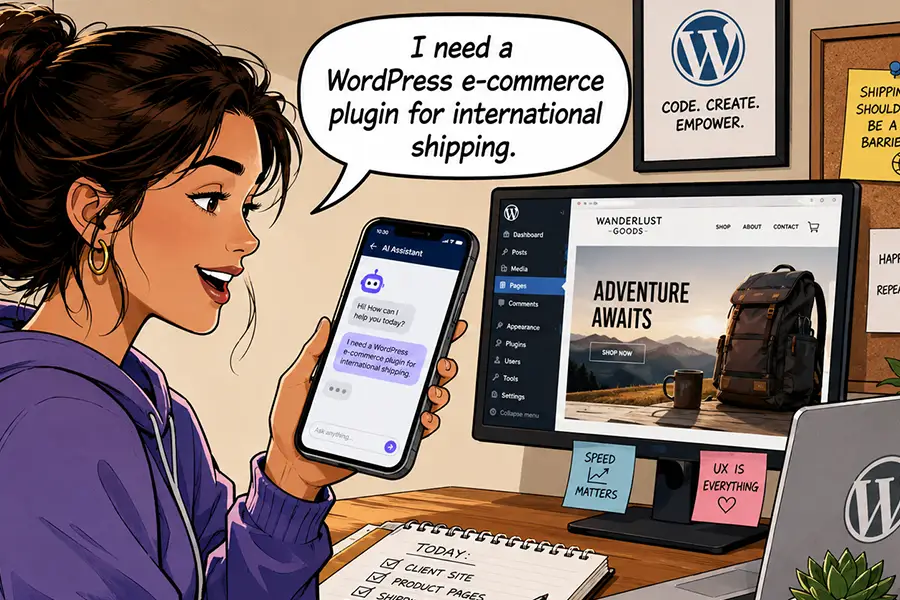
Compare that experience with using an AI tool like Gemini. You could ask for WordPress e-commerce plugins with specific features, such as subscriptions or shipping integrations. The AI model will provide a summary of plugins that match your request, complete with background information.

AI provides a succinct report that makes it easier for users to find links of interest. That’s important to every website owner, whether you’re a plumber or a tech publication. Making your site AEO-friendly is part of getting your content seen by the right people.

It’s also a different deal than the training bots that hog site resources. You can still block harmful bots while welcoming the legitimate ones.

People are starting to use AI apps to find what they need online.

Scan Your Site for AI Agent Readiness

What does your WordPress website need to be indexed by AI models? You may already be on the right track.

The basics of SEO, such as a robots.txt file and an XML sitemap, are must-haves. These items help direct bots to your content and tell them what to index, similar to how search engines use them. But there’s more to the story.

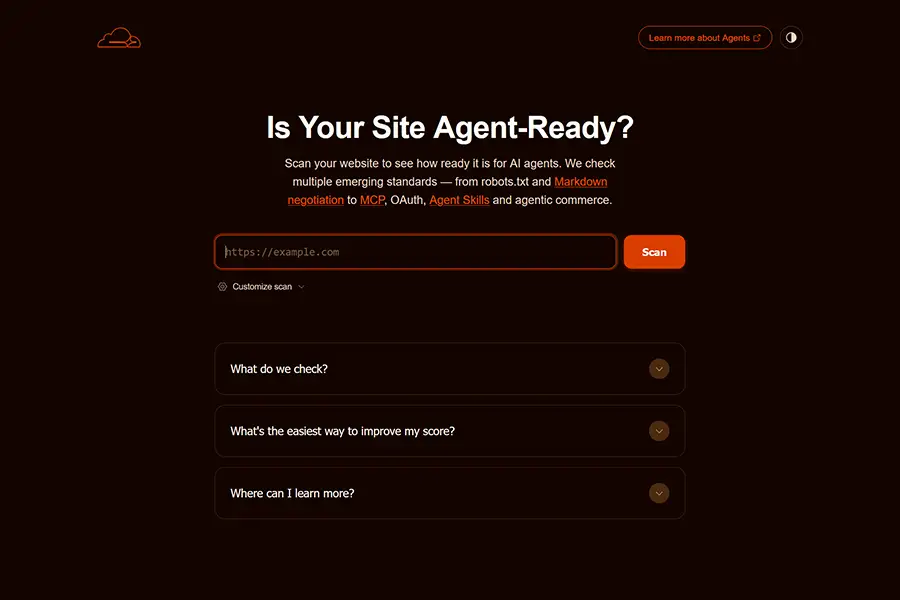
Cloudflare has a helpful scanning tool, Is Your Site Agent-Ready?, that analyzes your website’s structure. It looks for the following:

  • The discoverability of your site, via robots.txt, sitemaps, link response headers, and DNS records.
  • If your site makes content available in an AI-accessible format, such as Markdown.
  • How your site manages bot access via robots.txt.
  • Any agent skills your site may have, such as MCP.
  • E-commerce protocols.

You’ll receive a report that details where you’re succeeding and where there’s room for improvement. We should note that some of the above may not apply to your website. For example, agent skills won’t be relevant unless you have AI agents on your website. You can also adjust the scan settings to focus only on the areas you care about.

As with all scanning tools (AI and otherwise), take the results with a grain of salt. However, they will provide some actionable advice. It’s up to you to determine what makes sense for your website.

Is Your Site Agent-Ready will help you learn how to make your site compatible with AI.

Turn Your HTML Content Into Markdown

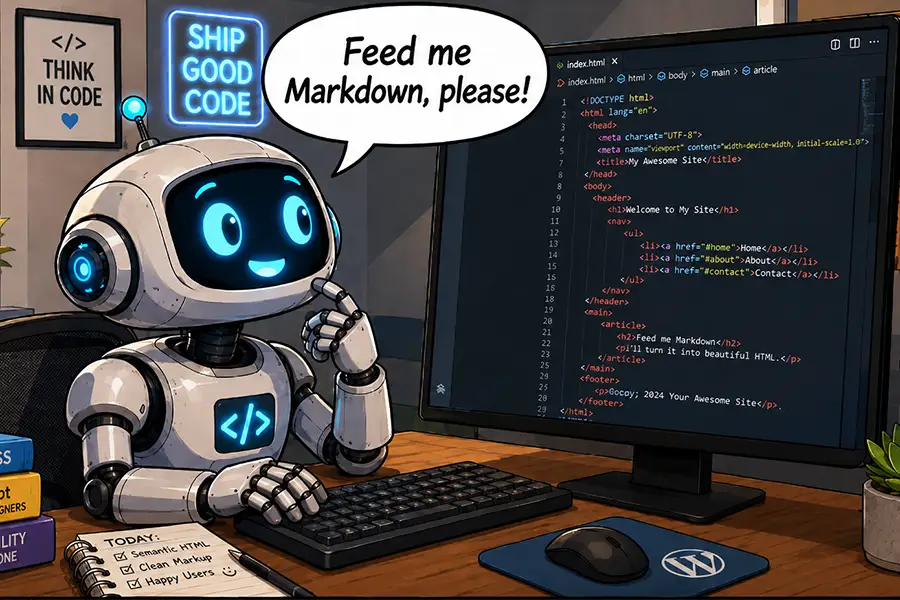
It may be a surprise, but HTML isn’t the best format for AI models to read. Instead, they prefer Markdown. This plain-text markup language is easier for bots (and humans) to understand. Elements like headings and lists can be identified without knowing code.

Markdown is also more efficient than HTML. Models don’t have to sift through lines of unnecessary code to access your content. That means fewer tokens, which is better for everyone.

WordPress doesn’t natively support Markdown output. However, WordPress.org recently added this capability via the experimental html-to-md plugin – and you can, too. It’s a simple way to make your site friendlier to AI models.

Install the plugin, activate it, and a <link> element will be added to each page’s header, pointing to the Markdown version. Your site’s visitors won’t know the difference, but AI models will.

LLM Markdown is a similar plugin, but with a twist. A settings page lets you enable or disable Markdown output for specific post types. Look for more plugins to hit the market as Markdown output becomes more commonplace.

Cloudflare users with paid plans also have access to a Markdown for Agents feature. It doesn’t require a plugin – simply turn it on in your account dashboard.

AI tools often prefer to read markdown instead of HTML.

Helpful AEO Resources

Optimizing your WordPress website (or any website, for that matter) for AI agents isn’t as hard as you may think. The tools and tips above will help you determine and address your needs.

But AEO is a nascent subject. As such, expect things to change quickly. The following are some resources you can use to learn more and stay ahead of the game:

We hope you found this overview useful. Now that you have a better idea of what AEO is, it’s time for action!

The post How To Make Your WordPress Website AI-Friendly appeared first on Speckyboy Design Magazine.

Cherish Your Tokens, Grumpy Designer

In case you didn’t notice, it’s getting more expensive to ride the AI bandwagon. Web professionals are using the technology to do more than write code. We’re also employing it for just about every other task you can think of – even the most mundane ones. Tools like OpenClaw are taking our usage to new heights, literally. I mean, did you look at your latest bill?

Seriously, some of us are spending something close to a BMW’s (or perhaps a Ferrari’s) monthly payment on AI. What started as a small monthly fee to use ChatGPT, Claude, or Copilot has turned into something completely different. We have become the proverbial kids in the candy store.

It’s a bad case of consumerism fueled by our desire to experiment with new toys. It doesn’t help that AI companies are making it easy to spend significant money without a second thought. Integrating with your favorite SaaS or even WordPress is easy. Yet, the virtual cash register silently rings with each prompt and automation we create.

Perhaps all of this is happening too fast (maybe that’s the intention). We may be falling into an AI-powered trap that will be difficult to escape.

The Grumpy Designer likes to keep things rational. So, let’s hit the brakes, take a step back, and analyze what we’re doing. We’re the only ones who can stop the insanity, after all.

Your Monthly AI Plan Isn’t All-Encompassing

The early days of AI (a whole 2-3 years ago) were exciting. I had fun playing around with ChatGPT and seeing what silly or productive things I could accomplish.

Its coding abilities may pale compared to what we have today. But it was still incredibly handy for troubleshooting and building basic WordPress plugins. I decided that their $20-per-month Plus plan was a relative bargain. It offered access to the latest models and improved performance.

And it’s still a good deal, if you use it in your browser or their app. An individual performing occasional coding, image generation, or file analysis will get a lot for their money. It’s once you step outside of those boundaries that things become costly and confusing.

Such monthly plans typically don’t provide you with API access. For that, you’ll need to purchase tokens. It’s a common practice across the big AI companies.

I won’t argue with the premise of token-based usage. AI requires a lot of computing power to do its job. It must provide quick and accurate answers to user queries. Then there is the cost associated with training and improving each model.

The real problem lies in educating consumers on the differences. It’s not until you need an API key that you realize your monthly plan won’t cover you.

Monthly AI subscriptions typically don't include API access.

How Much Will That Task Cost?

Generating an API key and connecting your favorite AI model to a third-party service is simple. Figuring out how many tokens you’ll need isn’t so clear. That’s the downside of not having a good/better/best pricing model.

Reputable AI companies let you set spending caps and disable auto-purchasing once you hit your limit. This will save you from a massive bill. It’s also a good security measure, should your API key fall into the wrong hands.

However, experimentation is the only way to understand the costs of using AI tokens. Figure out what you want to do, ask AI to do it, and check your account dashboard to see how much you spent. The trick is to extrapolate that cost based on how many times you’ll perform a given task.

The other challenge is that some tasks will use more tokens than others. For example, generating a headline for your blog post will likely cost less than generating a featured image. Thus, you’ll want to watch your token usage carefully.

Setting a small spending limit may be fine for light-duty tasks. That strategy won’t work for organizations with multiple users who are highly dependent on AI, though. You’ll quickly run out of tokens and will have to go without the service or set a higher limit.

It appears that companies are beginning to realize that willy-nilly usage of AI is costly. Some will narrow the scope of what these tools do for them. It’s also an argument for developing local AI models. Maybe we still need humans after all?

You'll need to experiment with tasks to see how many AI tokens they use.

Put AI in Its Place

Sure, AI can do just about everything. But the decision on when and how to use it is ours to make. The increasing and uncertain token costs are reason enough to scrutinize every task. Some of what we’re doing may not be worth the price.

There are other benefits to being less reliant on AI. Fewer tokens spent means less electricity (and less pollution). The environmental impact is real and only getting worse as more of us employ these models.

It’s also an opportunity to stay connected to our humanity. Imagine all the knowledge we might lose if we cede every task to machines. There is also the potential to lose personal and professional relationships. Do you want to trade that for efficiency?

All of this makes me want to treat tokens as something to spend wisely. From now on, I’ll ask myself: Is this task tokenworthy?

The post Cherish Your Tokens, Grumpy Designer appeared first on Speckyboy Design Magazine.

AI in the WordPress Dashboard: Which Tasks Are Worth It?

AI-based features have been available in WordPress for quite some time. Several third-party plugins facilitate connections to various AI models. However, WordPress 7.0’s Connectors API is the first official solution baked into the core software.

Much of the excitement around this development surrounds AI’s potential to transform WordPress. It opens the door to easier site management and (hopefully) a better onboarding experience for new users. We’re only beginning to see what this technology can do when combined with the content management system (CMS).

Now that AI integration is available to the masses, the question is: What tasks is AI best-suited for?

You can theoretically use it for everything from changing a post title to generating new plugins on the fly. That’s great, but there are a few considerations.

The first is practicality. We likely don’t need AI to check a box on a settings page for us. Seriously, you could do it yourself in the time it takes to write a prompt. But there are also complex tasks that would be too dangerous or inefficient to perform on a production website.

Then there is the cost of using AI tokens. Connecting your website to for-profit models like Anthropic or OpenAI means paying for every prompt or automation. Thus, using AI for everything isn’t for the budget-conscious among us.

Developers and website owners must decide how to get the most value from AI. Here are a few questions to ask yourself or your client before taking the plunge.

Can AI Do It Better or More Efficiently?

The overlap of what humans and AI can do inside WordPress depends on your experience. A professional who has used the software for years will have more capabilities than a beginner. The longer you use WordPress, the more likely you’ll understand its features and quirks.

So, the trick is to identify what AI can do better or more efficiently than you. Relatively small tasks like inserting an image or formatting text are probably best left to humans. There isn’t much time to be saved unless you’re struggling with the basics.

Advanced jobs, such as creating page layouts in the Block Editor, are where things get murky. Here’s where experience really matters. A web designer may have no problem building layouts, while a novice may become stuck. Therefore, the decision comes down to your comfort level.

On the other hand, AI’s potential to perform tasks at scale is where it shines. For example, maybe you want to find every image on your site without an ALT attribute and implement descriptive text. That could take hours for a human. Meanwhile, you can use AI to search for and identify such images. From there, you can manually write the text or ask for help.

It’s also worth noting that using AI isn’t a replacement for learning. In fact, you can use it to guide you through various tools and processes. You may find that you no longer need AI to do something after it shows you how. That’s a powerful and perhaps underrated use case.

AI can save you signficant time on certain tasks.

How Often Will I Need the Task?

The frequency of a given task is also a consideration. A one-off task, such as a deep code analysis, could be a wise use of AI. Spending a few tokens may be well worth the time saved when compared to other methods.

Automation is another great example, as it’s available any time you need it. You can run a task in the middle of the night or first thing in the morning – it doesn’t care or complain. AI models can schedule and perform such jobs. There is also the potential for it to recognize changing needs and adjust accordingly.

Perhaps the best measure of value is how much time a task takes a human. Consider creating custom data reports, for example. It can be extremely complicated, depending on the data you need. You can use plain language to describe what you need, and AI will do the rest.

This approach also works at scale. Agencies and freelancers managing dozens or even hundreds of websites can use AI as an extra set of eyes. Even something like troubleshooting a buggy plugin could be performed in the background while you tend to other things.

You can use AI to automate common tasks.

Is There a Suitable Non-AI Solution?

Here’s the elephant in the room: we don’t need AI to do most things inside of WordPress. As such, the technology may be overkill for some tasks.

There are plugins for virtually every need. They can manage automations, data exports, and everything else under the sun. This is how we got by for the 20-odd years before AI came along.

A non-AI plugin is still a viable option. You’re likely to get the functionality you need, along with cost certainty. There is also a human ready to support you if you run into problems.

However, plugins can’t cover every niche, and they aren’t always easy to use. Some require coding skills to get the most out of them. Using AI makes perfect sense in these scenarios.

The benefits of AI include speed and a seamless experience. But in many cases, a plugin will suffice. It’s a matter of looking at your needs and determining the best fit.

Existing plugins can often be the best option for a task.

AI in WordPress Is Helpful, but Not Always Necessary

The most interesting part of WordPress AI integration may be in how people decide to use it. The CMS powers all types of websites, from small bespoke blogs to corporate multisite installations. There is a nearly endless supply of use cases.

And using AI in the dashboard could benefit users of all skill levels. The challenge is in finding the tasks that make the most sense for you. It’s a more personal decision than you might think.

Our advice? Experiment with this new tool and think of ways it can help you get more done. Keep track of token usage and determine what’s most valuable to your workflow.

You might find that you’re more productive than ever, or that you can safely hold off on using AI for all the things. It’s your choice!

The post AI in the WordPress Dashboard: Which Tasks Are Worth It? appeared first on Speckyboy Design Magazine.

A New Choice: Use an Existing Plugin or Vibe Code Your Own?

The process for adding functionality to your WordPress website has been the same for years. You find a plugin that fits your needs (or gets you close) and install it. It’s no wonder we have sites with dozens of plugins – many of which go unused.

Sure, building a custom plugin has always been an option. That’s fine for scenarios that require a code snippet. However, complex tasks were reserved for highly-skilled developers. This meant that most of us had to settle for whatever was available on the market.

AI has swooped in to change that calculus. Advanced models like Claude Code enable even novice developers to build powerful, multi-layered projects. These days, it’s more about knowing what to ask for than understanding every line of code. We now have a tool that does the heavy lifting for us.

This technological shift gives new life to an old question: Should you use an existing plugin or build one yourself? AI certainly expands the potential scope of what’s possible, thus calling into question the need for third-party tools.

But don’t go on a vibe-coding rampage just yet! There are some important considerations when making this decision. Let’s talk about them.

Which Approach Best Fits Your Needs?

There are tens of thousands of WordPress plugins on the market. Some utility-based options are very niche, but most plugins are built to serve a broad range of use cases. Product makers must account for the many ways people use WordPress.

The downside of that approach is that a plugin might be more than what you need, or fall short in some areas. The old “too much or not enough” conundrum has long been a part of the plugin experience.

Building a plugin with AI, on the other hand, lets you narrow the focus. You can include only the features and functionality your project needs.

For example, let’s say you need a feature that only applies to one WooCommerce product. There is probably a third-party extension to fit this purpose. But a single-purpose plugin could do the same thing without the overhead or the cost of a yearly renewal. AI makes the process quick and easy.

On the other hand, needs evolve during a project’s lifecycle. Perhaps your client will need similar functionality on more products down the line. A vibe-coded solution may not be quite as flexible in that case. You may need to refactor the plugin to meet new requirements.

As such, it’s important to consider your current and future needs. If scope creep is a concern, a third-party plugin may be a better choice.

In some cases, a custom WordPress plugin will be the better option for your project

Do You Want the Maintenance Responsibilities?

An existing WordPress plugin may not solve your every need. However, it takes you off the hook regarding future maintenance. It’s the plugin author’s responsibility to fix bugs and build new features.

Naturally, that’s a double-edged sword. Some product makers are more responsive to issues than others. In addition, more than a few plugins have been abandoned over the years. And sometimes a product goes in a direction you don’t support. You don’t want to be left to pick up the pieces or placate clients when there’s a problem.

It’s all about control and responsibility. If your project (or personality) requires absolute control, then building it yourself makes sense. That way, you know what’s going on every step of the way. You don’t have to wait for someone else to take action.

Still, we should note that vibe coding plugins result in a higher level of responsibility. It means checking for security holes, compatibility testing, and acting as your own technical support staff. The practice puts everything back into your capable hands.

Kudos to you if this fits with your philosophy! To be safe, we also suggest thinking about how these responsibilities scale. Maintaining a single plugin for a client is one thing. The upkeep of dozens of plugins spread over dozens of websites is another. Make sure you have processes in place to keep things running smoothly.

Building custom plugins requires future maintenance

Can You Build It Better?

The final consideration on our list is simple. The idea is that just because you can build something with AI, it doesn’t mean you should do so. Sometimes, there are established products that do the job well enough. Why reinvent the wheel?

The scope and depth of a plugin play a role here. Consider a popular plugin like Jetpack. It does a lot of things and has been around for a long time. Sure, you could vibe code your own suite of similar functions. However, ask yourself if you want to take on a project of that magnitude, or if it’s even worth the effort. The same could be said for Yoast SEO, Gravity Forms, and other flagship products.

That being said, you could reasonably use AI to recreate specific aspects of a plugin. For example, building a social sharing plugin that includes a few of the missing features you want. Smaller and more focused projects are better in most cases. And there’s also an opportunity to build your own extensions of an existing plugin.

There are also scenarios when your needs are very specific, and there aren’t any great options available. It’s here where vibe coding really begins to shine. You can take your idea to your favorite AI model and build it from scratch. It’s empowering for those working with clients!

The bottom line is to use AI when it’s beneficial. You might be able to build the next WooCommerce, but what’s the payoff? Instead, look for opportunities that help you level up.

Building a niche plugin can be more performant than installing third-party options

There Are Endless Plugin Options and Opportunities

The WordPress plugin ecosystem has an answer for many project requirements. It’s one reason why the content management system (CMS) has remained so popular. Adding more capabilities has always been a few clicks away.

The introduction of AI into the development process has expanded those possibilities even further. If an existing plugin doesn’t do everything you need, it’s easier than ever to build your own solution. In many cases, AI works quickly and is cost-effective. It helps us provide clients with more personalized functionality.

All of this makes deciding to go custom more compelling. AI lowers the bar for building complex features. Sometimes that means fewer advantages for existing products.

Still, vibe coding isn’t always the best option. It comes with a higher level of responsibility and adds to your long-term maintenance list. Plus, there are questions about code safety and stability. AI doesn’t necessarily reduce those risks.

The good news is that you have a world of choices. We hope the considerations above help you make the right one!

The post A New Choice: Use an Existing Plugin or Vibe Code Your Own? appeared first on Speckyboy Design Magazine.

How AI Can Help You Expand Your Agency’s Service Offerings

As AI continues to evolve, freelancers and agencies are finding new uses for the technology. It makes sense that many of us start by improving our workflow. Resolving those existing pain points helps us accomplish more with less effort.

However, AI also presents opportunities to broaden our horizons. We can use it to do things we haven’t tried before. Even better, we can experiment with ideas that seemed too ambitious a few years earlier. For example, consider projects that had a big learning curve or were time-consuming. Perhaps they don’t seem as daunting in the age of artificial intelligence.

The right tool could be the key to offering new and improved services to your clients. It’s a vehicle for increasing revenue and strengthening customer relationships. What’s not to love?

Let’s look at how AI can help you expand your agency’s service offerings. We’ll cover potential service ideas and considerations before presenting them to clients. You might even find the perfect growth opportunity for your business.

Find Tasks AI Can Do Faster and Better

Time is often the biggest barrier to creating new services. We’re busy enough without having to learn something new or focus on tedious work. More than anything, these are the tasks AI can help us tackle.

If you often find yourself knee-deep in code, you can use AI to lift the burden and increase productivity. Here are a few ideas to get you started.

Performance and Security Audits

Is your client’s website running at peak performance? Is it chock full of vulnerable code? Some plugins can help you find general answers. However, a full audit is often the best way to diagnose and fix issues.

The problem is that it takes significant effort to go through each line of code. You also need to know what to look for during the inspection process. Not everyone has the depth of knowledge in PHP, JavaScript, and other languages found in a WordPress website.

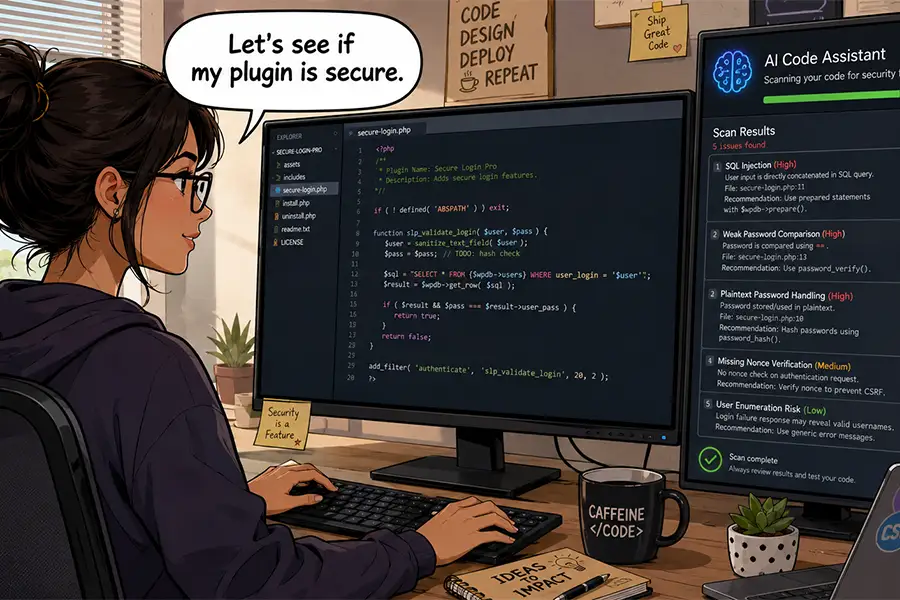
AI tools can save you a ton of time. Even a relatively lengthy code audit can be performed in the background (freeing you to enjoy a cup of coffee or two). Plus, some models are adept at finding security issues and performance bottlenecks.

The big caveat here is that AI can point out issues, but you may not be able to fix every one of them. For example, avoid making changes to WordPress core or third-party plugins. Those changes would be overwritten during a software update. You could, however, alert a plugin author of what you found.

On the other hand, the results can lead you to find better options or use AI to build a custom solution. Regardless, it’s a service you can charge for.

AI tools can scan your site's code for security and performance issues

Custom Plugin Development

There are two truths in agency life: No two projects are the same, and no WordPress plugin can cover every niche. That’s what makes custom development an appealing service.

Here again, we face limits on our time and coding abilities. But even an expert developer may not have enough room in their schedule for a complex plugin. Then there’s the future commitment to maintenance. It’s a lot to put on your virtual plate.

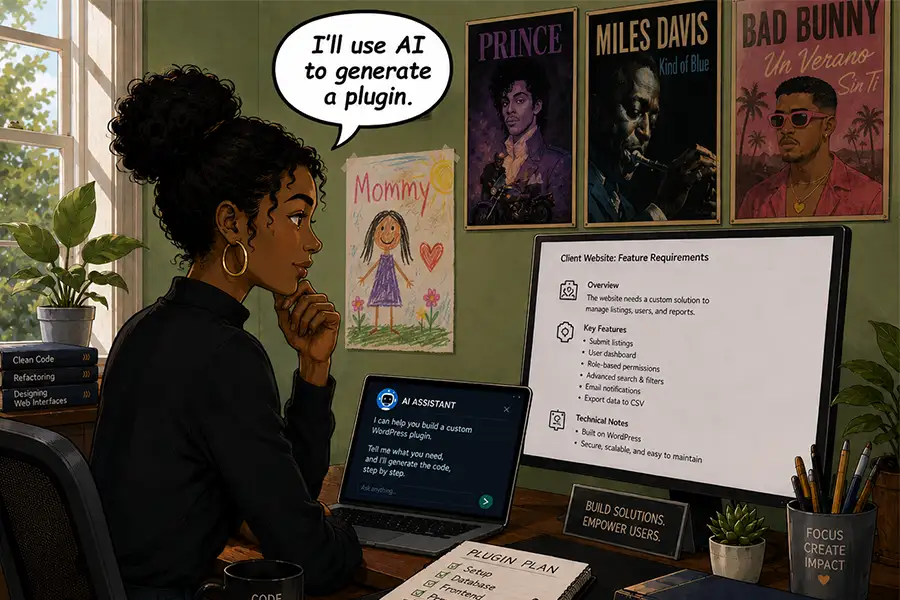
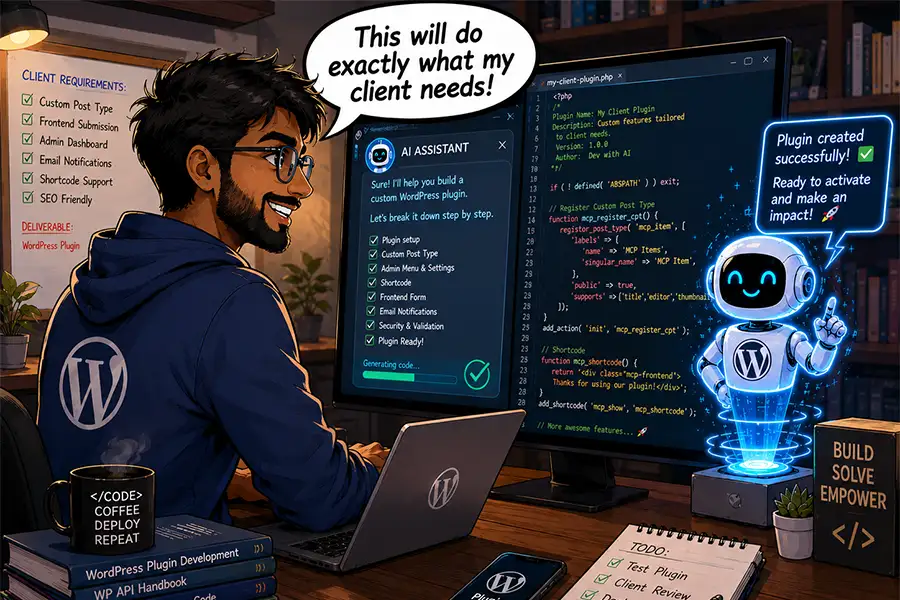
AI models make perfect development companions. They can use WordPress documentation to follow best practices and generate plugins with relative ease. Some more advanced apps can also create a logical file structure for you.

This opens multiple possibilities for your agency. You can create one-off plugins to cover client needs. You might also level up by creating more general-purpose plugins for use across multiple sites. A plugin with enough appeal could be sold in the marketplace.

In every case, there’s an opportunity to boost your revenue. Add custom plugin development to your project and maintenance fees.

You can use AI to expand your custom development capabilities

Content Starters and Analysis

It seems like content is always a sticking point when working with clients. We’re either waiting for clients to deliver it or we’re tasked with cleaning it up. Then there is also the ever-evolving challenge of SEO.

We still don’t recommend using AI to generate production-ready content. It’s simply too generic and won’t reflect branding without human intervention. However, it can help in several areas.

For one, you can use it to create “starter” content. This is text clients can review and edit to match their needs. The final results might be completely different – but that’s not the point. Seeing content on their screen might be the impetus they need to keep the project moving forward. That saves you time and a few headaches.

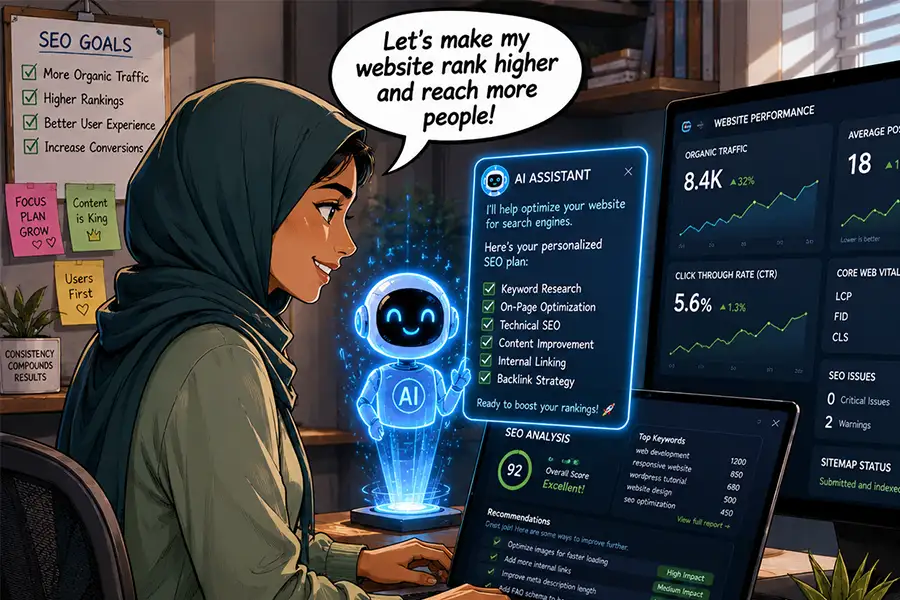
AI can also analyze content for accessibility and SEO best practices. Use cases include simplifying language, determining keyword density, improving titles, and generating meta summaries. It’s also handy for researching competitors.

Now, these common tasks can be completed in a fraction of the time. Adding them to your service list provides more value to clients. In addition, the SEO analysis could be a source of recurring revenue.

AI can help you optimize client websites for search engines

AI Could Be Your Agency’s Growth Engine

Perhaps AI’s value to your business is all about perspective. Sure, you could use it to make less-good versions of what you’re already doing. Generating slop and calling it a day isn’t great for your long-term viability. We won’t argue that some people have chosen this path.

However, AI is also capable of helping you be the best version of yourself. It just requires a more thoughtful approach. Use these tools to tackle the busy work while keeping a close eye on the results. Most importantly, be the decision maker in what you build. In other words, don’t accept AI’s initial output as the final answer.

Treating this technology as a partner is a path to growing your agency. The extra time and mental bandwidth you gain will allow you to identify new revenue opportunities. The ideas above are just the tip of the iceberg.

Ask yourself: What can AI do better and faster? How can it strengthen what I do best? How can I use it to improve client services?

The answers might lead you to something great!

The post How AI Can Help You Expand Your Agency’s Service Offerings appeared first on Speckyboy Design Magazine.
❌