Let's get that out there right away, because for a lot of people, it will be the only thing that matters. As with so many things in life, though, you get what you pay for. There's no questioning the quality of the laptop's display or most of its other hardware components.
But should you buy it? Well, that's a complicated question in 2026.
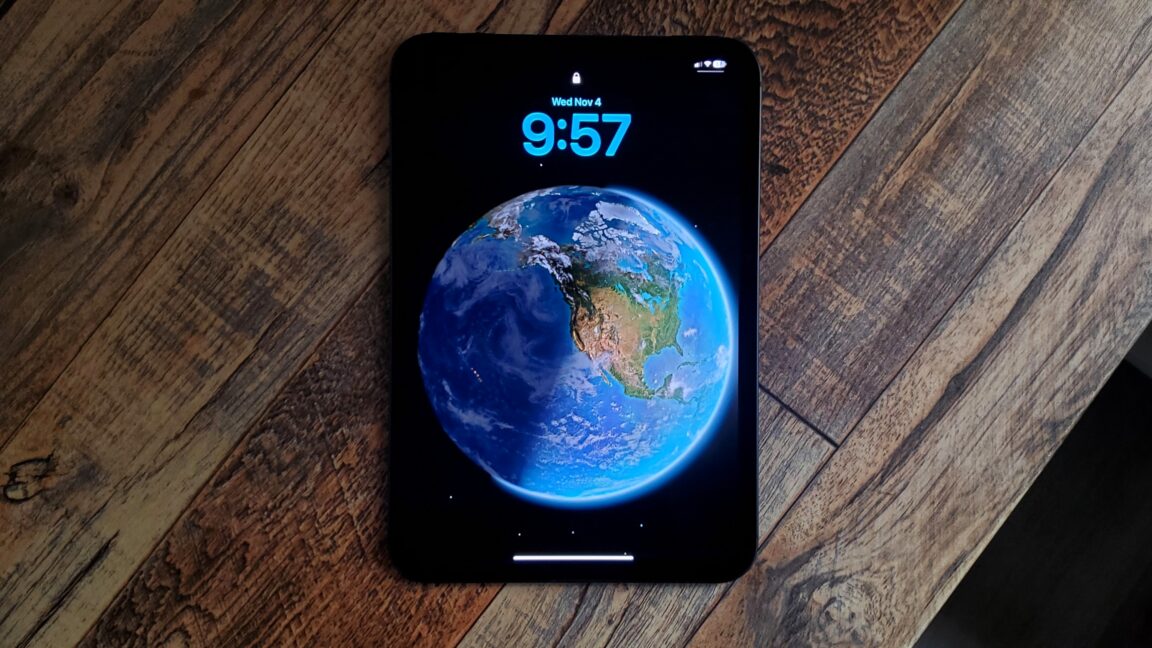
The iPad mini has long felt like a niche product. It has earned a reputation as a quality tablet for people who want something small, comfortable, and portable, but its small screen and comparatively limited processing power have restricted its appeal, making it best suited to watching media or playing games.
With the 2026 version, the iPad mini is more competitive than ever. Its chip is current, its speakers are better, and, most impressively, it trades its 8.3-inch IPS screen for an 8.5-inch OLED that can hold its own against other premium tablets. There isn’t much more you can ask of an iPad this small.
But at just $50 less than the larger, more powerful iPad Air (11-inch), the iPad mini still has a hard time making a case for itself.
In 2015, biomedical entrepreneur Elizabeth Holmes was Silicon Valley's golden girl, lauded as the youngest and richest self-made female billionaire thanks to the company she founded, Theranos, which was valued at $9 billion at the height of its success. Then it all came crashing down when accusations of fraud surfaced about the company's signature blood-testing device, culminating in a sensational trial. Holmes was convicted on four counts and sentenced to 11 years in prison.
Holmes is back in the headlines thanks to a new film, You Can See Everything, which depicts the final days before Holmes, having exhausted her appeals, went to prison. Co-directed by Nathan Fielder and Lance Oppenheim, it's a surreal, absurdist piece that has largely been received with gushing enthusiasm and no small amount of hype, with some declaring it the best film of the year. A few contrarian voices have emerged over the past week with much-needed reality checks, but there's no denying the film is destined to be an awards-season darling.
Pardon me for joining the buzzkills, but I cannot in good conscience jump on the You Can See Everything bandwagon. Sure, it has its moments, and the second half is highly entertaining, but there's nothing here to warrant all the breathless hyperbole. For all their much-touted access, Oppenheim and Fielder have produced a surprisingly shallow film that runs in circles, yielding very little fresh or novel insight—into Holmes, personally, or much else.
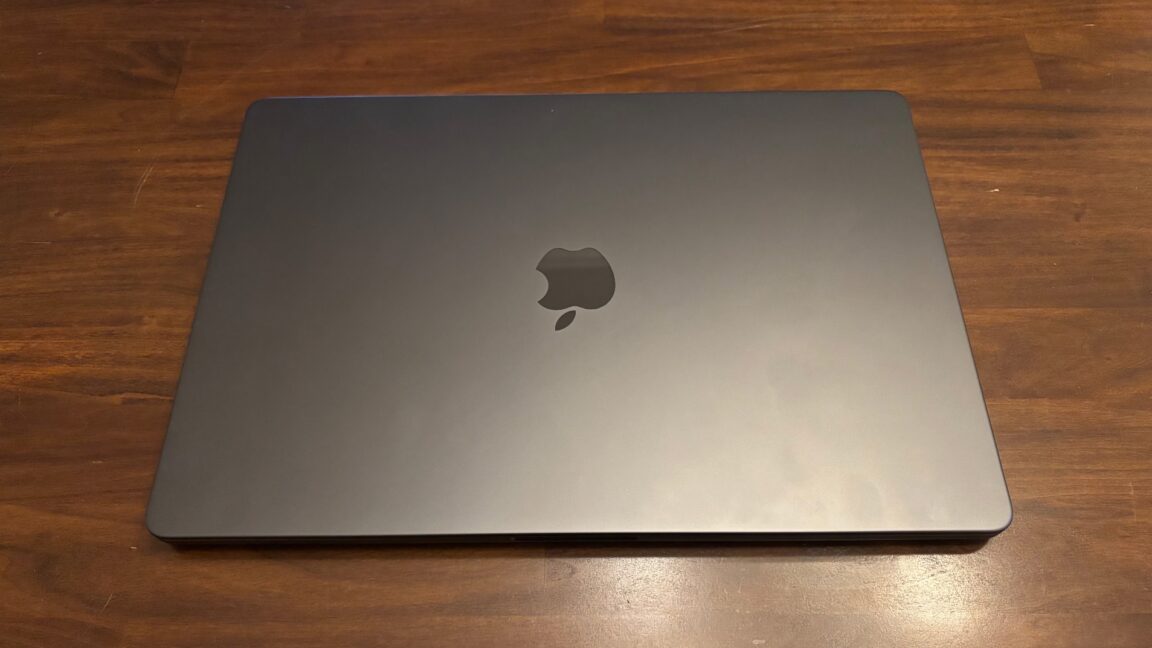
LOS ANGELES—For about five minutes on an extremely crowded showroom floor, I got to take pictures of the new MacBook Pro and test out some of its new features. First impressions: It's not as much of a departure from the previous design as I expected, but the outstanding OLED display steals the show regardless.
The first thing I noticed was that it's lighter. My daily driver is a 14-inch MacBook Pro (M1 Max), and it's a bit weighty for a 14-incher. Picking up the new model, I could immediately tell it was lighter. It's not like it's in a different general weight class, but it's a noticeable difference.
For Linux veterans, printers can induce nightmares. Although, lately, printer support has vastly improved on Linux, at least for the newer models.
Last week, I got my hands on Jadens JD-166, which is very different from all the printers I have used so far.
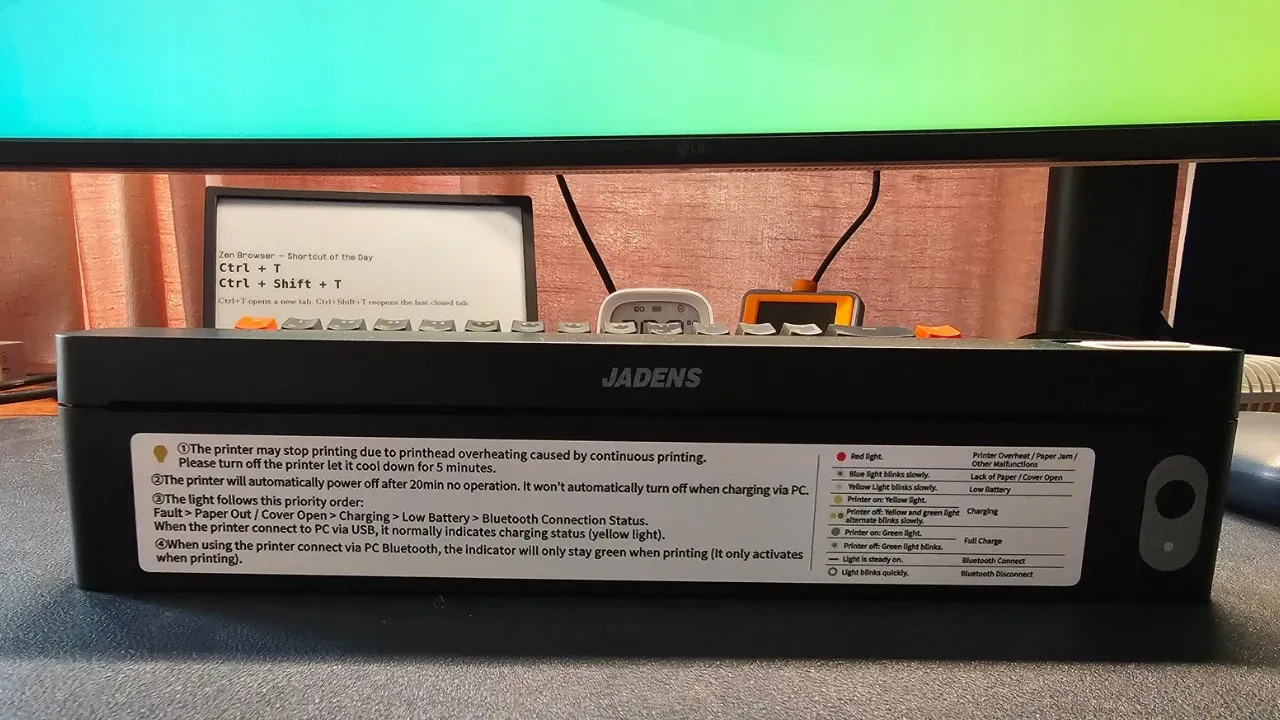
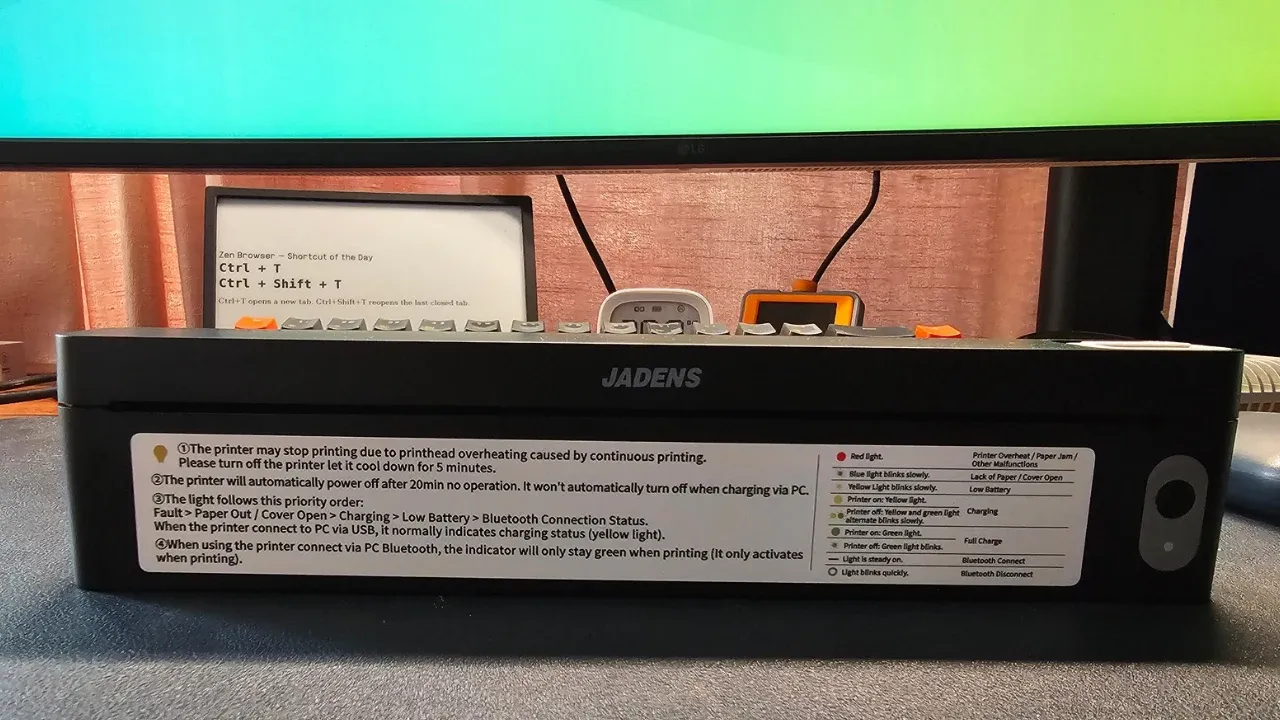
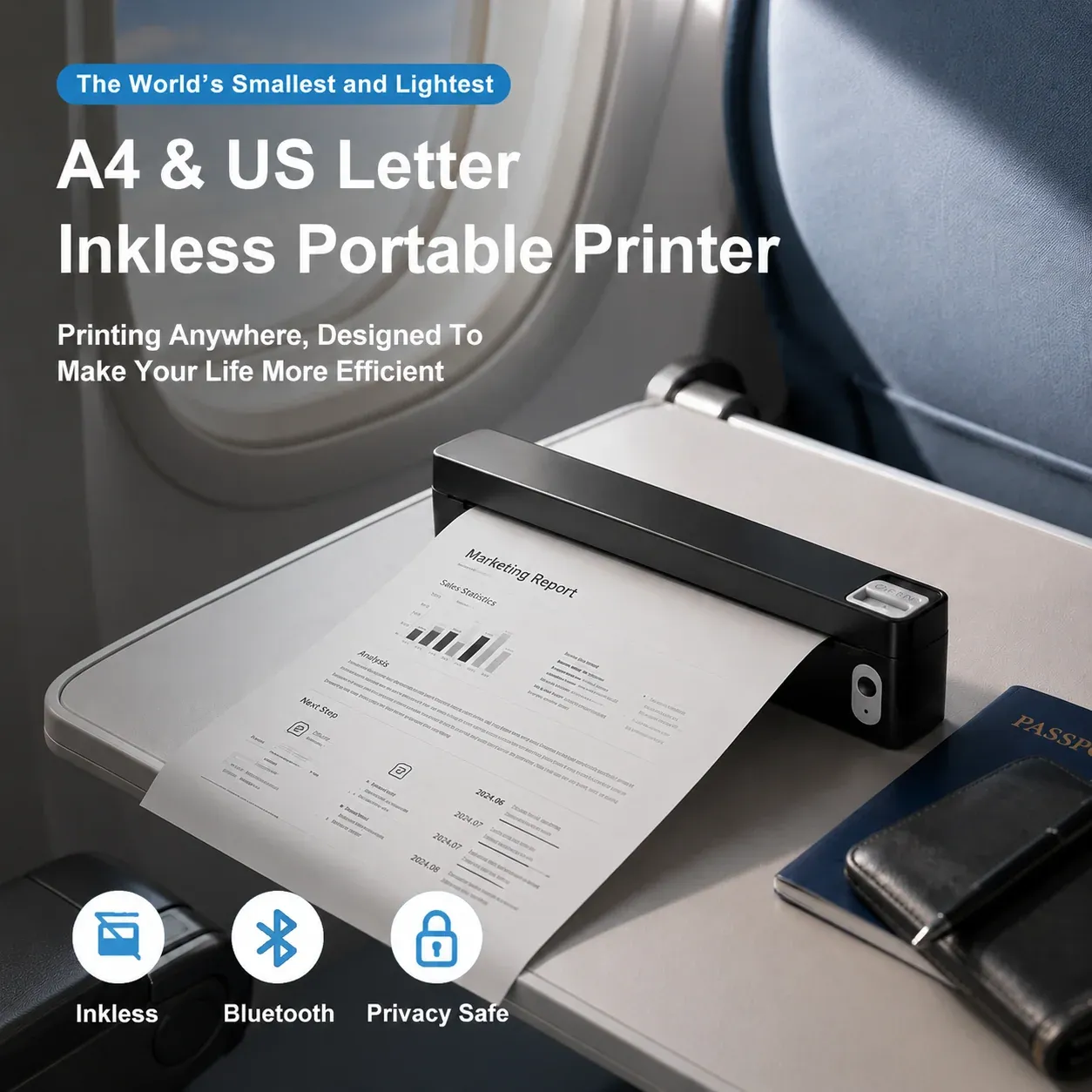
It's a tiny device, almost a foot wide and only an inch tall and yet you can use A4 papers with it. There is no concept of ink here as it is a 'thermal printer'.
Think of the last time you needed a printed agreement or a form while traveling, and had to hunt for a print shop. This is the problem the JD-166 is trying to solve. The tiny form factor means that you can carry this printer with you easily.
It does that document printing job well enough, but there are trade-offs you should know about before buying one.
✅ Truly portable, prints full A4 pages without ink or toner ✅ Works over USB on Ubuntu once the right driver is installed ❎ Black and white only, no duplex, and needs special thermal paper ❎ Linux driver is only available as a .deb file
📋
Jadens sent me this printer for testing on Linux. Views expressed are my own, based on my experience.
The hardware
Here is what I know about the JD-166. I have left placeholders for the details I still need to confirm.
Spec
Details
Type
Thermal printer, no ink or toner
Paper size
A4 (also supports Letter-ish sizes in the driver)
Resolution
203 dpi (as listed in the Linux driver)
Color
Black and white only
Duplex
No
Connectivity (computer)
USB
Connectivity (phone)
Bluetooth (BLE), through the Jadens app
Weight and dimensions
~445 grams and 250x32x55 mm
Supported file formats
Word/Excel/PDF/TXT
Power / battery
1800mAh, charges via USB C port
Pricing starts at US $60 and the printer comes with 10 sheets of A4 thermal paper. That's important, and I explain it in the next sections.
You can watch the printer in action in the video review.
A thermal printer does not use ink or toner. It heats the paper itself, which is coated to darken where the printhead touches it. That is why the JD-166 is small, and also why it prints only in black and white.
Text and simple graphics are fine. Photos get reduced to black and white, so do not expect anything close to a photo printer. You stick to document printing and that's what the Jadens also indicates in the official file format support.
You do save on ink, but you spend that money on paper instead. Jadens recommends its own special thermal paper, which has a cut at the top and a black mark on the back.
Since the paper is thermal, double-sided printing is out of the question. You get one side per sheet. The print fading is also a valid concern with thermal printers.
From what I see on Amazon, 200 sheets of Jaden A4 thermal printer cost $20. Which comes to 10 cents a paper. So the pricing is pretty much in the same range as a regular inkjet printer.
But the advantage here is the protability.
Portability is the whole point
For regular home use, a regular laser printer is more suitable, as you can print in color, utilize both sides of the paper, and won't have to hunt for a special kind of paper.
The advantage of JD166 is that it is small and you can take it with you. If you travel often and need to print documents for an agreement, forms or anything else that needs paper, you do not have to look for a printing shop. You plug it into your laptop (or connect your phone) and print.
If you only print a handful of pages a month while traveling, this makes more sense and could actually save you money and time.
Setting it up on Ubuntu
I plugged the printer into Ubuntu 26.04 over USB and turned it on. CUPS recognized it immediately. The printer showed up in the settings right away, which made me think everything was working.
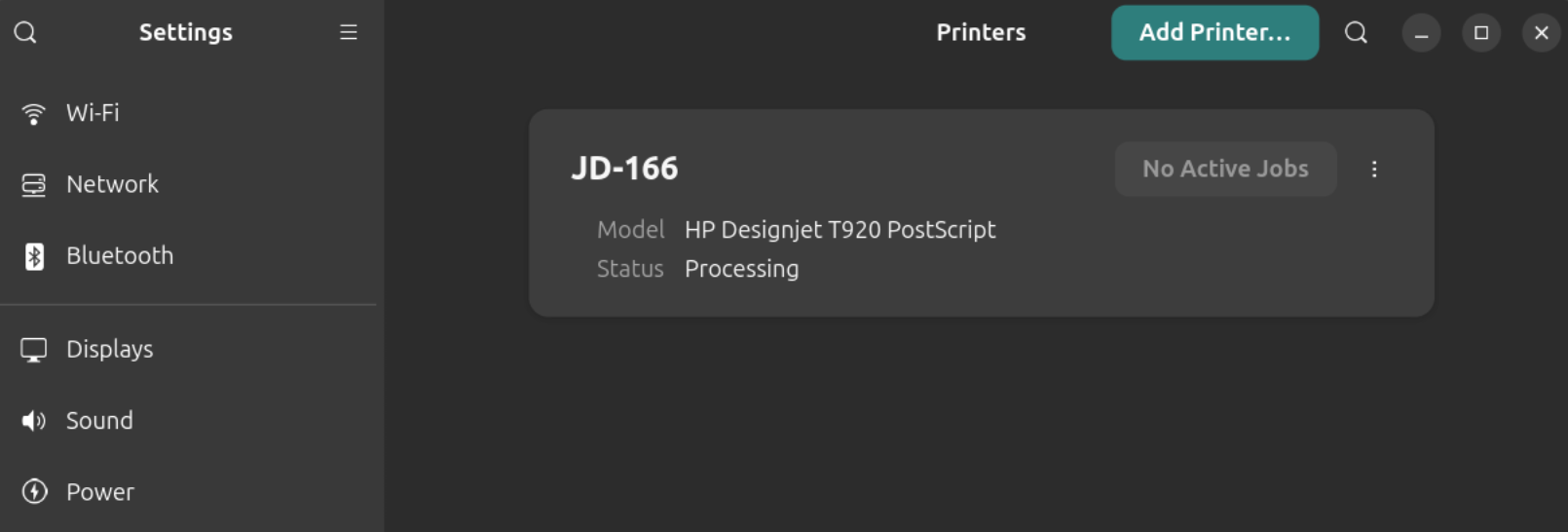
It was not. CUPS had picked the HP Designjet T920 PostScript driver for it, which is a large-format plotter driver. Print jobs went into the queue, showed "Processing", and never finished. The status stayed stuck on a ppdFilterEmitJCL message in the CUPS logs.
To rule out the driver, I switched the queue to a raw queue and sent a few test files in different printer languages like ESC/POS, TSPL and ZPL etc. The jobs "completed" in CUPS, but nothing came out of the printer. CUPS marking a job as completed only means the data reached the printer. It does not mean the printer understood it.
Well, that was the indication that the generic CUPS is not going to work. Thankfully, Jadens provides drivers for Linux, or should I say Debian? Because there is only .deb file to download.
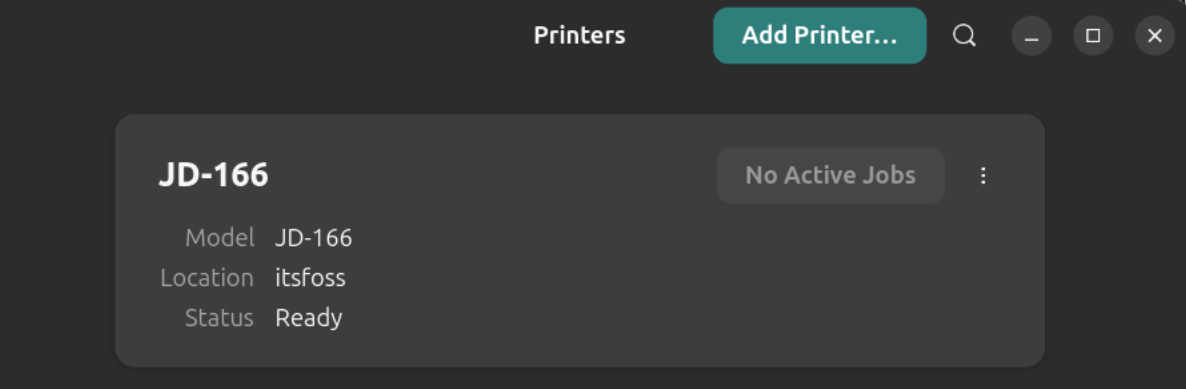
I installed it, unplugged the printer, and plugged it back in. The Jadens printer was recognized properly. After that, the printer worked and printed pages correctly. No issues at all.
Jadens printer correctly recognized after driver was installed
Print settings available in Ubuntu
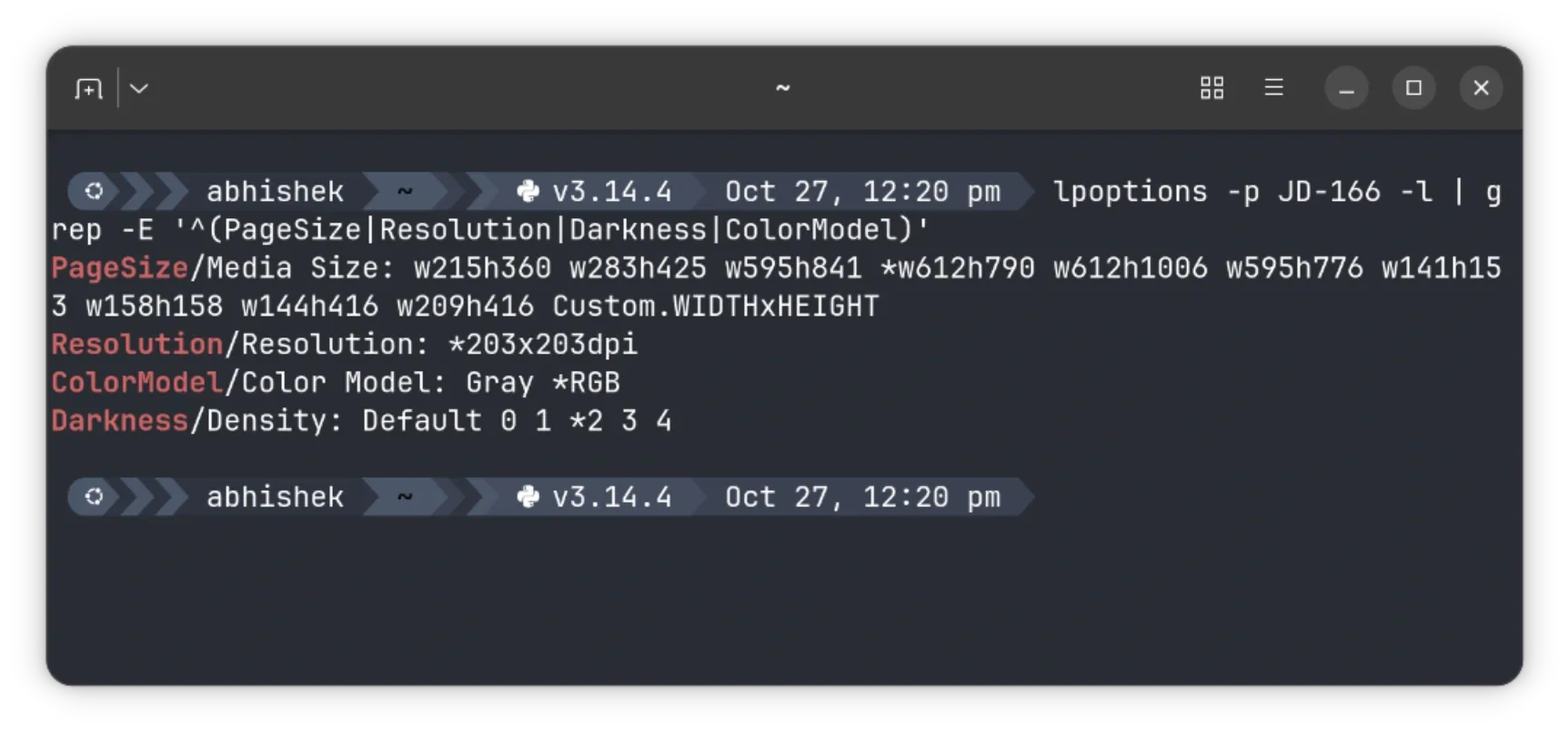
The driver exposes a decent set of options through CUPS. You can check them with:
The ones that matter most are page size (A4 is w595h841), Darkness (0 to 4, default 2), Color Model (Gray or RGB), and a few image options like Threshold and Contrast.
You don't necessarily need to do this. You can also change the settings when you select something to print. Setting the defaults saves the trouble of changing the settings each time.
The mobile app has more configuration options for things like darkness and quality. I am not sure how many of them map to options in Ubuntu's printer settings.
Print speed
For some reasons, LibreOffice kept on printing the document in landscape mode, no matter how many settings tweaks I did. ONLYOFFICE was better as it printed in portrait mode.
Here's a demo of a single sheet print and you can see the printing speed for yourself and judge if it's good enough for a handy, portable printer or not.
📋
I also used Jadens app on my Samsung smartphone. Connected over Bluetooth, it printed documents without trouble.
Is it worth getting the Jadens JD-166?
If you want color, double-sided printing or fast, cheap pages for everyday use, this is not the printer for you. If you travel often and need to print the odd document without hunting for a print shop, the JD-166 could be worth considering for emergency printing. This could also be a good gift idea.
It is small, it prints full A4 pages, and once the driver is installed, it works well on Ubuntu and probably other Debian-based distributions. Since the printer has battery, no need to attach the USB cable all the time.
Peacock series Crystal Lake doesn’t feel like a Friday the 13th movie when you first press play, even though it’s set up to be a prequel to the original film. (This review includes spoilers of the original Friday the 13th movie but avoids major Crystal Lake spoilers.)
Instead, Crystal Lake strives to build a drama that’s half homage, half uncharted territory, while giving a long-awaited backstory to Pamela Voorhees. The original villain in the first film, Pam Voorhees, shocked audiences in 1980 by popping up out of nowhere in the midst of a brutal camp counselor killing spree, then confronting the final girl with a Norman Bates-like delivery of the movie’s chilling tagline, “Kill her, mommy,” using the voice of her drowned son, Jason.
Betsy Palmer as Pam Voorhees in Friday the 13th.
Credit:
via Paramount Pictures
Linda Cardellini as Pam Voorhees in Crystal Lake.
Credit:
via Peacock
Although the hockey-masked killer, Jason Voorhees, became the horror icon at the center of the franchise, his mom, Pam, continued to fascinate fans, who knew very little about her. Beheaded in the first film after just 13 minutes onscreen, her spirit would occasionally appear in later films, but the original actor, Betsy Palmer, who portrayed Pam refused to return, largely because the character has no depth.
We've all done it. Downloaded a PDF, taken a screenshot or scanned an important document, only to discover a few weeks later that it's buried somewhere in a folder with a completely meaningless filename.
Names like IMG_4823.jpg, scan_001.pdf and document-final-v2.pdf aren't particularly helpful when you're trying to find something important. And if you're anything like me, particularly when developing applications, you'll have accumulated hundreds of screenshots with filenames that tell you when they were taken, but very little about what's actually in them.
Of course, you could spend an afternoon manually renaming everything. But who really wants to do that?
That's where NameQuick, an AI-powered file-renaming application developed by Josef Moucachen, comes in. Rather than asking you to create complicated renaming rules, NameQuick looks at what's actually inside a file and suggests something considerably more descriptive.
It's a simple idea, but one that could make organising files on a Mac considerably less painful.
Let AI Do the Naming
Traditional file-renaming utilities are excellent at repetitive tasks. They can add dates, replace words, number files and follow predefined patterns, but they're generally working with information you already know.
NameQuick approaches things differently, using artificial intelligence to examine documents and images before suggesting filenames based on their contents.
For example, a scanned electricity bill could be given a filename identifying the document and its date, while a photograph could receive a description based on what's actually visible in the picture.
Rather than simply taking the application's word for it, I decided to give NameQuick something from my own collection of badly named files.
Putting NameQuick to the Test
With several applications currently in development, I have an ever-growing collection of screenshots captured from Apple's iPhone and iPad simulators. They're useful when documenting features and preparing articles, but filenames such as "Simulator Screenshot - iPad Air 11-inch (M3) - 2026-09-17 at 17.30.10.png" aren't exactly memorable.
I selected ten screenshots from my development work and let NameQuick examine them.
The process was surprisingly straightforward. NameQuick analysed the first screenshot, suggested a filename and allowed me to adjust it before proceeding with the rest of the batch. The application then worked through the remaining screenshots, presenting its suggestions for review before changing anything.
The results were genuinely interesting.
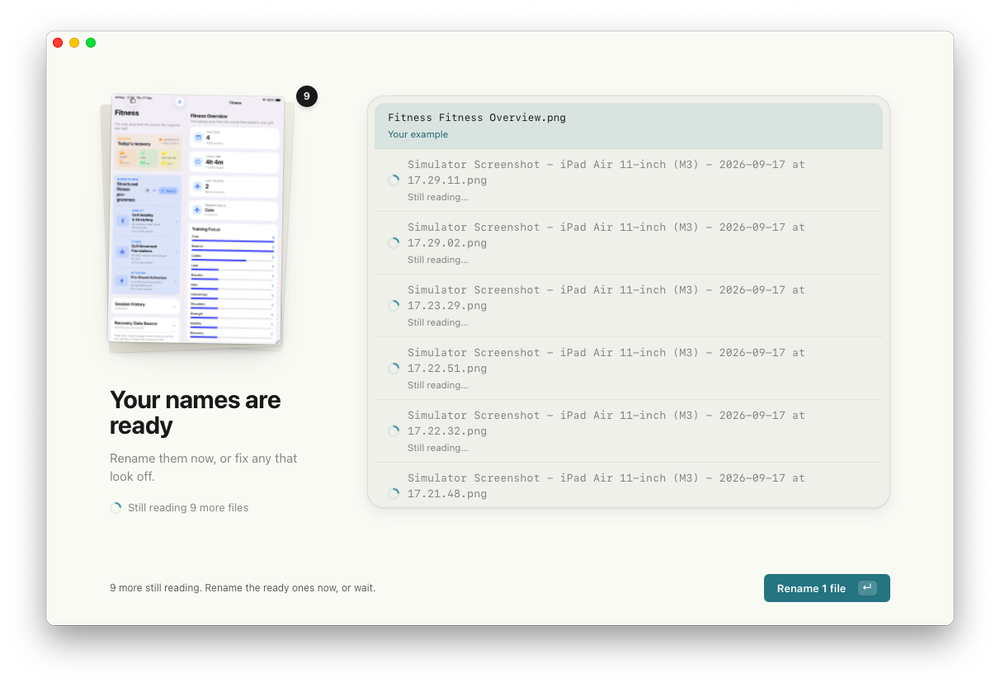
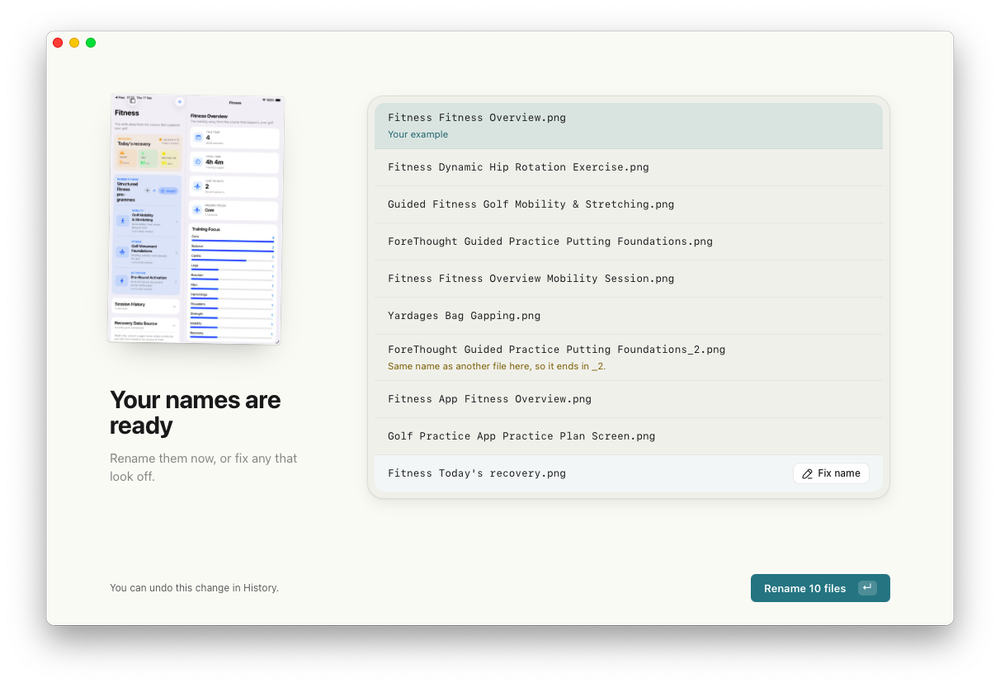
Among the suggestions were filenames such as "Yardages Bag Gapping.png", "Guided Fitness Golf Mobility & Stretching.png" and "ForeThought Guided Practice Putting Foundations.png". These were considerably more useful than the original simulator-generated filenames and, importantly, made it possible to identify the subject of a screenshot without opening it.
NameQuick's proposed filenames for ten screenshots from my app development work, ready for review before being applied.
The system wasn't perfect, however. One screenshot ended up with the slightly repetitive name "Fitness Fitness Overview.png", while two different images received the same suggested filename. NameQuick recognised that potential collision and added "_2" to distinguish the second file.
Neither issue was particularly serious, but both demonstrated why having the opportunity to review AI-generated filenames is worthwhile.
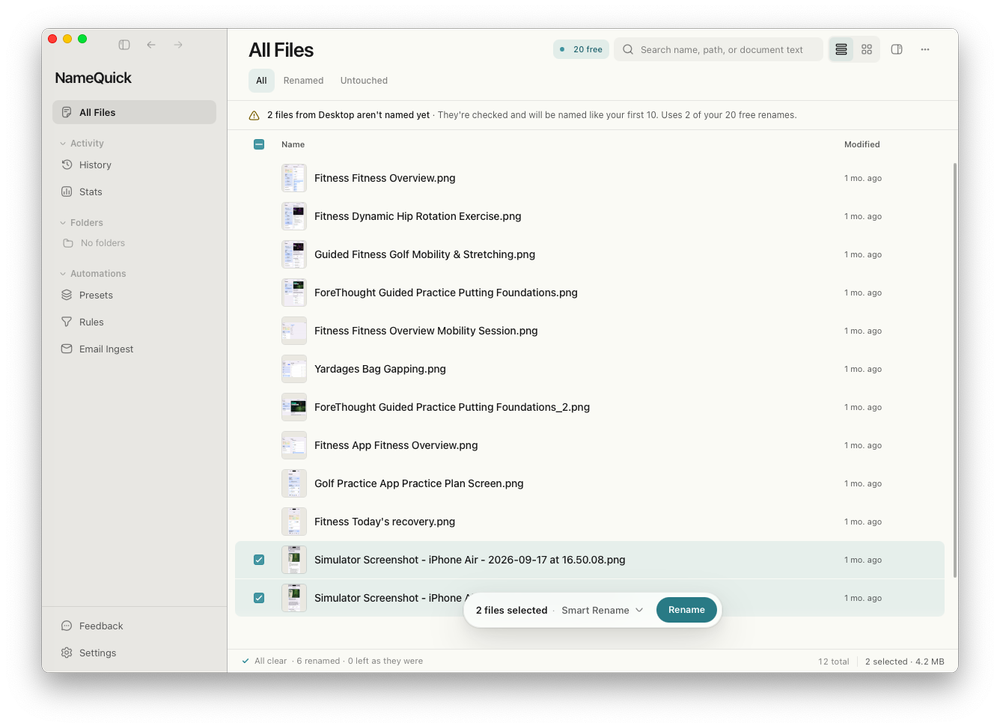
After checking the suggestions, I applied the batch. NameQuick confirmed that all ten files had been renamed, leaving twenty of the thirty free renames available in its introductory trial.
Ten screenshots successfully renamed. NameQuick then offers to monitor the Desktop for future files.
It's one of those small jobs that isn't particularly difficult to do manually, but which becomes rather tedious when you're dealing with dozens or hundreds of files. Having software work out sensible filenames from the actual contents is genuinely useful.
A Little Automation Goes a Long Way
Renaming a batch of files is only part of what NameQuick offers.
The application can also monitor selected folders, including Downloads, Desktop or a folder synchronised through iCloud Drive, and process new files as they arrive. Naming presets let you establish a consistent approach, while additional rules can organise files into folders and apply Finder tags.
After completing my initial test, NameQuick offered to watch my Desktop, either processing existing files as part of an initial batch or leaving them alone and working with new arrivals.
I decided against immediately handing it the hundreds of files already sitting there!
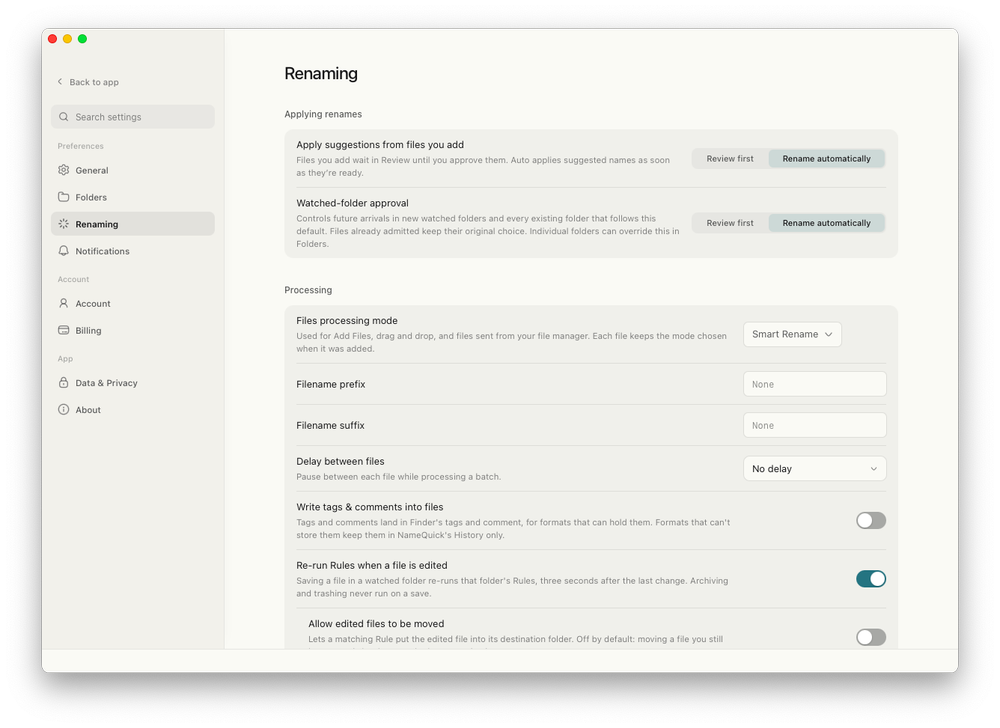
Fortunately, the application provides controls for choosing whether suggestions should be reviewed first or applied automatically. This is particularly important when dealing with documents that other applications might reference by filename.
NameQuick's renaming preferences allow automatic processing or a review-first approach, with additional controls for naming and file handling.
There's also an email integration capable of collecting PDF attachments from approved senders and passing them into a watched folder. I haven't tested that part of NameQuick, but it's easy to see the appeal for anyone dealing with regular invoices, statements or other incoming paperwork.
For now, I'm more comfortable reviewing the suggestions before applying them. Once a particular workflow has proved reliable, automatic renaming becomes a much more attractive proposition.
Your AI, Your Choice
Another aspect of NameQuick I particularly like is the flexibility around artificial intelligence.
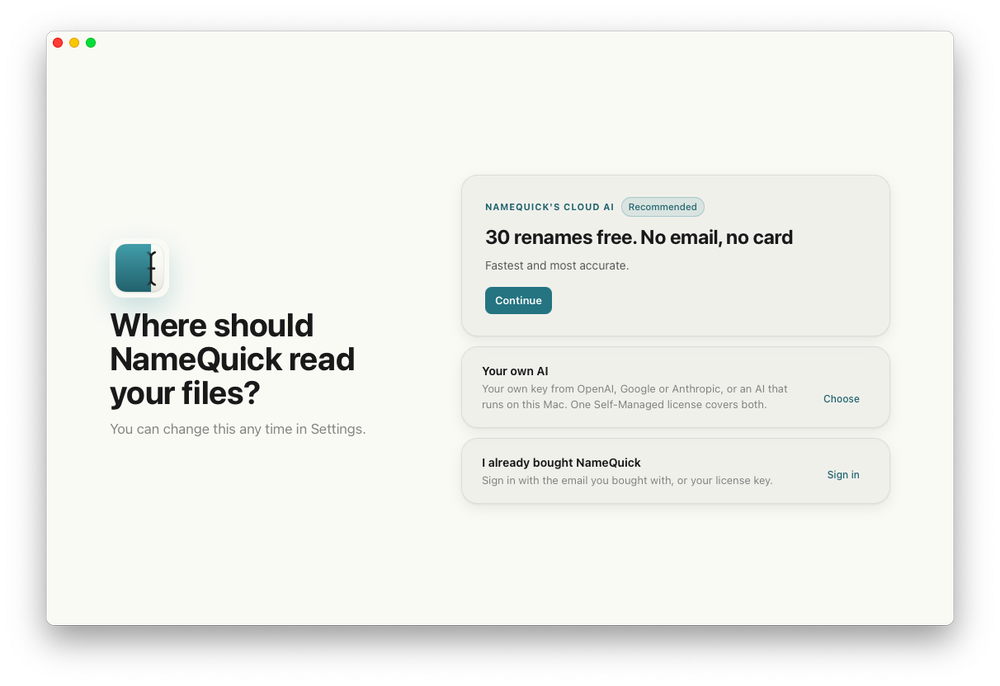
During setup, you're presented with a choice between NameQuick's own managed AI service and a self-managed approach using your preferred AI provider or a locally running model.
The managed option offers thirty free renames without requiring an email address or payment card, making it easy to try the application before committing to anything.
Alternatively, you can provide your own API key from services such as OpenAI, Anthropic or Google Gemini. There's also support for local AI models using Ollama and LM Studio, with Apple's MLX framework available on compatible Apple silicon Macs.
NameQuick offers managed AI, your own AI provider or locally running models, giving users a choice over how their files are processed.
This is an important distinction, especially when dealing with financial documents, invoices, contracts or personal correspondence.
Using a local model means the file content can be processed on your computer without sending it to an external AI provider. With your own cloud API key, the content is sent directly to the provider you've chosen, while NameQuick's managed option uses its cloud processing service.
Convenience and privacy don't always go hand in hand, so it's good to see an application offering different approaches rather than forcing everyone through the same system.
More Than a Rename Button
NameQuick has grown into something approaching a lightweight file-management application. Alongside individual and batch renaming, it includes content-based searching, organisational presets, duplicate detection and a history of previous changes.
The duplicate finder identifies exact copies, while rename history allows previous changes to be reversed where the files and their locations still permit it.
I haven't exhaustively tested all these additional features, but they're interesting extensions of the original idea. For anyone dealing with a large collection of documents, screenshots or scanned paperwork, the ability to search contents and automate filing could potentially be as useful as the renaming itself.
NameQuick is also available for Windows, although its Finder integration and support for Apple's MLX framework make it particularly interesting for Mac users.
Is NameQuick Worth Trying?
NameQuick offers thirty free renames to get started, followed by several purchasing options.
The Self-Managed licence costs $69 as a one-time purchase for one computer, allowing you to use your own AI API key or a compatible local model. Any charges from an external AI provider are separate.
The Managed subscription starts at $12 per month for 500 renames, while occasional users can purchase a pack of 500 managed renames for $19 without committing to a monthly subscription.
For someone who occasionally renames a handful of photographs, Finder's built-in tools might already be perfectly adequate. But if your Downloads folder has become a digital dumping ground, or you're regularly dealing with invoices, scanned documents and screenshots, NameQuick makes a much stronger case.
My own testing was encouraging. Ten simulator screenshots went in with largely meaningless filenames, and ten considerably more descriptive filenames came out. The results weren't flawless, but they were useful, and the opportunity to inspect suggestions before applying them provides some welcome reassurance.
I also appreciate that NameQuick doesn't force you into one particular AI provider or subscription arrangement. It's a clever solution to a rather unglamorous problem, and one that could save a surprising amount of time for people who spend their days managing documents and digital files.
You don't necessarily need artificial intelligence to rename files, but NameQuick makes a convincing argument for letting it handle the repetitive work.
Disclosure: NameQuick's developer offered review access. The hands-on observations in this article are based on my own testing, and the editorial opinions remain independent.
Carrie White, the telekinetic prom queen from hell, is one of the most beloved horror icons in popular culture. First introduced in Stephen King's 1974 novel, Carrie, the character was immortalized in director Brian De Palma's 1976 adaptation, widely regarded as one of the best horror films of all time. It's certainly one of the best King adaptations. So Mike Flanagan faced a massive challenge when he signed on to create an eight-episode miniseries for Prime Video based on the book, released just in time to mark the 50th anniversary of de Palma's film.
I was among the skeptics who questioned why a Carrie miniseries was even necessary, although as a diehard Flanagan fan ("Flana-fan"?), I was willing to give him the benefit of the doubt. If anyone has an affinity for smartly adapting horror in general, and King's work in particular, it's Flanagan. And you know what? With one (very big) exception, Flanagan pulls it off, giving us a richly textured version of the story that is as much about kindness and lost innocence as bloody, vengeful rage—although we get plenty of the latter, too.
(Many spoilers below for the novel and the 1976 film, but there are no major reveals for the new series until after the second gallery. We'll give you a heads-up when we get there.)
The trailers for HBO's DC Universe series Lanterns teased a show that eschewed the usual superhero hijinks in favor of a gritty realism more in the vein of True Detective or Slow Horses. Personally, I liked the change. My verdict: Ignore the review bombing; it's wonderful. The season wrapped with an emotionally charged, almost elegiac finale that fully delivered on that initial promise. I've found the rebooted DC Universe films released thus far to be enjoyable but rather forgettable, even when the positives outweigh the negatives. But Lanterns is a shining beacon of what is possible when someone is allowed to get really creative within the genre.
(Spoilers below, but no major reveals.)
There are two primary storylines. The first takes place in 2016 with a mass shooting at a local football game in Rushville, Nebraska. Current Green Lantern Hal Jordan (Kyle Chandler) and his new trainee, John Stewart (Aaron Pierre), get involved in the investigation, to the annoyance of Sheriff Kerry Kane (Kelly Macdonald), who initially doesn't think the case has any extraterrestrial connection. She is soon proved wrong when the suspect (an alien) self-detonates. Hal's power ring controls the damage, but the mystery remains.
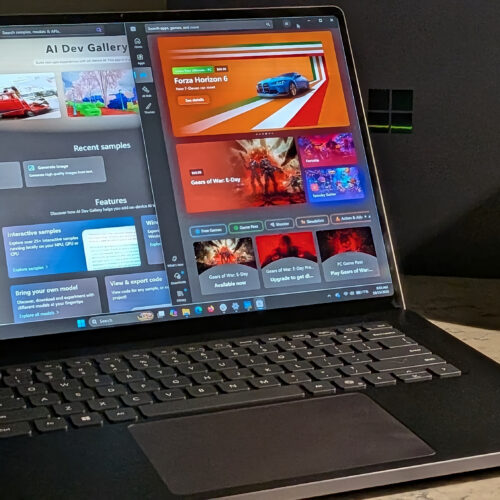
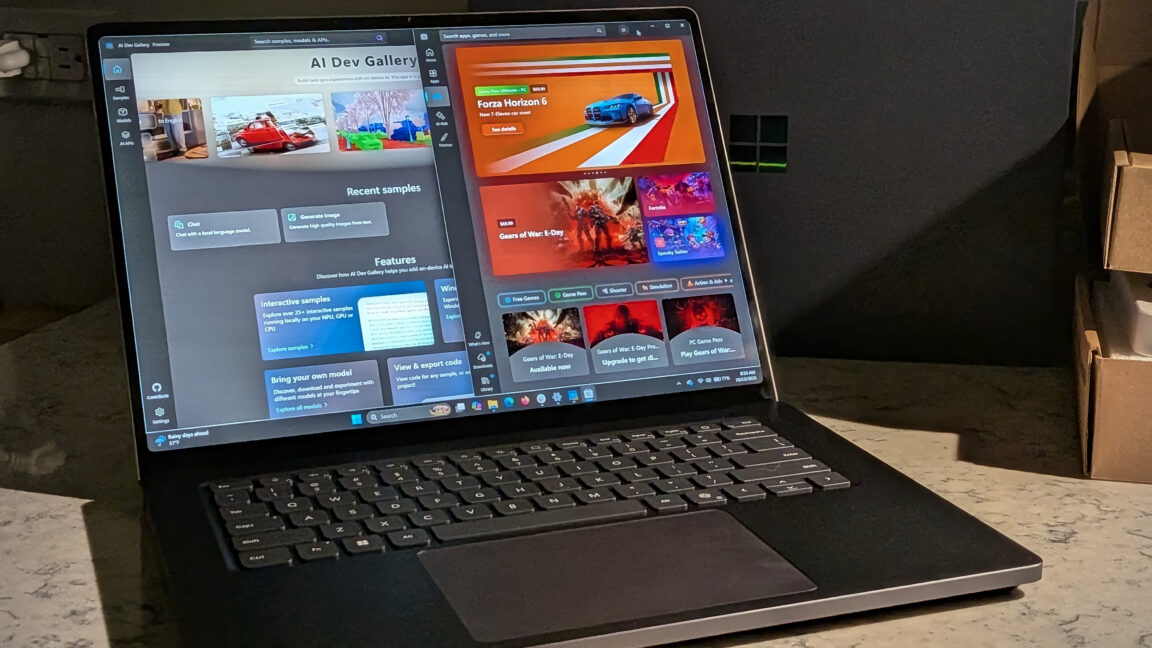
Over the past week, the laptop Microsoft sent me has been summarizing books and movies, generating images from my imagination, and running a 70-billion-parameter AI model that would be a stretch to fit on most laptops. It also played AAA games at a speed and fidelity I would have thought impossible on an ARM system just a year ago. Microsoft wants to sell you one computer for all of your needs, and for once that doesn't feel like total marketing fluff. Mostly.
Microsoft is throwing both arms around the new Nvidia RTX Spark platform with the Surface Laptop Ultra—and setting its sights on the would-be MacBook Pro buyer, or as the company called it, "a high performance audience." The bet is that rather than a gaming desktop for fun and a development laptop for work, buyers will pay more for one machine that does both.
The Surface Laptop Ultra arrives at a strange time in personal computing. Recent industry numbers showed a 20 percent drop in total PC shipments year over year in the third quarter of 2026. That's not just consumer purchasing either—that's across the board. Between the RAMpocalypse that has exploded consumer prices and an industry fixated on enterprise money, there hasn't been much new hardware to excite PC enthusiasts.
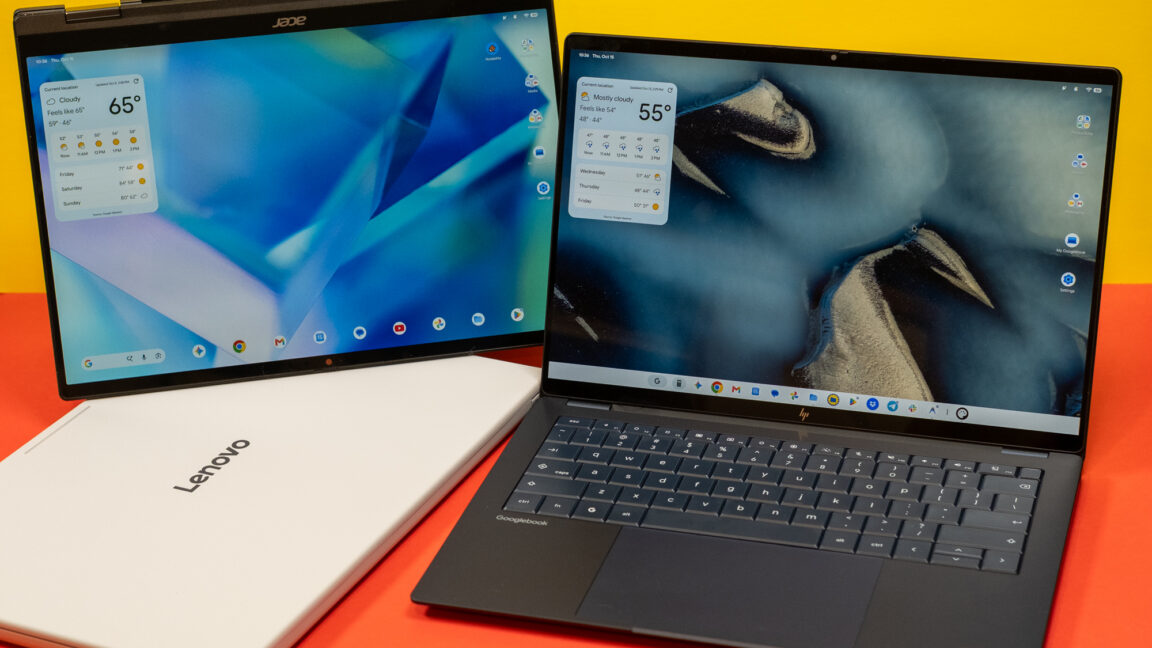
Android was designed for phones, but that hasn't stopped Google from trying to adapt the OS and its apps to larger machines over the years. Googlebooks are just the latest attempt after tablets, Chromebooks, and foldables induced little change in how people interact with Android software. These new Android-powered laptops are designed to pick up where the web-focused ChromeOS left off, offering premium hardware and native support for Android apps.
Google sees Googlebooks as an alternative to Windows and macOS, but these platforms are entrenched with decades of software and UI conventions that keep users locked in. Googlebooks have to offer something very special to steal users away from either of the dominant operating systems.
For devoted Android phone users, there are some cool things in Googlebook OS, but the Android roots of these machines are impossible to miss. Sometimes it feels like using a Chromebook, and sometimes it feels like using a giant phone. It almost never feels like using a premium laptop, and that's the problem.
Penguin Colony is probably the best pisstake of Lovecraft and Lovecraftian horror I've played. It's the best because it places Lovecraft's universe at a creaturely remove, amplifying its absurdity without having to drop any punchlines. Entering a ravaged polar campsite, I advance among burning tents and uniformed corpses to a pioneer seated on a crate, who is busily sawing his own face off. Ice and snow shrill overhead and Lenval Brown's narration rumbles in my bones, speaking of eldritch relics and unquenchable ambitions, of "queer creatures" and inexplicable deaths, of madness and glory, of "scientific explanations" and empires from other dimensions. I consider all this, and say: Fnaaarp.
If you've been using a Mac for any length of time, there's a good chance you'll remember Skitch. It was one of those wonderfully simple applications that did exactly what you needed without making a fuss about it. Capture a screenshot, draw a few arrows, add some text and share it. Job done.
Although macOS has developed its own capable screenshot tools over the years, there's still something appealing about having a dedicated application for capturing and annotating images.
That's exactly what independent developer David Carrero has been working on with iSkitch, a modern interpretation of the classic screenshot utility, built specifically for macOS.
And judging by the pace of development, he's clearly not standing still.
A Familiar Experience for Modern Macs
At its heart, iSkitch is designed to make working with screenshots as straightforward as possible.
The application sits quietly in your Mac's menu bar until it's needed. Press Option-Command-4, select an area of the screen, and your screenshot opens directly in the editor, ready for annotation.
You can capture individual windows or entire screens too, and there are configurable keyboard shortcuts for different capture modes.
Unlike some modern desktop applications, iSkitch is built using Apple's native SwiftUI and AppKit frameworks rather than Electron. That gives it a familiar macOS interface, while supporting both Intel and Apple Silicon Macs running macOS Sonoma or later.
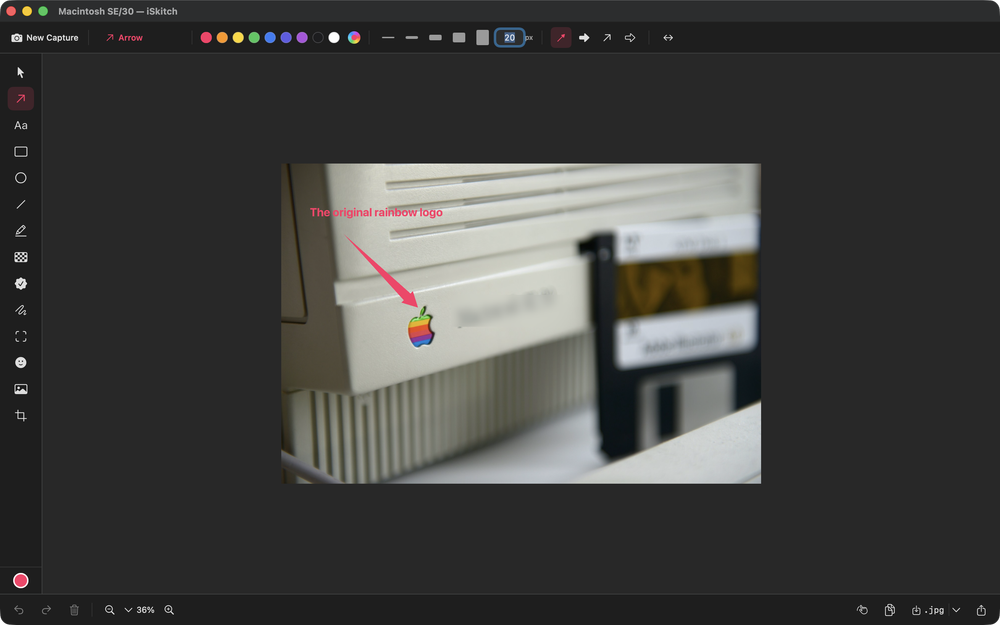
The editor provides 14 annotation tools, including arrows, shapes, text, numbered stamps, highlighting, freehand drawing and options for obscuring information.
For somebody who regularly creates tutorials, documentation or screenshots explaining how something works, that's a useful collection of tools to have immediately available.
It's the Little Improvements That Matter
What's particularly interesting about iSkitch isn't just what it does, but how quickly it's evolving.
When the application was first introduced to The Apple Geek in September, it was already a capable screenshot utility. Since then, David has continued improving the experience, incorporating feedback from users who remember the original Skitch.
Version 1.8.1 introduced sharper captures on Retina and scaled displays, addressing situations where screenshots weren't being captured at their expected resolution.
It also brought the ability to create a new annotation directly from an image already sitting on the clipboard.
September's 1.9 release added WebP export, improved cropping precision and more control over image quality when saving files.
That might not sound particularly exciting, but when you're regularly producing screenshots for websites, documentation or support emails, getting the right dimensions and file sizes can make a noticeable difference.
Taking Control of the Screenshot
October brought another collection of useful refinements.
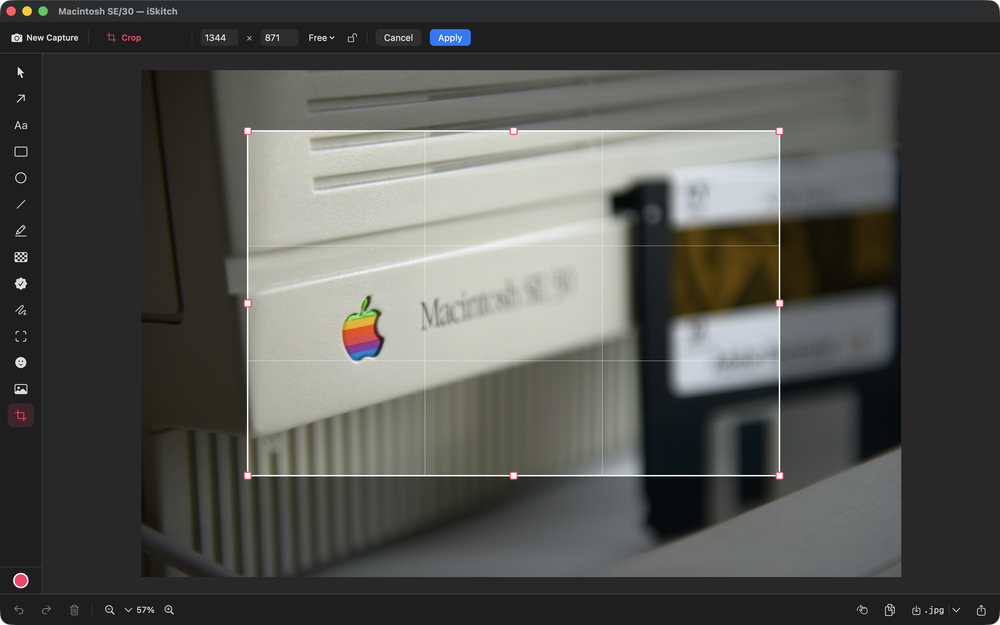
Version 1.10 introduced an optional adjustable selection mode. Rather than capturing an area immediately after releasing the mouse, you can reposition and resize the selection using eight handles before taking the screenshot.
It's a small detail, but potentially very handy when trying to capture a particular moment in a video or getting the boundaries of a screenshot just right.
The latest 1.10.1 release also addresses another familiar annoyance: iSkitch now hides its own windows while capturing, preventing the editor from appearing in the screenshot.
And pressing Command-C once again copies the annotated image, just as users of the original Skitch would expect.
These aren't necessarily headline-grabbing features, but they're the sort of thoughtful changes that make an application more pleasant to use every day.
Privacy Without the Fuss
Screenshot utilities can occasionally handle sensitive information, whether that's an email address, account details or something sitting in the background of a desktop capture.
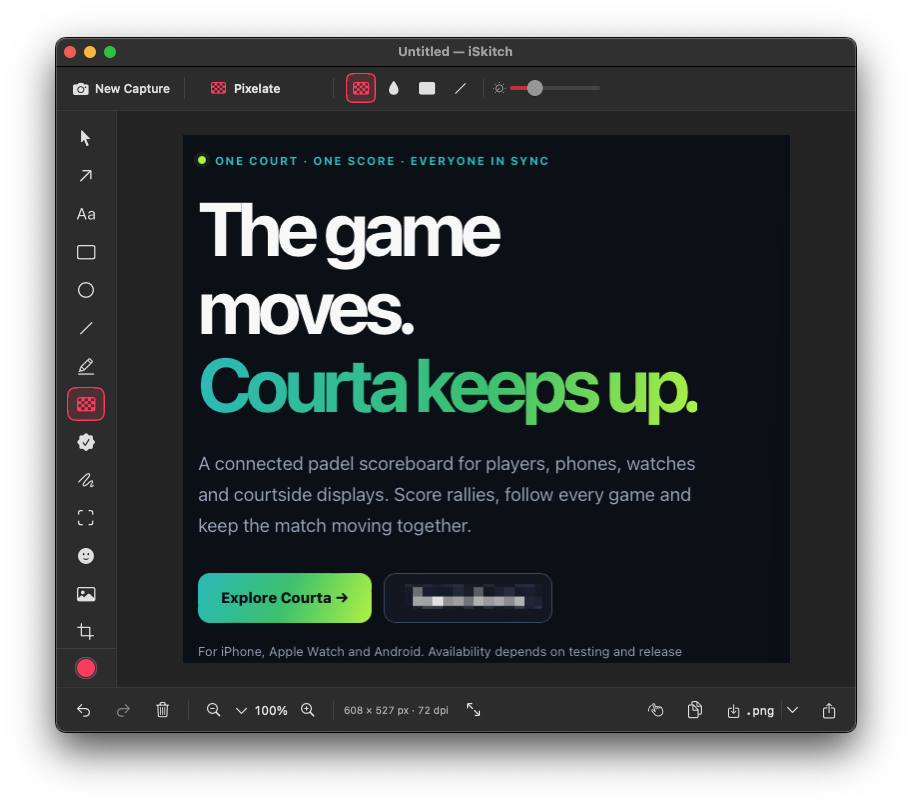
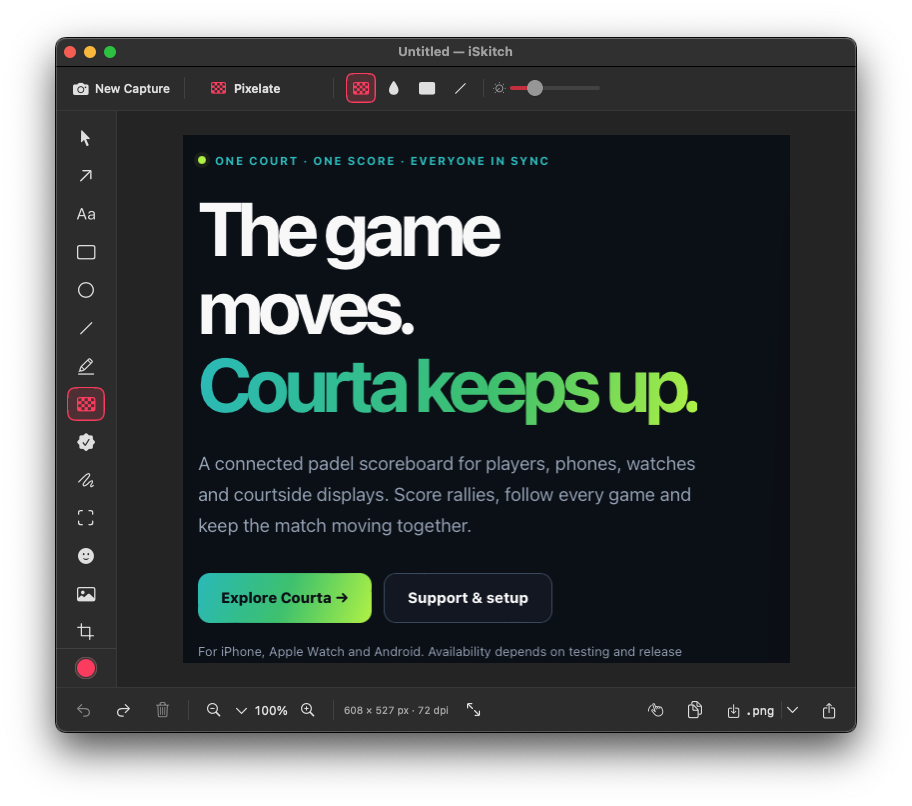
iSkitch includes tools for blurring, pixelating and completely covering areas of an image.
Recent updates have improved the pixelation tool, although the developer still recommends using solid blocks when hiding particularly sensitive information.
Just as importantly, iSkitch doesn't require an account, doesn't collect analytics and, according to the developer, doesn't make network requests.
Everything happens locally on the Mac.
For an application that regularly handles screenshots, that's a welcome approach.
One Developer, One Purchase
One thing I particularly appreciate about independent Mac applications is being able to speak directly to the person developing them.
David has been happy to explain the thinking behind iSkitch, share its development history and discuss improvements suggested by users.
It's also refreshing to see a straightforward pricing model.
At £9.99 on the UK Mac App Store, iSkitch is a one-time purchase. No monthly subscription, no account and no complicated pricing tiers.
It's available in 18 languages, with updates included in the purchase.
Is There Still Room for a Skitch Alternative?
Apple's built-in screenshot and Markup tools are already perfectly capable, particularly for occasional use.
But iSkitch is targeting a slightly different audience: people who take screenshots regularly and want a quick, consistent workflow for capturing, editing and sharing them.
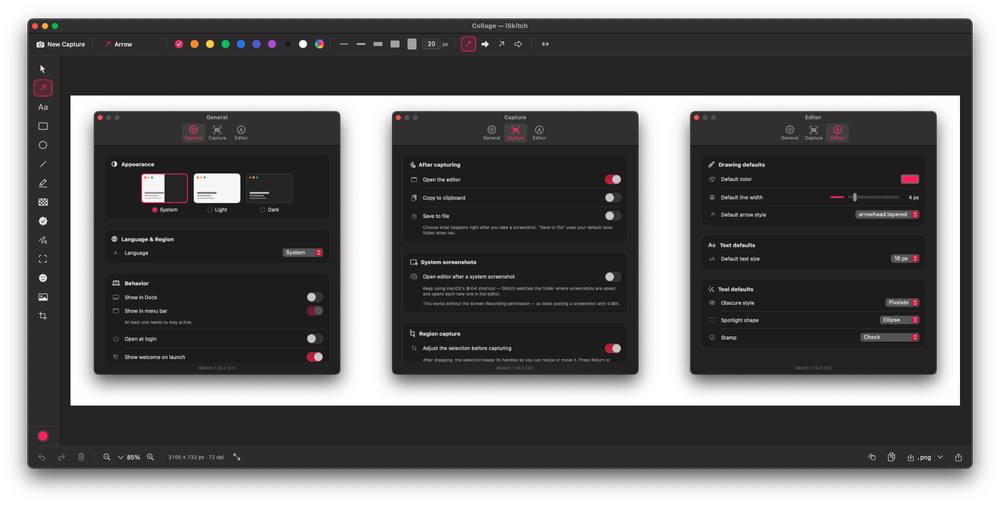
The combination of menu bar access, keyboard shortcuts, annotation tools and native sharing certainly makes for an interesting proposition. One unexpectedly useful touch is iSkitch’s collage feature, which makes it easy to combine multiple screenshots into a single clean layout ideal for tutorials, comparisons and blog posts 😉 work.
And with continued development driven by feedback from users, iSkitch looks like more than simply an attempt to recreate an old favourite.
It's an independent Mac application trying to bring a familiar idea up to date.
For anyone who misses the original Skitch, iSkitch is certainly worth a closer look.
Elon Musk is a very familiar figure to Ars readers, given his massive influence (for better and worse) on the technology sector over the last 20 years. Oscar-winning director Alex Gibney's latest biographical documentary—simply titled Musk—covers a lot of well-known ground and challenges the carefully crafted public image of Musk as a visionary tech titan.
Gibney's documentary presents Musk as more of a Gilded Age confidence man, rejiggered for the 21st century: an investor cosplaying as an inventor whose real genius is pumping stocks and dazzling investors and the public alike with visions of a high-tech utopian future. The film is bound to push all the right outrage buttons, whether one is a Musk fan or a detractor—which makes it very much a product of the peculiar social media-driven era in which we live.
Gibney has been making documentaries since the 1980s, covering such varied subjects as Jimi Hendrix, Hunter S. Thompson and gonzo journalism, WikiLeaks, Scientology, Steve Jobs, Elizabeth Holmes (the subject of another forthcoming documentary, You Can See Everything, featuring comedian Nathan Fielder), Boris Becker, The Sopranos creator David Chase, alleged Russian interference in the US 2016 presidential election, the opioid epidemic, and cyclist Lance Armstrong. He snagged his first Oscar nomination for 2005’s Enron: The Smartest Guys in the Room, and won the Oscar for Best Documentary Feature two years later for Taxi to the Dark Side.
A few months back, I reviewed the TerraMaster D1 SSD Plus and liked it for what it offered. A sturdy box that gives a second life to an NVMe SSD lying around (rarity these days).
Now I have the ORICO X50 on my desk, which does the same job but promises twice the bandwidth with Thunderbolt 5.
I ran the similar set of benchmarks on it on Ubuntu, and I have the numbers to share.
Here's a quick summary of my experience with the device.
✅ Slim, good-looking aluminum body that's easy to carry ✅ Comes with an 80Gbps cable in the box ✅ Works out of the box on Linux, with full NVMe SMART data ✅ Stayed in the 60s °C during a 13-minute sustained write ❎ Only 2280 NVMe SSDs; heatsink SSDs won't fit ❎ Priced well above USB4 enclosures
Here are the hardware specifications for ORICO X50.
Specification
ORICO X50
Interface
Thunderbolt 5 (80Gbps), backward compatible with Thunderbolt 4, Thunderbolt 3 and USB4
Rated speed
Up to 6000 MB/s read, 5800 MB/s write
Supported SSD
M.2 NVMe, 2280 size only (2230 not supported), M Key and B+M Key
Recommended SSD
PCIe Gen4 or Gen5
Max capacity
4TB
Cooling
Fanless, aluminum unibody with micro fins, thermal film and thermal paste
Material
Aluminum alloy
Dimensions
110 × 60 × 18.7 mm
Cable
0.5m USB-C to USB-C, 80Gbps
OS support
Windows, macOS, Linux
Price
$269.99 for the diskless version
ORICO also sells the X50 with a 512GB or 1TB SSD already installed. I got the empty enclosure, which is what most of you would want if you have an SSD to reuse.
Pay attention to the supported SSD list. Like most enclosures of this kind, the X50 doesn't take everything. It's NVMe only, so your old SATA M.2 drive cannot be used, and it's 2280 only, so the tiny 2230 SSD in your stock won't be of much use either.
Also note that on Thunderbolt 4 hosts, the speed is limited to 40Gbps, and on Thunderbolt 3, it will drop even further.
📋
ORICO sent me this device for review. The views expressed are my own.
Design and build
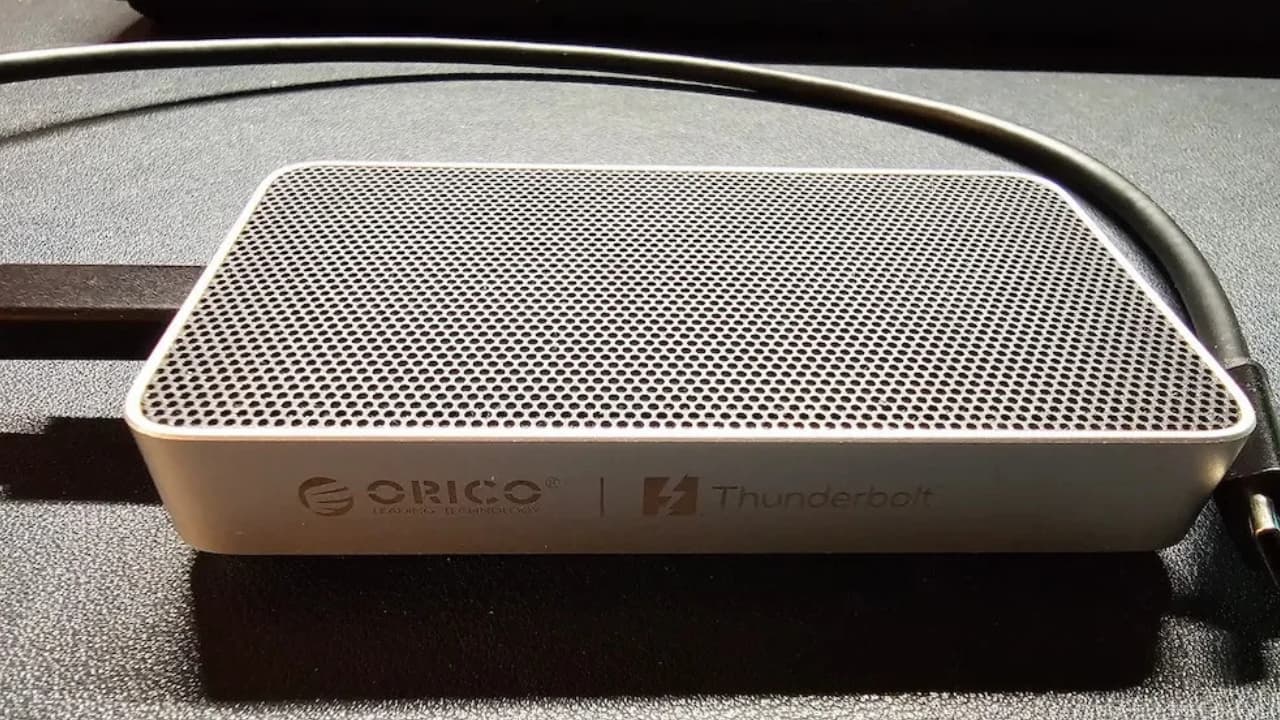
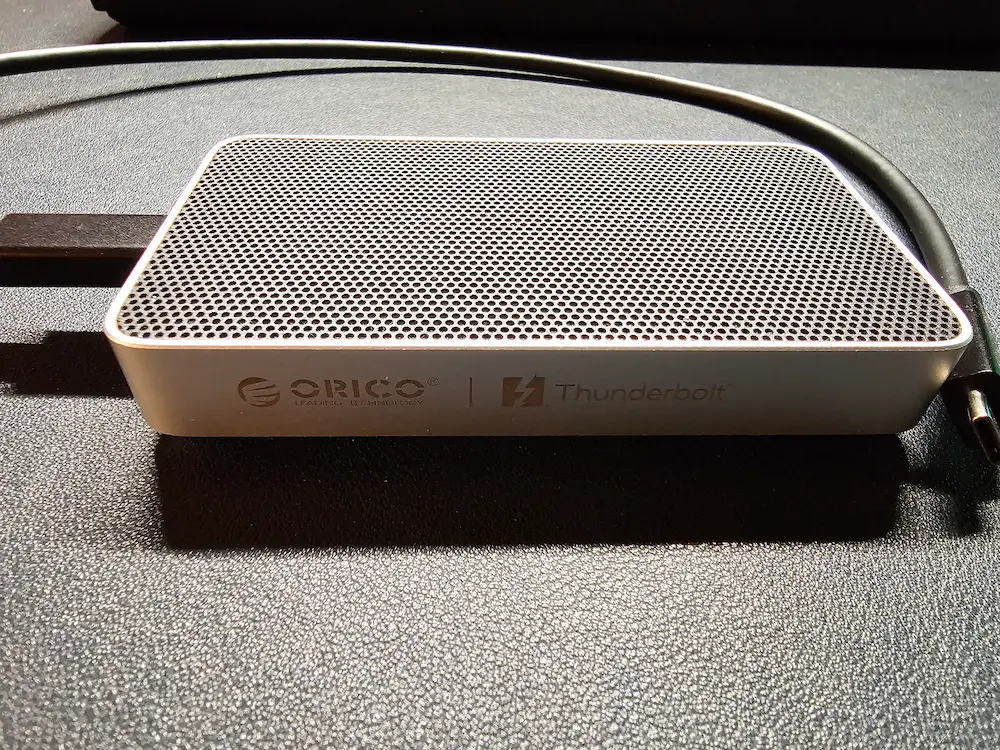
The X50 is noticeably less bulky than the TerraMaster D1 SSD Plus. It's slim enough to slide into a laptop bag pocket. Although it is not as slim as my Sandisk Extreme portable SSD.
The silver aluminum finish looks good, and I think it would fit right into the Apple ecosystem as it matches the aesthetic.
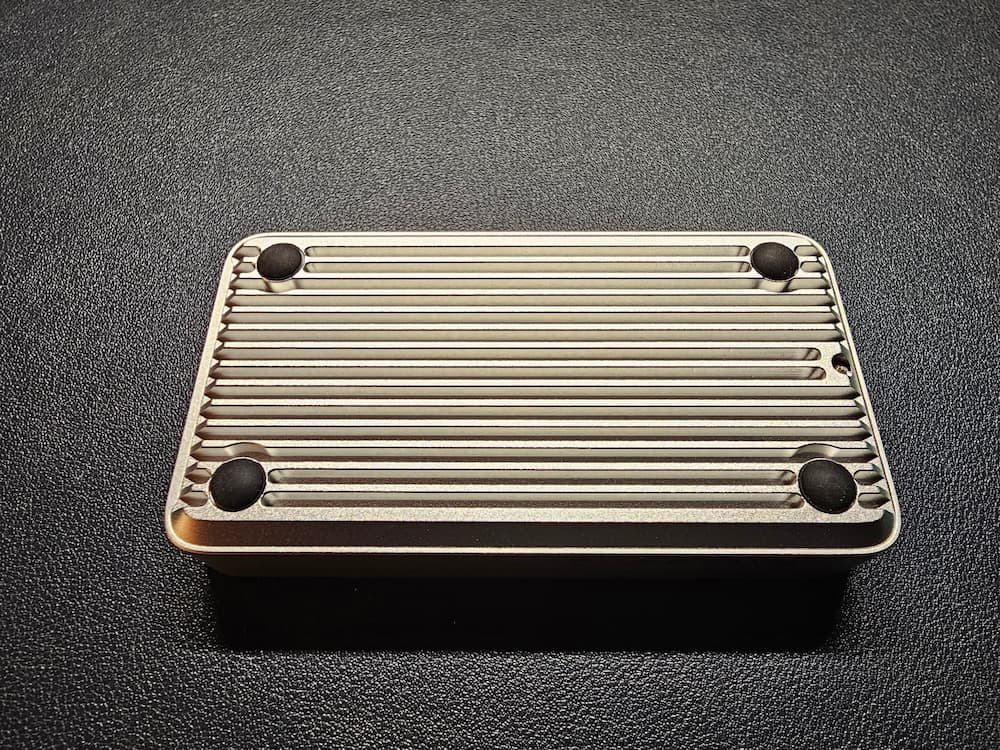
Flip it over and you'll see fins running along the bottom. These increase the surface area for heat dissipation, and judging by my thermal numbers (more on that later), they seem to do their job. There's no fan, so it's completely silent.
Orico X50 bottom view
In the box, you get the enclosure, a fast 80Gbps USB-C cable and thermal paste. No SSD, of course, since I got the diskless version. A good cable matters with devices like these. Good of ORICO to include it in the box.
You can apply the thermal paste directly on the SSD. I did not. I wanted to take the raw numbers in the testing.
SSDs with an attached heatsink, like the Samsung 9100 Pro Heatsink version, won't fit inside the X50. Get the bare version of the SSD if you plan to use it with this enclosure.
The first plug-in experience
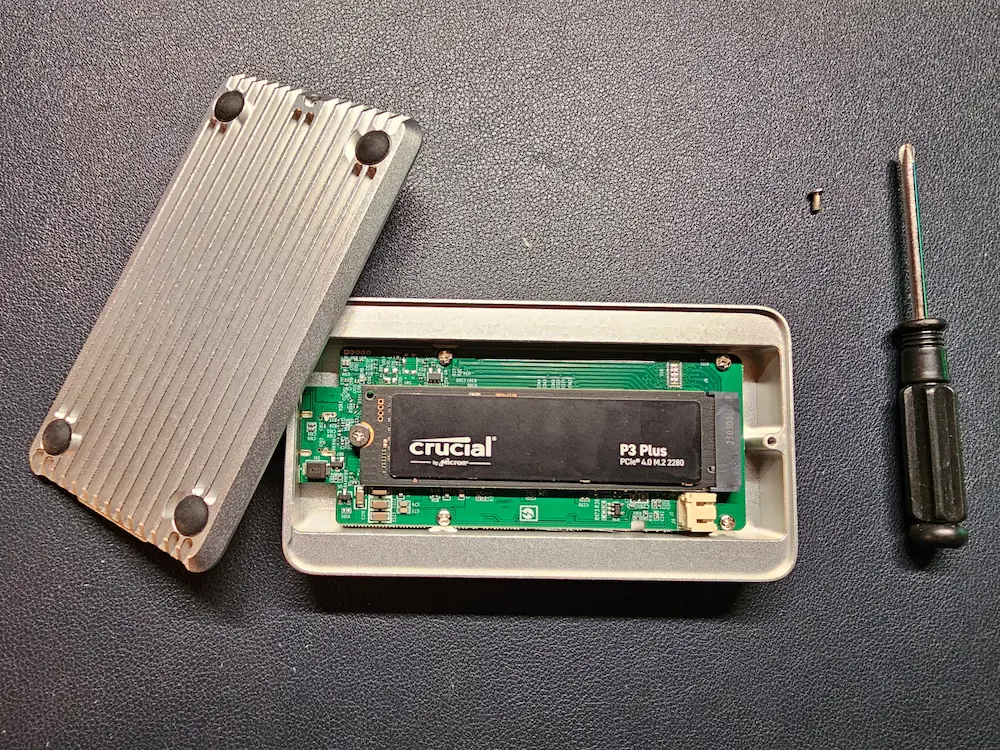
For my testing, I used a Crucial P3 Plus 500GB. It's a PCIe Gen4 drive rated at 4700 MB/s read and 1900 MB/s write, and it uses QLC NAND. Keep the QLC part in mind; it matters for the sustained write results.
I tested the X50 on Ubuntu 26.04 with Linux kernel 7.0. It worked out of the box. Plugged it in, and the SSD shows up like any other drive. I formatted it as ext4 and it was mounted automatically. So, no surprises here.
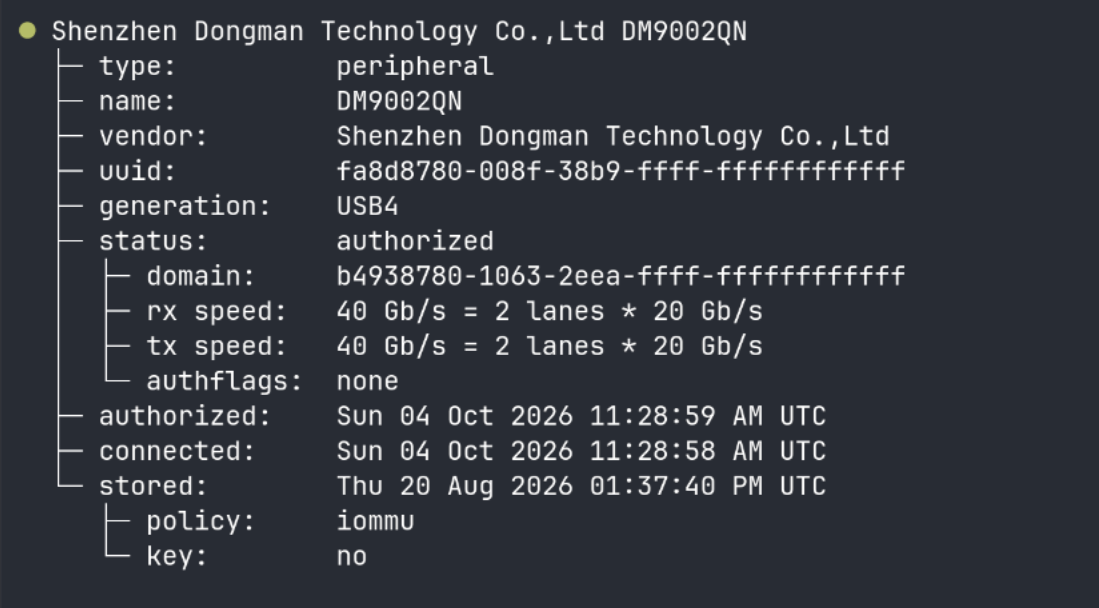
Since it's a Thunderbolt device, it's worth checking with boltctl. It got authorized automatically and showed a 40 Gb/s link (2 lanes × 20 Gb/s). Interestingly, it identifies itself as "DM9002QN" from Shenzhen Dongman Technology rather than ORICO.
Because the X50 tunnels PCIe over Thunderbolt, the drive shows up as a native NVMe device (nvme1n1), not a USB disk. That means nvme smart-log works directly and you get full SMART data, including temperature. No need to fiddle with USB bridge flags in smartctl.
This is definitely a plus for Linux users. With many USB enclosures, getting health data out of the SSD is often hit or miss.
Performance: the numbers and the big caveat
Here's the thing. The X50 is a Thunderbolt 5 device, but I don't have a Thunderbolt 5 machine. My laptop is the ASUS Zenbook S14, which has Thunderbolt 4. So the link was capped at 40Gbps, half of what the X50 is designed for.
📋
These tests are limited by the host device. With a Thunderbolt 4 laptop, you are not seeing what the X50 can do at 80Gbps. Treat my numbers as "what you get with a Thunderbolt 4 or USB4 machine", which, honestly, is what most people have today.
This is often the case with storage benchmarks. The weakest link in the chain, be it the port, the cable or the SSD, decides the speed you see. The ORICO's rated 6000 MB/s needs both a Thunderbolt 5 host and a fast Gen4 or Gen5 SSD.
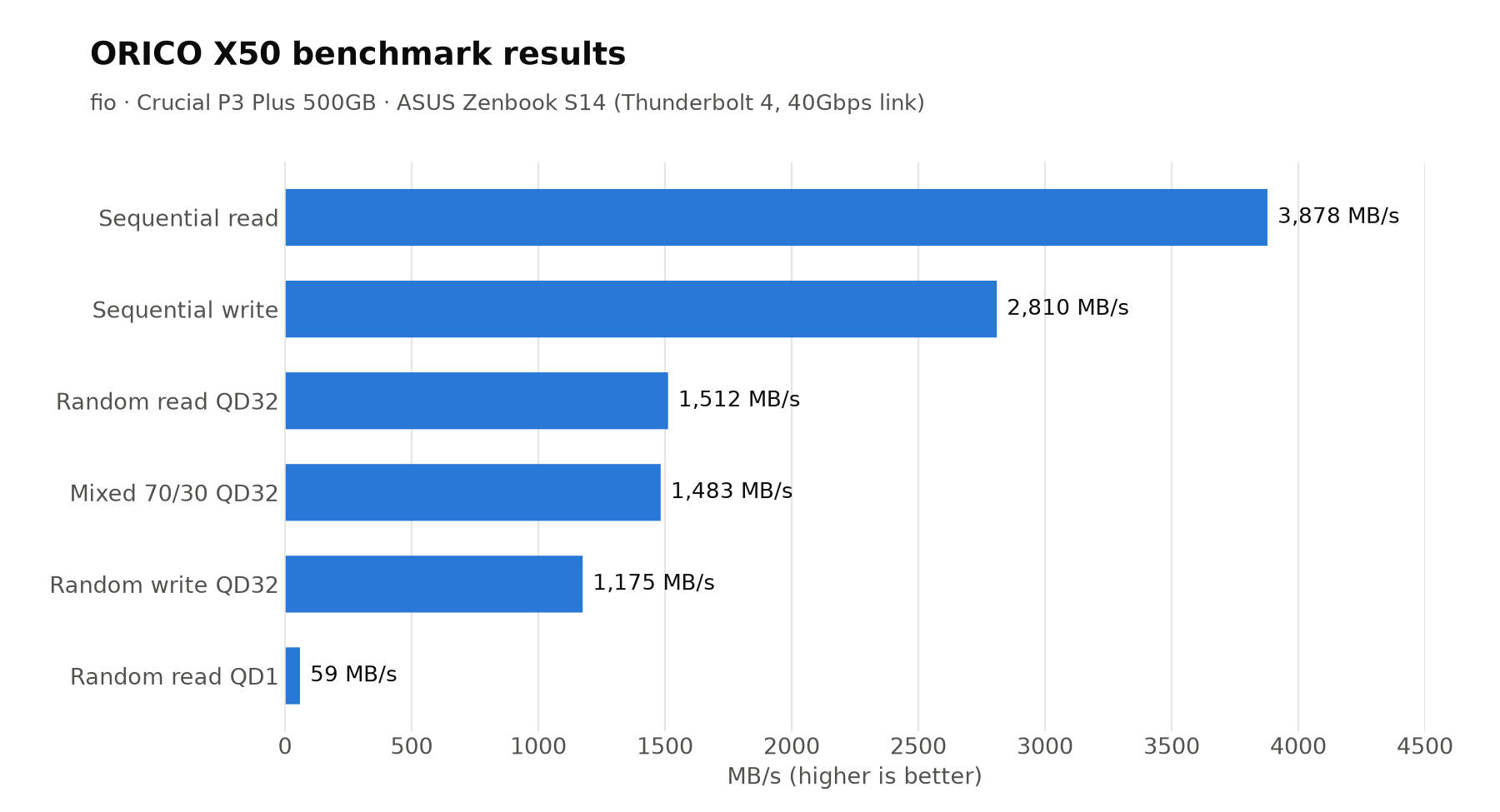
I used fio for simulated tests, plus a couple of real file copy tests. Here are the results from the first run.
Test
ORICO X50
Sequential read
3878 MB/s
Sequential write
2810 MB/s
Random read (QD32)
1512 MB/s (369K IOPS)
Random write (QD32)
1175 MB/s (287K IOPS)
Random read (QD1)
59 MB/s (14.4K IOPS, 34 µs latency)
Mixed 70% read / 30% write
1483 MB/s
10GB single file copy
11.8 seconds
5000 small files (4KB) copy
17.5 seconds
The sequential read of 3878 MB/s is pretty much the ceiling of a 40Gbps connection. Pay attention to bits and bytes. The enclosure maxed out what my laptop could offer. The sequential write of 2810 MB/s was well above the Crucial's rated 1900 MB/s, thanks to SLC cache handling the burst.
I ran the tests a second time to check consistency. The read numbers were pretty much identical. Random write dropped to 978 MB/s and the 10GB copy took 17.8 seconds instead of 11.8. That's because the SSD's cache probably had not fully recovered from the earlier runs.
Thermal performance during sustained writing
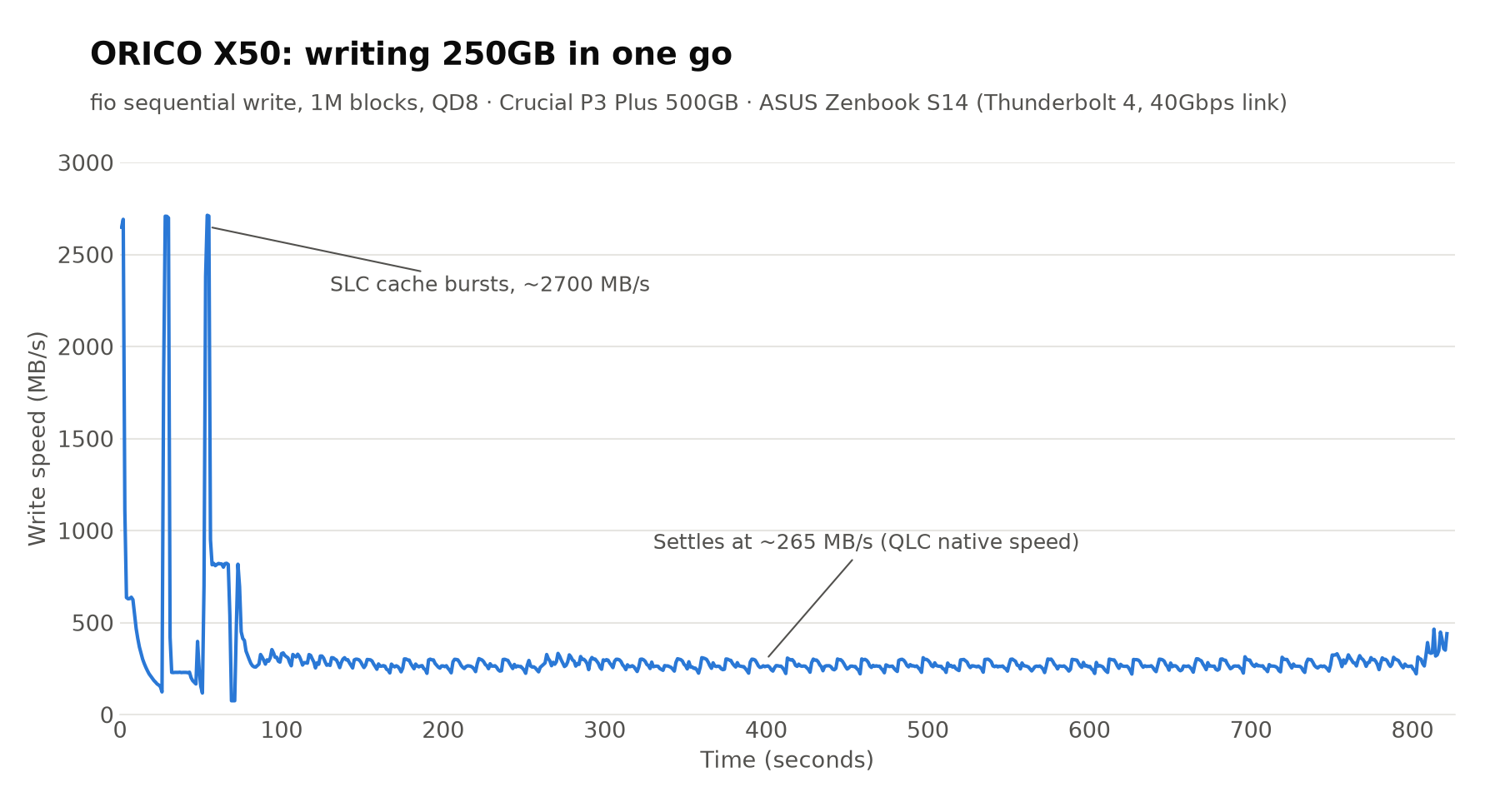
To see how the X50 handles heat, I wrote 250GB in one go. It took a little over 13 minutes.
The speed fell from around 2700 MB/s to about 265 MB/s within the first few seconds and stayed there till the end. Before you blame the ORICO enclosure, this is classic QLC behavior.
Once the SLC cache is full, the Crucial P3 Plus writes at its native QLC speed. In the earlier shorter run with a fresh cache, it held about 2700 MB/s for nearly 19 seconds before falling off.
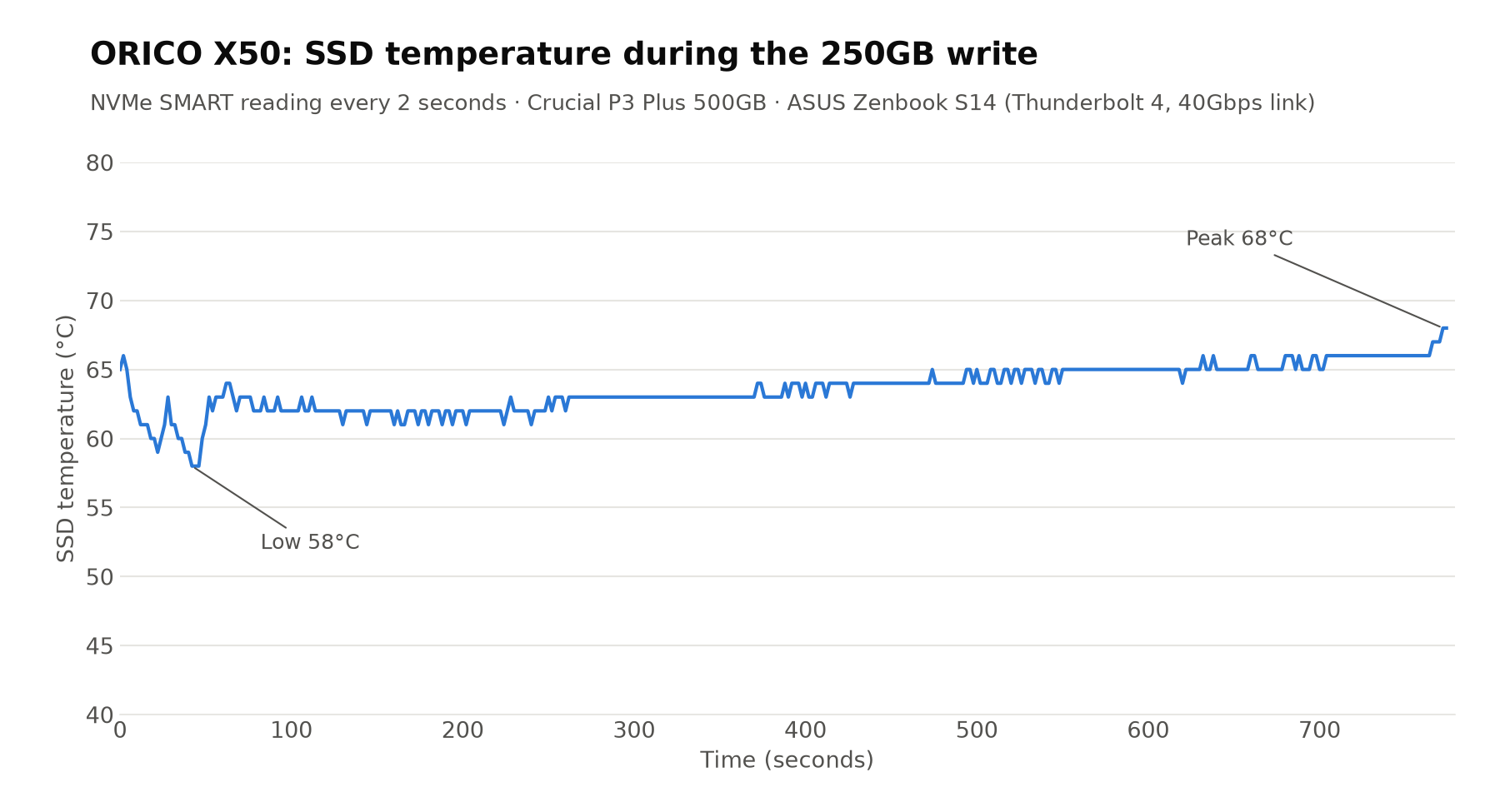
Let's focus on the temperature. Throughout the 13-minute write, the SSD stayed between 58°C and 68°C, and mostly stayed around 62 to 65°C.
There were no sudden dips in the speed graph that would indicate thermal throttling, at least that's what I would like to think. The fins and the paste seem to be doing their work. The room temperature was around 32°C, I think.
✅
The X50 kept the SSD in the 60 °C range during a 250GB sustained write with no visible throttling. Thermally, it's well built.
ORICO X50 vs TerraMaster D1 SSD Plus
Since I had reviewed the TerraMaster D1 SSD Plus earlier, a comparison was only natural. I ran the same benchmark script on it, on the same Zenbook S14.
The tests are not indentical though because I used a different SSD in each. Crucial P3 Plus 500GB in the ORICO and the WD Blue SN5000 1TB in the TerraMaster. So this is not a pure enclosure vs enclosure comparison. Take the write numbers especially with a pinch of salt.
ORICO X50
TerraMaster D1 SSD Plus
Interface
Thunderbolt 5 (80Gbps)
USB4 (40Gbps)
Price
$269.99 (sale)
~$110
Max capacity
4TB
8TB
Size
Slim (110 × 60 × 18.7 mm)
Bulkier
SSD in my test
Crucial P3 Plus 500GB
WD Blue SN5000 1TB
Sequential read
3878 MB/s
3323 MB/s
Sequential write
2810 MB/s
3202 MB/s
Random read (QD32)
1512 MB/s
1588 MB/s
Random write (QD32)
1175 MB/s
1470 MB/s
Random read (QD1)
59 MB/s
64 MB/s
10GB file copy
11.8 s
6.2 s
5000 small files
17.5 s
17.1 s
Sustained write (250GB)
~265 MB/s after cache
~950 MB/s after cache
Peak SSD temperature
68°C (13+ minutes of writing)
59°C (about 3 minutes of writing)
On a 40Gbps connection, both enclosures are in the same league. The ORICO had the better sequential read, which is the best indicator of what the enclosure itself can push. The TerraMaster won on writes, but that's largely down to the WD SSD having a bigger cache and faster post-cache speed than my QLC Crucial.
Basically, on a Thunderbolt 4 or USB4 laptop, you won't see much practical difference between the two. The ORICO's extra money buys you a slimmer design and headroom for Thunderbolt 5. That also keeps you future proof for the next few years.
Is ORICO X50 worth it?
If you have NVMe SSDs lying around and want to use them as fast external storage, the X50 is a good device. It's slim, looks good, stays cool, and works on Linux without any tinkering. The native NVMe access is a nice touch for those of us who like to check drive health from the terminal.
The 2280 only support is limiting. If you have a 2230 or 2242 SSD from an older laptop or a handheld, you can't use it here. And with no SATA support, older M.2 drives are out of the picture as well.
If you have a Thunderbolt 5 machine, or you are planning to buy one in the next year or two, the X50 is a future-proof pick. Pair it with a fast Gen4 or Gen5 TLC SSD to actually get near the advertised 6000 MB/s.
Over the past few months we have been traveling on our canal boat, and 3 times we have seen Lola the Cafe Boat moored up, unfortunately one once was the boat trading, else I would be even larger than I am now. Today we went to the RCTA Tipton Floating Market, which is a small affair along side the canal just after The Fountain Inn on the Old Main Line Canal in Birmingham. At the end of the…
Even Linus Torvalds is fine with AI being used in Linux kernel development these days, and it's everywhere else in the Linux and tech world too. The time has come to stop ignoring AI and start using it as a tool and to use it well, especially if you are a professional sysadmin or DevOps.
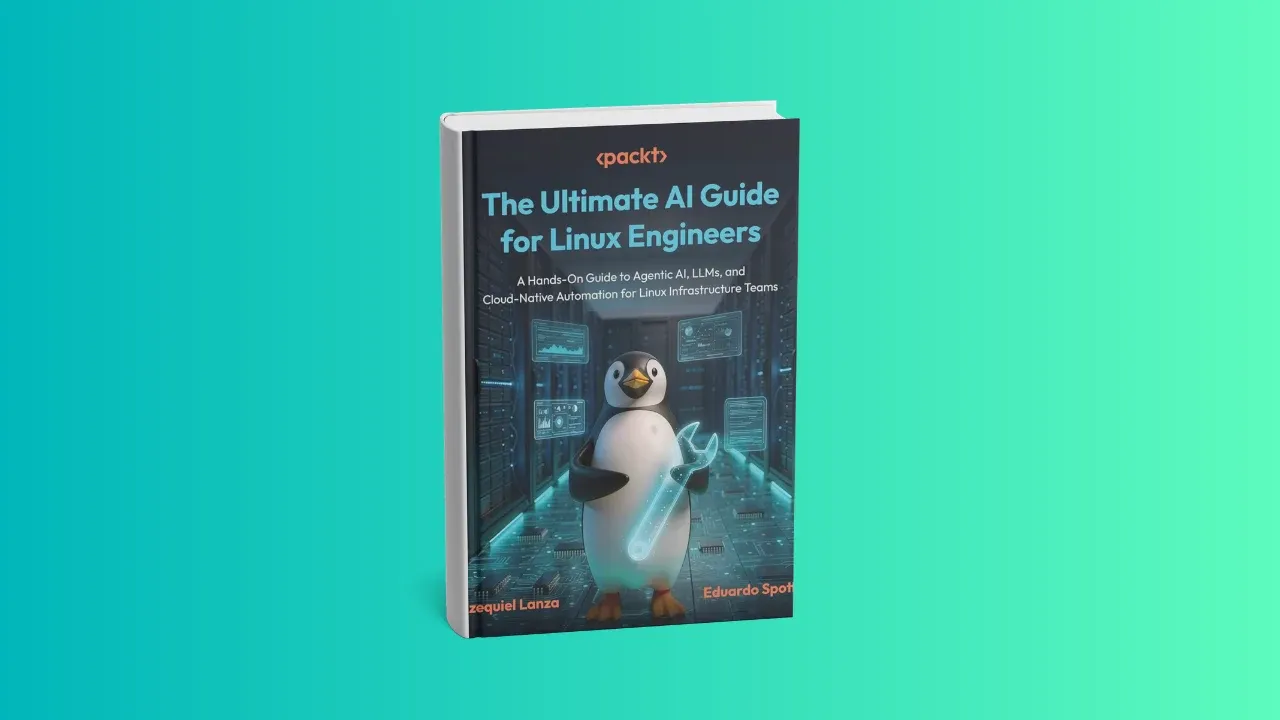
That's why seasoned Linux professionals, Ezequiel Lanza and Eduardo Spotti wrote the book The Ultimate AI Guide for Linux Engineers that I am reviewing here. The book is published by Packt and you can find it on Packt, O'Reilly and Amazon.
Note that the book is written for people who already know and use Linux professionally. That means sysadmins, devops, SREs, system engineers, network engineers. The book collectively calls them "Linux engineers" and I like that term.
Basically, it is for the people who are more used to doing things the old way and unsure where and how to fit AI into their regular workflow.
A book for seasoned Linux professionals
The book opens with "Linux engineers have always been expected to do more with less," and that's the core idea of the book: using AI effectively to improve efficienncy.
The examples are good, and if you've managed servers and infrastructure before, you'll relate to them. That's what makes the book interesting: it's written from a sysadmin/DevOps perspective.
To reduce the risk of letting AI agents loose on your systems, the authors suggest best practices like role-based access, limiting operations to read-only wherever possible, and logging all AI actions for auditing.
There are also examples and sample code you can adapt for your own workflow with some modification, like an anomaly detector you could plug into your Linux observability stack.
Although the book has 12 chapters and runs over 300 pages, I find that the book is divided into four core sectors:
1. Foundational knowledge
The book starts by explaining AI, machine learning (ML), and large language models (LLMs) specifically in Linux contexts, covering the practical differences between training, fine-tuning, and inference.
This sets up the technical foundation for building an AI-ready Linux environment, with an emphasis on Python as the primary language and virtual environments and containerization for safe, reproducible workflows.
2. Intelligent automation and LinuxOps agents
A major focus of the book is the shift from static automation to intelligent automation. AI-assisted automation shows how to combine AI with traditional tools like Ansible, Bash, and systemd to generate safe, validated commands from natural language intent.
The book also teaches how to build autonomous agents that can perceive system problems, reason through multi-step plans, and execute tasks while following least-privilege principles and safeguards.
3. Intelligent observability and RAG
The authors push for moving from passive monitoring to a "dialogue model" of observability, through log dialogue pipelines. So, instead of manually grepping through logs, you build pipelines that compress and correlate multi-source logs into actionable knowledge.
The book also covers building RAG systems that index system logs, internal runbooks, documentation, and past incident reports to give you context-aware answers instead of hallucinated ones. This is where AI actually shines. When it has context, its analysis is far more accurate.
4. Production deployment and security
To move these concepts into real-world use, the book covers scaling and securing AI workloads on Kubernetes: managing GPU resources, implementing autoscaling based on inference-specific metrics, and optimizing performance through techniques like quantization.
It also lays out a full security stack, including threat modeling for AI, PII (personally identifiable information) redaction, prompt injection defenses, and using Open Policy Agent (OPA) to enforce strict guardrails on agent actions. This part matters more than people think; it's usually the part companies skip, right up until they end up trending on social media over a security incident.
The book ends by looking at the future of AI-driven Linux workflows, and the need to balance autonomy with human oversight.
💡
Each chapter comes with practice exercises and additional external resources. There is an accompanied GitHub repo that has the codes and pipelines discussed in the book.
Verdict
Overall, The Ultimate AI Guide for Linux Engineers is a practical, Linux-first handbook designed to help system administrators, SREs, and DevOps professionals fold AI into their daily workflows. Instead of focusing on theory, it lays out a roadmap for evolving from traditional shell scripts to intelligent, autonomous systems.
This book isn't for you if you're completely new to Linux or just a casual desktop user. You may still learn something, but unless you're managing servers, containers, and infrastructure, you probably won't find it as engaging or useful.
I think every Linux professional should start looking for ways to use AI in their workflow. The book gives you ideas, it gives you scenarios and guides you through them. If you ever wanted to start using AI but was unsure because of all the noise around it and didn't know where to begin, the book is definitely worth a read.
The best engineers will not be replaced by AI but will be the ones who know how to use it effectively.
Still unsure? To determine whether the book is for you, I advise checking it on the O'Reilly website. It has chapters of the books and you can expand those chapters to see the sections of those chapters.
This will give a clearer picture if you are still indecisive if you should get the book.
Pro Max is the fourth case in SunFounder's famed Pironman 5 case series. These tower cases turn your regular, naked, Raspberry Pi boards into a miniature tower PC.
So here, you get RGB fans and tower cooler for colling, RGB lights for asthetics, small OLED display for stats, full HDMI ports, GPIO pins exposed, NVMe HAT for adding SSDs and AI accelerator.
That's what more or less these cases offer. Only the Pironman Mini has fewer options.
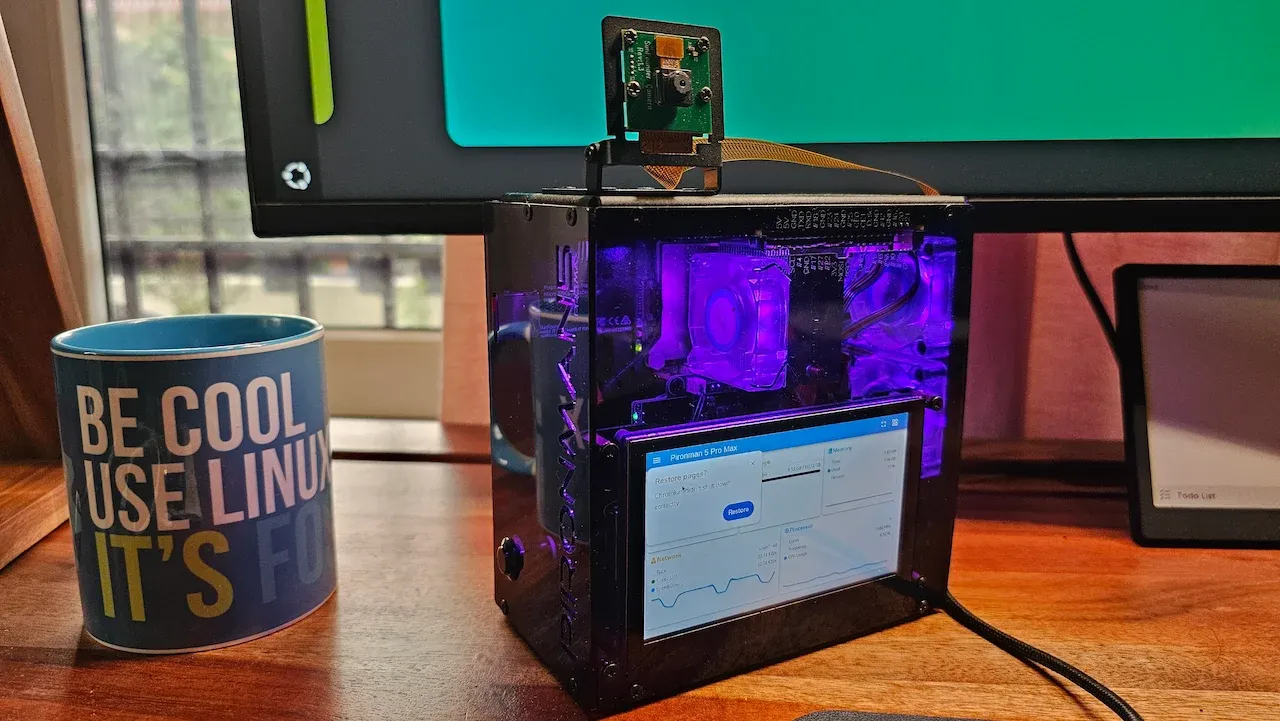
The new Pironman 5 Pro Max has a 4.3" touchscreen, a camera, speakers, and a microphone in addition to what the Max version already offered. The new device is marketed around local AI. And that's what I would also like to focus on in this review, with whatever limited resources I have in my homelab setup.
✅ Same tower cooler and RGB fans as before, now properly in sync ✅ Touchscreen, camera mount, and USB microphone turn the Pi 5 into a capable AI desktop (for hobbyist projects) ✅ Ran cool, CPU stayed around 45°C under load in my testing ❎ Still a DIY kit ❎ No option to keep the small OLED display always on
📋
This device was sent to me by SunFounder for review. The experience and views expressed here are my own.
M.2 Hailo-8/8L compatible, swaps in for one NVMe slot
HDMI
2x full-size HDMI
Audio
2x built-in speakers, audio amplifier, USB microphone
Camera
Adjustable camera mount
Extras
Metal power button, RTC battery, GPIO expansion
The case costs $145.99. You can get it from SunFounder's website or from Amazon. I think the duty and shipping costs are included in the pricing, but confirm with them to be sure.
Raspberry Pi 5, NVMe SSDs, and the Hailo accelerator are not included. You're buying the case, the cooling, and the screens, and bringing your own Pi and storage.
Assembling the case
Like every Pironman case before it, this is a DIY kit. You assemble it yourself. As a reviewer, I get these cases to review before they are available to the public. And thus I get only paper manuals for assembly.
Assembling the Pironman 5 Pro Max case
Not a big deal. I take pride in accepting and completing the challenge. And since I already had the experience of building the previous Pironman models in the past, this one was relatively quicker. No major issue in assembling the case.
However, if this is your first Pironman case, budget more patience for the paper manual than I needed to.
SunFounder usually releases assembly video for their cases. Surprisingly, there is no assembly video for this case so far. I hope they release one soon because it could be challenging.
It's a reversible case!
This is what I noticed while assembling the case, although reversible is not the correct word here. See, there is a super long FPC cable that connects to the camera mount. I found it awkward to have a long cable exposed like this.
It made sense when I saw that there was scope for the camera to be mounted on both top/bottom surfaces. Meaning, you vertically rotate the device by 180 degrees and you have the power button and IPS touchscreen at the top.
This gives you flexibility as the exposed GPIO pins also change their position.
If you use the case with the screen at the top, you need to rotate the display from the operating system; otherwise, it will display everything in reverse. Also, it makes sense to set a screen timeout to save on power.
The OLED and power button behavior, rethought
The small OLED display has changed behavior across every generation, and it's worth mentioning out because it affects how you'll actually use the case day to day.
The original Pironman case kept stats on the small OLED all the time. Pironman Max introduced a tap-to-wake gesture instead, where you had to tap the top of the case to see anything, and honestly, that was an annoyance.
Small OLED screen displays system stats
The Pro Max changes this again. The small OLED isn't on by default anymore. You press the power button on the front to wake it, and pressing it again cycles through the different stats. To shut the system down, you hold the power button, the same way you'd shut down a real tower PC.
SunFounder has also pushed this new behavior back to the older Pironman cases through a software update, so if you own an earlier one, you'll see the same button logic after updating those Pironman specific Python scripts.
RGB fans, finally in sync
One thing that bothered me about the very first Pironman case was that the RGB lighting on the rear fans was slightly out of sync between the two fans. It's a small thing, but once I noticed it, I could not unnotice it.
RGB lights are in perfect sync
The Pro Max doesn't have this problem. Both fans run in sync now, and the case looks the way it was clearly meant to look.
Configuring the visuals
Everything I've described, the OLED behavior, the RGB lighting color and pattern, screen timeouts, is configurable through SunFounder's dashboard.
The bigger 4.3" touchscreen can be set to auto-dim and turn off after a period of inactivity, which is a sensible way to save a bit of power on an always-on device.
My one complaint is that there's no option to keep the small OLED always on for stats. If the old always-on behavior bothered some people enough to get a tap-to-wake option, and the tap-to-wake bothered others enough to get the current button-press behavior, the dashboard should really let you choose the original always-on mode too, for people like me who want the stats always visible at a glance.
Testing it as a local AI desktop
Pironman 5 Pro Max provides the following additional features from the previous Max version:
2 tiny speakers
USB-based microphone
IPS touchscreen
Camera plus mount
This is where the Pro Max earns its "Pro" name, so I put together two small projects that utilize these four additional projects.
First, I built a voice assistant using faster-whisper, piper-tts, sounddevice, openwakeword, and psutil. It listens for the wake word "Hey Jarvis" and handles simple requests like reading out CPU temperature and usage, both through the speaker and on the touchscreen.
Small AI project that listens and responds to commands
Second, I built a face greeter using opencv-contrib-python and piper-tts. I trained it on my own face and my daughter Ushika's face, so whenever the camera spots either of us, it announces "Hello Abhishek" or "Hello Ushika" through the speaker.
Note that Qt no longer ships fonts. Deploy some (from https://dejavu-fonts.github.io/ for example) or switch to fontconfig.
Watching for faces. Press 'q' on the window, or Ctrl+C here, to stop.
Recognized ushika (confidence 68.9) -> greeting
Neither project is complicated on its own, you could run both on a bare Raspberry Pi 5 with a webcam and a USB speaker.
What the Pro Max adds is that everything, the mic, the camera mount, the speakers, and the screen to show status, is already built into one desktop-style unit. That's the whole pitch of this case, and in my testing, it delivered on it.
The OV5647 camera module that came with the case is decent. The official Raspberry Pi AI Camera might have performed even better.
Similarly, if I had Hailo 8 AI accelerator in this setup, these AI projects could easily be expanded to more serious work.
Cooling well done
Even while running these AI workloads, the case stayed cool. CPU temperature usually lingered around 45°C and goes to 56°C under load in my testing. I haven't tried it with an NVMe SSD or the Hailo AI accelerator installed, since I don't own either, so I can't speak to thermals once you add those into the mix.
But since it has one tower cooler and two PWM fans, it should provide the best possible cooling.
A case that keeps growing with the Pi 5
The Pironman line has been evolving with actual user demand, and you can see it clearly if you've followed all three previous versions.
The original Pironman 5 was a tower cooler with room for one NVMe SSD. Pironman 5 Max added a second NVMe slot, so you could mix an SSD with a Hailo AI accelerator instead of just stacking storage.
The Pro Max takes everything from the Max and adds a 4.3" screen and a camera mount on top. That combination, camera or AI camera plus AI accelerator plus SSD, gives you pretty much every upgrade path you could want on a Pi 5 right now.
It's versatile enough to be a basic NAS, a local AI box, a Home Assistant hub, or whatever other Pi project you have in mind, all in a proper desktop-style tower instead of a naked board on your desk.
Is the Pironman 5 Pro Max worth getting?
At $145.99 barebone, this sits well above the original Pironman 5 ($79.99) and the Pironman 5 Max ($94.99). So, you should weigh your needs and wants.
If you just want solid tower cooling and a place to put one NVMe SSD, the original Pironman 5 still does that job for less. Although its gray aluminum look may not be as cool as the dark ones like Max and Max Pro.
If you want dual NVMe with RAID or a Hailo accelerator alongside storage, the Max covers that without the screen and camera premium.
The Pro Max is for a more specific person: someone who wants to build voice assistants, camera-based projects, a Home Assistant hub, or general local AI experiments on a Raspberry Pi 5, and wants the mic, camera, and screen already integrated into a case instead of duct-taped together.
If that's the project you have in mind, this could be a good option. The versatility on offer here, NAS, AI box, Home Assistant hub, general Pi project machine, is hard to match.
I’ve read over 1,000 nonfiction books in my life, and these 33 are the most powerful of them all. I can honestly say they changed my life, who’s to say they won’t change yours too?
Don’t just take my word for it though. Read on for my summary of all 33 books and see for yourself how your next read might just change your life.
1. Atomic Habits by James Clear
This might be the most practical book ever written on simple behavioral change.
Atomic Habits has three big takeaways. The first is that small lifestyle changes compound over a long period of time. So you don’t want to try to be a completely different person tomorrow, you want to be 1% better 100 days in a row.
The second big takeaway can be summarized with the line, “We don’t rise to the level of our goals, but we fall to the level of our systems.” The idea here is that it’s not about ambition or effort, it’s about creating an environment that makes behavioral change inevitable.
And finally, the third takeaway is that habits don’t stick unless we alter our identities. That means it’s not sufficient to simply change our behavior, but we also have to change how we see ourselves and how we relate to others.
2. The Expectation Effect by David Robson
Science shows our expectations can drastically affect how we perceive reality.
People who believe they’re capable of doing something are far more likely to do it. People who believe they will heal from an injury or illness do so quicker and more consistently. People who expect medication or therapy to work have a greater chance of that medication or therapy working.
Basically, the mind is a really fucking powerful thing and it affects our bodies and relationships in ways that we don’t fully understand. So you might as well adopt mindsets and beliefs that are most likely to help you.
That’s leveraging the expectation effect.
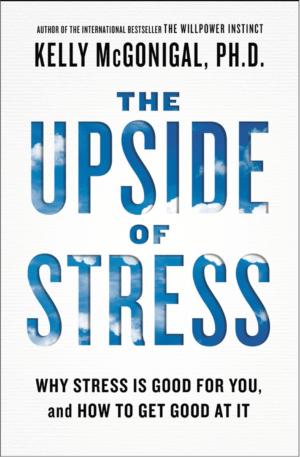
3. The Upside of Stress by Kelly McGonigal, Ph.D.
What if I told you that stress isn’t always a bad thing, that it could even be a good thing?
Well, that’s the argument that Kelly McGonigal makes in this important book.
Stress has a bad reputation. We’re told it will kill us, traumatize us, make us miserable and sad and cry into our ice cream cone.
That may be true for some, but whether or not stress is actually bad for us depends on what exactly is stressing us. Is it a meaningful and important challenge that is stressful? Is the stress creating value for you in the world?
After all, stress exists for a reason. It mobilizes us, both physically and mentally. It gets us paying attention, and when directed in a meaningful pursuit, it can help us feel a sense of accomplishment.
So you shouldn’t necessarily avoid stress, you should pick the stress that you’re happy to have.
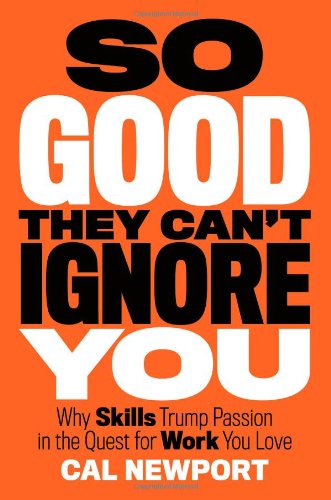
4. So Good They Can’t Ignore You by Cal Newport
Conventional wisdom tells us to follow our passion. Pick a job you love, and you’ll never work a day in your life, right?
Wrong, says Cal Newport. The research says that we got it backwards. We don’t do great work at things we love, we tend to love things that we become very good at.
So instead of trying to follow your passion all the time, which let’s be honest, is a wishy-washy concept that many people struggle to even define, Newport argues that we should instead be focusing on developing our skills.
Because you can become passionate about anything, you just need to be good at it first.
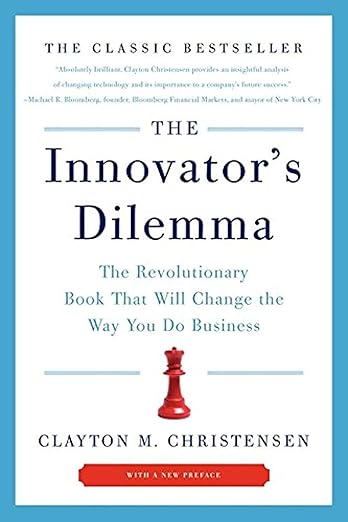
5. The Innovator’s Dilemma by Clayton M. Christensen
Did you know this was Steve Jobs’ favorite book?
The Innovator’s Dilemma is a phenomenon that occurs in business when the biggest and most successful companies miss the most obvious opportunities because they’re so invested in older technologies, they can’t justify moving on.
The perfect example of this is Kodak. Did you know that Kodak actually experimented with digital cameras back in 1975? But they never pursued the technology because they had built up billions of dollars around analog film.
Thirty years later, Kodak went out of business. Why? Digital cameras.
The Innovator’s Dilemma shows up not only in business, but also in life.
Generally, when we miss huge opportunities, it’s not because we weren’t looking for them or weren’t aware of them, it’s because we are benefiting so much from our old tendencies that we let the life-changing opportunity pass us by.
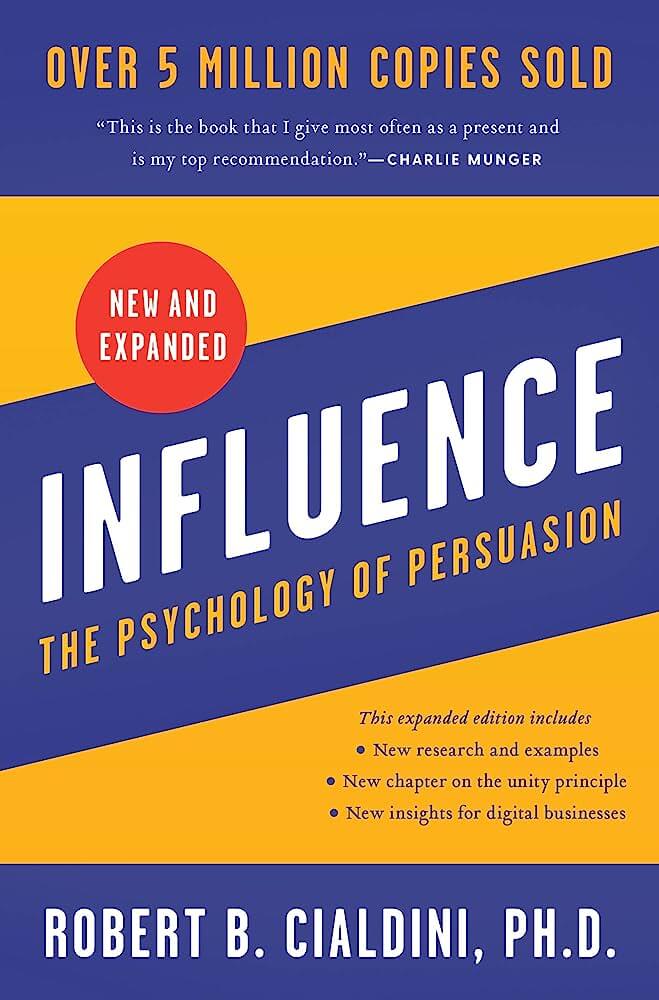
6. Influence by Robert B. Cialdini, Ph.D.
It turns out that the human mind has a number of triggers that cause us to be easily influenced by others and their ideas.
Robert Cialdini boils these triggers down into eight categories, and in his seminal book, Influence, explains how they’re often used in sales and marketing, but also by people around us to get what they want from us.
Drawing from examples from religious cults, professors and colleges, teachers, marketing experts and advertisements, this book will change how you see your own decision-making.
It’s a must-read for anyone interested in psychology, but especially, if you’re in sales and marketing.
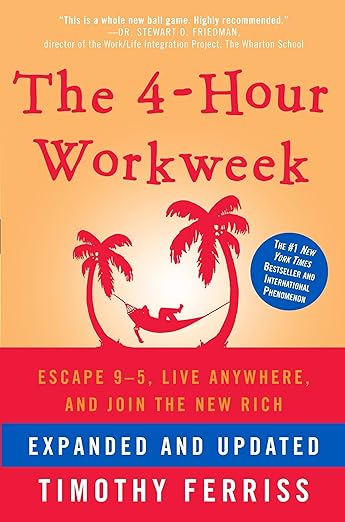
7. The 4-Hour Workweek by Tim Ferriss
This is the book that changed a whole generation of entrepreneurs.
Ferriss’ big insight is in the nature of how one defines wealth. Instead of becoming wealthy by accumulating expensive possessions, Ferriss defines wealth in terms of freedom and time and the ability to have enriching experiences.
With this new definition, the classic arrangement of working for forty years and then retiring doesn’t really make a lot of sense.
By leveraging technology, automation, and working anywhere in the world, Ferriss describes how you can become part of the new rich or live a wealthy life at a young age on a modest amount of money.
Get rich, bitch.
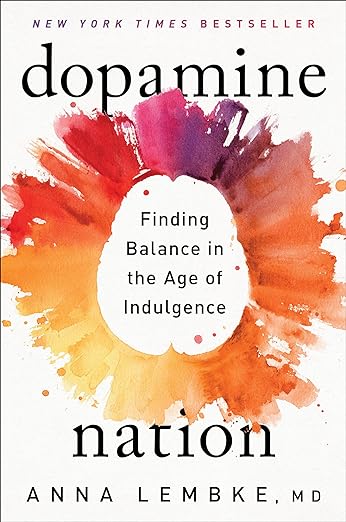
8. Dopamine Nation by Anna Lembke, M.D.
Dopamine is a neurotransmitter that allows us to feel a sense of reward or accomplishment. It’s crucial in motivation and feelings of life satisfaction, but like anything, too much dopamine could be a bad thing.
In her book Dopamine Nation, Anna Lembke makes the argument that modern society is overstimulating us and flooding our brains with more dopamine than we were meant to handle.
The result is a glut of addictive, compulsive overindulgent behaviors across the developed world.
Basically, we’re all getting fat and sassy.
So how do we combat this? Through abstention, intentional challenge, and being more mindful of our environments.
If you feel like your dopamine levels are through the fucking roof, then this book is probably useful.
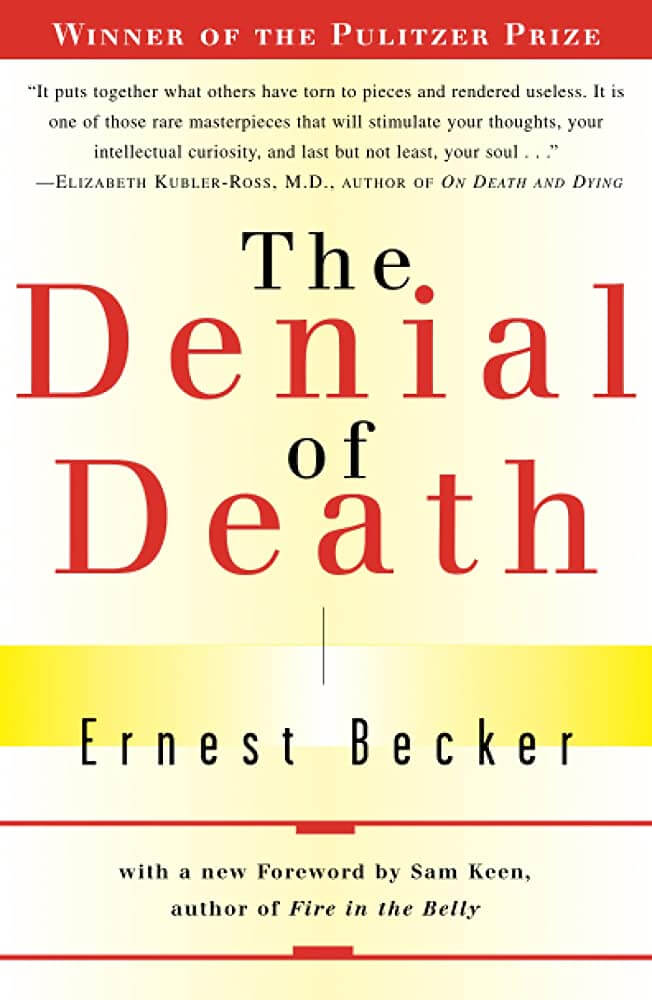
9. The Denial of Death by Ernest Becker
Ernest Becker was an obscure academic who wrote this book on his deathbed as he was dying of cancer.
Bringing together influences from existential philosophy, Freudian psychology, and Zen Buddhism, Becker argued that death is life’s ultimate motivator, that what gives us a sense of meaning and purpose in our lives is an attempt to create something that will outlive us when we die.
Becker called these our immortality projects and argued that they were the root of not only everything good in our lives, but also everything evil.
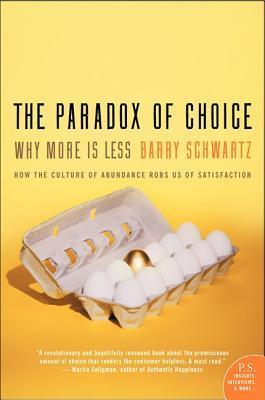
10. The Paradox of Choice by Barry Schwartz
Simple piece of science, massive implications.
The Paradox of Choice tells us that when offered more options, we tend to be less satisfied with whatever we choose.
So if I offer you to choose between two candy bars, you’ll pick your favorite and be satisfied. But if I ask you to choose between ten candy bars, you’ll have more options, but research finds you’ll be less satisfied with your choice.
In a world that is constantly unlocking more options and abundance for us all, this has wide implications from dating to career choices, to hobbies, to even choosing where to live.
Beware of the paradox of choice.
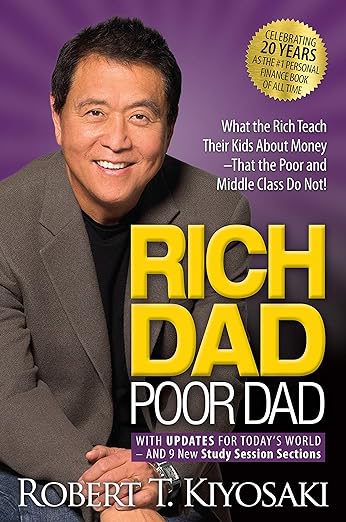
11. Rich Dad Poor Dad by Robert T. Kiyosaki
This is a simple book that sums up the most fundamental difference in mindset between people who get rich and people who stay poor.
Poor people see money as something to be spent. They try to find and get as much as possible and then use it up until it’s gone. Rich people, on the other hand, see money as something to invest. Once it’s spent, they look for a good return.
This simple difference in mindset can explain all sorts of behavior—from what kind of car people drive to what kind of clothes they wear, how much they save for retirement, how many credit cards they use.
A small book that can be read in an afternoon, but a simple idea that should be internalized by everyone.
Fun fact: the author is broke.
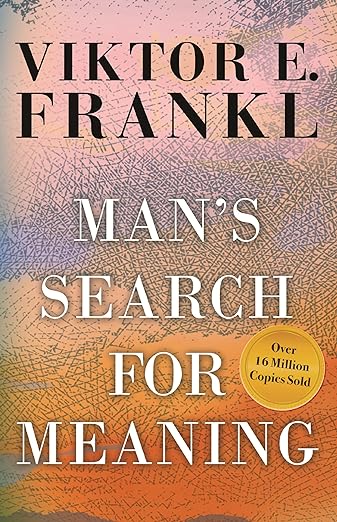
12. Man’s Search for Meaning by Viktor E. Frankl
Viktor Frankl was an Austrian psychiatrist who was captured by the Nazis and sent to Auschwitz.
Spending the next three years in concentration camps, he somehow managed to survive. And while there, he made an observation, both simple and profound, that the prisoners who had a reason to survive the concentration camps, tended to be the ones who did.
He said that he got to the point where he could predict which prisoner would die next based on which ones had stopped having hope for the future.
Frankl summed up his conclusion with Nietzsche’s famous maxim, “He who has a why to live can bear almost any how.”
Viktor’s incredible realization is that while suffering may often be inevitable, as long as we have some higher purpose to grant our suffering meaning, we can not only survive it but grow from it.
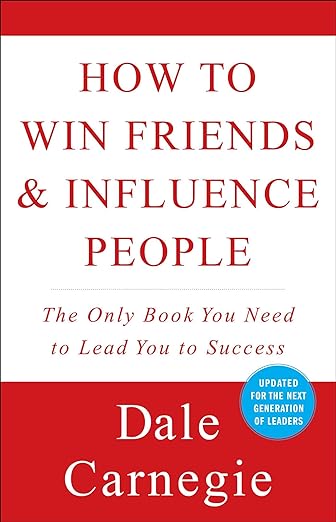
13. How to Win Friends & Influence People by Dale Carnegie
A self-help classic that teaches the completely counterintuitive truth that when you focus on other people, shocking, they will like you more.
Unfortunately, our default approach to most relationships is to speak instead of listen, to try to feel seen instead of trying to see the other person.
Carnegie’s book is a simple yet profound explanation that the way to connect with others is to simply open yourself up to being connected with them, and then shut the fuck up and listen better.
To be honest, I feel like this should be required reading for every high schooler in the world, but fuck, nobody ever asked me.
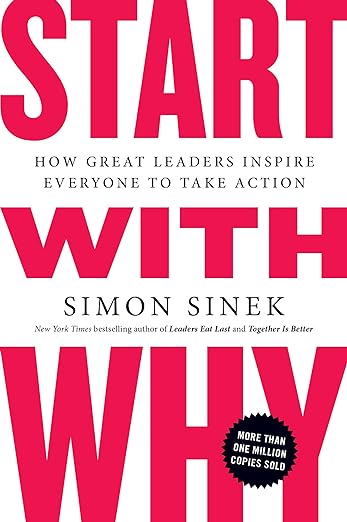
14. Start With Why by Simon Sinek
Start With Why makes a simple but important point: when choosing what to pursue, start by asking why. That is, ask yourself, what are you optimizing for and what is the primary motivation or purpose?
When we align our actions with some higher purpose, we become more motivated and more effective and more resilient to setbacks.
This is particularly important within organizations. Sinek argues that it’s ultimately our “why” that keeps everyone aligned and on the same page when shit goes south.
15. The Coddling of the American Mind by Greg Lukianoff and Jonathan Haidt
Are people mentally weaker than they used to be? Have we become more emotionally fragile?
Well, the authors of this incredible book argue yes, and they back it up with a shitload of data.
Unfortunately, it seems in the last fifteen years the public has become more emotionally fragile, and young people in particular are less tolerant of any sort of discomfort or inconvenience that comes their way.
The authors have a number of data-driven explanations for this. The first one is the rise of helicopter parenting—the assumption that parents need to watch their kids and protect them at all costs.
The second one is the philosophy of safety-ism—the belief that anything that can cause pain or suffering is ultimately harmful in the long run and can even be traumatic.
The third explanation is lack of play. The past few generations of kids have been so overloaded with schoolwork and extracurricular activities trying to get into a good college that they haven’t had time to be kids, and it turns out that most mental and emotional development of children happens while they’re playing.
And finally, there’s everybody’s favorite culprit, social media. I shouldn’t have to explain that one.
16. The Revolt of the Public by Martin Gurri
Martin Gurri was an analyst at the CIA when he noticed something was wrong in 2011. It started with widescale pro-democracy demonstrations in the Middle East, but soon spread to populist uprisings across the world with demonstrations in Europe and the Americas.
The advent of social media and mobile phones had made performative political activism possible in a way that had never existed previously.
Before, organizing a protest required a ton of resources, a giant network, marketing, and publicity. But today, with the help of a smartphone and a viral post, ad hoc political protests could be started at the drop of a hat.
These new performative protests were markedly different from previous ones. They were unorganized, and while they all advocated for the downfall of the current establishment, they didn’t really propose anything in its place.
Gurri calls this new orientation the periphery versus the center. It’s no longer about right versus left. It’s about establishment versus anti-establishment.
And unfortunately, we’re all caught in the middle.
17. Getting the Love You Want by Harville Hendrix, Ph.D.
Our parents—no matter how good and well-intentioned—always fuck something up.
They make mistakes, they have their own issues and quirks—these then imprint themselves on our brains as our love map. Basically, the way we unconsciously understand affection and intimacy.
As adults, we unconsciously seek out partners that fit into our love maps, thus recreating the failures and mistakes made by our parents. These failures and mistakes then re-trigger old psychological wounds and make our relationships incredibly emotionally turbulent.
The way out of this mess is to find a partner who is also aware of this process, and you can work together to change both of your behaviors, and essentially correct for the fuckups made by each other’s parents.
In this sense, the power of relationships is that they can literally heal your emotional wounds. This, in a nutshell, is the purpose of romantic love.
18. The Psychology of Money by Morgan Housel
The most important truths about money are also the most counterintuitive. This is why The Psychology of Money by Morgan Housel is such an important book.
Nobody spends their money rationally. We’re terrible at assessing risk. Financial security only exists if you have more, and being rich and being wealthy are complete contradictions of each other.
Do any of these things make sense? No? Well, read the book and they fucking will.
These are just a few of the mind-bending ideas that The Psychology of Money will unpretzel for your brain. The book is a fascinating romp through all the fucked up ways our minds mishandle money, both literally and figuratively.
It’s a must-read for anyone who wants to get rich and or die trying.
19. Outlive by Peter Attia, M.D.
If you’re reading this, it’s very likely you’re gonna die of one of four things: heart disease, cancer, Alzheimer’s, or diabetes.
Also, it just happens that all four of these chronic illnesses develop very slowly over a long period of time.
Peter Attia makes the argument that these four horsemen are so deadly because our current medical system is not designed to manage or prevent chronic diseases, but rather to treat acute diseases after they’ve already happened.
Outlive is basically a guide to that prevention, and this book will probably be the gift that I give every single person on their 40th birthday for a long, long time.
20. Stumbling on Happiness by Dan Gilbert
This is my personal favorite book about happiness, and trust me, I’ve read pretty much every book on happiness.
Dan Gilbert is a psychologist from Harvard, and in his book he argues that happiness doesn’t function the way we assume it does.
Happiness isn’t something you gain or lose based on external events in your life. Rather, your mind will alter how it perceives external events to maintain a consistent modest level of happiness.
Put simply, everyone is slightly delusional about the past and the future, and this delusion exists to maintain some degree of satisfaction in our lives.
Gilbert calls this the “psychological immune system,” and argues that people who are miserable, it’s because their psychological immune systems are failing due to some sort of dysfunctional belief or extreme negative event.
21. Thinking in Bets by Annie Duke
Professional poker player Annie Duke utilizes her background in poker as a way to teach effective decision-making. And that is, don’t think of decisions in terms of all or nothing, yes or no, success or failure—think of decisions in terms of probabilities.
Basically, envision your decisions in life as a bunch of bets, little mini experiments designed to see how much you get back for what you invest.
I’ve personally found thinking in terms of probability and making decisions based on expected returns to be one of the most practical and useful skills I’ve ever developed in my life, and not just at the poker table.
22. Mindset by Carol Dweck, Ph.D.
Dweck is a psychologist at Stanford, and she found that people who believe they can change and get better are the ones who tend to change and get better.
And people who believe that they can never change, and that they’re just screwed, well, surprise, they don’t change, and they spend their lives feeling screwed.
Dweck called these two dispositions a growth mindset and a fixed mindset.
And guess what, motherfucker? You want to have a growth mindset.
23. Thinking, Fast and Slow by Daniel Kahneman
Daniel Kahneman won a Nobel Prize for his life’s work, and this book summarizes all of it.
Basically, our mind has two systems: system one and system two.
System one is extremely fast, intuitive, and unconscious. System two is slow, methodical, and highly aware.
System one is great to generate quick responses in complex situations. It’s what we often think of as our gut instinct. System one tends to do well in social or emotional situations or predicting outcomes of highly complex circumstances.
System two is great when you need thoroughness and accuracy. You wouldn’t want to build a rocket or a nuclear plant based on your gut instinct. You build it based on slow, methodical system-two thinking.
Kahneman argues that many of our personal and social problems arise when we misuse our two systems and mistakenly use one instead of the other. Sometimes we try to overanalyze our emotional problems or feel our way through difficult analytical problems.
Being aware of our systems and what they are good for can help us approach life in a more harmonious way.
24. On the Genealogy of Morals by Friedrich Nietzsche
According to Nietzsche, there are two conflicting moral impulses within us all.
The first is meritocratic—the spoils should go to the victor. If you’re smarter, stronger, faster, more clever, more powerful, you deserve the rewards of your effort and ingenuity. Nietzsche called this master morality.
The second belief system is that we should care for the weak, alleviate people’s suffering, help the unfortunate, and give special attention and care to those who need it most. Nietzsche called this slave morality.
Master and slave morality have been in an eternal struggle—both between societies but also within societies—for most of human history. Wars have been fought over it, religions have been founded and destroyed because of it, and the modern-day political left and right are the legacies of the impulses towards master and slave morality within us all.
Each has its benefits to society and each is necessary, but when unchecked by the other, both have the seeds of tyranny and downfall.
25. Zen Mind, Beginner’s Mind by Shunryu Suzuki
This book is, in my opinion, the best introduction to Buddhist practice and serious meditation that you can come across as a Westerner.
Through a series of bite-sized chapters based on his old lectures, Suzuki takes you step by step through each of the profound realizations that Buddhist thought can lead you to.
For instance, that there’s a separation between the thinking mind and the observing mind. Sure, you have thoughts, but who is it in your mind that is aware that you have thoughts? Or non-dual awareness, the idea that the separation between anything is completely subjective and self-invented. Or the acceptance of the present moment as the only means to alleviate suffering.
If you are one of the many Westerners who is curious about Buddhism, this is an excellent starting point to begin your practice.
26. The Better Angels of Our Nature by Steven Pinker
In The Better Angels of Our Nature, Pinker has painstakingly mapped through both data and anecdotal accounts the rapid decline in violence across the world these past few centuries.
The level of barbarism that we find appalling today was not only commonplace a few hundred years ago, but in many ways, it was even celebrated.
After clubbing us over the head with data for five hundred pages, Pinker then spends the rest of the book theorizing why the world is becoming more peaceful and nonviolent.
His ideas range from literacy increasing people’s capacity for empathy to technology making people more comfortable and secure, to a more interconnected society requiring more people to rely on one another.
It’s a fascinating read from start to finish. It absolutely changed my view of the world.
27. Fear and Trembling by Soren Kierkegaard
The Danish philosopher uses a biblical story of Abraham and Isaac to illustrate a deep psychological truth.
And that is that, ultimately, to give our lives any sense of meaning and psychological stability, we must choose to believe certain things matter more than ourselves. And this choice requires what he calls a leap of faith.
Whether it’s a religion, a family, a relationship, or a career mission, we all must choose, at some point, to give our lives over to something. And the terrifying thing is that we must do this without knowing if it’s the right thing or not. This is where faith comes in.
It’s not that this is a secular book with a religious example, it’s more that this book shows you that nothing is really secular, and all commitments are ultimately religious to some degree or another.
28. Deep Work by Cal Newport
Some work can survive distraction and task-switching, but some work, particularly creative work or really hard problem-solving, is greatly harmed by both.
The problem, Newport argues, is that in the modern world of the internet and social media, we are increasingly being swamped in distractions and task-switching.
Newport says that people who are able to protect their attention and engage what he calls “deep work” will have a huge leg up in the 21st century. He then gives you strategies to integrate deep work into your life—like establishing routines, time-blocking, limiting exposure to social media, and more.
29. The Power of Now by Eckhart Tolle
The self-help classic from twenty years ago, The Power of Now argues that most of our suffering occurs because we are fixated on the past or worrying about imaginary futures.
Tolle teaches us to become present in a classic meditative sense, and it turns out once we become good at remaining present, most of our worries, anxieties, and concerns melt away, because we recognize them for what they always were—fucking imaginary.
30. The Blank Slate by Steven Pinker
There’s a persistent idea throughout history that people are born perfect and innocent, and that any dysfunction they exhibit later in life is caused by some sort of trauma or injustice.
This theory of the blank slate is seductive and has converted many of history’s greatest thinkers, from John Locke to Karl Marx. But unfortunately, today, we know conclusively that it is simply not true.
A great amount of people’s personalities, dispositions, beliefs, and dysfunctions are genetically-driven. Pinker breaks down the research showing this is true, but he also shows the dramatic, political implications of this.
An important book for understanding human nature and coming to terms with our prejudices.
31. Fooled by Randomness by Nassim Nicholas Taleb
The world is a chaotic mess and we are surrounded by randomness and unpredictability, yet we don’t like admitting that to ourselves.
So we find patterns in randomness and tell ourselves stories that justify our actions and behaviors. And inevitably, these stories make us look like a brilliant hero.
The book is full of amusing anecdotes and stories, both fictional and real, of people who were fooled by randomness and managed to convince themselves they knew what they were doing in a completely chaotic and fucked up world.
32. The Seven Principles for Making Marriage Work by John M. Gottman, Ph.D.
John Gottman is the preeminent relationship researcher in the world on what makes relationships work, and what makes them fail catastrophically.
And in this book, he uncovers a number of counterintuitive findings.
For example, did you know the happiest couples don’t resolve all their problems, or that compromise isn’t always the answer, or that fighting is sometimes kind of healthy, or that the most predictive part of your relationship isn’t what you communicate, but rather how it’s communicated?
Yeah, I didn’t know that shit either until I read this book.
33. The Subtle Art of Not Giving a F*ck by Mark Manson
Clearly written by a self-absorbed jackass, this juvenile piece of pseudo-philosophy argues that, in the age of information abundance, we all face an existential crisis of choosing what matters.
The author goes on to argue that sacrifice is a necessary component of happiness, and that failure and embarrassment are actually healthy experiences that we should all embrace.
It’s sold like 15 million copies, so clearly people give way too many fucks. But the author is extremely handsome, so I have to recommend you buy it.

 Login