❌

Reading view

There are new articles available, click to refresh the page.

Peptide peddlers cheer as RFK Jr. unilaterally grants access, overruling FDA

Anti-vaccine Health Secretary Robert F. Kennedy has unilaterally passed a rule that will allow specialty pharmacies to sell six specific peptide drugs, overruling scientists at the Food and Drug Administration.

The peptides are popular among members of Kennedy's Make America Health Again movement, and many prominent MAHA figures and Kennedy allies sell them. Kennedy said he uses some of the peptides and called himself a "big fan." But FDA scientists continue to say there is insufficient evidence to show if they're effective, and they are potentially dangerous. In 2023, the safety concerns led the FDA to remove the six peptides from a list of drugs that can be made by specialty pharmacies called compounding pharmacies—which make customized formulations of drugs for patients, or, in cases such as this, specialty drugs in bulk.

Kennedy's new rule sidesteps the need to formally undo that FDA action. The rule is titled "Enforcement Discretion Policy Regarding 503A Compounding Using Certain Peptide Bulk Drug Substances" and was made available Wednesday on the Federal Register, with the final publication date set for October 30. The rule does not change the regulatory status of the peptide; instead, it states the Department of Health and Human Services (HHS) will no longer take enforcement action against compounding pharmacies for making the peptides, essentially giving them a green light to freely produce and sell them. Kennedy had quietly proposed this rule earlier this month.

Read full article

Comments

© Kevin Dietsch / Staff | Getty Images News

RFK Jr. proposes FDA look the other way on unproven peptides, report says

Under Health Secretary Robert F. Kennedy Jr., the Food and Drug Administration is moving forward with plans to ease access to unproven peptide drugs that are popular among members of Kennedy's Make America Healthy Again movement—despite FDA staff scientists finding that the drugs have not been sufficiently studied to establish safety and efficacy and may cause harms.

The FDA submitted an "Interim Access Policy" on peptides for review by the White House, according to a filing notice posted on an Office of Management and Budget website. The posting does not provide information on the proposed policy. But people familiar with the proposal told The Associated Press that it would give the FDA "enforcement discretion" on certain peptide drugs. This would allow the agency to choose not to enforce current restrictions on peptides and provide an assurance to specialty pharmacies eager to start making them that they will not be targeted by the agency.

The Department of Health and Human Services, which oversees the FDA, did not respond to a request for comment from Ars Technica.

Read full article

Comments

© Getty | Leandro Lozada

20+ Best Free PowerPoint Presentation Templates for Creatives

Creating an engaging presentation that captures the attention of potential business partners or clients is essential to ensure that your pitch resonates and achieves its intended objectives.

However, creating a presentation that meets these requirements can be time-consuming, especially if you are new to PowerPoint. PowerPoint templates significantly simplify the process, allowing you to focus on creating the content rather than worrying about the presentation’s layout and design.

The internet is teeming with free PowerPoint templates, so finding the one that fits your needs can take time and effort. Not all templates are created equal, so choosing the one with the perfect layout and design can be challenging.

In this collection, we have the best free PowerPoint templates that will help you quickly create a stunning presentation. These free PPT templates will save you valuable time and provide easy customization options for layouts, fonts, and color schemes.

Whether you’re a startup founder looking to secure funding or a designer pitching a proposal to clients, these free highly creative PowerPoint templates will save you time and effort while ensuring your presentation looks fantastic.

Minimal PowerPoint Templates

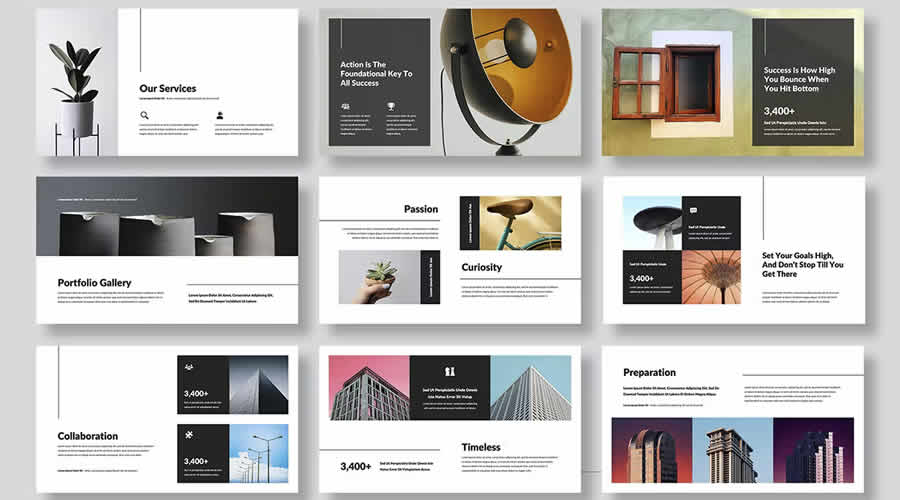
These free minimalistic PowerPoint templates use simple, clean lines and muted color palettes to create a sophisticated and refined presentation style.

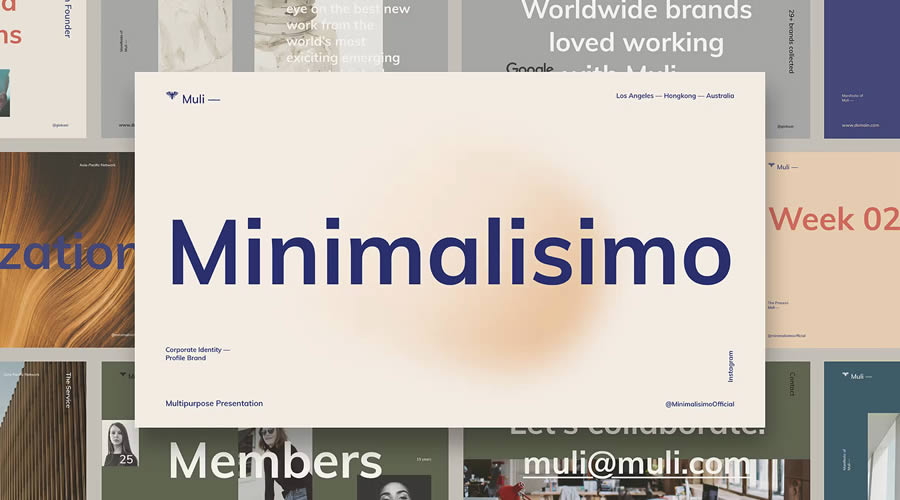
Muli Minimalist PowerPoint Template

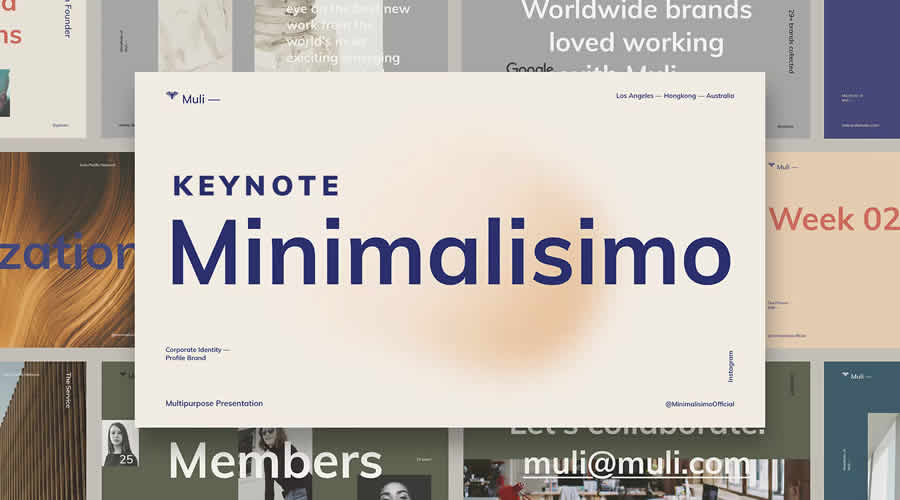
Muli combines minimalist design with creativity to give you a PowerPoint template that’s perfect for multi-purpose presentations. It also features smooth slide transitions and animations.

Muli Minimalist PowerPoint Presentation templates designers creatives PPT

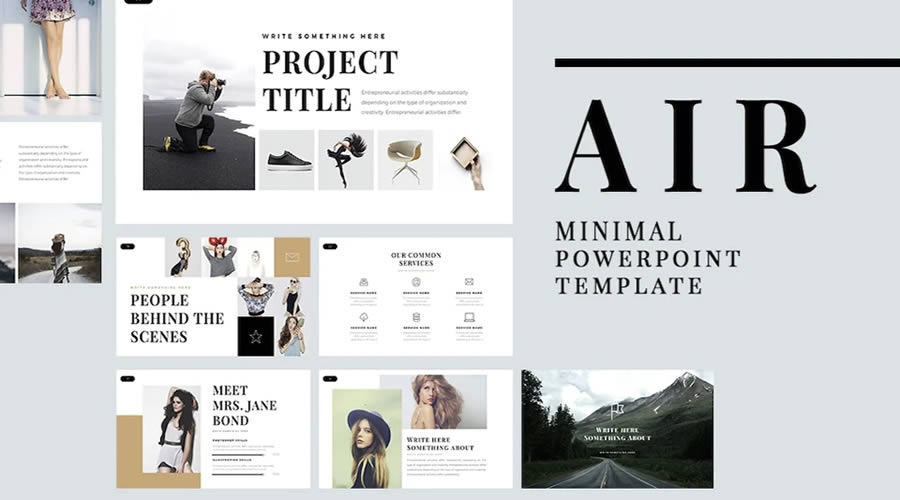
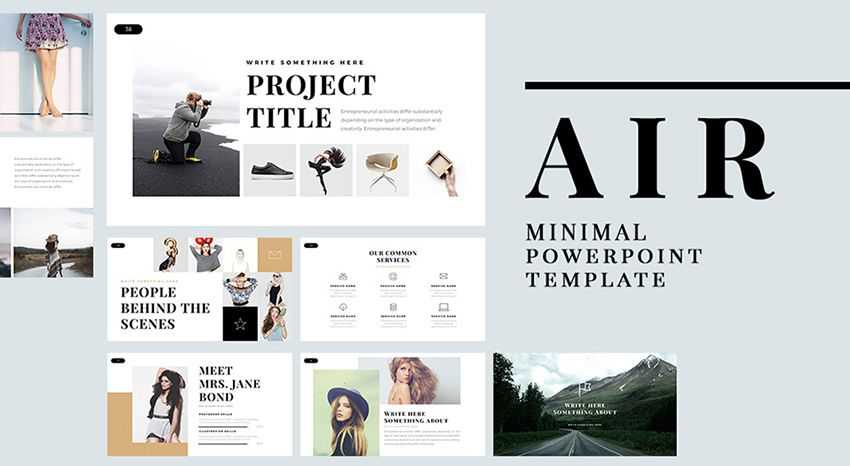
Air Minimal PowerPoint Template

Free to Download

Air is a free PowerPoint template with a clean and minimal design. It has over 60 unique slides and has been designed in 16:9 format. This template is very easy to use and edit with Master Slides.

Free Air Minimal PowerPoint Template PPT

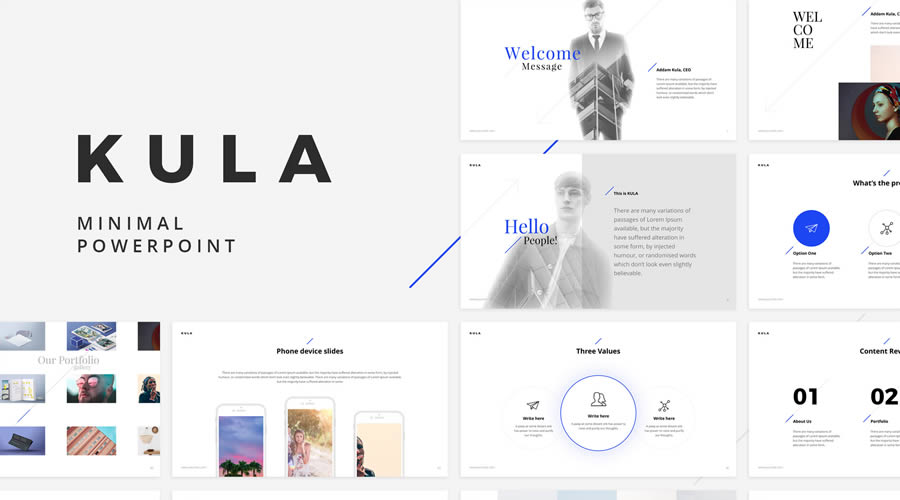
Kula PowerPoint Template

Free to Download

Kula comes with 90 unique slides and over 40 color schemes, which is a great starting point when designing your next presentation. You can also easily customize it to fit your needs.

Free Kula PowerPoint Template PPT

BeMind Minimal Business PowerPoint Template

The BeMind PowerPoint template features a clean, minimal design that is perfect for most business presentations. It includes over 100 slides, vector shapes, and Master Slides for quick customization.

BeMind Minimal Business PowerPoint Template PPT

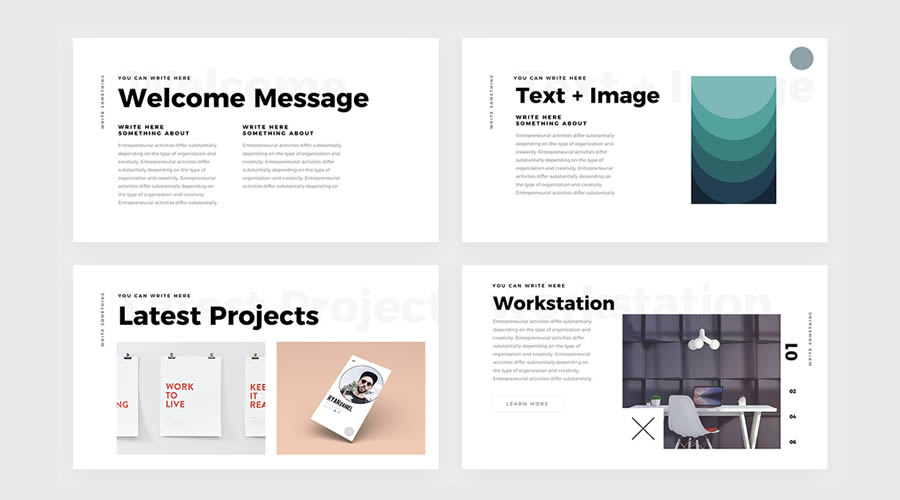
Simple & Minimal PowerPoint Template

Free to Download

This PowerPoint template features big and bold typography, an ultra-minimal design style, and multiple presentation slides. It is perfect for creatives who need to pitch ideas to clients. This template can be downloaded for free.

Free Simple Minimal PowerPoint Template PPT

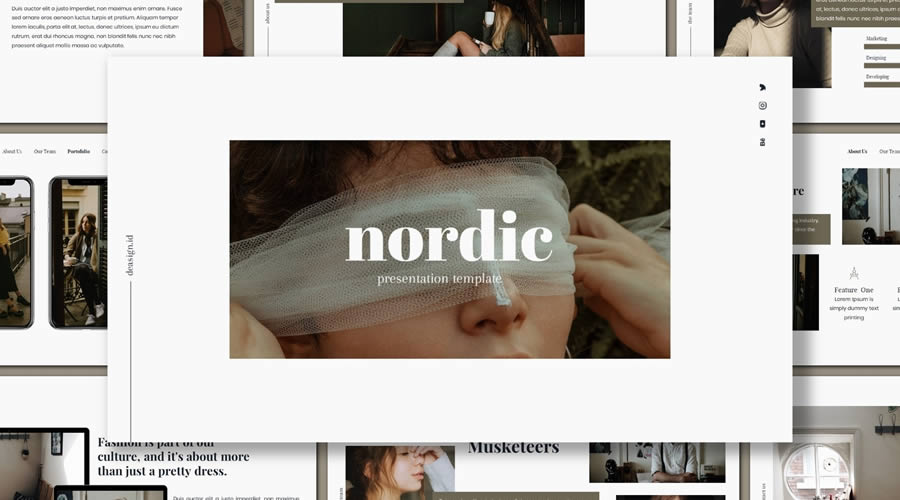
Nordic PowerPoint Presentation Template

Free to Download

Inspired by Scandinavian design, the Nordic PowerPoint template has a minimalistic design with big and beautiful typography. It can be used for any type of business or creative presentation.

Free Nordic PowerPoint Presentation Template PPT

Clean PowerPoint Templates

These PowerPoint templates all look sharp and professional. They use clean layouts and neutral colors to communicate information clearly, making them ideal for business and academic presentations.

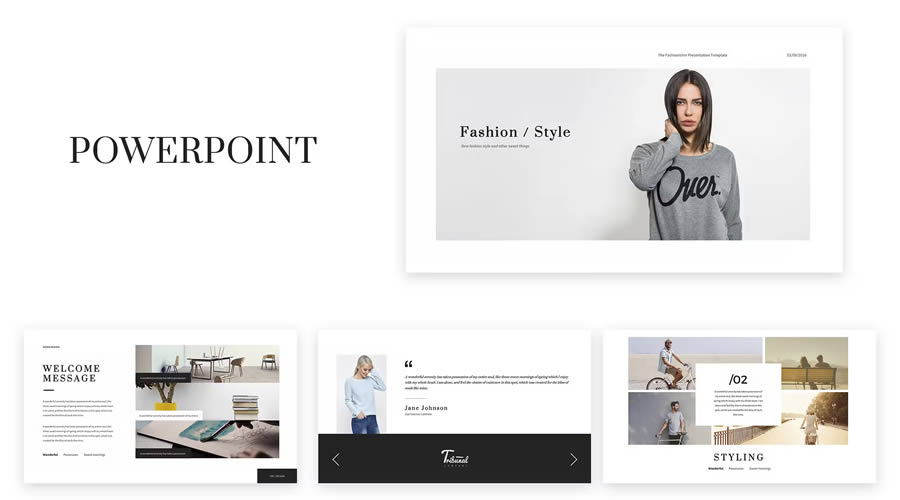
Fashion & Stylist PowerPoint Template

If you need to create a fashion presentation, look no further than this PowerPoint template. It comes with more than 50 stunning slide templates, and both PPT and PPTX files are included.

Fashion Stylist PowerPoint Template PPT

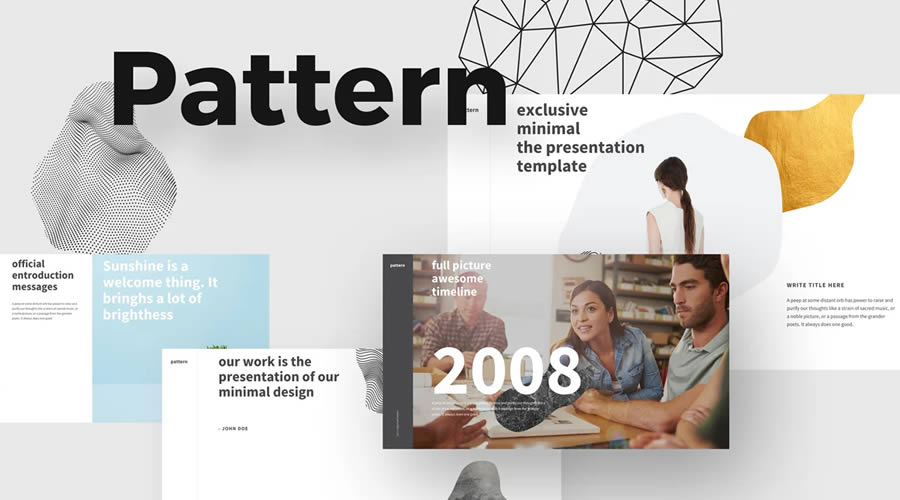
Pattern PowerPoint Template

Free to Download

The Pattern PowerPoint template is an excellent choice if you’re looking for a clean and professional way to quickly create a presentation. It includes all the slides and components needed.

Free Pattern PowerPoint Template PPT

Kaspa PowerPoint Presentation Template

Kaspa is a highly creative PowerPoint Templatewith a grid-based layout and elegant typography. It includes over 50 slides, editable charts and graphs, and over 100 icons and glyphs. It is an excellent choice for fashion and beauty presentations.

Kaspa PowerPoint Presentation Template PPT

Look – Elegant PowerPoint Template

Free to Download

The Look PowerPoint template is perfect for any fashion and beauty presentations, or anything that simply needs a touch of elegance. The template is in PPTX format and comes with more than 50 slides.

Free Look Elegant PowerPoint Template PPT

Glide PowerPoint Template

Free to Download

The Glide PowerPoint template includes 80 unique slides and everything you need to create a professional presentation. From cover slides to graphs and charts, this template will allow you to present your ideas beautifully.

Free Glide PowerPoint Template PPT

Skyfy PowerPoint Template

Skyfy is a stylish PowerPoint template for any presentation. It has a modern, clean design and 100 unique slides. It is animated with some beautiful and smooth transitions.

Skyfy PowerPoint Template PPT

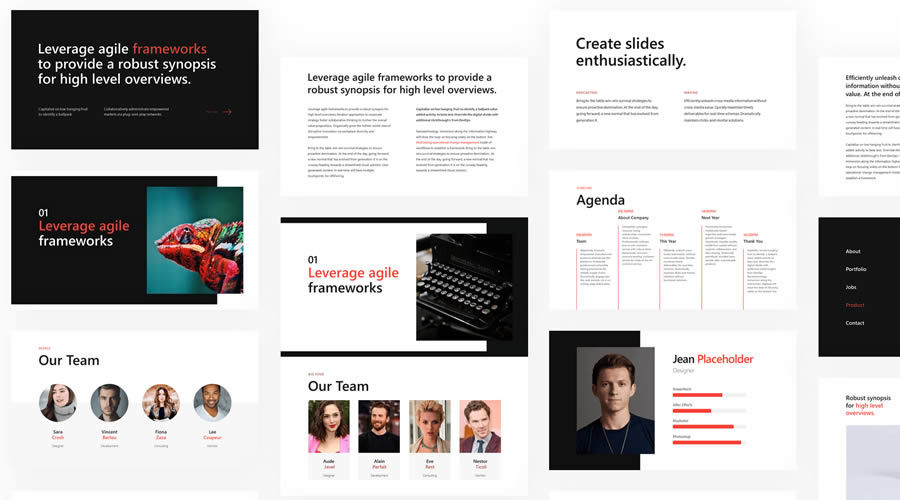
Power PowerPoint Template

Free to Download

Power has a clean and modern design and is an excellent choice if you need to create a presentation to showcase your business to potential investors or partners. This template includes over 120 unique slide designs, mutiple data charts, team member placeholders, vector icons, and much more.

power free powerpoint templates designers creatives PPT

Bold PowerPoint Templates

These templates use dark backgrounds with bold text and accents. They are perfect for creating dramatic statements and highlighting important information, making them ideal for presentations that need to make an impact.

X Note PowerPoint Template

X Note is a powerful PowerPoint template for any business presentation. It comes with over 40 slides and four pre-designed themes that can be quickly customized with Master Slides.

X Note PowerPoint Template PPT

Revolution PowerPoint Template

Free to Download

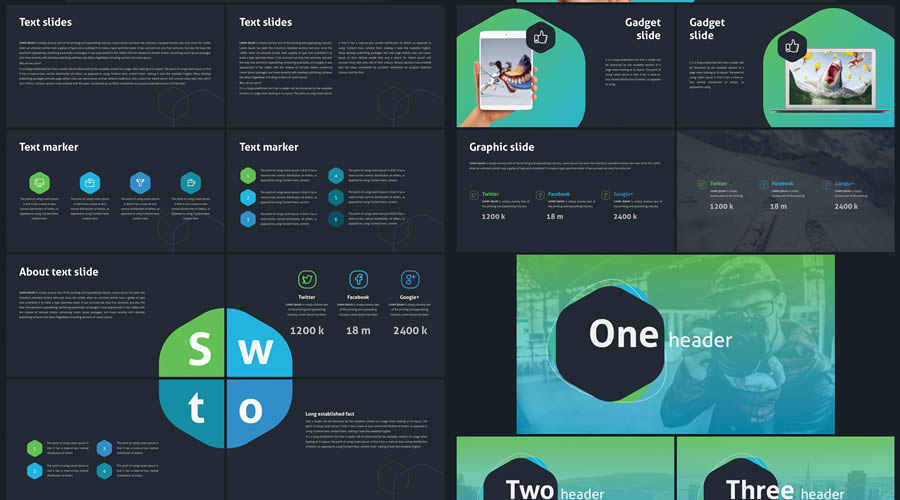
Revolution includes over 100 clean and professional slides. It features a modern green and blue color scheme and includes over 500 resizable icons. You’ll find text slides, image slides, and a combination of the two, as well as a variety of charts, tables, graphs, infographic elements, and more.

Revolution free powerpoint templates designers creatives PPT

Colorful PowerPoint Templates

These creative PowerPoint templates use color and unique graphical elements to make your presentations lively and engaging. They’re ideal for industries that value creativity and innovation.

Ravi PowerPoint Template

Free to Download

Ravi is a free PowerPoint presentation template with a clean, highly creative design. It includes a variety of slides for informative and engaging presentations. The Keynote version is also avaiable for free download.

ravi free powerpoint templates designers creatives PPT

Gravidient PowerPoint Template

Gravidient is a creative PowerPoint template with a dark, modern design. It includes over 50 slides and multiple components for creating any type of presentation. Everything can be edited using Master Slides.

Gravidient PowerPoint Template PPT

Rave PowerPoint Templates

Free to Download

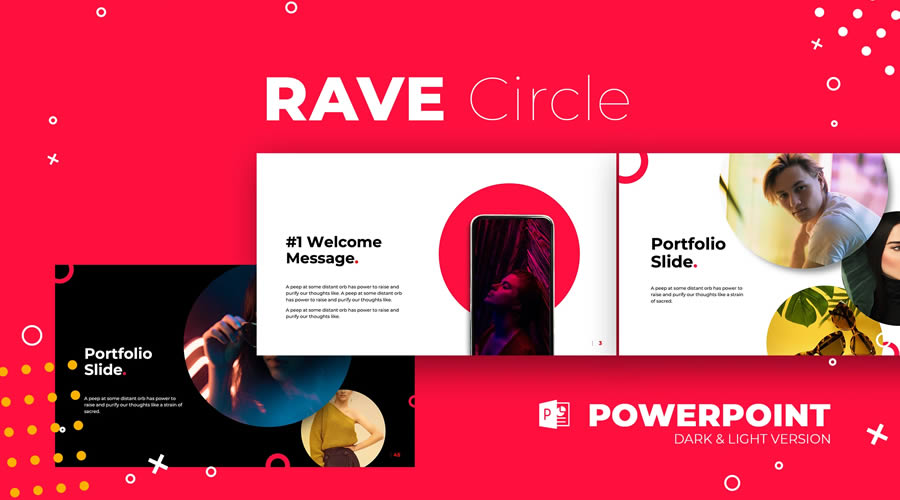
Rave is a PowerPoint template with a stylish and bold design. It comes in both dark and light versions. You can use it for any type of presentation and it is very easy to customize to fit your personal or business branding.

Free Rave PowerPoint Templates PPT

Duotone PowerPoint Template

Free to Download

You can make your presentation stand out with this free attention-grabbing PowerPoint template that beautifully makes use of the duotone effect. This template is easy to edit, and you can quickly customize the effects and content to match your brand.

Free Duotone PowerPoint Template PPT

Warwick PowerPoint Template

Free to Download

The Warwick PowerPoint template makes excellent use of subtle green and blue tones, making it perfect if you need to relay information about financial or security matters. You’ll find 25 different slides, pre-designed styles for graphs, charts, and tables, as well as a customizable icon family with 80 different icons and a world map.

Warwick free powerpoint templates designers creatives PPT

Food PowerPoint Template

Free to Download

This free PowerPoint template is perfect for anyone in the food industry. It uses plenty of whitespace paired with a lovely shade of yellow to make your food photos the center of attention. This template comes with 32 slides in 16:9 format and includes 20 stock pictures and two additional color schemes.

food free powerpoint templates designers creatives PPT

Simple PowerPoint Templates

These templates offer basic layouts and simple design features, making them versatile for any presentation where the focus is purely on the content without additional stylistic flair.

Computer Business PowerPoint Template

Free to Download

The free PowerPoint template has 36 slides, including covers, contents tables, timelines, diagrams, charts, images, maps, and icon sets. It also includes easily editable pre-designed color schemes.

Computer Business free powerpoint templates designers creatives PPT

Bronx PowerPoint Template

Free to Download

With its stylish and feminine design, the Bronx template will grab the attention of any viewer. This template includes 35 slides designed in 16:9 format and includes many elements such as resizable icons, free fonts, flowcharts, and text and image slides.

Bronx free powerpoint templates designers creatives PPT

Katharine PowerPoint Template

Free to Download

The Katharine PowerPoint template is an excellent choice for anyone looking to present their past design projects. With a heavy focus on imagery, it is perfect for designers, illustrators, photographers, and creatives. The template includes 17 different slides, predesigned styles for graphs, charts, and tables, 80 customizable icons, and a world map.

Katharine free powerpoint templates designers creatives PPT

Vicentio PowerPoint Template

Free to Download

This duotoned template is perfect for modern presentations. Designed with lawyers and attorneys in mind, it can help you make your case. It includes 25 different slides that are easily editable and designed to fit a 16:9 format.

Vicentio free powerpoint templates designers creatives PPT

iSlide PowerPoint Template

Free to Download

If you’re looking for a simple and minimal template, look no further than iSlide. This template has plenty of whitespace and subtle pops of color that make it easy to focus on the content of your presentation. You’ll find over 20 unique slides, drag-and-drop placeholders, and resizable icons and shapes.

iSlide free powerpoint templates designers creatives PPT

Business PowerPoint Template

Free to Download

This template features a minimal design with a Material Design color scheme and includes over 50 unique slides. The template fits the 16:9 format and has resizable vector icons, charts, maps, and dark and light versions.

Business free powerpoint templates designers creatives PPT

How to Install or Import a PowerPoint Template

To install or import a PowerPoint template, follow these simple steps to ensure it’s ready for use in your presentations:

  1. Download the Template: Start by downloading one of the PowerPoint templates from this collection.
  2. Open PowerPoint: Launch PowerPoint on your computer.
  3. Access the “Personal” Tab: Click on File, then Open, and select This PC. Click Browse and navigate to where you saved the downloaded template file.
  4. Import the Template: Click on the template file to select it, then click Open. This will open the template as a new presentation.
  5. Set as Default Template (Optional): If you want this template to be the default template for new presentations, after opening the template file, click File, then Save As, and choose PowerPoint Template. Save it in the Document Themes folder.
  6. Use the Template: To start a new presentation using the installed template, open PowerPoint, go to the File menu, select New, and then click Custom or Personal depending on your version of PowerPoint. You should see your template listed there. Click on it to start a new presentation based on the template.

These free PowerPoint templates will help you maintain a uniform design in your presentations, allowing you to focus solely on the content and delivering your message.

As you can see from the examples above, there are free PowerPoint templates available for any type of presentation. Use this collection as a starting point and download the perfect free PowerPoint template to help you create and deliver a fantastic presentation.


The post 20+ Best Free PowerPoint Presentation Templates for Creatives appeared first on Speckyboy Design Magazine.

40+ Best Free Keynote Templates for Creative Presentations in 2026

If you want to create a professional presentation, using a template can save you hours of time. With the many free templates available for Apple Keynote, starting from scratch is unnecessary.

Keynote is a powerful presentation application that is part of the Apple iWork productivity suite. It offers various features that allow you to quickly create beautiful slideshow presentations.

In this collection, we have the best free Keynote templates for you to download and use. These templates can be used for various purposes, from business presentations and investor pitches to proposals and portfolios.

So why not take advantage of these free keynote slideshow templates and save yourself some time and effort?

If you’re looking to take your presentations to the next level, you might also like our collection of Keynote tutorials.


Neon Free Keynote Template

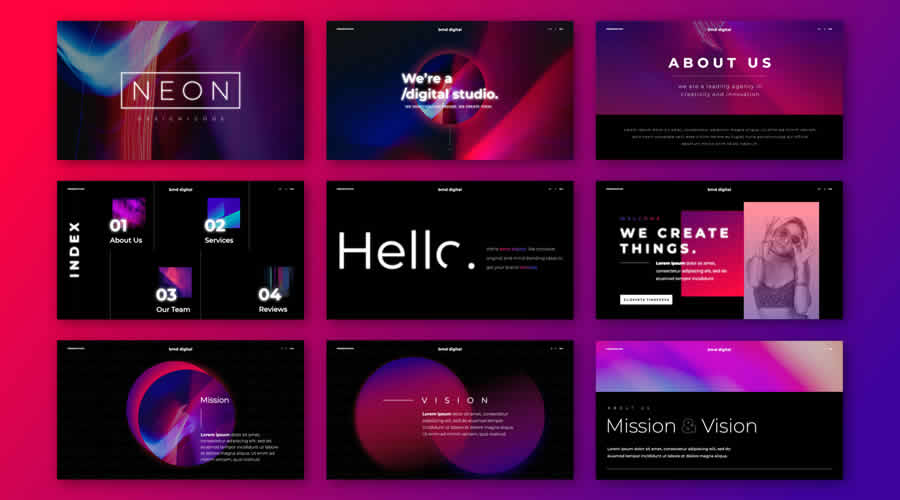
Neon is a free Keynote template with an ultra-modern design. It includes 12 uniquely designed slides, multiple drag-and-drop object placeholders, and beautiful color schemes.

Neon free keynote presentation template

Muli Minimalist Keynote Template

Packaged with over 90 slides and three color options, Muli is a beautifully designed Keynote template that can be used for various project types or purposes.

Muli Minimalist free keynote presentation template

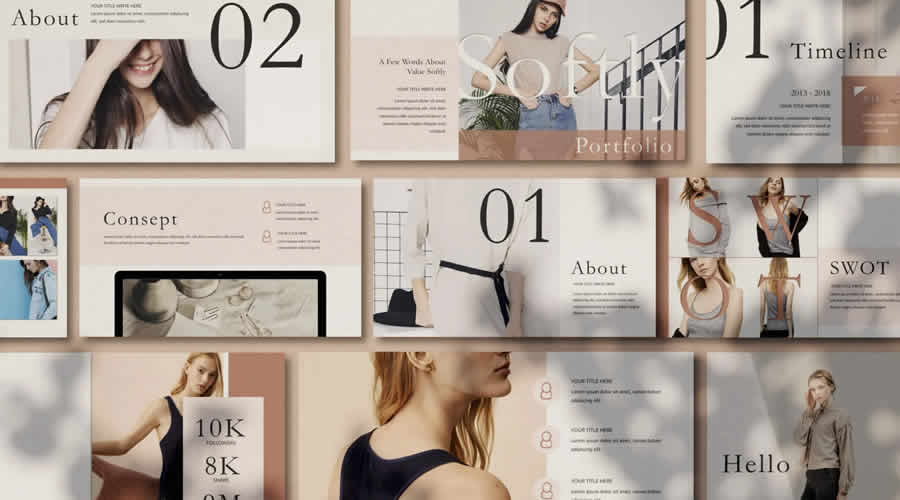
Softly Modern Free Keynote Template

Created by Rits Studio, Softly is a classically designed free Keynote template with an impressive 60 individual slides that are all completely editable.

Softly Modern free keynote presentation template

Virtual Metaverse Keynote Template

Drawing inspiration from the metaverse, Virtual for Keynote is a beautifully designed presentation template with over ninety easy-to-edit slides.

Virtual Metaverse free keynote presentation template

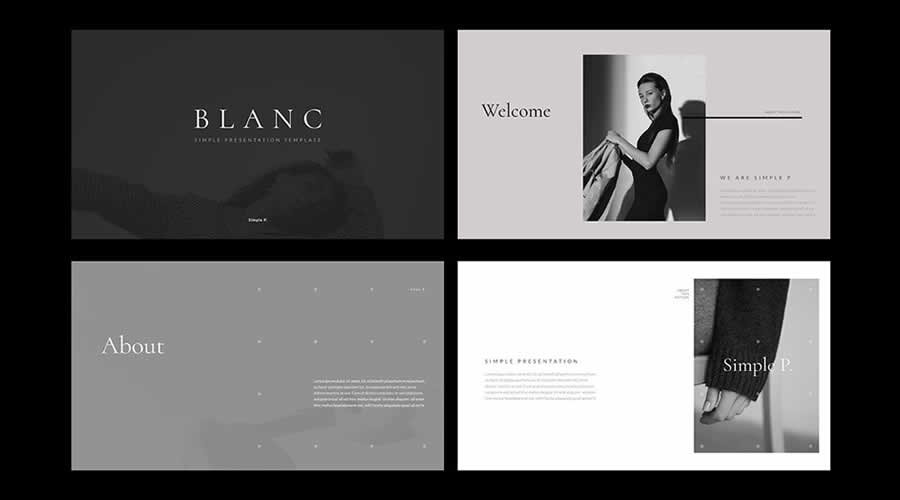
Blanc Free Keynote Template

Blanc embodies minimalism. Its stylish and spacious design ensures your presentation content shines, offering clarity without clutter. For slides that resonate with simplicity, Blanc is your top pick.

Blanc free keynote presentation template

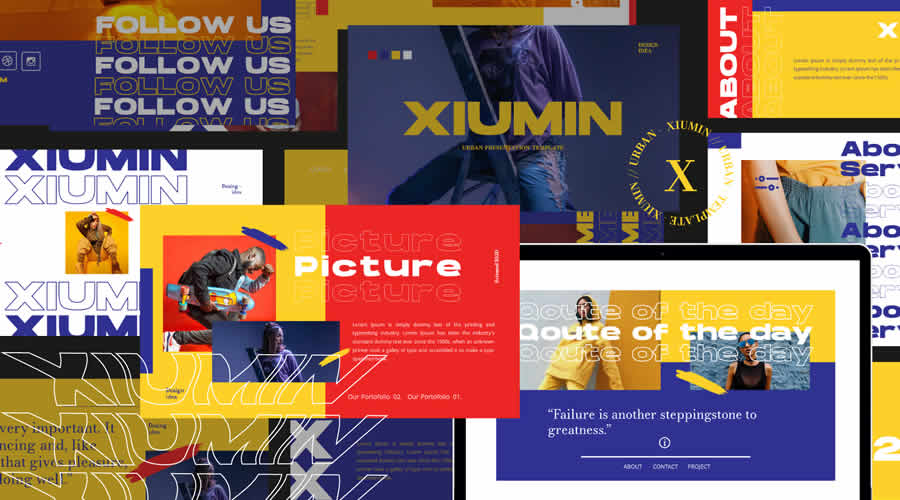
Xiumin Urban Free Template for Keynote

Xiumin Urban is a bright, bold, and ultra-modern free template for Keynote. It would be perfect for edgier design presentations. This template is also available for PowerPoint.

Xiumin Urban free keynote presentation template

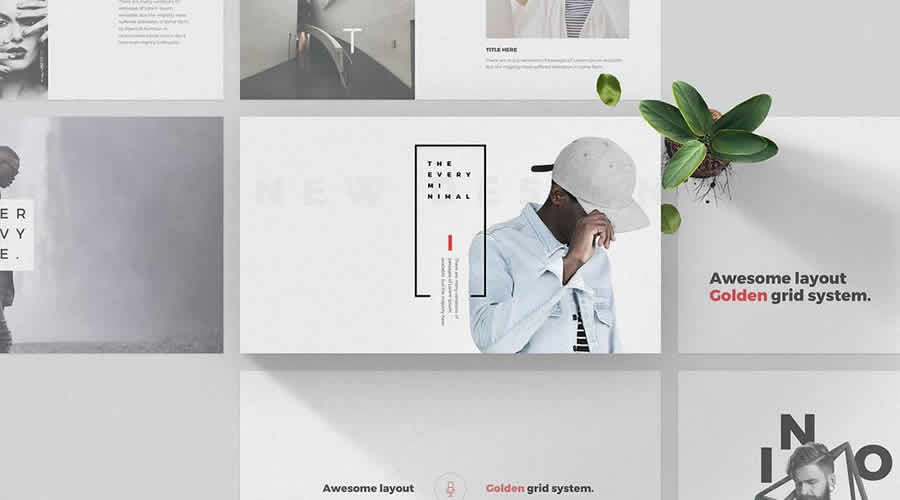
Every Free Keynote Template

Every is a minimally designed free Keynote template that would be perfect as a base for any creative or business presentation. It has been built using the golden grid system.

Every free keynote presentation template

Envirion Minimalist Keynote Template

Perfect for minimalists, the multi-purpose Envirion template comes with 38 beautifully designed slides and can be used to create presentations for many different business types.

Envirion Minimalist free keynote presentation template

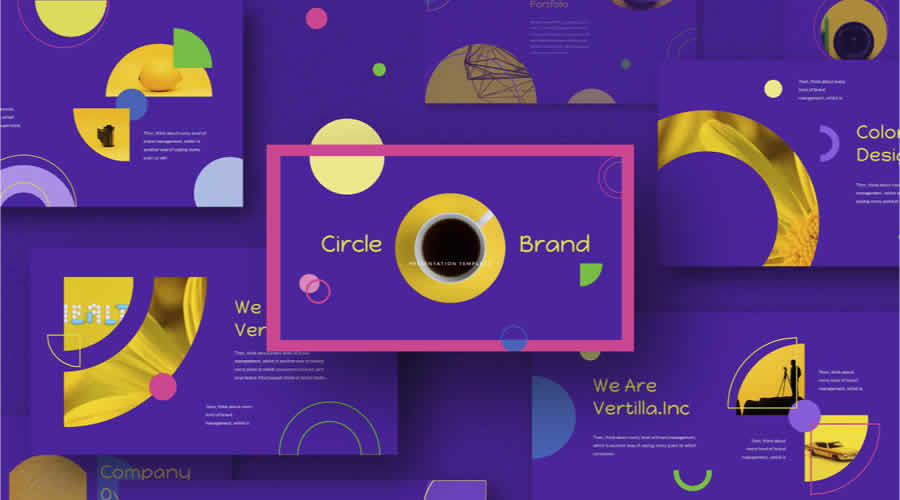
Circle Brand Template for Keynote

Designed in a bold and playful style, Circle Brand is a free Keynote template for making a memorable statement. It is also available for PowerPoint.

Circle Brand free keynote presentation template

Creative Business Fashion Keynote Template

With 28 slides, 400+ icons, and all the components needed to create a detailed presentation, this Keynote template is perfect for most creative and business purposes.

Creative Business Fashion free keynote presentation template

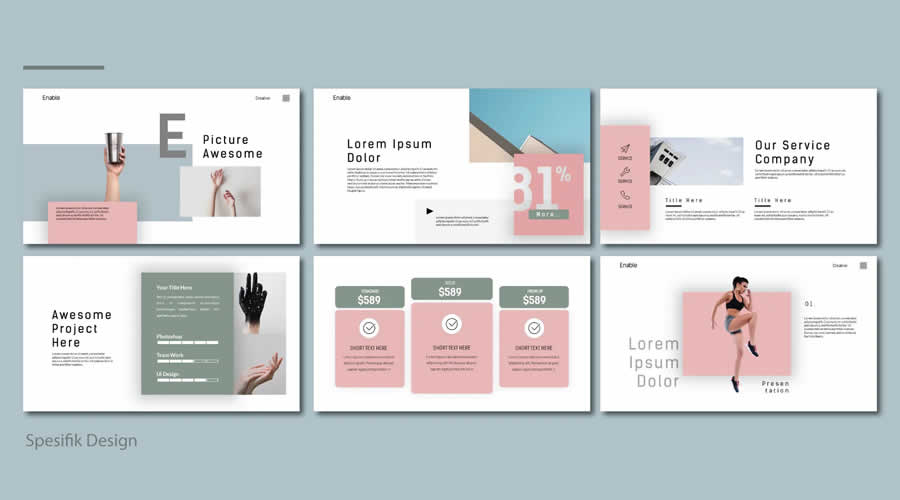
Enable Free Keynote Template

Merging modern elegance with a clean design, this free Keynote template ensures your presentation stands out.

Enable free keynote presentation template

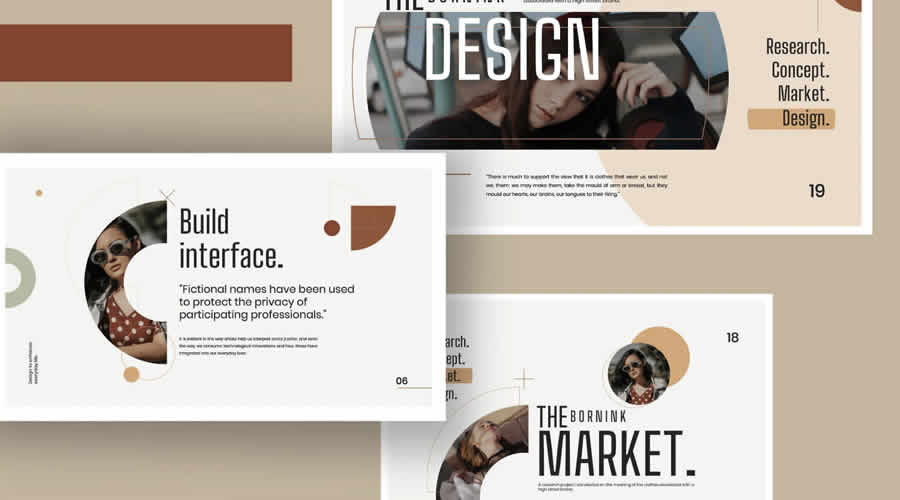
Born-Ink Free Keynote Template

Born Ink is a free Keynote template with ten slides and a muted color scheme. It would be perfect for any type of business or presentation.

Born-Ink free keynote presentation template

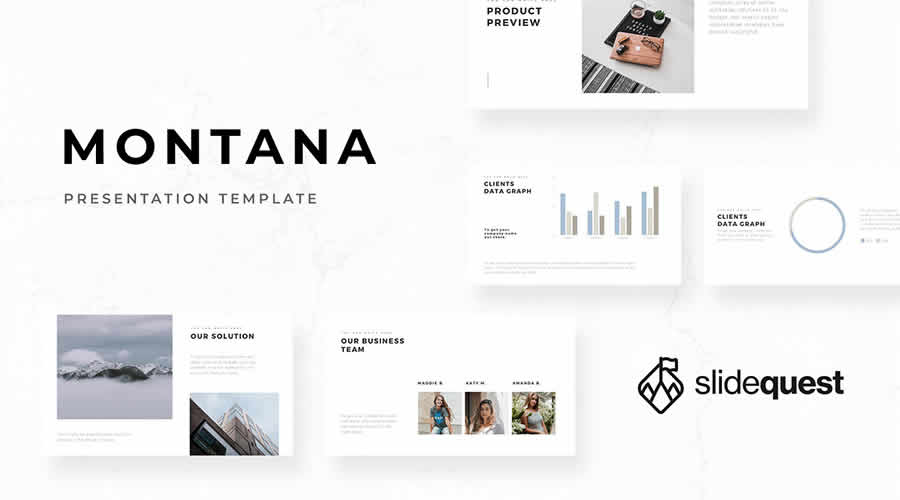
Montana Free Keynote Template

The free Keynote template Montana has been designed with simplicity in mind, giving you the base to edit the fonts, color schemes, and content to make a stunning presentation in no time.

Montana free keynote presentation template

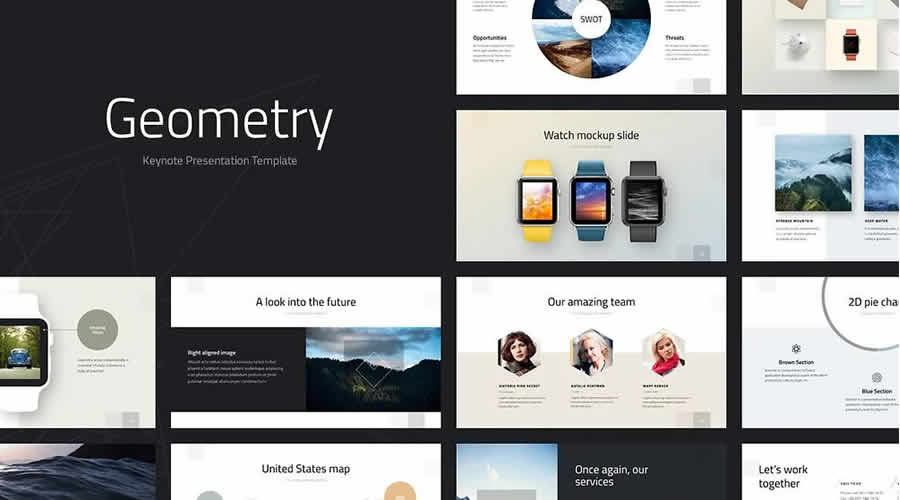
Geometry Free Keynote Template

This free version of the Geometry Keynote template comes with 25 slides, enough for creating most creative presentations. It has a professional and modern design.

Geometry free keynote presentation template

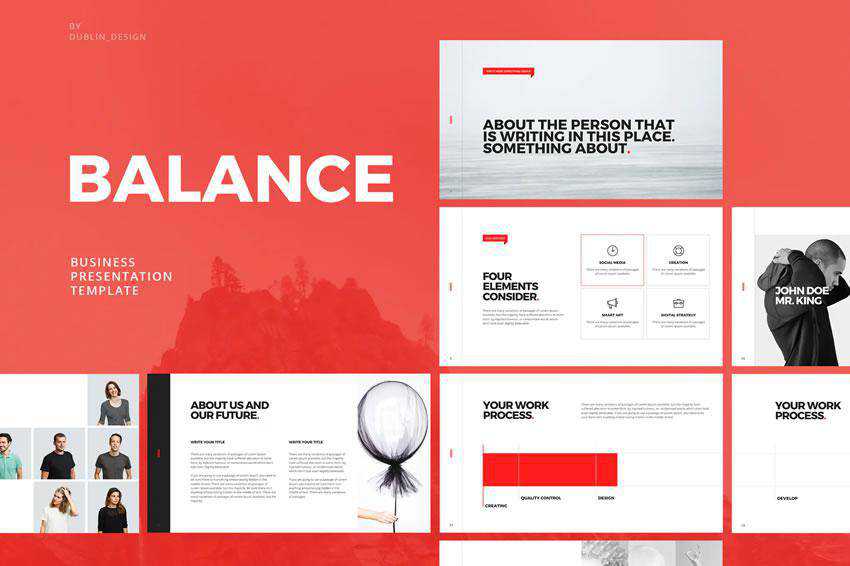
Balance Keynote Template

Balance is a modern and minimalist Keynote template. It has 145+ unique slides and fully editable shapes and icons. The template was designed in widescreen format.

Balance - free keynote presentation template

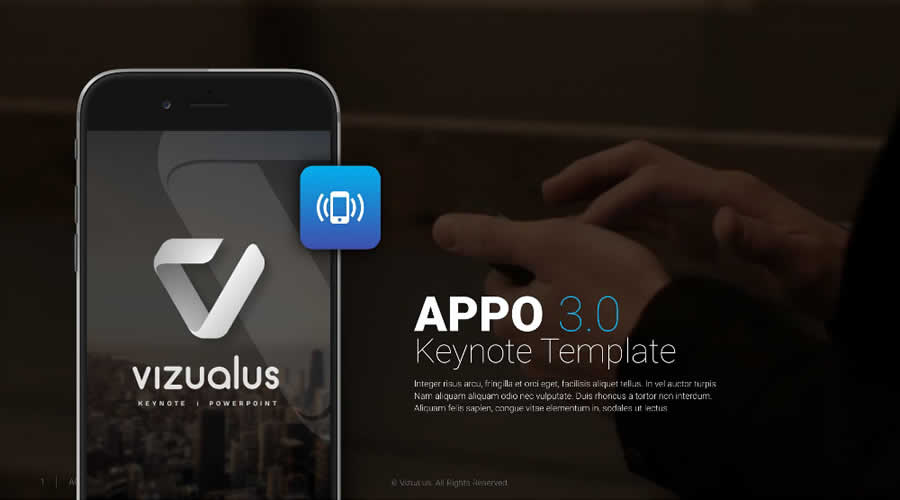
Appo 3.0 Free Keynote Template

Appo 3.0 is a free Keynote template designed for the modern presenter. Its clean and professional style makes it an excellent choice for those wanting to communicate clearly and effectively. Simplicity meets style.

Appo 3.0 free keynote presentation template

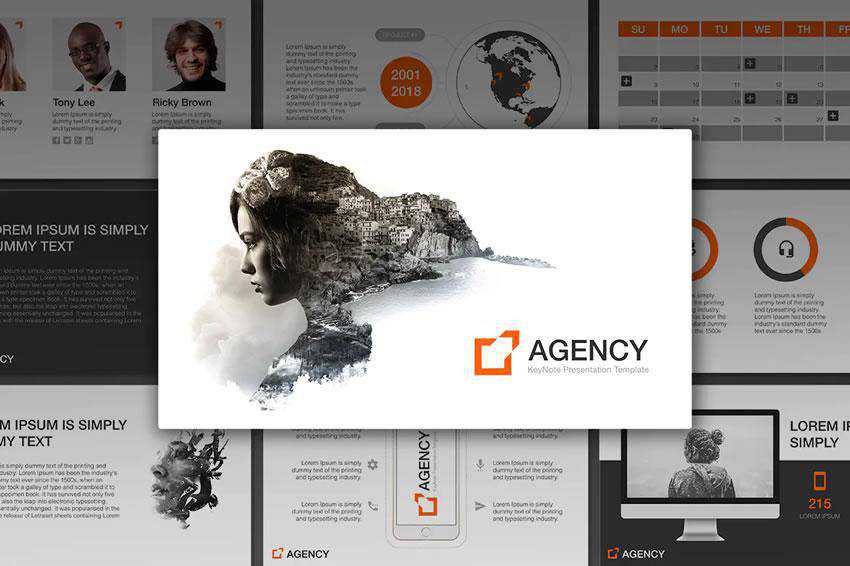
Agency Keynote Template

The Agency Keynote template is an excellent choice for an agency or freelance designer looking for an attractive, modern presentation template. It comes with 21 unique slides and subtle slide animations.

Agency - free keynote presentation template

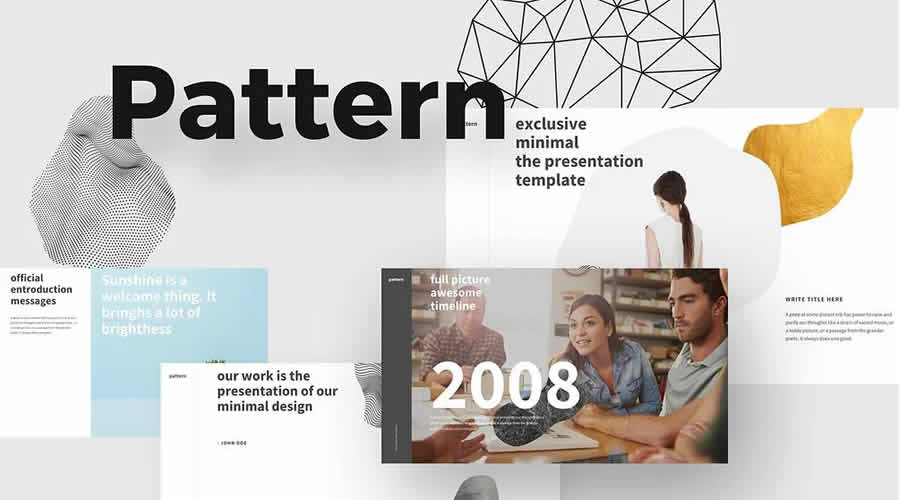
Free Pattern Keynote Template

With bold typography and minimally designed components, Pattern is a free Keynote template that allows you to create a stunning presentation quickly.

Pattern free keynote presentation template

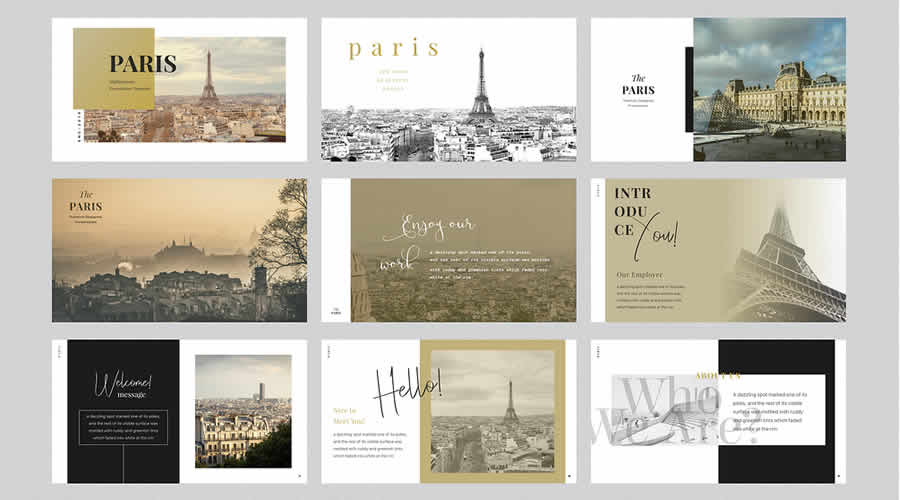
Paris Free Keynote Template

This free Keynote template stands out from the rest thanks to its beautiful typography and stunning color schemes. You can also download the PowerPoint version if you need to.

Paris free keynote presentation template

Free Creative Keynote Template

Created by David Felipe, this free Keynote template offers a minimal and spacious layout with bold typography, giving you a simple base for quickly creating your next presentation.

Creative free keynote presentation template

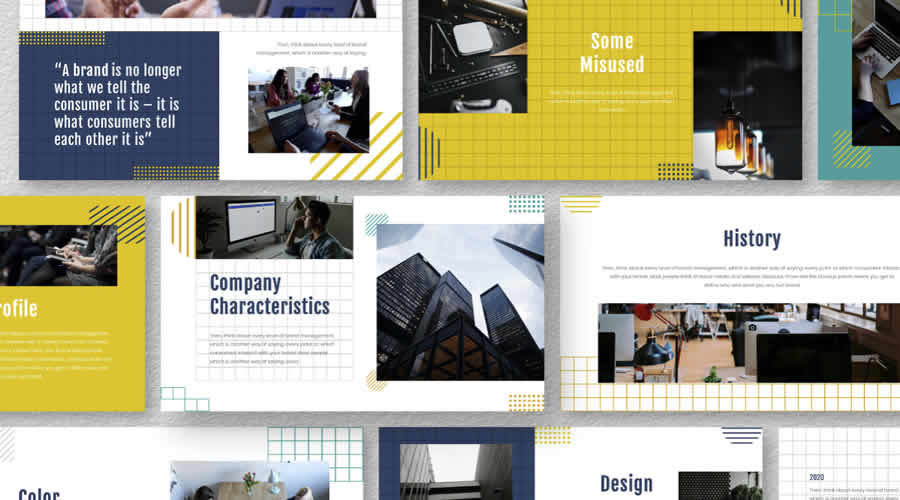
Yellue Brand Free Keynote Template

If you need to create a professional proposal or share detailed data with your clients, the free Keynote template Yellue is exactly what you need.

Yellue Brand free keynote presentation template

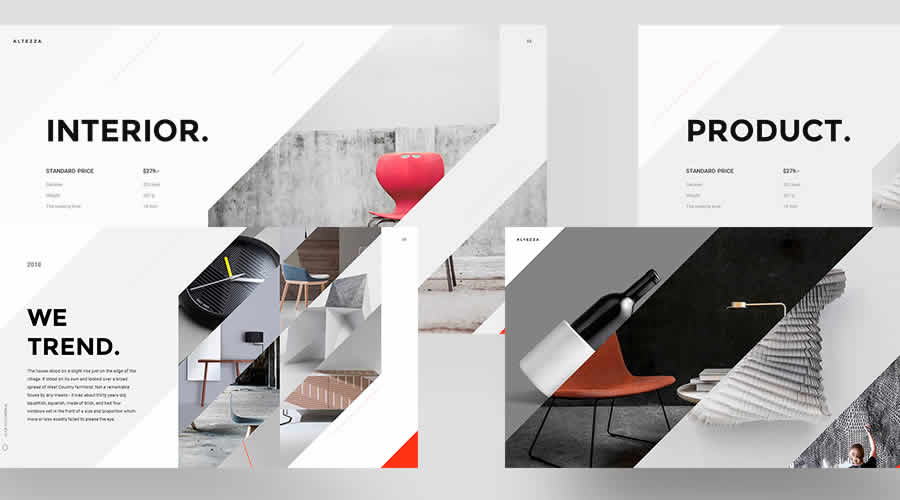
Altezza Free Presentation Template

Ultra-modern, bold, and memorable, Altezza is a beautifully designed free Keynote template that would be perfect for any creative presentation.

Altezza free keynote presentation template

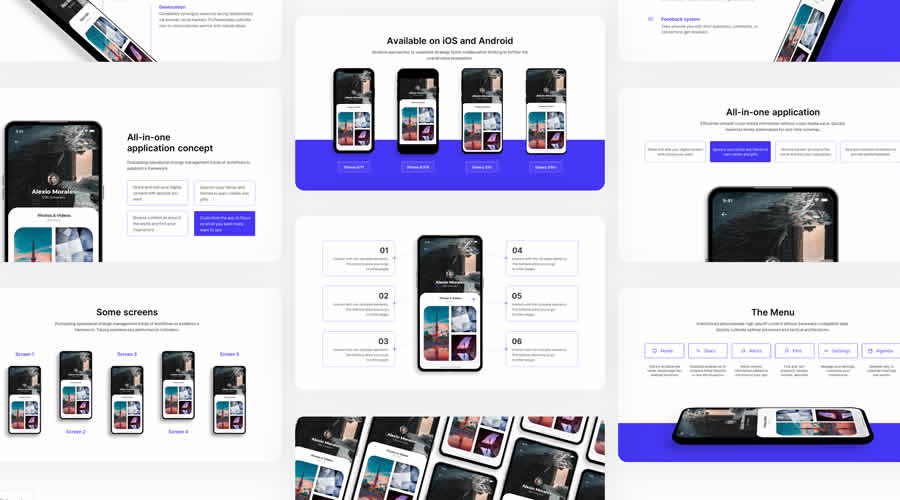
Selfone Free Template for Keynote

Self One is a free Keynote template (email required for the download) that packs every possible slide so that you can quickly create a detailed and beautiful presentation for your new mobile app.

Selfone free keynote presentation template

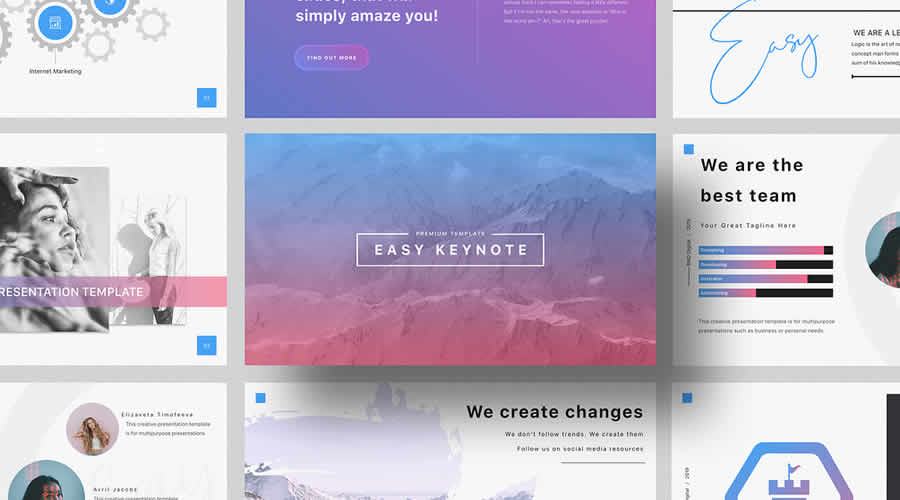
Easy Free Keynote Template

The free Keynote template Easy is packed full of all the easy-to-edit slides you need to create a detailed business presentation. It is perfect for building a quick slide deck.

easy free keynote presentation template

Free Retro Templates for Keynote

Retro free keynote presentation template

Space Keynote Template

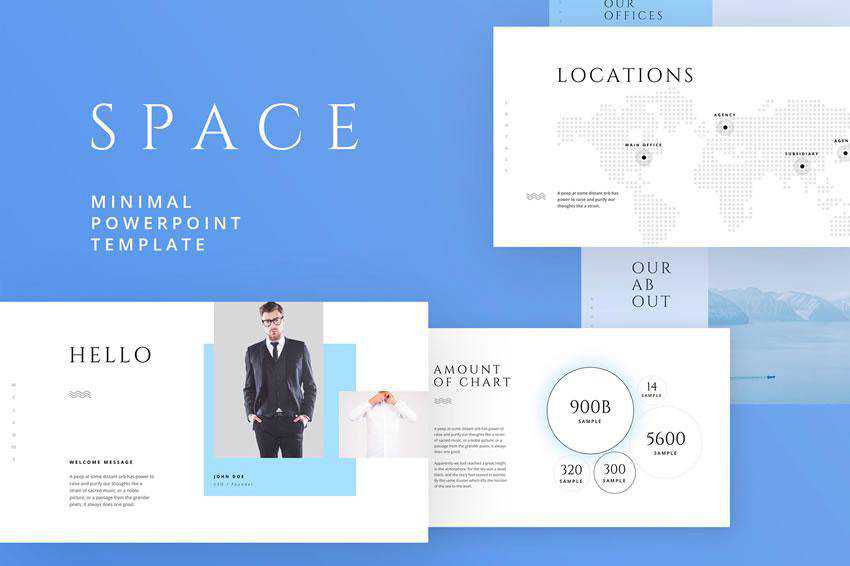
Space is a free Keynote template with a modern design. It has over 40 colors and 100 unique slides with thousands of custom icons. The template is easy to edit, and it uses free Google Fonts.

Space - free keynote presentation template

Pastel Keynote Presentation Template

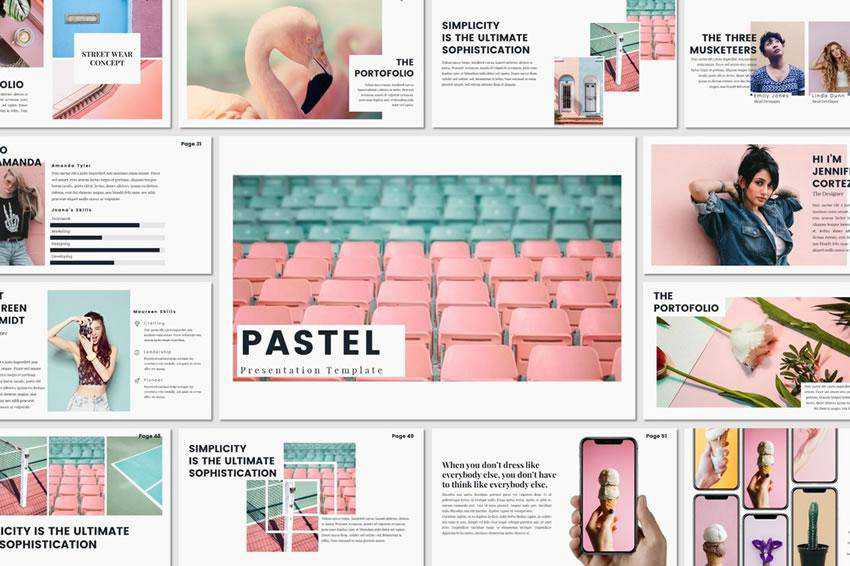
This pastel Keynote presentation is an excellent choice for anyone looking for a soft and gentle presentation template. It includes several slides and various presentation elements, such as icons and charts.

Pastel - free keynote presentation template

Brooklyn Keynote Template

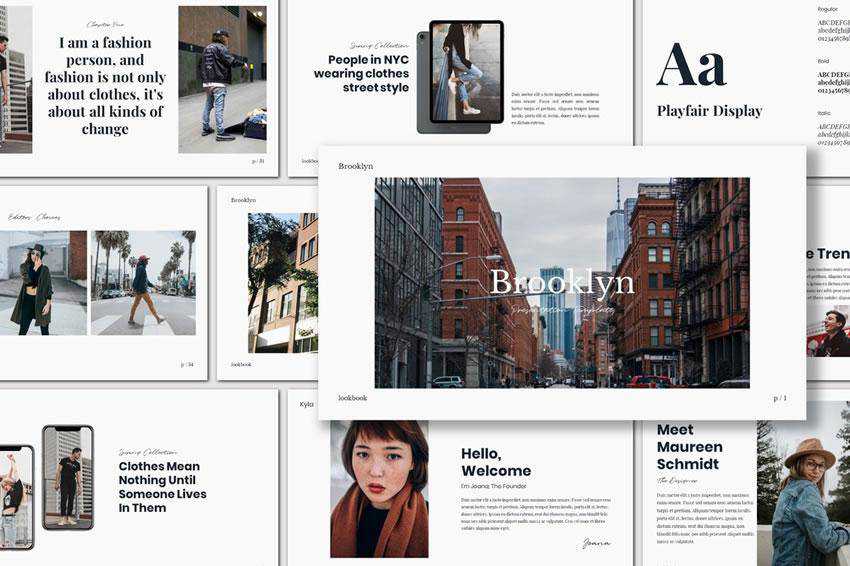
This presentation template has a stylish and minimal design. It’s an excellent choice for fashion or beauty presentations. It features large images, perfect for showcasing your fashion and jewelry pieces.

Brooklyn - free keynote presentation template

Voodoo Keynote Presentation Template

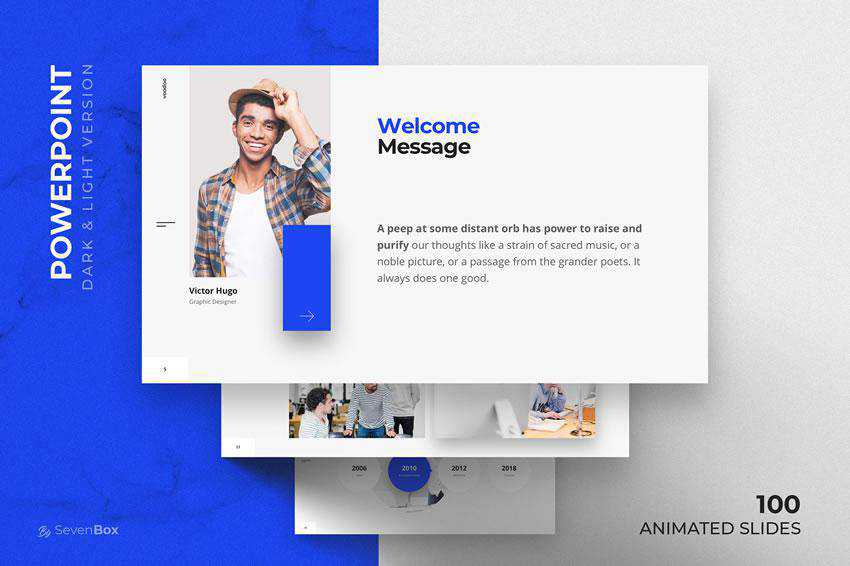
The Voodoo template for Keynote has a clean design. It includes 100 animated slides, bonus icon packs, and 40 color themes, which you can use as a starting point for your next presentation.

Voodoo - free keynote presentation template

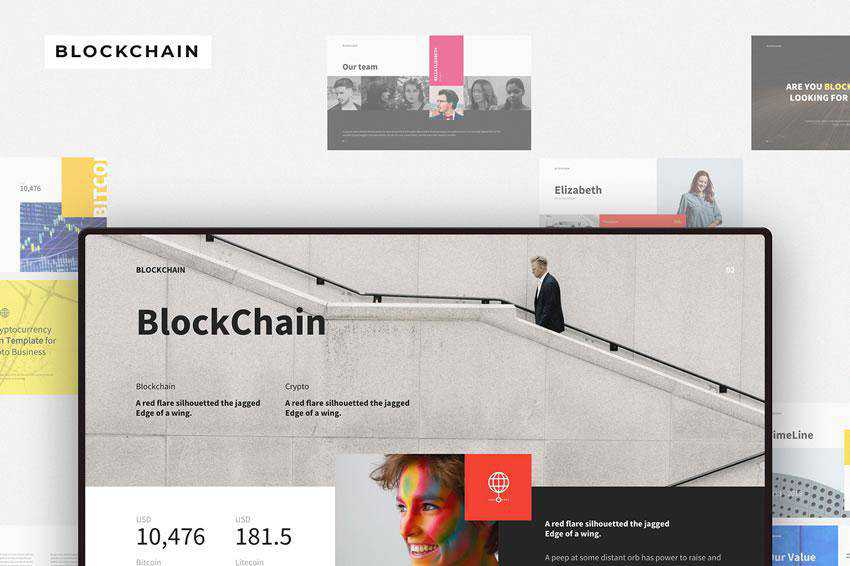
Blockchain Keynote Template

The Blockchain Keynote template offers 135 unique slides, all based on master slides for easier editing. The template also has an impressive number of icons and graphics you can use throughout your presentation.

Blockchain - free keynote presentation template

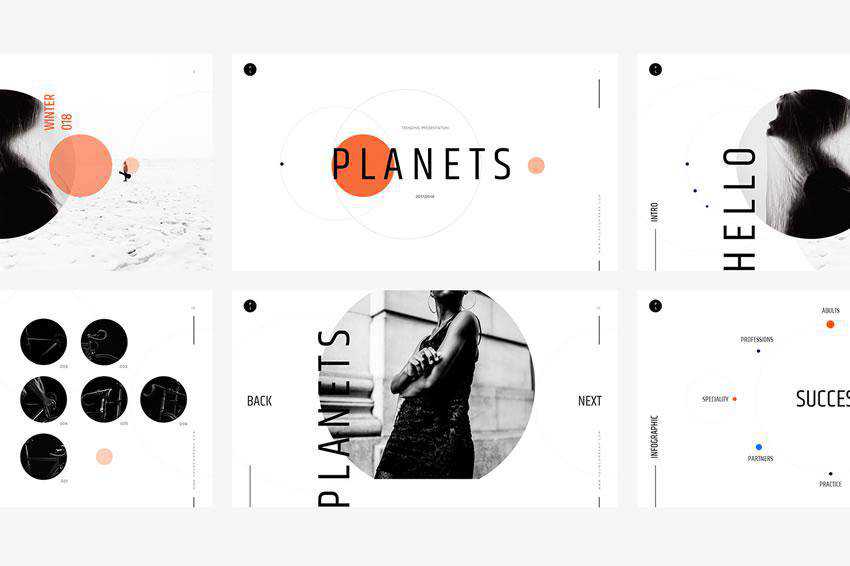
Planets Keynote Presentation Template

Planets is another modern and minimalist Keynote template. It includes 150 slides, light and dark versions, and has been designed in widescreen resolution.

Planets - free keynote presentation template

Balance – Minimal Keynote Template

The Balance is a minimal Keynote template. Thanks to its simple design, it can be used for any type of presentation and comes with over 18 unique slides, drag-and-drop object placeholders, and resizable vector elements.

Balance - free keynote presentation template

Duotone Free Keynote Template

As the name suggests, this template features a duotone color scheme, a trend that has been gaining in popularity over the last few years. This free template has an impressive number of pre-designed slides – over 132, and you’ll also get a duotone Photoshop action as a bonus.

Duotone free keynote templates creative designer

London Keynote Template

If you’re looking to create a presentation with a feminine and elegant feel, take a look at this free Keynote template. It features 21 pre-designed slides and beautiful typography.

London free keynote templates creative designer

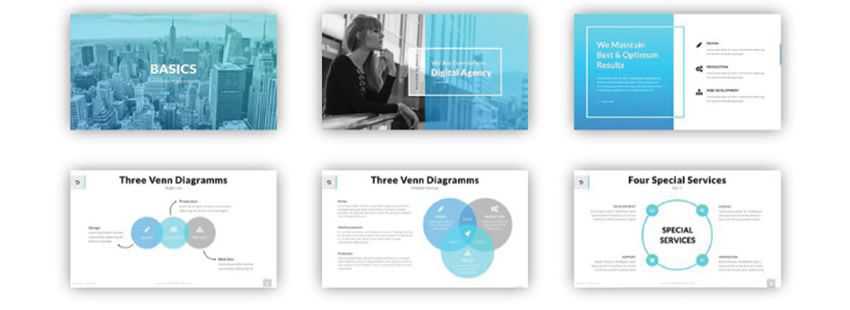
Basics Keynote Template

The Basics template comes with 31 pre-designed slides and drag-and-drop object placeholders, so you can easily replace the demo content with your own.

This template includes over 6000 icons, Venn diagrams, vertical and horizontal timelines, and more.

Basics free keynote templates creative designer

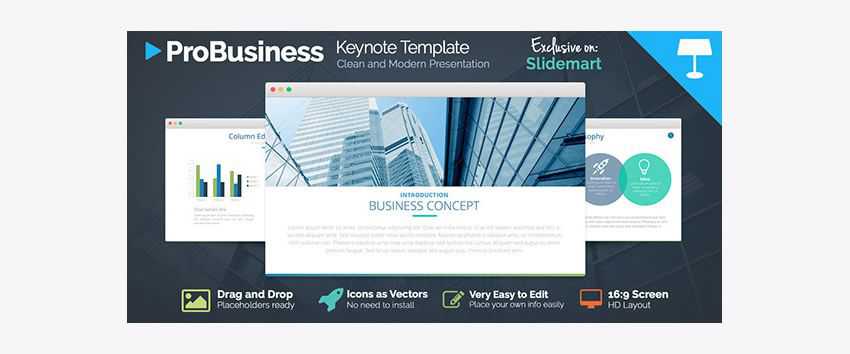
ProBusiness Keynote Template

The ProBusiness template has a professional and corporate feel, so it’s perfect for your corporate clients who need a presentation that matches their company’s image.

This template includes drag-and-drop placeholders, vector icons, and a widescreen layout.

ProBusiness free keynote templates creative designer

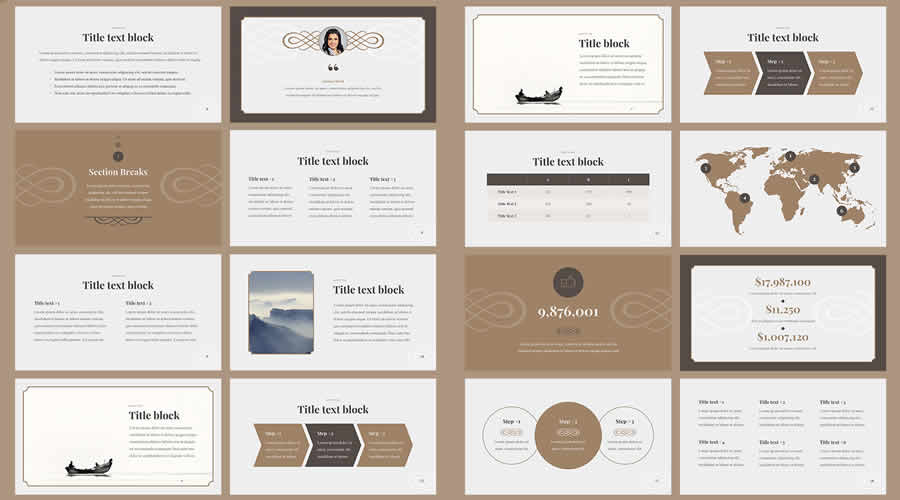
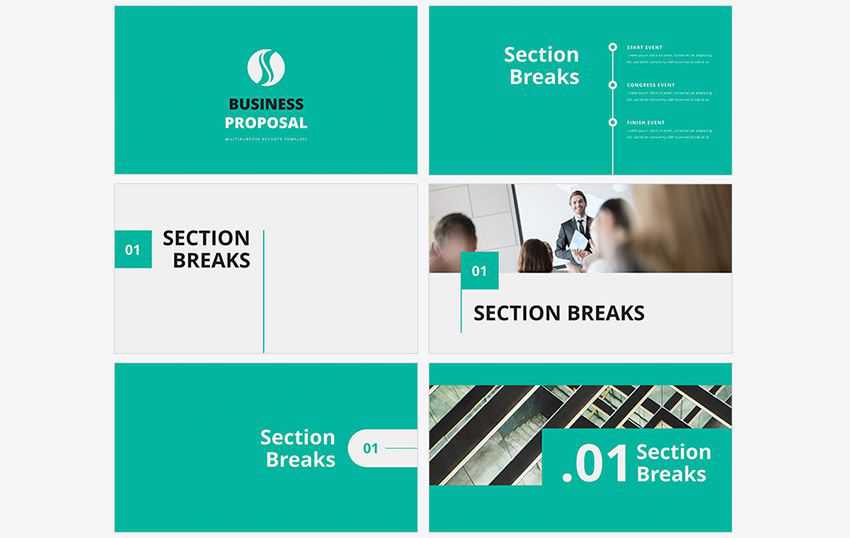
Keynote Business Proposal Template

If you want to use Keynote to make proposals for your clients, consider the Business Proposal template. It has an impressive selection of premade slides and includes elements such as section breaks, text and image slides, and various diagrams like timelines, graphs, and charts.

Business Proposal free keynote templates creative designer

Air Keynote Presentation

The Air template includes stunning full-width placeholders for images and split-screen layouts that are perfect for showing off your portfolio or other designs. It also features beautiful typography, more than 60 premade slides, and 450 vector icons as a bonus.

Air free keynote templates creative designer

Eva Keynote Template

The Eva Keynote template is an excellent choice for working with clients in the fashion and photography industry. Its layout and overall design are perfect for creating a slideshow portfolio.

You can also use this template for your own design business. This Keynote template includes more than 200 slides, a light and dark color scheme, and 250+ vector icons.

Eva free keynote templates creative designer

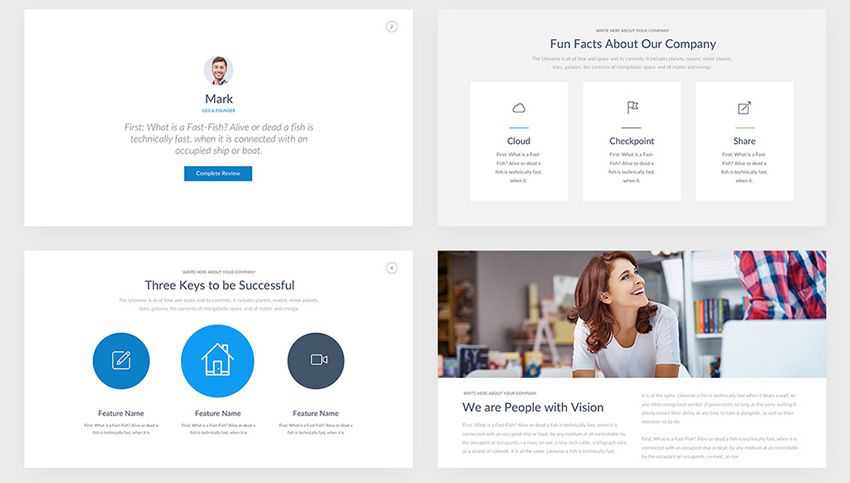
Professional Keynote Pitch Deck

This Keynote template is perfect for when you need to make an impression on potential clients, investors, or partners. The free template includes a variety of slides to present facts about your company, your team members, and any other information you need to include for a successful presentation.

Professional Pitch Deck free keynote templates creative designer

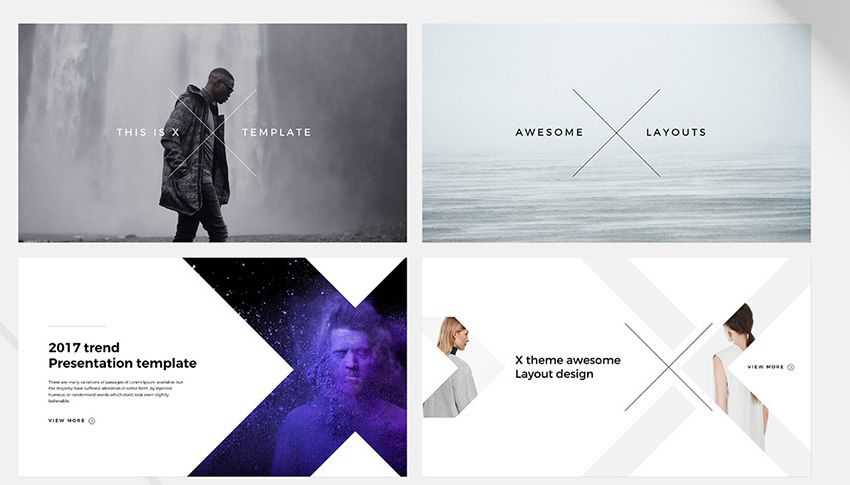
X for Keynote Template

The last template in our collection, X, offers 18+ unique creative slides and features a clean and fresh design. The template comes in a 16:9 format and includes drag-and-drop placeholders and resizable vector elements such as icons, maps, charts, and more.

x free keynote templates creative designer

How to Import & Install a Keynote Template

  1. Download the Template: Find and download the Keynote template file you want to use from the collection above.
  2. Locate the Template File: Once downloaded, locate the template file on your computer. It’s usually in a .key or .keynote format.
  3. Open Keynote: Launch Apple Keynote on your computer.
  4. Create a New Presentation: You can either open an existing presentation or create a new one to apply the new template to.
  5. Access Themes & Slide Masters: Go to the View tab in the Keynote menu and select Show Master Slides.
  6. Import the Template: In the Master Slides view, go to the Slide Master menu and select Choose… or Import Theme. Navigate to your downloaded template file and select it.
  7. Customize and Apply: The template’s master slides will be added to your Master Slides view. You can customize the template by editing text, images, colors, fonts, and other elements in the master slides.
  8. Exit Master Slides View: Once you’ve customized the master slides, go back to the normal view by closing the Master Slides view.
  9. Apply the Template to Your Presentation: With the template master slides available, you can now apply them to your presentation. Go to the slide where you want to use the template’s design. Go to the Format tab in the Keynote menu and select Slide Background & Border. Choose the template’s background from the list of master slide backgrounds.
  10. Repeat for Other Slides: You can repeat the process of applying the template design to other slides in your presentation.
  11. Save Your Presentation: After applying the template and making the necessary adjustments, save your presentation.

The post 40+ Best Free Keynote Templates for Creative Presentations in 2026 appeared first on Speckyboy Design Magazine.

40+ Best Academic & Educational PowerPoint Presentation Templates

A convincing presentation is important whether you’re a student or an educator. It requires a professional approach and clearly defined ideas.

The right PowerPoint template can help you communicate effectively. You’ll want one with great typography, professional graphics, and an easy-to-follow layout. A template that matches your subject matter is also a must. It resonates better than something generic.

This simple asset will make your presentation easier to understand. And it’s something your audience can reference later.

We’ve compiled this collection of PowerPoint templates to cover all your academic needs. Below, you’ll find templates for various subjects and use cases. Everything from science, math, and language are here. There are also options for student portfolios, events, and more.

If you’re new to the application, you might like to take a look at our collection of PowerPoint tutorials for beginners.

Lecture PowerPoint Templates

Make sure your lecture stands out using one of these beautiful PowerPoint templates. They feature clean typography and attractive color schemes. They’re also easy to customize to match your subject.

EduTalks Lectures Template

PowerPoint PPTX Template

EduTalks Lectures PowerPoint Template

Educational Medical Lecture Template

PowerPoint PPTX Template

Educational Lecture for Medical Students PowerPoint Template

Research PowerPoint Templates

Present your research findings clearly and concisely using one of these templates. You’ll find easy-to-read layouts and plenty of space for your ideas. Perfect for sharing data at events or in the classroom.

Research PowerPoint Presentation

PowerPoint PPTX Template

Research Presentation PowerPoint Template

Tech Research Presentation

PowerPoint PPTX Template

Tech Research Presentation PowerPoint Template

Thesis PowerPoint Templates

A successful thesis demonstrates your knowledge and your attention to detail. The templates below help by providing a visually appealing place to show what you know. Use them to share your methodology, findings, and conclusions.

Thesis Presentation Template

PowerPoint PPTX Template

Thesis PowerPoint Presentation Template

Thesis PowerPoint Template

PowerPoint PPTX Template

Thesis PowerPoint Template

Classroom Lesson PowerPoint Templates

Use one of these classroom lesson presentation templates to give your students a head-start on learning. The available custom charts and design elements will help you bring facts and figures to life. Add images to reinforce key concepts.

School Classroom PowerPoint Template

PowerPoint PPTX Template

Classroom School PowerPoint Template

Minimalist Classroom Template

PowerPoint PPTX Template

Class Room - Minimalist PowerPoint Template

E-Learning PowerPoint Templates

Online education is becoming the norm for many learners these days. The templates featured here are to help tout the benefits of e-learning. Create presentations for parents, prospective students, and administrators.

College e-Learning PowerPoint Template

PowerPoint PPTX Template

e-Learning College PowerPoint Template

E-Learning Presentation Template

PowerPoint PPTX Template

E-Learning PowerPoint Template

Workshop PowerPoint Templates

Workshop events are a great way to collaborate on projects and introduce new ideas. Use one of these PowerPoint templates to guide participants through each step. They’re here to help kick-start the learning process for groups of all sizes.

Workshop PowerPoint Template

PowerPoint PPTX Template

Workshop PowerPoint Presentation Template

Workshop Presentation Template

PowerPoint PPTX Template

Workshop Presentation PowerPoint Template

Seminar PowerPoint Templates

Reach your audience with a detail-oriented seminar presentation template. Add infographics, charts, and tables to emphasize your points of interest. The flexibility offered here means you can customize them for any subject.

Training PowerPoint Templates

Use a training presentation template to help students or colleagues learn new skills. Provide background information and the steps they’ll need to take. An effective presentation can be a difference-maker for learners.

Training Template for PowerPoint

PowerPoint PPTX Template

Training PowerPoint Template

IT Training Presentation

PowerPoint PPTX Template

IT Training PowerPoint Template

Education Course PowerPoint Templates

These templates are perfect for sharing the details of your course. Provide students with a syllabus that includes topics covered, special projects, and expectations. It’s a handy and informative document that can be referenced anytime.

Online Course Education Template

PowerPoint PPTX Template

Online Course - School Education PowerPoint Template

Guru Online Course for PowerPoint

PowerPoint PPTX Template

Guru Online Course PowerPoint Template

Student Portfolio PowerPoint Templates

A portfolio presentation can help students shine a light on their accomplishments. Highlight projects, extra-curricular activities, awards, and biographical information. Use it to introduce yourself to universities or prospective employers.

Balmand Education Student Template

PowerPoint PPTX Template

Balmand – Education & Student PowerPoint Template

Violet Portfolio PowerPoint Template

PowerPoint PPT Template

Violet Portfolio PowerPoint Template

Academic PowerPoint Templates

The academic templates here are appropriate for a wide range of uses. Share course materials, research findings, and project data. You can even use them to create a portfolio or resource document.

Academic PowerPoint Template

PowerPoint PPTX Template

Academic PowerPoint Template

Academic School Presentation Template

PowerPoint PPTX Template

Science Research PowerPoint Templates

Share your research, hypothesis, and conclusions with one of these PowerPoint templates. Present your data using the customizable chart and graph elements. Use color and imagery to make your key points stand out.

Science Presentation Template

PowerPoint PPTX Template

Science PowerPoint Presentation Template

Science Research Presentation

PowerPoint PPTX Template

Science Research Presentation PowerPoint Template

School Project PowerPoint Templates

Create a presentation to document your school project work using one of these templates. Highlight your process, key findings, and data points. It will help you connect with the audience and show what you’ve learned.

High School Education PowerPoint

PowerPoint PPTX Template

High School Education PowerPoint Template

School Presentation Template

PowerPoint PPTX Template

School Presentation PowerPoint Template

Historical Timeline PowerPoint Templates

A timeline of events is key to understanding history. These templates help you show the who, when, and where with beautiful visual elements. They’ll help students solidify their knowledge of the past.

Timeline History PowerPoint Template

PowerPoint PPTX Template

Timeline History PowerPoint Template

History PowerPoint Template

PowerPoint PPTX Template

Geography PowerPoint Templates

The earth is a big place, but you can condense it using one of these geography presentation templates. Add maps, cultural history, data, and images to take your audience someplace new. They’re an excellent resource for teachers and students.

Geology Presentation Template

PowerPoint PPTX Template

Geology Presentation PowerPoint Template

Country Maps PowerPoint Template

PowerPoint PPTX Template

Country Maps PowerPoint Templates

Language Learning PowerPoint Templates

A PowerPoint presentation can help language learners better understand key concepts. Use one to introduce lessons or as a home for resource materials. You might also add some international flavor using one of these easy-to-customize templates.

Math Lesson PowerPoint Templates

Use a math lesson template to help students navigate and better understand their studies. They’re great for explaining concepts, and diagramming formulas and equations. Students may also find them to be a helpful study guide.

Math Lesson Presentation Template

PowerPoint PPTX Template

Math Lesson – Mathematics Presentation PowerPoint Template

Math Module Presentation

PowerPoint PPTX Template

Math Module Presentation PowerPoint Template

Physics PowerPoint Templates

Let’s be honest: not everyone fully appreciates or understands physics. However, an effective presentation has a way of condensing ideas into something more approachable. It makes learning that much easier and fun.

Physics Presentation Template

PowerPoint PPTX Template

Physics Presentation PowerPoint TemplatePhysics Presentation PowerPoint Template

Quantum Physics Class for PowerPoint

PowerPoint PPTX Template

Quantum - Physics Class PowerPoint Template

Biology PowerPoint Templates

Explain the ins and outs of biology using one of these PowerPoint presentation templates. Add images to reinforce your lesson materials and keep students engaged. You’ll find plenty of tools to help learners understand life in all its forms.

Biology Course Presentation

PowerPoint PPTX Template

Biology Course PowerPoint Template

Biology Education PowerPoint Template

PowerPoint PPTX Template

Biology Education PowerPoint Template

Chemistry PowerPoint Templates

Chemistry is a powerful subject filled with complex ideas and formulas. The templates below offer a space to simplify these concepts and accelerate learning. That sounds like a formula for success!

Chemistry PowerPoint Template

PowerPoint PPTX Template

Share Your Ideas and Knowledge in Style

Educational presentations are a great way to share what you know. Teachers use them to communicate key facts about a subject. Meanwhile, student presentations demonstrate what they’ve learned.

The great thing about the above templates is they help to effectively deliver your message and save you time. You don’t have to worry about designing a presentation from scratch. All of this has been done for you.

That frees you to focus on your thoughts and ideas. We’ll give that an A+ in our grade book.


The post 40+ Best Academic & Educational PowerPoint Presentation Templates appeared first on Speckyboy Design Magazine.

Set Up Visual Studio Code and xDebug as the Ultimate Editor for WordPress Development

Visual Studio Code is a free, open source code editor that is lightweight like Sublime Text, but offers many of the same features as bigger IDEs like PhpStorm or WebStorm.

In this article, I’ll review some features of VS Code that I love, and show you how to make the most out of it for WordPress dev.

Basic Setup for WordPress Development

Most of the time when coding in WordPress, you’re working on a plugin or a theme. One way to do this might be to open that plugin or theme in your IDE and start coding away. There is a better way though, with the help of VS Code “Workspaces”.

You can think of a Workspace in VS Code as a container for your project – it not only includes your project, but it can include files that your project relies on (your WordPress installation), and any extensions or settings specific to that project.

I like Workspaces because you can create one of them for each project and change any setting or extension in VS Code at the Workspace level. For example, you may not want to use the WordPress Coding Standards on all of your projects, or maybe you work with a team of developers that can’t agree on tabs vs. spaces.

In my case, the vast majority of my time is spent on plugin development. So I’ll have a Projects folder that has all of the plugins I work on, and a Sites folder that contains all of my sites. I’ll then symlink the plugin I’m working on into a fresh WordPress website in the Sites folder.

In Visual Studio Code, I’ll first open the plugin itself, and then I’ll add the WordPress site by selecting File -> Add Folder to Workspace. That sets up a new Workspace where I can edit the plugin and the WordPress installation at the same time.

This is handy for quick edits to the wp-config.php file, and keeping an eye on the debug.log file while I’m developing.

Next, click File -> Save Workspace As to save that Workspace. This creates a *.code-workspace file (JSON-based) that stores path folders and settings. This allows you to open your Workspace again in the future, and also serves as a config file that will come in handy later. If you’re collaborating, you can version-control this file—just ensure paths like /Sites/my-site aren’t machine-specific.

Deeper PHP and WordPress Integration

With that out of the way, let’s take a look at how we can make Visual Studio Code and WordPress play a bit nicer. Out-of-the-box, VS Code doesn’t support WordPress and PHP as well as some other IDEs like PhpStorm (Find out how some of our team uses PhpStorm for WordPress Development). Luckily, that’s easy to change by installing some extensions.

Since WordPress is still mostly PHP, I use the PHP Intelephense extension, which adds PHP auto-completions, symbol navigation support, and a much better way to find references in your workspace.

While that will add auto-completions for PHP core functions and anything that you have defined in your project, it won’t pick up on much from WordPress core. For that, there is the Hooks IntelliSense for WordPress extension. It autocompletes WordPress hooks (actions/filters) and their priority parameters. There’s also PHP Tools for Visual Studio Code, which provides advanced IntelliSense for WordPress core functions, classes, and constants. It even resolves argument orders for functions like get_posts(), so you spend less time checking the Codex.

To enforce WordPress best practices, use the WordPress Coding Standards with the PHP Sniffer extension. This combination highlights issues like missing sanitization or incorrect file naming in real time. Just install phpcs globally and configure the extension to use the WordPress standard in your workspace settings.

These tools make it much easier to work with WordPress plugins and themes, and PHP development in general.

Debugging PHP

Xdebug is an invaluable tool to have for debugging PHP, but it can be tricky to set up. Luckily, VS Code makes it easy to configure Xdebug, and in my case it just works.

You only need to install the PHP Debug extension and reload the editor. You can then go to the “Run” tab and click “create a launch.json file” to create a new PHP debug configuration.

Create launch.json for Xdebug.

You should then see a pop-up towards the top of your editor asking you to select a Workspace folder to create the configuration in:

Select workspace for launch.json

Select “workspace” to insert the new configuration into your *.code-workspace file, and then “PHP” to add a PHP configuration. This will add some debug config to that file, including the new “Listen for XDebug” option. You can edit the name of the configuration or change the XDebug port here. Here’s how to adjust the config based on a common MAMP setup:


{
    "name": "Listen for XDebug",
    "type": "php",
    "request": "launch",
    "port": 9003, // Xdebug v3+ uses 9003!
    "pathMappings": {
        // Docker example:
        "/var/www/html": "${workspaceFolder}/wp",
        // Local example (MAMP/XAMPP):
        "/Applications/MAMP/htdocs/mysite": "${workspaceFolder}"
    },
    "log": true // Enable logging for troubleshooting
}

In my case, it also added a “Launch currently open script” config as well. With WordPress, we rarely need to load a PHP file directly, so I just deleted that config.

That’s it! You should be able to start debugging PHP from here. Head over to a PHP file in your WordPress plugin or theme, and click to the left to a line number to add a breakpoint to that line.

Setting a breakpoint in VS Code

When you head back over to the “Run” tab, select “Listen for XDebug” from the dropdown and click the play icon to start listening for requests. For breakpoints to work, append ?XDEBUG_SESSION=VSCODE to your site’s URL, or add a browser extension. When your code hits that breakpoint, the runtime should pause and you can see all variables, the call stack, and more. Who knew debugging WordPress in Visual Studio Code could be so easy?

XDebug Ghosting You? Enable Logs

When your breakpoints mysteriously don’t trigger—even though everything seems right—you can add these lines to your php.ini to enable logs:

[xdebug]  
xdebug.log = /tmp/xdebug.log  # Simple path that’s always writable  
xdebug.log_level = 1  # 1=errors, 3=trace (verbose)  

When to Check the Logs:

  • Breakpoints ignored (even with ?XDEBUG_SESSION=VSCODE).
  • VS Code’s debugger says “Connected” but never pauses.
  • You’re muttering “Why isn’t this working?!” at your screen.

What to Look For:

  • “Could not connect to client”: Firewall blocking port 9003? Try changing the port that xDebug listens on or check your local firewall settings..
  • “File is not mapped”: Fix pathMappings in launch.json (e.g., /var/www/html → ${workspaceFolder}).
  • “Invalid session”: Do you have the Xdebug browser extension enabled or are you forgetting to add ?XDEBUG_SESSION=VSCODE to your URL?

Debugging JavaScript

Debugging PHP is only half the problem – we also need to be able todebug JavaScript. Thankfully, modern VS Code has robust tools for this built right in. VS Code’s JavaScript Debugger is bundled with VS Code by default and supports Chrome, Edge, Node.js, and more. No extensions needed!

Next, you’ll need to edit the *.code-workspace file to add a JS debug config. :

{
    "name": "Listen for JS",
    "type": "chrome",
    "request": "launch",
    "url": "http://yoursite.test",
    "webRoot": "/path/to/your/site/root",
}

The type here refers to VS Code’s built-in JavaScript Debugger, which supports Chromium-based browsers. If you prefer Firefox, you can use Mozilla’s Firefox Debugger extension and update the type to "firefox".

Once that’s been added, you should see the Listen for JS option in the debug drop down:

Listen for JS debug option.

For reference, here’s my entire mdb.code-workspace file so far:

{
"folders": [
    {
    "path": "wp-migrate-db-pro"
    },
    {
    "path": "/Users/mattshaw/Sites/mdb/app/public"
    }
],
"launch": {
    "version": "0.2.0",
    "configurations": [
    {
        "type": "chrome",
        "request": "launch",
        "name": "Listen for JS",
        "url": "http://mdb.test",
        "webRoot": "/Users/mattshaw/Sites/mdb/app/public"
    },
    {
        "name": "Listen for XDebug",
        "type": "php",
        "request": "launch",
        "port": 9003
        "pathMappings": {
          "/var/www/html": "${workspaceFolder}/wp"  
        }       
      }
    ]
  }
}

The pathMappings are essential if you’re using Docker or developing remotely. If you’re working locally, you only need them if your server’s file paths differ from your local workspace.

Gotchas

If you’re using something like Webpack to bundle your JS files together, you may notice that your breakpoints aren’t working. Modern tools generate source maps automatically, but if yours aren’t lining up, you should double-check your webpack.config.js for devtool: 'source-map'. Also, in VS Code’s debug config, ensure webRoot matches your server’s document root.

With that in place, it’s now easy to debug JS from within VS Code, using the same UI that is used for Xdebug:

Debugging JS in VS Code

Other Tips

I’ve come across some other important extensions that have been helpful in day-to-day development. The GitLens extension adds simple git blame annotations to the line that you’re currently working on. And now it even integrates with GitHub for pull request insights!

The PHP DocBlocker extension is super helpful for, well, docblocking. Simply type /** above a function, method, or class and it will autocomplete the docblock based on the function/method parameters.

The Prettier extension is great for cleaning up your CSS, JS, and HTML code on editor save.

VS Code’s built-in Markdown preview (no extension needed!) works great for writing docs or blog posts. And if you’re using modern JavaScript, the native syntax highlighting covers ES6+—no plugin required.

Closing Thoughts

After using it for years, I still love VS Code. It’s like it took my favorite features of PhpStorm and Sublime Text, and combined them to create the perfect IDE. I also really like the way that you can install extensions directly from within VS Code, and view the docs for that extension without leaving the editor.

Have you tried out VS Code? What did you think? Let us know in the comments.

The post Set Up Visual Studio Code and xDebug as the Ultimate Editor for WordPress Development appeared first on Delicious Brains.

❌