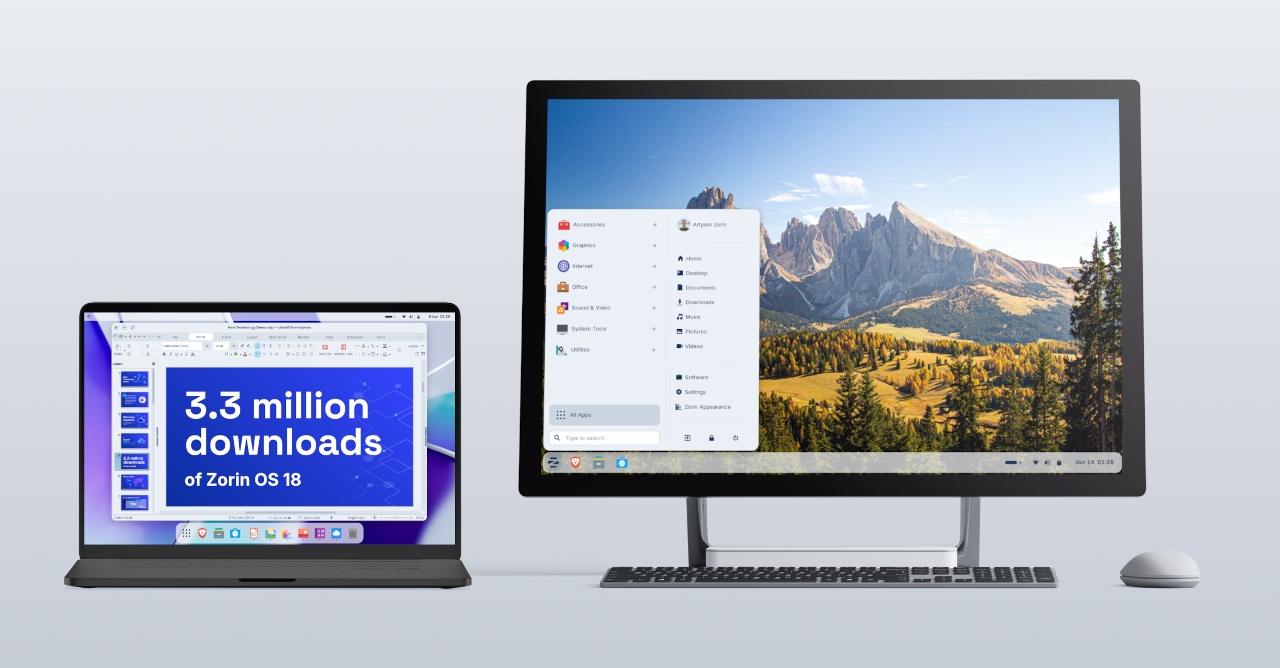
We’re thrilled to launch Zorin OS 18.1, just six months after the release of Zorin OS 18 and over 3.3 million downloads later.
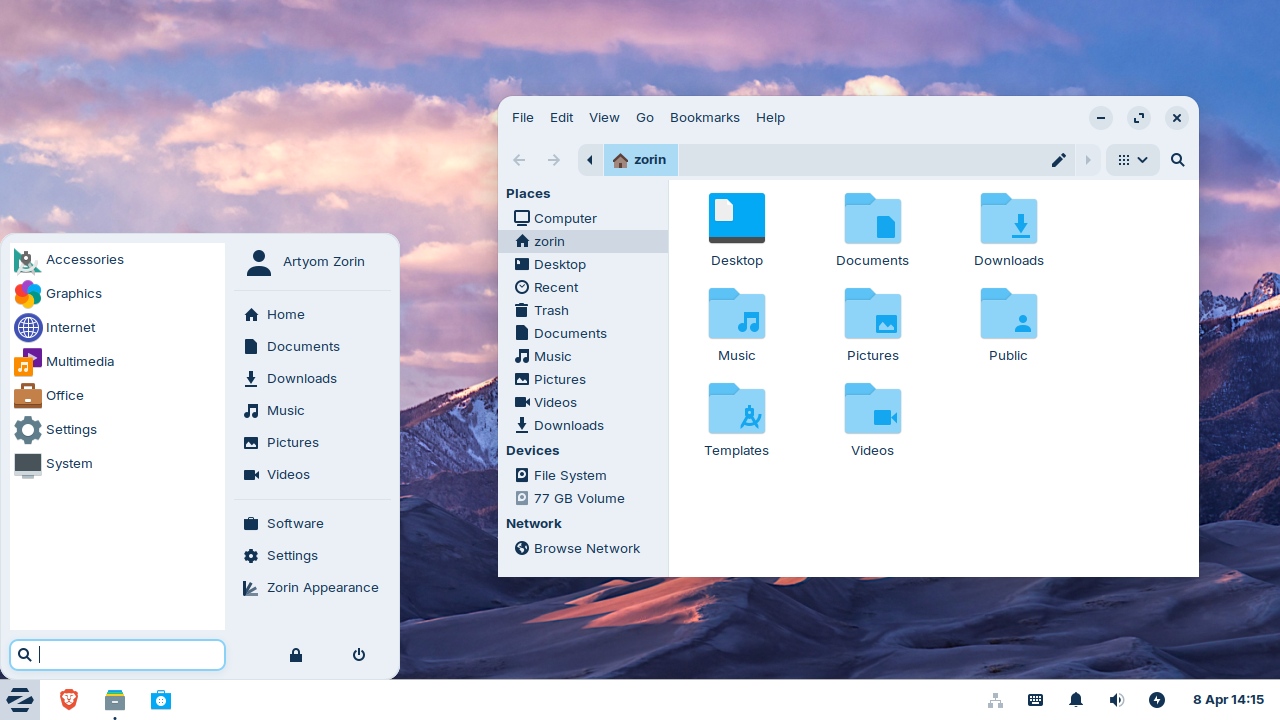
It adds polish, new features, and better hardware support to our record-breaking version of Zorin OS. That means you’ll get an even better computing experience, whether you’re an existing Zorin OS user or you’re starting to make the switch from Windows.
What’s new
Suggested alternatives to more Windows apps
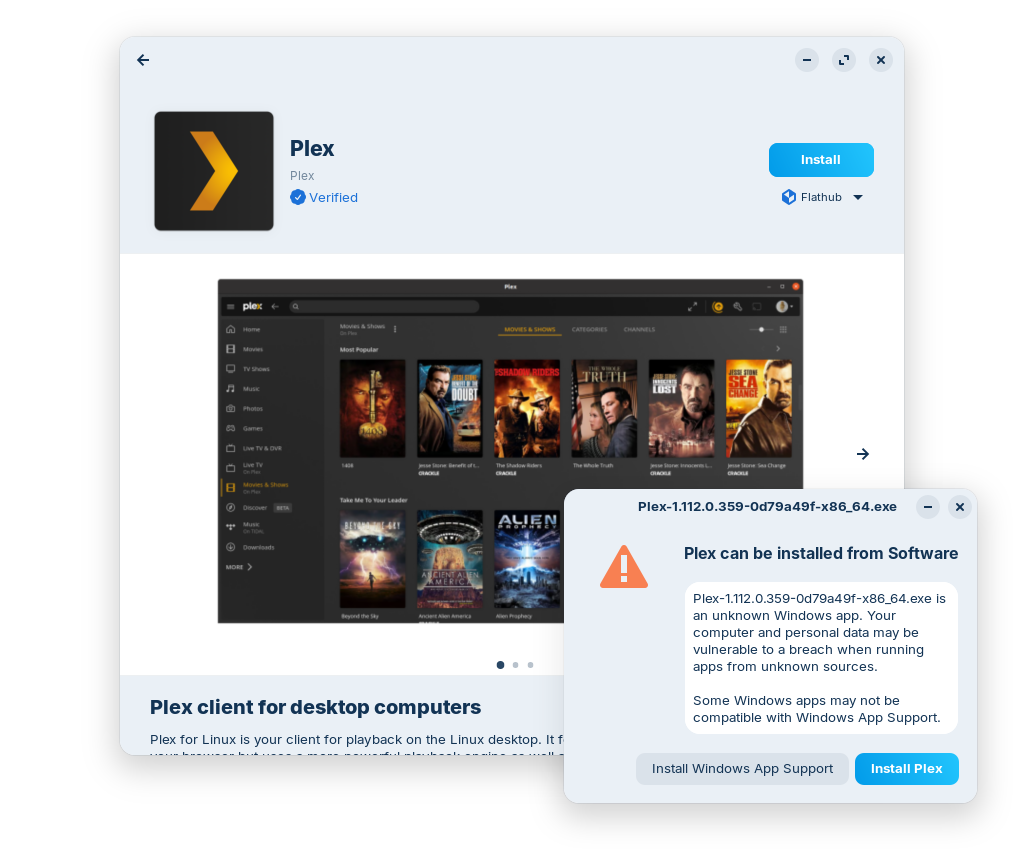
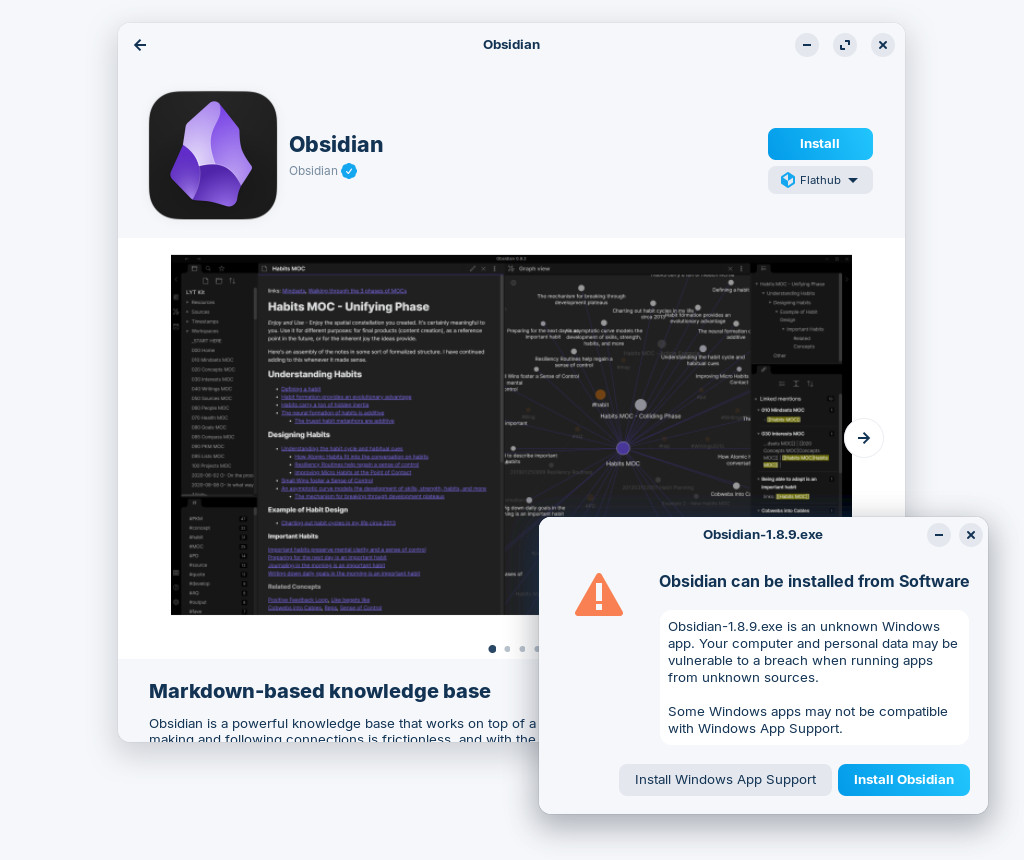
We’ve expanded our built-in database to detect installer files for popular Windows apps by more than 40%. It now supports over 240 apps, recommending even more tailored alternatives to sideloading their Windows executables.
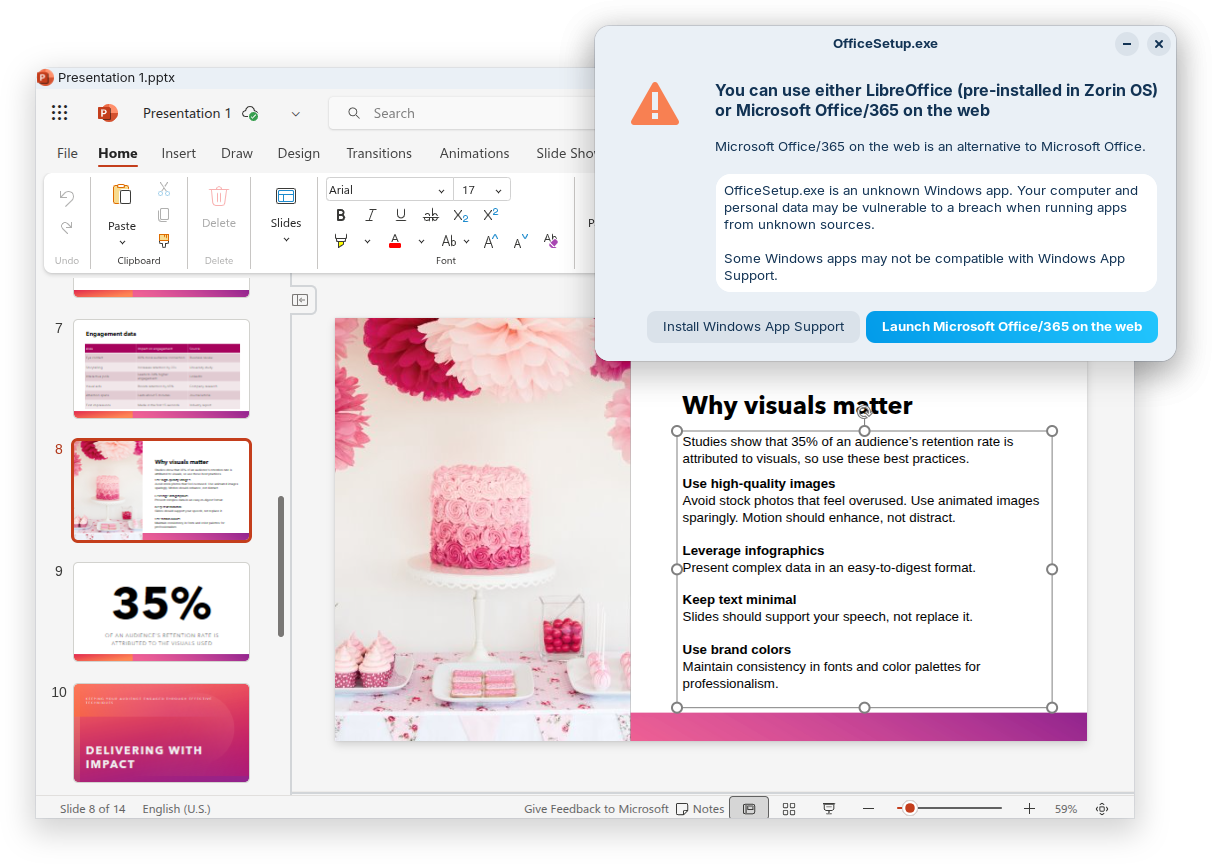
For example, when you launch the Windows installer for an app like Plex, Zorin OS displays a dialog that directs you to the best way to use that app: installing its native Linux version from the Software store. It also suggests the closest native alternatives to many Windows-only apps, like Evolution Mail in place of Microsoft Outlook, for instance.
If you’re migrating from Windows, this means you’ll get tailored guidance on how to use the most compatible versions of your favourite apps in Zorin OS. It’s one of many reasons why Zorin OS is the ideal choice for Windows users making the switch.
Many improvements to the desktop
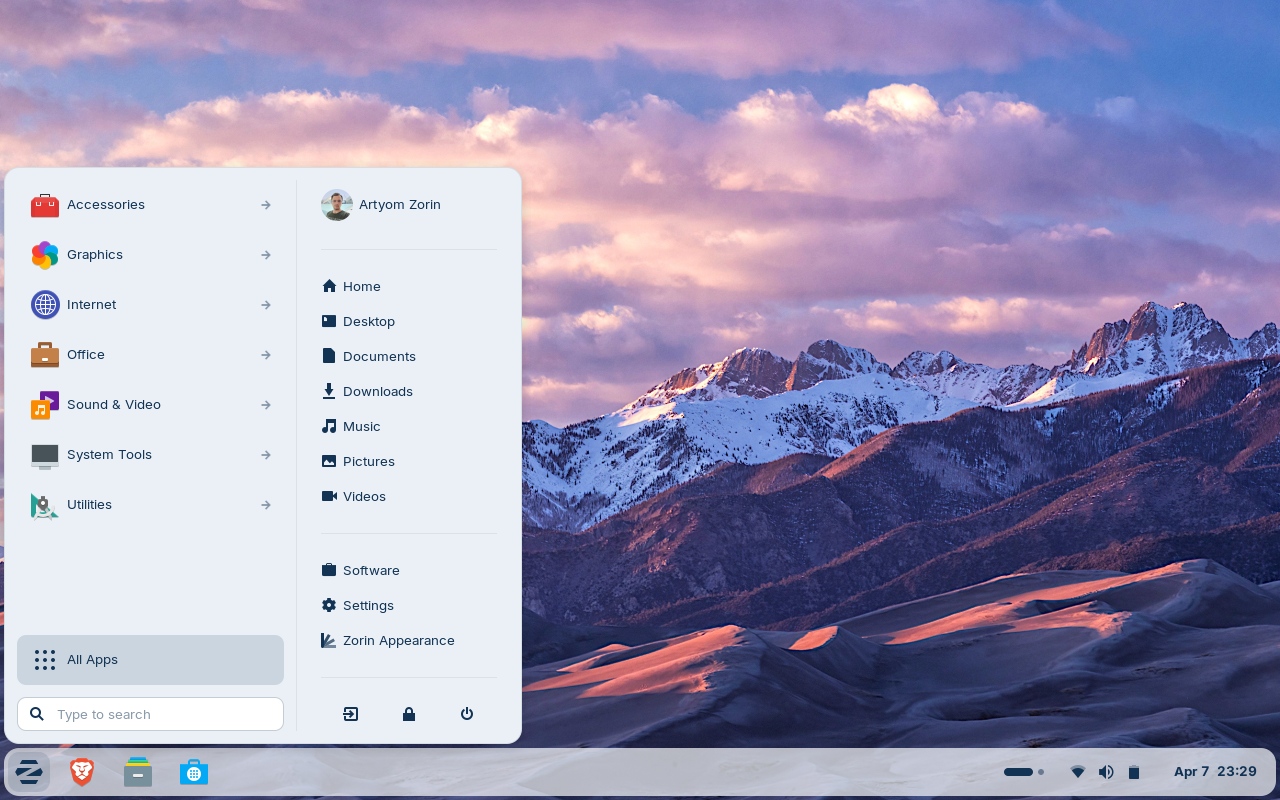
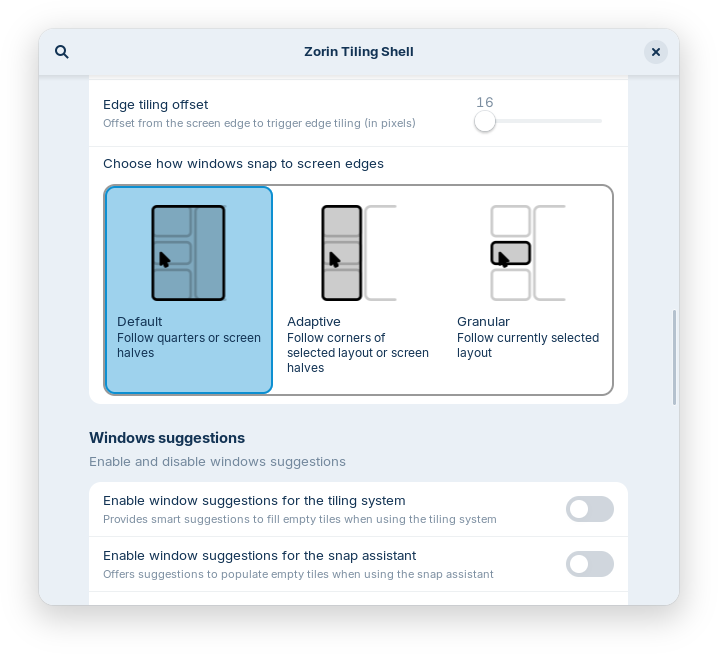
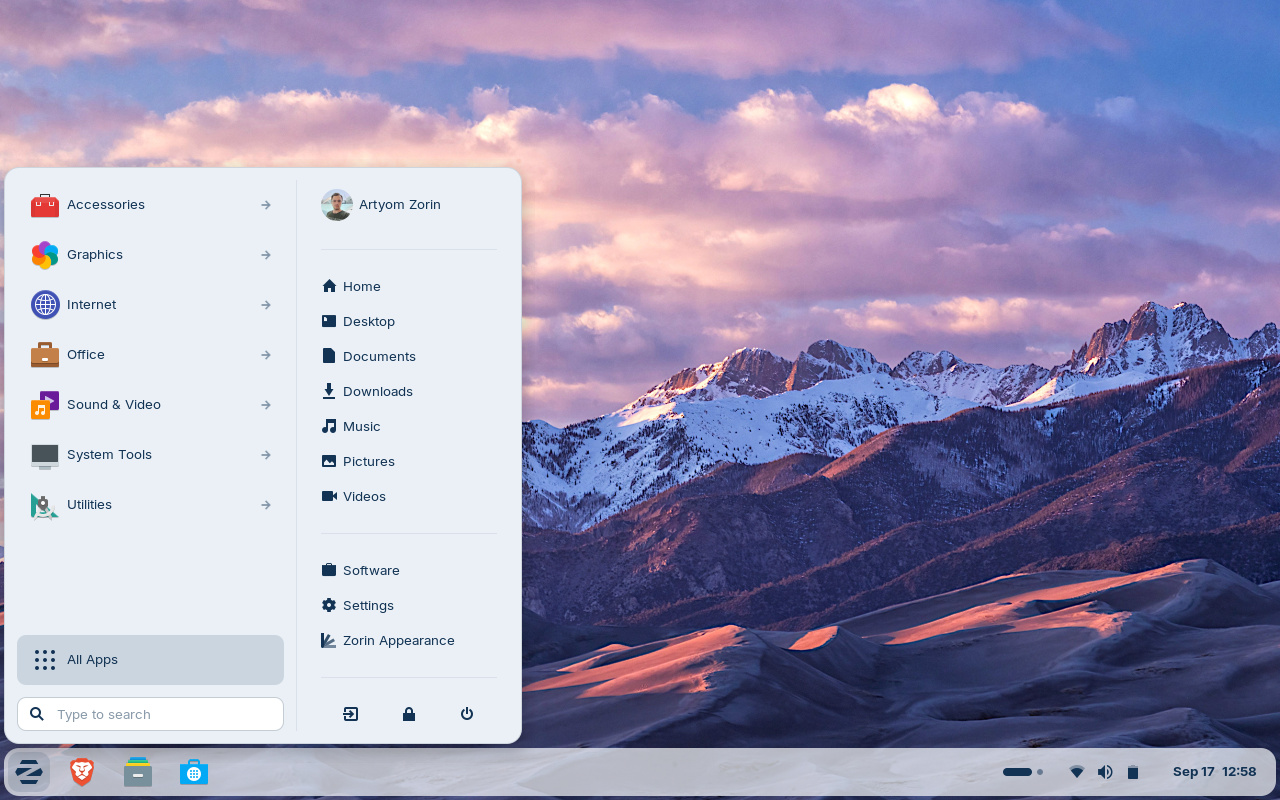
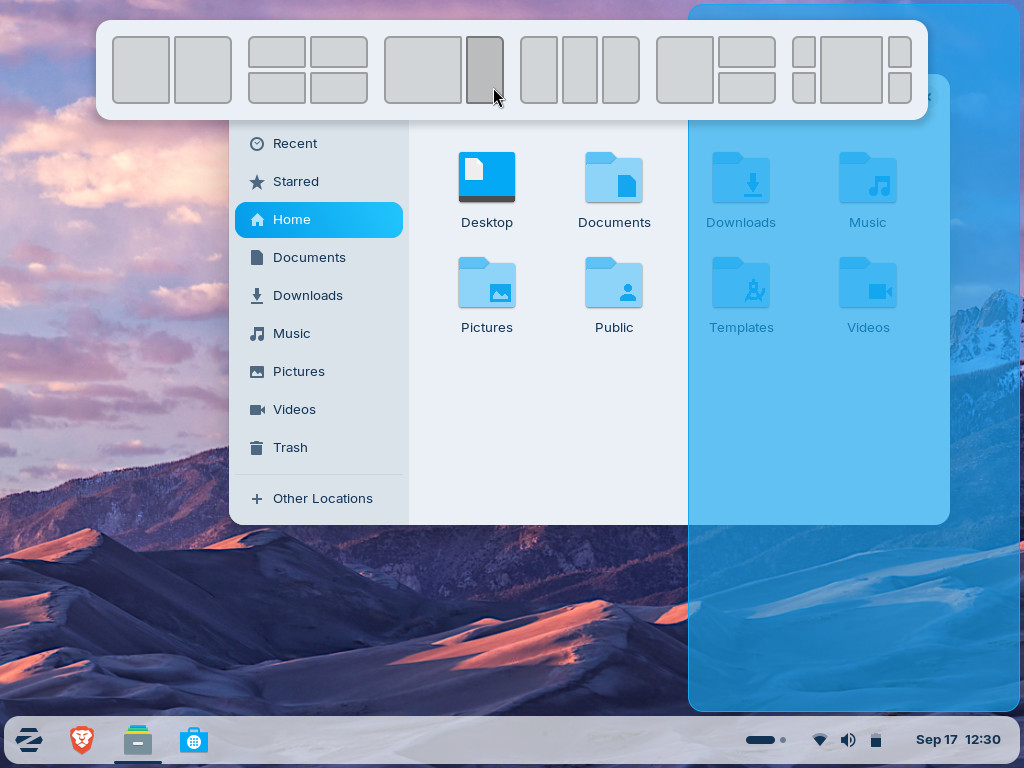
The Advanced Window Tiling feature introduces new options (accessible from the Zorin Menu → Zorin Appearance → Windows), including:
Bring all tiled windows to the foreground together when switching to a tiled app from the taskbar or dash.
Reorder tiling layouts from the edit layouts dialog in the Advanced Window Tiling settings.
Enhanced edge tiling, allowing you to snap windows to your active custom tiling layout instead of only screen half & quarter tiling.
The panel now works seamlessly with right-to-left scripts. That means if you’re using Zorin OS in a language like Arabic, Hebrew, or Urdu, your taskbar and panel layout will display right-to-left to match the rest of the system’s interface.
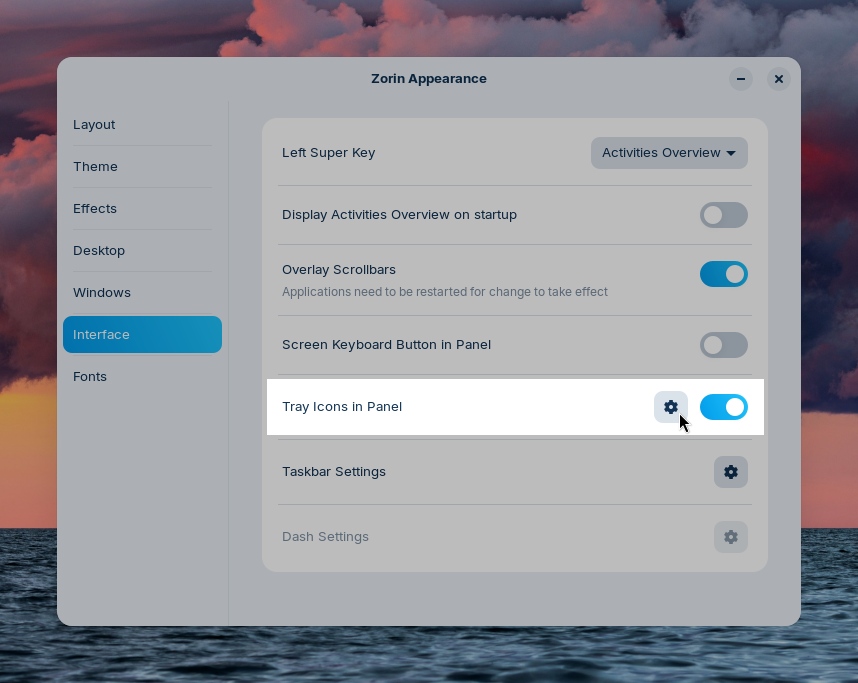
Some apps might display their own indicator icon in the panel tray, allowing you to view the app’s status or quickly access its functions. To let you decide if and how they’re displayed, we’ve added a toggle for “Tray Icons in the Panel” and settings for them to the Interface section of Zorin Appearance.
You might also notice that Zorin OS 18.1 feels a bit faster and smoother. That’s because many performance enhancements and bug fixes have been implemented throughout the desktop in this latest release.
The latest LibreOffice
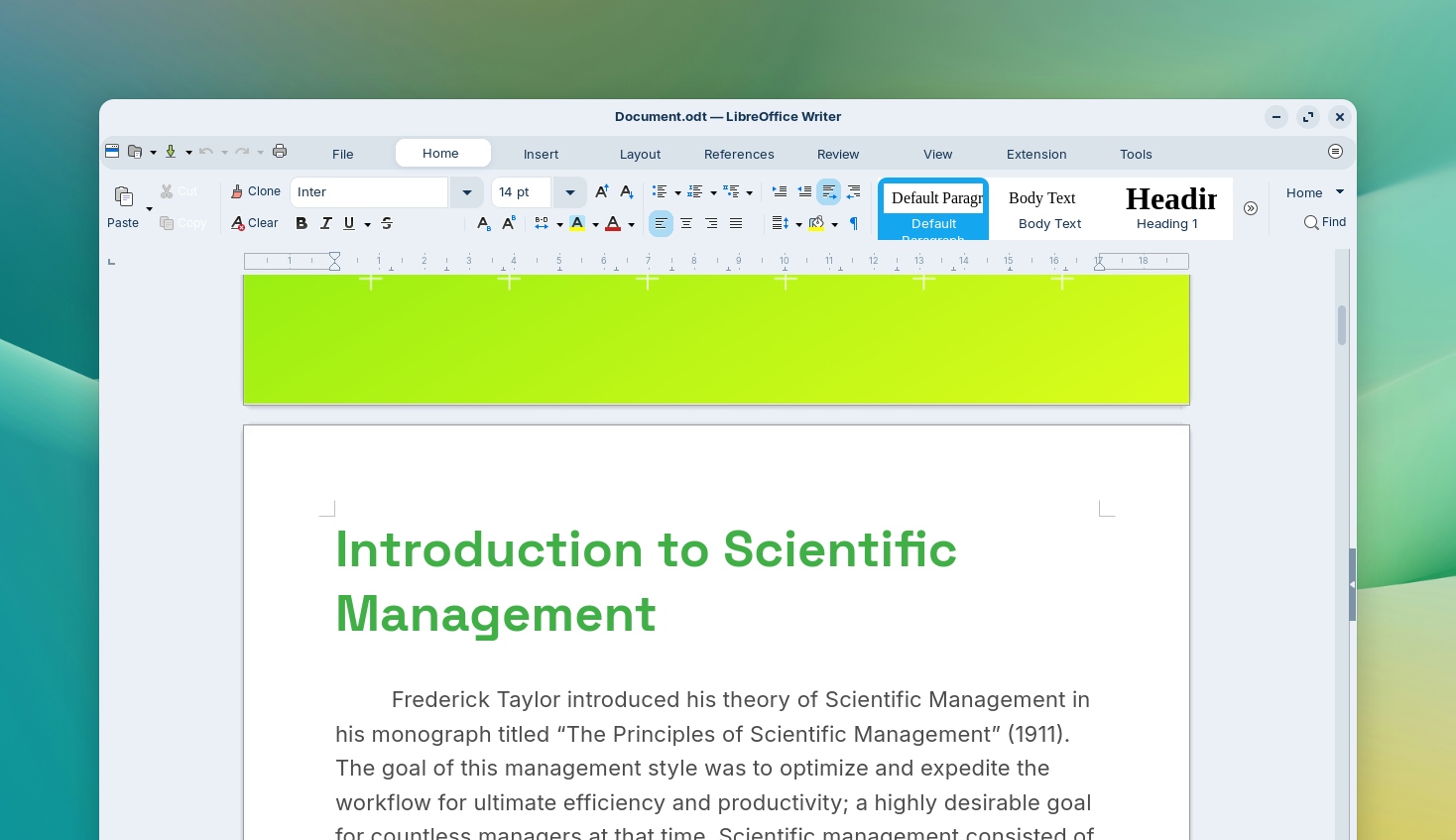
LibreOffice is one of the most essential apps in Zorin OS, and with this new release, it’s getting even better. We’ve included LibreOffice 26.2, the newest version of the award-winning office suite.
It brings even better compatibility with Microsoft Office/365 documents, Markdown support, connector shape objects in Calc and Writer, performance boosts, and many other improvements. Learn more about what’s new ›
With this upgrade, we’re further achieving our goal of making Zorin OS the best alternative to Windows for work.
Updated apps
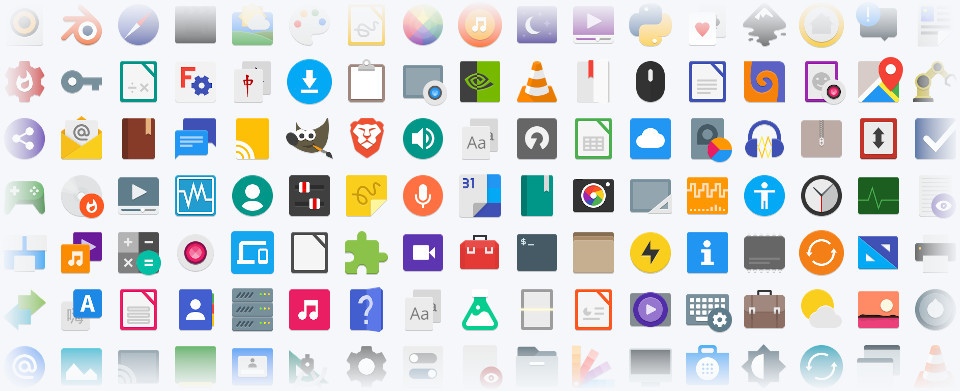
Many other pre-installed apps are updated in Zorin OS 18.1 for a more feature-rich experience out of the box. That also means you’ll need to download fewer software updates after installing Zorin OS on your computer for the first time.
Built-in support for Flatpak, AppImage, and Snap packages ensures you’ll have the latest versions of your favorite apps for years to come.
Lite edition now available
Alongside the launch of Zorin OS 18.1, we’re introducing the Lite edition to our latest release series. It’s our edition intended for old and lower-spec computers.
What’s new since Zorin OS 17.3 Lite:
Based on the XFCE 4.20 desktop environment. Take advantage of the major features and improvements introduced in the newer version of the upstream desktop environment. Learn more ›
Redesigned File Manager app. The default interface has been streamlined to display its most useful features in a more sleek and compact way, making it better for smaller displays.
Fingerprint reader support. If your computer has a fingerprint reader, you can now enroll your fingerprints for authentication using the new “Fingerprints” section in the Settings app.
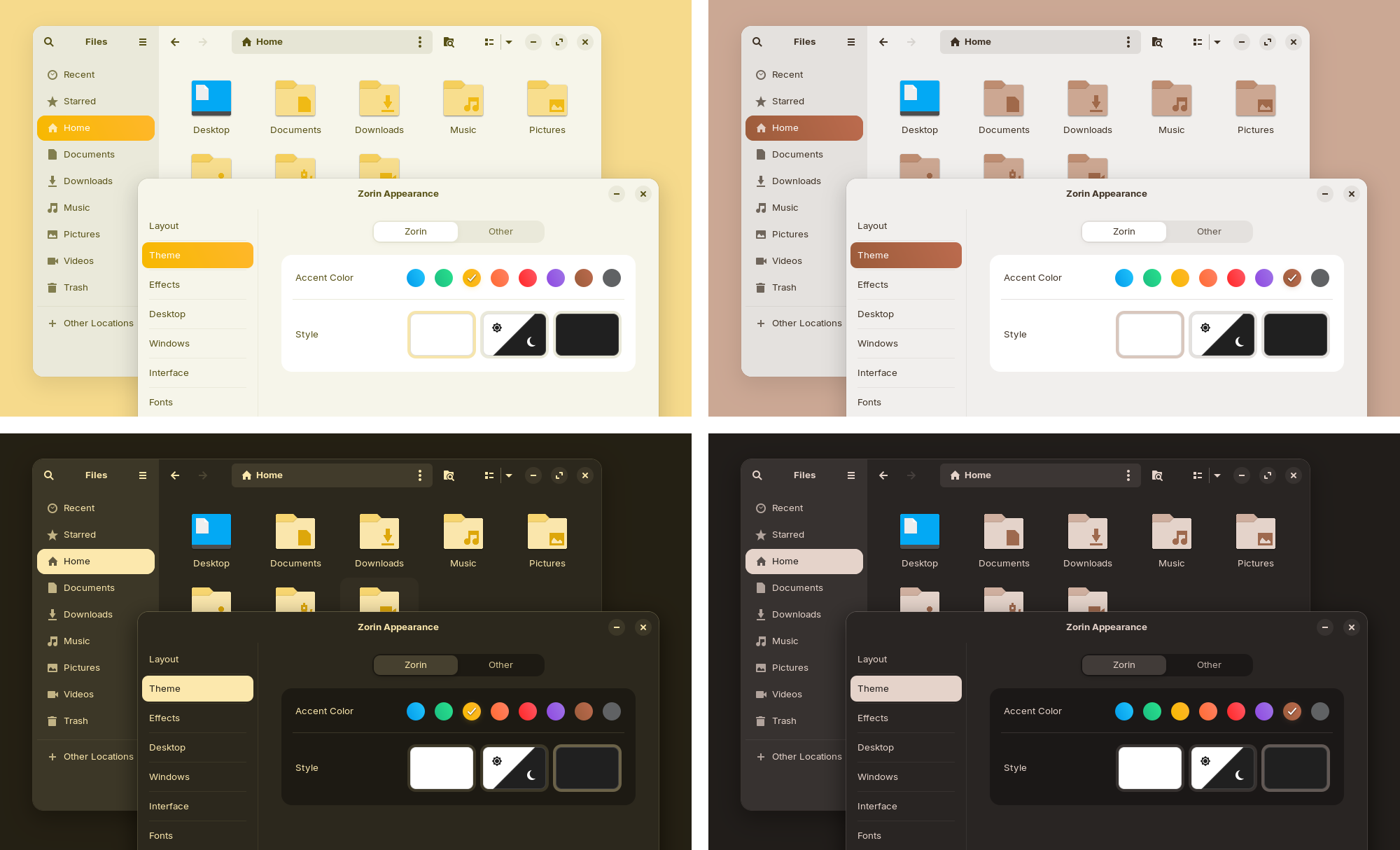
Updated desktop themes. The default theme has been tastefully refreshed with a more rounded appearance, giving it a sleek and inviting feel. Selected elements make use of a lighter colour palette, while backgrounds and sidebars have an increased tint, making it more comfortable on the eyes. You can also select from two new theme colours in Zorin Appearance: Yellow and Brown.
Seamless integration with Web Apps. Turn any website into a desktop app through an easily accessible interface. Your web apps will appear in the start menu and can be used just like native applications. Learn more ›
Better security and hardware compatibility
Many built-in system technologies have received improvements for better security, compatibility, and performance.
Zorin OS 18.1 is now powered by the Linux kernel 6.17, the same version as in the latest Ubuntu 25.10. It comes with updated drivers to bring even better support for a wider range of hardware, such as:
NVIDIA graphics cards
Intel Xe3 graphics
AMD hybrid laptop GPUs
Lenovo ThinkPad and Samsung Galaxy Book laptops
Apple input devices, such as the Magic Mouse 2 and Touch Bar on Intel-based MacBooks Pros
Game controllers, including PlayStation 5 DualSense, Acer Nitro NGR200, and Turtle Beach Recon
Gaming handheld computers, including ASUS ROG Ally, Lenovo Legion Go, and OneXPlayer
The latest security patches are also pre-installed throughout the system. That means you can have peace of mind knowing you’re using the most secure version of Zorin OS ever.
Zorin OS 18.1 will continue to get support with software updates and security patches until June 2029. This makes it the perfect choice for large-scale deployments in businesses, schools, and organisations, where long-term support is vital.
How to get Zorin OS 18.1
Upgrade
If you’re using Zorin OS 18. You can upgrade to Zorin OS 18.1 by installing the latest updates from the Software Updater today.
If you’re using Zorin OS 17. You can directly upgrade to Zorin OS 18.1 without erasing your files and data. To do so, view our upgrade guide ›
Download
All editions of Zorin OS 18.1 are now available from our website.
If you’ve already purchased Zorin OS 18 Pro, you can download a new copy of Zorin OS 18.1 Pro from the download link in your original purchase email. If you lost access to this email, you can resend it here.
Buy a computer
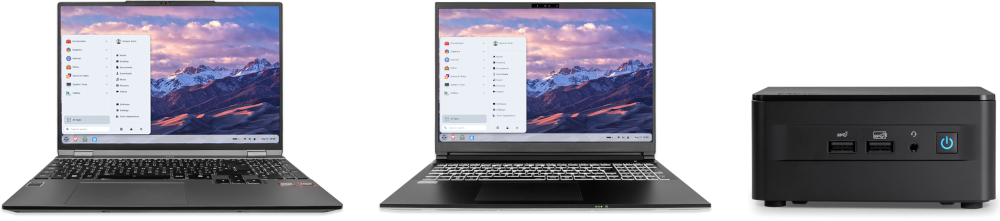
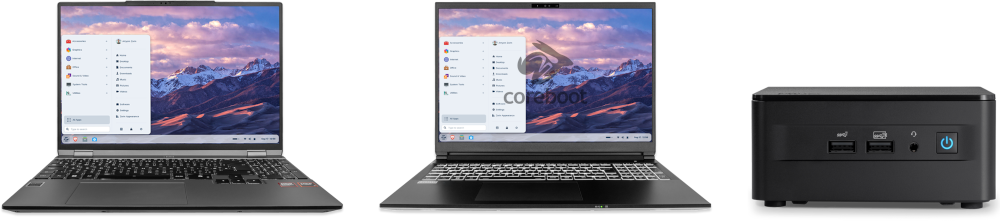
Are you thinking of getting a new computer? Buy a laptop or desktop with Zorin OS 18.1 pre-installed from our computer brand partners who help contribute to the Zorin OS project.
We’re excited to launch upgrades from Zorin OS 17 to 18 today!
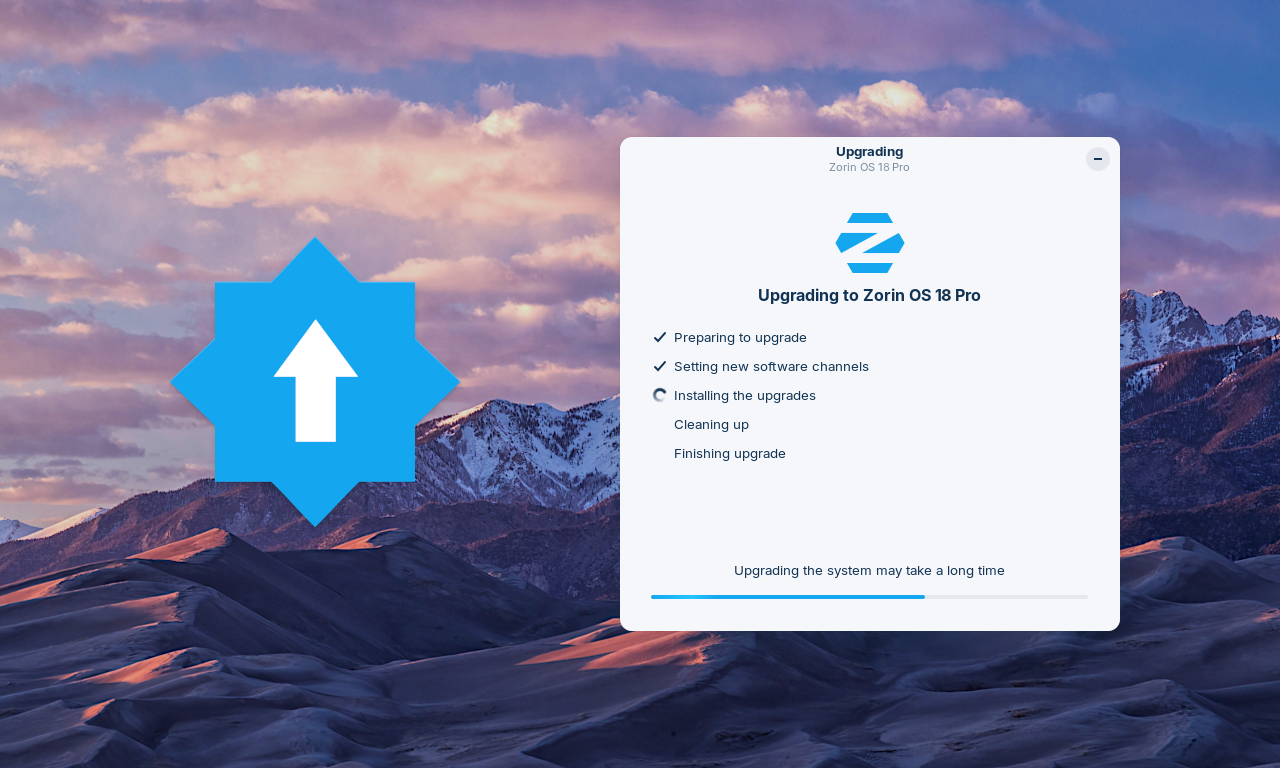
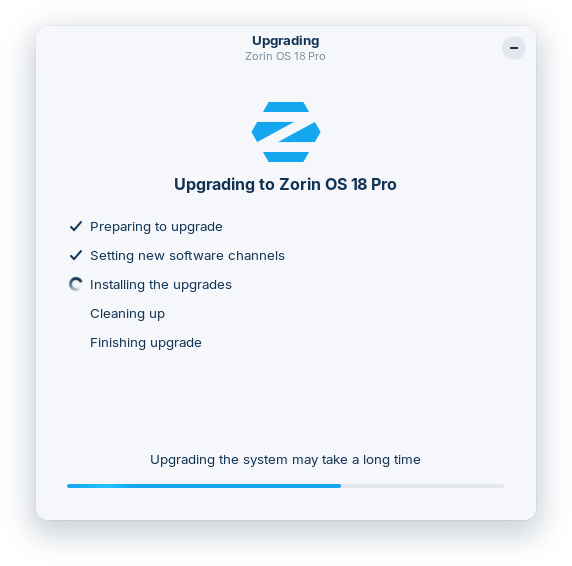
If you’re using Zorin OS 17, you can now upgrade your computer to Zorin OS 18 directly using the Upgrade Zorin OS app, without needing to re-install the operating system.
That means you’ll be able to keep your files, apps, and settings, all while taking advantage of the new features and improvements in Zorin OS 18.
The response from users, tech reviewers, and creators about the Zorin OS 18 release has been incredible:
“All-in-all, the ZorinOS team has taken a great Linux desktop OS and made it even better.”
– ZDNET
“[Zorin OS 18] is legitimately impressive… it’s surprisingly capable and it might just save you from buying a new computer that you don’t actually need”
– Austin Evans
“Zorin OS 18 is very polished indeed and an excellent choice for those seeking to migrate from Windows…”
– ExplainingComputers
“Zorin OS is a standout choice for ex-Windows users… It’s one of the best free Linux variants that actually feels like Windows”
– PC World
We’re thrilled to finally make this major new version of Zorin OS available to the millions of existing Zorin OS 17 users today.
How to upgrade from Zorin OS 17 to 18
To avoid data loss, please back up all important files on your computer to an external drive or cloud storage service. Learn how to back up your files ›
Install the latest software updates by opening the Zorin Menu → System Tools → Software Updater and following the on-screen instructions.
Open the Zorin Menu → System Tools → Upgrade Zorin OS to start the upgrade process.
The upgrade to Zorin OS 18 is currently available to all users of the Zorin OS 17 Core, Pro, and Education editions. Subscribe to our newsletter to be the first to know when the upgrade to Zorin OS 18 Lite will be available in the coming weeks.
Existing Zorin OS Pro customers are eligible for a discount on the new Zorin OS 18 Pro. To avail of this discount, select the “Zorin OS 18 Pro” option in the Upgrade Zorin OS app and enter your email address & the Support Code from your previous copy of Zorin OS Pro. Every purchase supports the development of Zorin OS and the Open Source ecosystem, for the benefit of all.
Thank you to the testers
Finally, we would like to take this opportunity to thank all the users who tested this upgrade path. Your feedback has helped us to improve the stability and user experience of the upgrade process.
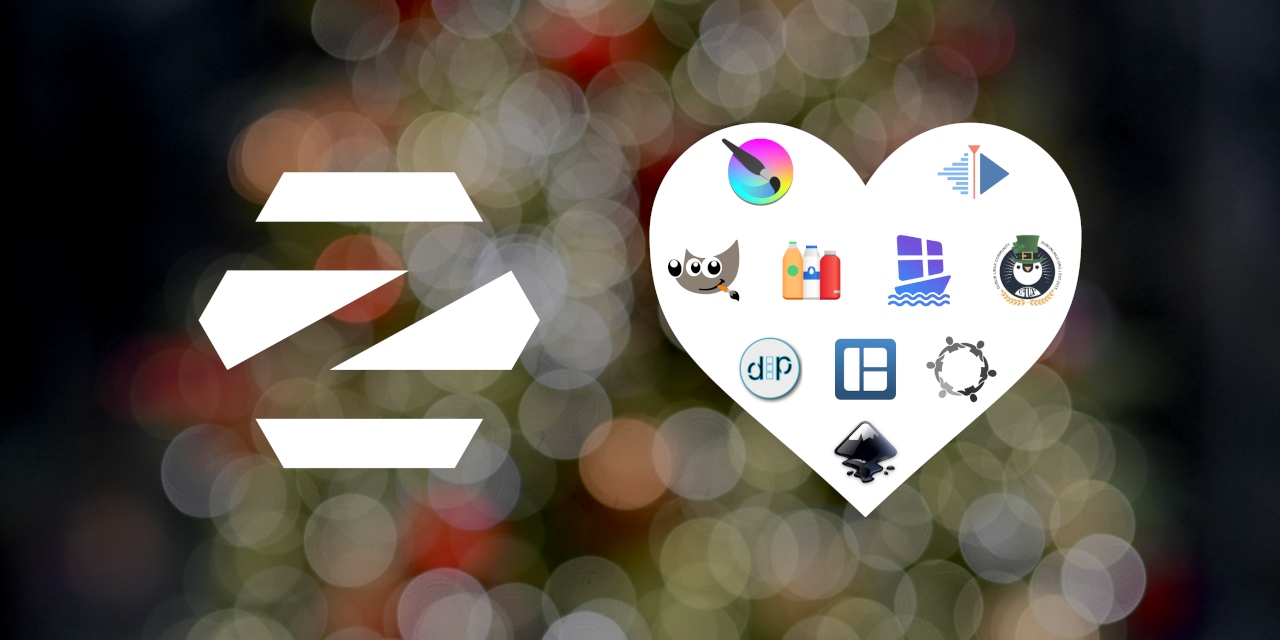
As we reflect on the year that has passed, we would like to take the opportunity to give back to the world of Linux and Open Source. That’s why we donated to 10 invaluable projects and communities, celebrating their contributions to the ecosystem:
GNU Image Manipulation Program received €500 from Zorin OS. The GNU Image Manipulation Program is a powerful image editor that’s perfect for beginners & experts who want to retouch photos and create visual content. Our team uses the GNU Image Manipulation Program as a tool when creating Zorin OS, and it’s included in Zorin OS Pro.
Dash to Panel received $500 CAD from Zorin OS (contributed throughout 2025). The Dash to Panel extension provides a user-friendly taskbar for the GNOME desktop environment. It builds on top of the Zorin Taskbar codebase we originally created in 2016, and the great work by the Dash to Panel team contributes back upstream into Zorin OS.
Bottles received €500 from Zorin OS. Bottles makes it easier to use Windows software on Linux by creating containerised environments. It has a database of Windows apps and game launchers that tailor each container for maximum compatibility. Bottles is included as a default component of the Windows App Support feature in Zorin OS.
Kdenlive received €500 from Zorin OS. Kdenlive is a video editing app that offers advanced editing features, a variety of effects and transitions, colour correction, audio post-production, and rendering tools. It’s a capable alternative to software like Adobe Premiere Pro, DaVinci Resolve, and VEGAS Pro, and it’s included in Zorin OS Pro.
Inkscape received $500 USD from Zorin OS. Inkscape is a vector graphics editor similar to CorelDRAW and Adobe Illustrator. It offers a rich set of features and is widely used for both artistic and technical illustrations, such as cartoons, clip art, logos, typography, diagramming, and UI prototyping. We use Inkscape to help us design and build Zorin OS. It’s also pre-installed in Zorin OS Pro.
Tiling Shell received €500 from Zorin OS (contributed throughout 2025). The Tiling Shell extension powers the advanced window tiling feature introduced in Zorin OS 18. It allows you to drag a window to the top of the screen, and a pop-up will appear where you can drop it on one of the predefined layouts to arrange your windows. This feature makes advanced window tiling intuitive for both newcomers and power users, boosting productivity for everyone.
Krita received €500 from Zorin OS. Krita is a digital art studio, perfect for sketching and painting. It’s widely used by artists for creating concept art, comics, textures for rendering, and matte paintings, and it’s included in Zorin OS Pro.
WinBoat received $500 USD from Zorin OS. WinBoat is an exciting new project with the goal of running virtually any Windows app on Linux, seamlessly through a containerised Windows environment. It’s currently pre-release software and a work in progress. However, it represents a promising step towards being able to run all of your favourite Windows apps in Zorin OS in the near future.
Dublin Linux Community received €500 from Zorin OS (contributed throughout 2025). The Dublin Linux Community helps to spread Linux and Open Source software in our hometown of Dublin, Ireland. They organise meetups and events, like the End of Windows 10 Linux Install Fest, which our team collaborated on earlier this year.
Tech Bridges to Malawi received $500 USD from Zorin OS. Tech Bridges to Malawi is a family-run philanthropic endeavour that delivers Zorin OS-powered computers with educational content and training to schools in rural Malawi, Africa. Their amazing work has already impacted the lives of 14,000 students, providing kids in one of the poorest countries in the world with a better education and a brighter future.
We believe these donations will advance the missions of the above projects and make Linux and the Open Source ecosystem an even stronger alternative to Big Tech, for the benefit of all.
None of this would be possible without the support of those who contributed to Zorin OS by purchasing Zorin OS Pro or donating directly. We want to extend an enormous thanks to each and every one of you!
2025 was a monumental year for Zorin OS. The recent release of Zorin OS 18 continues to break records, already surpassing 1.6 million downloads since its launch just over 2 months ago. We would like to to take this opportunity to thank everyone who has downloaded, shared, and supported our biggest release ever!
Wishing you a very Merry Christmas and Holiday Season! Here’s to an incredible 2026 🎉
What’s even more encouraging is that over 78% of these downloads came from Windows. This influx of new users reflects our mission to provide a better alternative to the incumbent PC operating systems from Big Tech.
We would like to take this moment to extend a massive thank you to everyone who has downloaded, shared, and supported our biggest release ever. Your enthusiasm is what drives us to make Zorin OS even better!
Upgrades from Zorin OS 17 to 18
We’re also excited to announce that we’re officially launching upgrades from Zorin OS 17 to 18 today.
This upgrade path is in early testing and is currently only available to users of the Zorin OS 17 Core, Education, and Pro editions. Upgrading now will allow us to collect feedback and fix bugs to improve the user experience before its full stable launch in the coming weeks.
This upgrade path is designed to allow existing Zorin OS 17 users to upgrade their computers to Zorin OS 18 directly, without needing to re-install the operating system. This means you’ll be able to keep your files, apps, and settings, all while taking advantage of the new features and improvements in Zorin OS 18.
How to upgrade from Zorin OS 17 to 18 (in testing)
Warning: This upgrade path is not recommended for production machines yet. Upgrading during the testing period may cause stability issues or breakages on your system.
To avoid data loss, please back up the important files on your computer to an external drive or cloud storage service. View how to back up your files ›
Install the latest software updates by opening the Zorin Menu → System Tools → Software Updater and following the on-screen instructions.
Open the Zorin Menu → Utilities → Terminal and enter this command: gsettings set com.zorin.desktop.upgrader show-test-upgrades true
Follow the instructions in stage 3 of this guide to complete the upgrade process.
After the testing period is completed in the coming weeks, this upgrade option will be available to all Zorin OS 17 users through the Upgrade Zorin OS app. Stay tuned to our newsletter to be the first to know when upgrades are enabled for everyone.
We’re excited to launch Zorin OS 18 today. This major new release reimagines your PC experience with a fresh design, powerful new features, and seamless compatibility with even more of the tools you rely on. It’s a huge leap forward for our operating system, which millions around the world love to use every day.
With Windows 10 reaching its end of life today in most of the world, an estimated 240 million computers1 that don’t meet Windows 11’s strict hardware requirements will be left behind. Many users are faced with the choice of either buying a new computer soon or switching to a supported, modern operating system.
With Zorin OS, your next computer can be the one you already own. It’s designed to be the perfect Windows replacement for everyday users, professionals, and everyone in between. Thanks to its ease of use and powerful features, Zorin OS has earned wide critical acclaim throughout the years:
“ZorinOS Takes first place as the best Windows 10 alternative Linux distro!”
— Tom’s Hardware
"[Zorin OS] is just so clean and polished. I don’t really anticipate a learning curve for new users."
— Forbes
“Zorin OS is exactly what a desktop operating system should be”
— ZDNET
The improvements in Zorin OS 18 make the transition from Windows easier than ever, offering a familiar and intuitive experience for Windows users while unlocking the full potential of your existing computer.
To get Zorin OS 18 now, visit the Download page or read on to learn about what’s new.
What’s new
A stunning new look
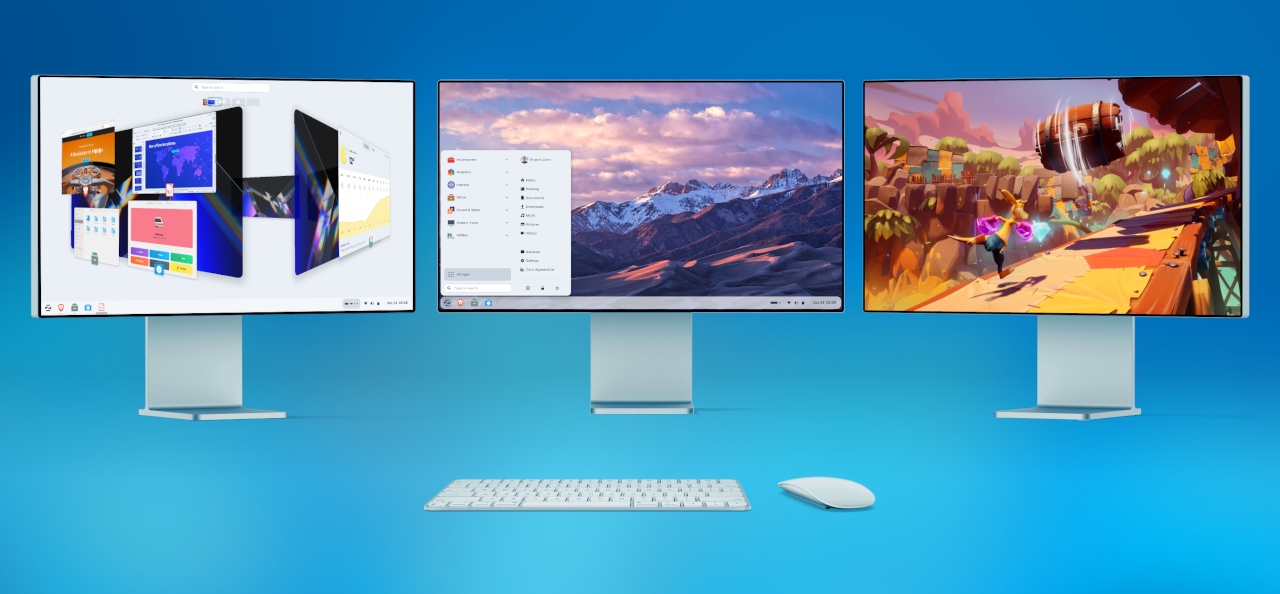
The first thing you’ll notice in Zorin OS 18 is its beautifully redesigned desktop. We’ve retained the best parts of Zorin OS’s aesthetics you know and love, and enhanced the overall look of the environment.
The default theme has been tastefully refreshed with a more rounded appearance, giving it a sleek and inviting feel. Selected elements make use of a lighter colour palette, while backgrounds and sidebars have an increased tint, making it more comfortable on the eyes.
The panel now has a floating, rounded style by default to match the system’s updated visual design language. The activities overview button in the panel has evolved into a reactive workspace indicator, providing visual feedback to help you navigate between tasks more easily.
You’ll also notice many design tweaks and improvements within the apps you use every day, like:
The Files app features an updated sidebar and reorganised controls for enhanced ease of use.
The Settings app includes redesigned preference panels throughout, which have also been arranged to be simpler to navigate.
The Calendar app adds a new sidebar with a concise month & events view.
A new Camera app replaces Cheese, introducing a cleaner interface for taking photos & videos while making it easier to switch between your device’s cameras.
The Evolution mail app features a new, modernised interface that seamlessly integrates with the rest of the system.
…and many other apps throughout the system have a refreshed design.
At Zorin, we recognise the impact that a well-designed environment can have to inspire you to do better work and think in new ways. That’s why we’ve obsessed over the details to deliver you our most beautiful and functional operating system ever.
Advanced window tiling, made simple
Multitasking just got a whole lot better.
Zorin OS 18 introduces a powerful new default window tiling manager that helps you work more efficiently, while being simple to use.
Simply drag a window to the top of the screen, and a pop-up will appear where you can drop it on one of the predefined layouts to arrange your windows. It’s that easy, no need to memorise complex keyboard shortcuts.
Create your own tiling layouts.
Customise tiling behaviour from Zorin Appearance → Windows → Advanced Window Tiling.
Enable optional auto tiling and smart window suggestions.
Use powerful key bindings and set custom keyboard shortcuts.
This feature makes advanced window tiling intuitive for both newcomers and power users, boosting productivity for everyone.
Seamless integration with Web Apps
With many modern apps built in the cloud, the experience between Progressive Web Apps and native apps is merging. In Zorin OS 18, these apps can now co-exist as first-class citizens.
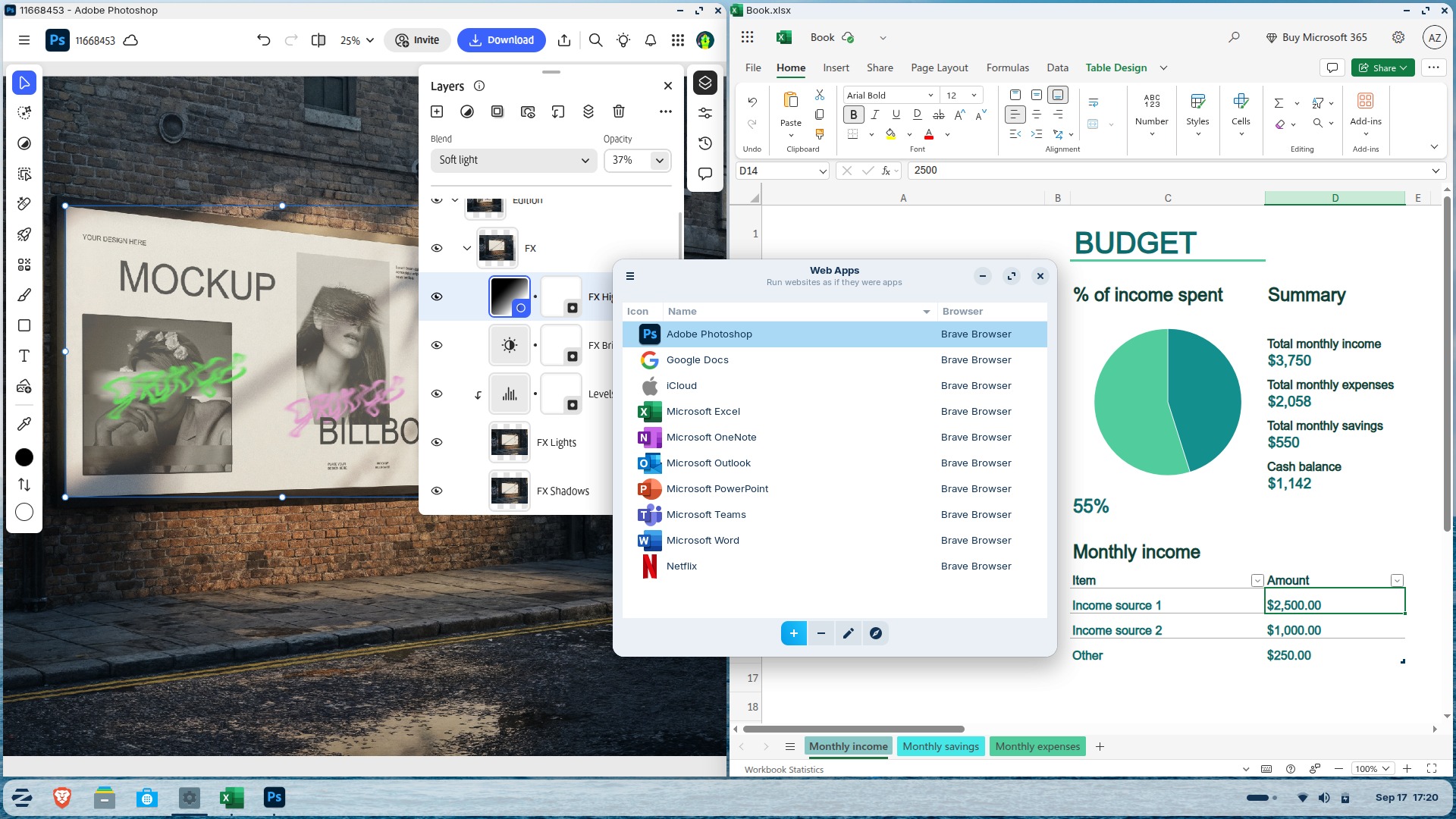
The newly built-in Web Apps tool lets you turn any website into a desktop app through an easily accessible interface. Your web apps will appear in the start menu and can be used just like native applications.
The Web Apps tool can integrate with any popular web browser as a back-end and allows you to customise the experience within each web app.
Using “Web Apps” means you can seamlessly run popular apps like Microsoft Office/365, Teams, Google Docs, and Adobe Photoshop, right from your desktop.
OneDrive files integration
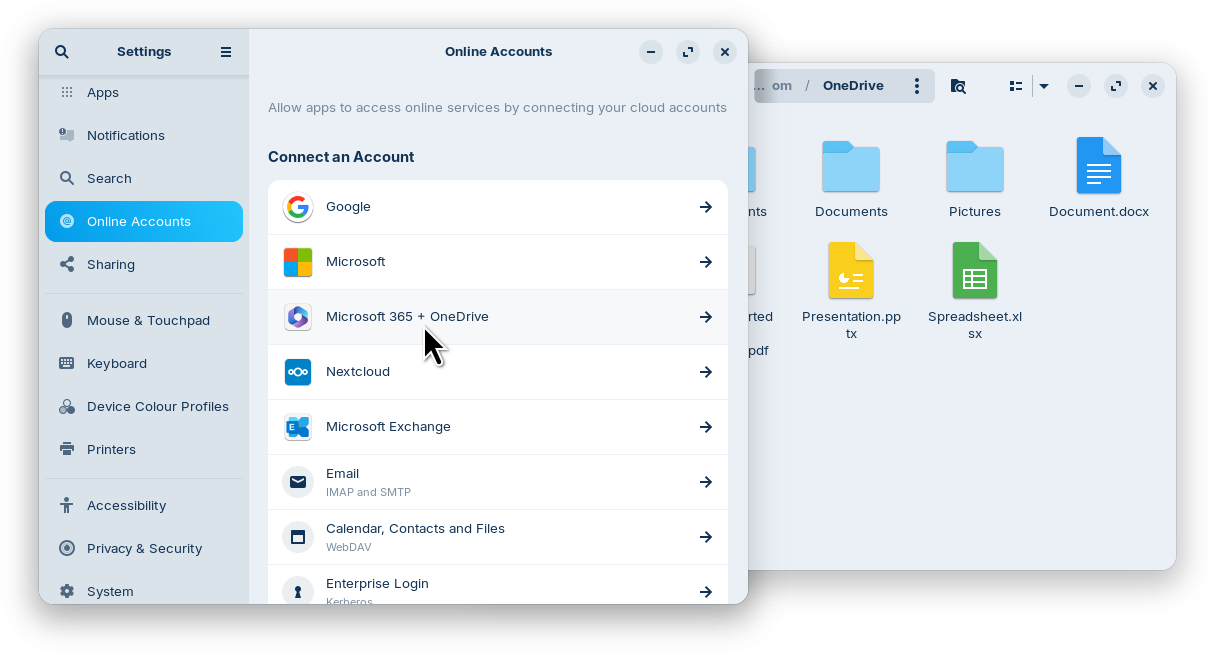
For many users migrating from Windows, being able to access their files stored in the cloud is key when making the switch. That’s why Zorin OS 18 adds OneDrive file integration to the built-in Online Accounts feature.
To enable this integration, open the Settings app → Online Accounts → “Microsoft 365 + OneDrive” → click “Sign In…” and enter your login details. You’ll then be able to browse and manage your OneDrive files directly from the sidebar in the Files app.
Suggested alternatives to more Windows apps
We’ve expanded our built-in database to detect installer files for popular Windows apps. It now supports over 170 apps, recommending even more tailored alternatives to sideloading their Windows executables.
For example, when you launch the Windows installer for an app like Microsoft Office, Zorin OS displays a dialog that directs you to the best way to use that app, whether it’s a web app or its native Linux version from the Software store. It also suggests the closest native alternatives to many Windows-only apps, like Apostrophe in place of iA Writer, for instance.
If you’re migrating from Windows, this means you’ll get tailored guidance on how to get the most compatible versions of your favourite apps in Zorin OS. It’s another reason why Zorin OS is the ideal choice for Windows 10 users making the switch to a modern operating system.
New theme colours
We’ve heard your feedback and introduced two new theme colours in Zorin OS 18: Yellow and Brown.
These new colours not only add a fresh look to your desktop but also allow for more personalisation, helping you create a workspace that better suits your taste.
You can choose from the expanded selection of accent colours for your desktop theme – in both light and dark variants – from the Zorin Appearance app → Theme. The theme you choose will apply to natively-installed apps, whether they’re built with GTK (versions 2, 3, and 4) or libadwaita.
3 new desktop layouts in Zorin OS Pro
Switchable desktop layouts are one of the stand-out features that make Zorin OS so user-friendly. It’s valuable whether you want a more familiar interface when switching to Zorin OS, or a comprehensive way to customise your workspace in one click.
You can now select from 3 new desktop layouts within Zorin Appearance in Zorin OS 18 Pro (with a total of 12 layouts):
Compact panel layout to stylishly maximise your screen space.
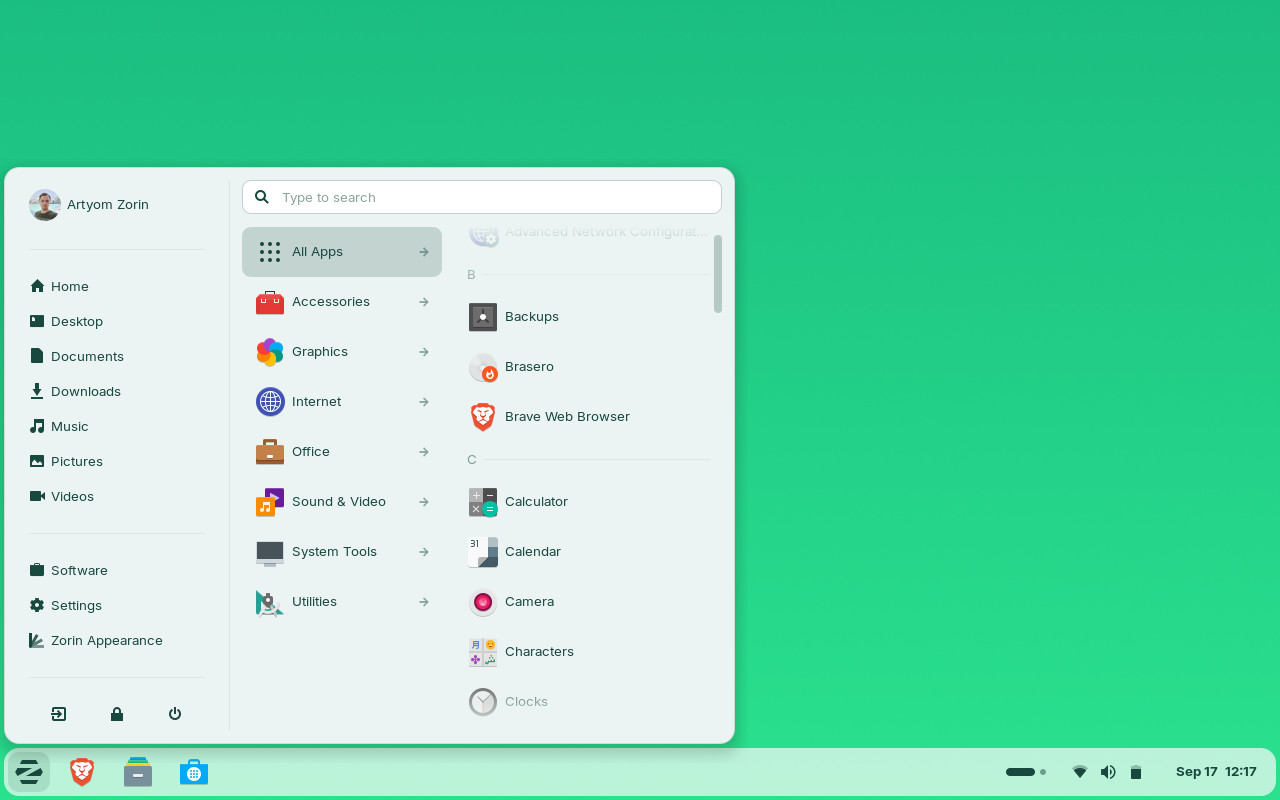
Linux Mint-like layout featuring a new start menu layout, inspired by Linux Mint’s upcoming redesign. It allows you to navigate between app categories by hovering your cursor and launching an app with one click.
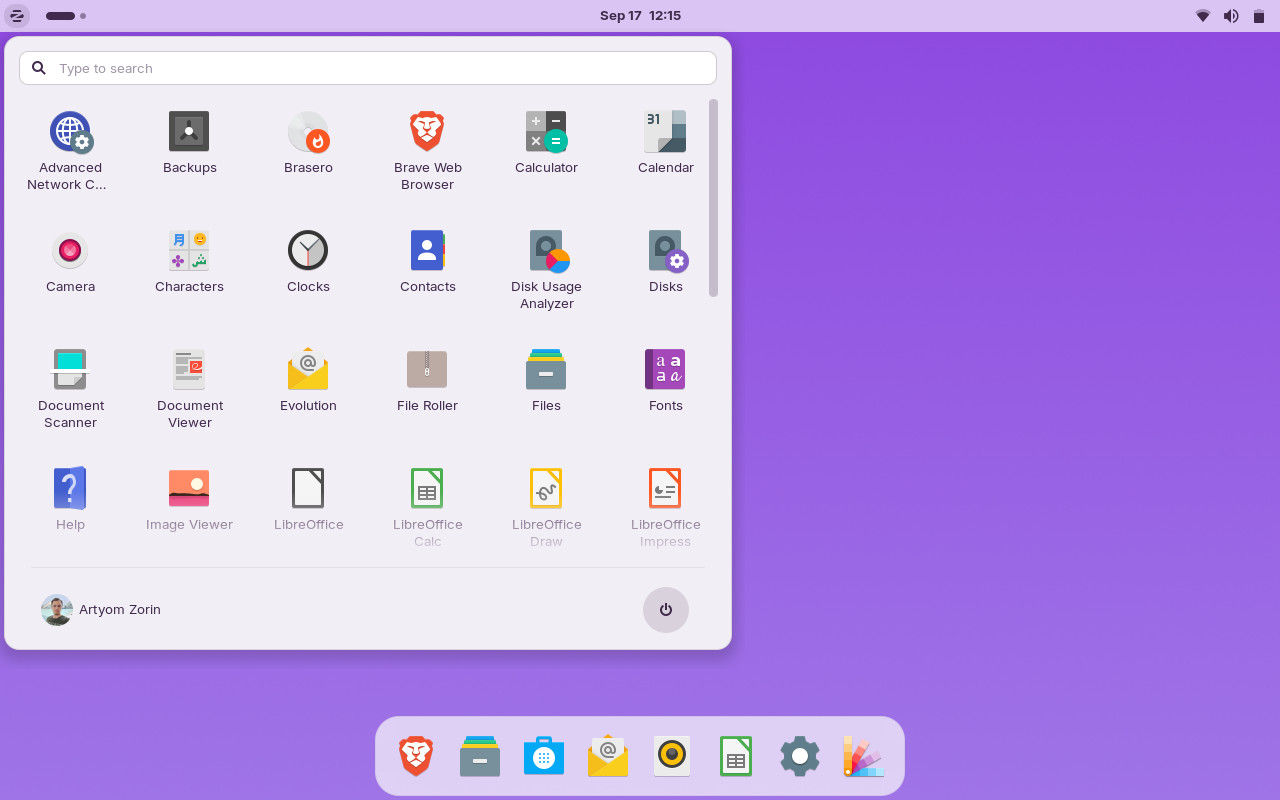
elementary OS-like layout for a clean, minimalist style.
We’ve designed Zorin OS 18 with your comfort and ease of use in mind. These new layouts make it even easier to make your desktop feel just the way you like, putting you back in control of your computing experience.
New apps in Zorin OS Pro and Education
We’ve expanded the collections of pre-installed apps in the Pro and Education editions of Zorin OS 18 to help you get more done at work and school.
Zorin OS 18 Pro adds 11 new apps, including:
Deskflow lets you share your mouse and keyboard across computers to maximise your productivity. Simply move the cursor to the edge of the screen to switch between devices seamlessly. It even shares the clipboard, so you can copy text from one computer to paste into a document on another computer.
Warp allows you to securely send files to each other through your local network or the Internet by simply exchanging a code. It’s a handy tool, whether you want to transfer files between your devices quickly or to your co-workers on the other side of the world.
Valot makes time tracking simple for professionals. Set your hourly rates, track the time you work on projects, and instantly see how much you’ve earned from each of your clients.
Easy Effects is an advanced audio output manipulation tool for creative professionals and sound engineers. It includes an equaliser, limiter, compressor, spectrum analyser, and a reverberation tool, just to mention a few.
Zorin OS 18 Education adds 4 new apps, including:
Gradebook gives students a simple way to keep track of grades. It lets you know how well you’re doing in your courses and informs you where you can improve, all at a glance.
Spedread helps you to speed read, so you can study more efficiently. Simply paste in the text you want to read, and Spedread shows one word at a time rapidly to let you read faster with fewer eye movements.
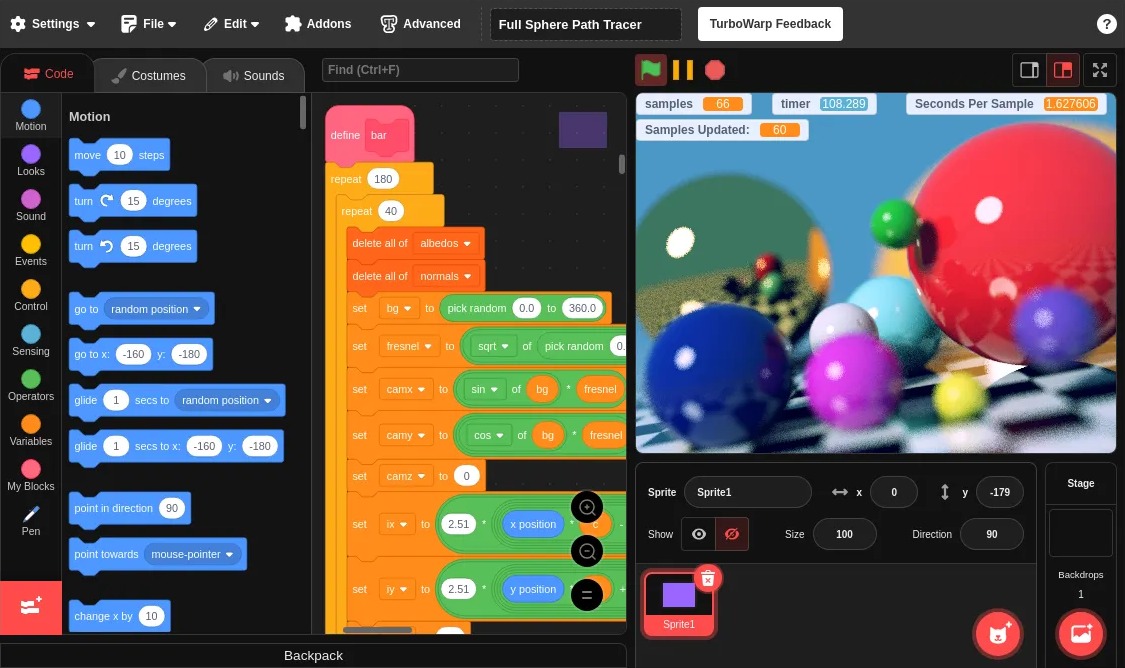
TurboWarp is a tool for learning programming, designed to be accessible for kids of all ages. It’s based on Scratch, but features a compiler that runs your projects up to 100x faster, as well as including dark mode and many other add-ons to improve your coding experience.
…And so much more
Better performance: Zorin OS is now faster and more responsive, thanks to performance optimisations made throughout the system.
Improved support for Windows software: Windows App Support includes significant improvements that allow you to run even more Windows-native apps and games than ever before. It’s now powered by the latest WINE version 10. You can learn more about the Windows App Support feature here.
Search Everywhere in Files: The Files app now has a new “Search Everywhere” button in the top left corner of the sidebar. It’s a single place that allows you to find files & documents by name or text contents globally, throughout all search locations on your computer.
Improvements to Zorin Menu: We’ve added multi-monitor support for when the panel is visible on more than one display and refined the menu’s touchscreen behaviour.
Remote login with RDP: You can now remotely connect to your user account, even if it’s not currently in use. This option is ideal for users and organisations who want to use their computers as fully-fledged remote resources. To enable this feature, open the Settings app → System → Remote Desktop → Remote Login.
Windows open centred by default: New windows are now placed in the centre of the screen by default, for a more natural and balanced layout. You can switch back to “Spread” window placement by opening Zorin Appearance → Windows → New Window Placement.
Enhanced audio: You’ll notice better sound quality with lower latency, especially on Bluetooth headphones. This is thanks to the PipeWire audio server back-end, now enabled by default in Zorin OS 18. It’s a single, modern system that works seamlessly for both everyday and professional audio.
New system sounds: We’ve included a new default sound theme to make everyday interactions more pleasant and delightful.
Updated artwork: All editions of Zorin OS come with a stunning selection of new wallpapers, as well as solid colour backgrounds, which were added thanks to popular demand. Zorin OS Pro is also bundled with a beautiful new collection of abstract wallpapers to spark your creativity.
Expanded hardware compatibility: Zorin OS 18 comes bundled with updated drivers, which make it easier to use Zorin OS with many newer computers and hardware peripherals.
Long-Term Support until 2029: Zorin OS 18 will be supported with software updates, security patches, and driver updates until at least June 2029. That makes it the perfect choice for large deployments in businesses, schools, and organisations.
All this is only scratching the surface of what’s new in Zorin OS 18. With the consolidation of hundreds of new features and improvements in this release, Zorin OS 18 is the clearest manifestation of our vision we set forth over 17 years ago: to combine the most powerful desktop technology with the most user-friendly design.
How to get Zorin OS 18
Download
You can download Zorin OS 18 Core, Pro, and Education from the Download page on our website today.
Zorin OS 18 Core Beta users are able to upgrade to the full stable release by simply installing the latest updates from the Software Updater today. We’d like to take this opportunity to thank all the Beta testers; your feedback helped us to make this our best release ever.
Direct upgrades from Zorin OS 17 to 18 will be available in the coming weeks. Stay tuned to our newsletter to be among the first to know when you can upgrade.
Are you thinking of getting a new computer? Buy a laptop or desktop with Zorin OS 18 pre-installed from our computer brand partners who help contribute to the Zorin OS project, like Laptop with Linux ›
About Zorin OS
Zorin OS is a desktop operating system designed to make your computer faster, more powerful, secure, and privacy-respecting.
It focuses on combining elegant, user-friendly design with Open Source technology to give users more control and reliability. The Zorin OS desktop offers a familiar experience that helps users transition from Windows or macOS effortlessly — whether they’re everyday computer users, enthusiasts, or professionals.
Founded in 2008, Zorin Group is an independent company based in Dublin, Ireland. Our main product – Zorin OS – has been downloaded millions of times, with users in homes, schools, businesses, and governments around the world.
We’re thrilled to announce the Beta release of Zorin OS 18, the next major version of our operating system. It brings a refreshed design, powerful new features, and even more compatibility with the apps and services you rely on.
With Windows 10 reaching its end of life on 14 October 2025, an estimated 240 million computers1 that don’t meet Windows 11’s strict hardware requirements will be left behind. Many users are faced with the choice of either buying a new computer soon or switching to a supported, modern operating system.
Zorin OS is designed to be the perfect replacement for Windows, thanks to its ease of use and powerful features, earning critical acclaim throughout the years:
“ZorinOS Takes first place as the best Windows 10 alternative Linux distro!”
– Tom’s Hardware
"[Zorin OS] is just so clean and polished. I don’t really anticipate a learning curve for new users."
– Forbes
“Zorin OS is exactly what a desktop operating system should be”
– ZDNET
The improvements in Zorin OS 18 make the transition from Windows easier than ever, offering a familiar and intuitive experience for Windows users while unlocking the full potential of your existing computer. It’s a big leap forward for our operating system, which millions around the world love to use every day.
What’s new
A stunning new look
The first thing you’ll notice in Zorin OS 18 is its beautifully redesigned desktop. We’ve retained the best parts of Zorin OS’s aesthetics you know and love, and enhanced the overall look of the environment.
The default theme has been tastefully refreshed with a more rounded appearance, giving it a sleek and inviting feel. Selected elements make use of a lighter colour palette, while backgrounds and sidebars have an increased tint, making it more comfortable on the eyes.
The panel now has a floating, rounded style by default to match the system’s updated visual design language. The activities overview button in the panel has evolved into a reactive workspace indicator, providing visual feedback to help you navigate between tasks more easily.
You’ll also notice many design tweaks and improvements within the apps you use every day, like:
The Files app features an updated sidebar and reorganised controls for enhanced ease of use.
The Settings app includes redesigned preference panels throughout, which have also been arranged to be simpler to navigate.
The Calendar app adds a new sidebar with a concise month & events view.
A new Camera app replaces Cheese, introducing a cleaner interface for taking photos & videos while making it easier to switch between your device’s cameras.
The Evolution mail app features a new, modernised interface that seamlessly integrates with the rest of the system.
…and many other apps throughout the system have a refreshed design.
At Zorin, we recognise the impact that a well-designed environment can have to inspire you to do better work and think in new ways. That’s why we’ve obsessed over the details to deliver you our most beautiful and functional operating system ever.
Advanced window tiling, made simple
Multitasking just got a whole lot better.
Zorin OS 18 introduces a powerful new default window tiling manager that helps you work more efficiently, while being simple to use.
Simply drag a window to the top of the screen, and a pop-up will appear where you can drop it on one of the predefined layouts to arrange your windows. It’s that easy, no need to memorise complex keyboard shortcuts.
Create your own tiling layouts.
Customise tiling behaviour from Zorin Appearance → Windows → Advanced Window Tiling.
Enable optional auto tiling and smart window suggestions.
Use powerful key bindings and set custom keyboard shortcuts if you wish.
This feature makes advanced window tiling intuitive for both newcomers and power users, boosting productivity for everyone.
Seamless integration with Web Apps
With many modern apps built in the cloud, the experience between Progressive Web Apps and native apps is merging. In Zorin OS 18, these apps can now co-exist as first-class citizens.
The newly built-in Web Apps tool lets you turn any website into a desktop app through an easily accessible interface. Your web apps will appear in the start menu and can be used just like native applications.
The Web Apps tool can integrate with any popular web browser as a back-end and allows you to customise the experience within each web app.
Using “Web Apps” means you can seamlessly run popular apps like Microsoft Office/365, Teams, Google Docs, and Adobe Photoshop, right from your desktop.
OneDrive files integration
For many users migrating from Windows, being able to access their files stored in the cloud is key when making the switch. That’s why Zorin OS 18 adds OneDrive file integration to the built-in Online Accounts feature.
To enable this integration, open the Settings app → Online Accounts → Microsoft 365 → click “Sign In…” and enter your login details. You’ll then be able to browse and manage your OneDrive files directly from the sidebar in the Files app.
Suggested alternatives to more Windows apps
We’ve expanded our built-in database to detect installer files for popular Windows apps. It now supports over 170 apps, recommending even more tailored alternatives to sideloading their Windows executables.
For example, when you launch the Windows installer for an app like Microsoft Office, Zorin OS displays a dialog that directs you to the best way to use that app, whether it’s a web app or its native Linux version from the Software store. It also suggests the closest native alternatives to many Windows-only apps, like Apostrophe in place of iA Writer, for instance.
If you’re migrating from Windows, this means you’ll get tailored guidance on how to get the most compatible versions of your favourite apps in Zorin OS. It’s another reason why Zorin OS is the ideal choice for Windows 10 users making the switch to a modern operating system.
New theme colours
We’ve heard your feedback and introduced two new theme colours in Zorin OS 18: Yellow and Brown.
These new colours not only add a fresh look to your desktop but also allow for more personalisation, helping you create a workspace that better suits your taste.
You can choose from the expanded selection of accent colours for your desktop theme – in both light and dark variants – from the Zorin Appearance app → Theme. The theme you choose will apply to natively-installed apps, whether they’re built with GTK (versions 2, 3, and 4) or libadwaita.
3 new desktop layouts, coming soon to Zorin OS Pro
Switchable desktop layouts are one of the stand-out features that make Zorin OS so user-friendly. It’s valuable whether you want a more familiar interface when switching to Zorin OS, or a comprehensive way to customise your workspace in one click.
You’ll soon be able to select from 3 new desktop layouts from Zorin Appearance in Zorin OS 18 Pro:
Compact panel layout to stylishly maximise your screen space.
Linux Mint-like layout featuring a new start menu layout, inspired by Linux Mint’s upcoming redesign.
elementary OS-like layout for a clean, minimalist style.
We’ve designed Zorin OS 18 with your comfort and ease of use in mind. These new layouts make it even easier to make your desktop feel just the way you like, putting you back in control of your computing experience.
…And so much more
Better performance: Zorin OS is now faster and more responsive, thanks to performance optimisations made throughout the system.
Search Everywhere in Files: The Files app now has a new “Search Everywhere” button in the top left corner of the sidebar. It’s a single place that allows you to find files & documents by name or text contents globally, throughout all search locations on your computer.
Improvements to Zorin Menu: We’ve added multi-monitor support for when the panel is visible on more than one display and refined the menu’s touchscreen behaviour.
Remote login with RDP: You can now remotely connect to your user account, even if it’s not currently in use. This option is ideal for users and organisations who want to use their computers as fully-fledged remote resources. To enable this feature, open the Settings app → System → Remote Desktop → Remote Login.
Windows open centred by default: New windows are now placed in the centre of the screen by default, for a more natural and balanced layout. You can switch back to “Spread” window placement by opening Zorin Appearance → Windows → New Window Placement.
Enhanced audio: You’ll notice better sound quality with lower latency, especially on Bluetooth headphones. This is thanks to the PipeWire audio server back-end, now enabled by default in Zorin OS 18. It’s a single, modern system that works seamlessly for both everyday and professional audio.
Expanded hardware support: Zorin OS 18 comes bundled with updated drivers, which make it easier to use Zorin OS with many newer computers and hardware peripherals.
Long-Term Support until 2029: Zorin OS 18 will be supported with software updates and security patches until at least April 2029. That makes it the perfect choice for large deployments in businesses, schools, and organisations.
All this is only scratching the surface of what’s new in Zorin OS 18. With the consolidation of hundreds of new features and improvements in this release, Zorin OS 18 is the clearest manifestation of our vision we set forth over 17 years ago: to combine the most powerful desktop technology with the most user-friendly design.
How to test the Zorin OS 18 Beta
Download
You can download the Zorin OS 18 Core Beta today from the link below. Upgrades from Zorin OS 17 to 18 are not yet available, but will be active shortly after the stable release of Zorin OS 18 in the coming weeks.
Warning: This pre-release software is not recommended for use on production machines, as you may encounter stability issues. We are aware of a few omissions which will be resolved before the full stable release, including:
The full selection of default wallpapers isn’t included yet.
The Tour welcome video (which appears at first login after installation) still displays Zorin OS 17.
Your feedback
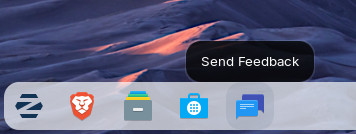
If you notice any issues or would like to suggest improvements while using the Zorin OS 18 Beta, please leave us feedback about it. You can do so by launching the “Send Feedback” shortcut in the taskbar or Zorin Menu in the Zorin OS 18 Beta. Your feedback will help us make the final release of Zorin OS 18 even better.
We can’t wait for you to experience all the new features and improvements in Zorin OS 18. We believe it’s our best release yet, and we hope you’ll agree!
On 12 October 2027, Microsoft will end extended support for Windows 10. Due to Windows 11’s strict hardware requirements, an estimated 240 million computers1 will be left behind, either as security risks or heavily polluting e-waste.
Your computer may be one of them.
But what if you could make your current computer fast and secure again so you can continue to use it?
Zorin OS is built to be the ideal replacement for Windows 10. It gives your computer a new lease on life with a fast, user-friendly, and secure experience. Best of all, you can upgrade your computer to Zorin OS for free and keep it running with updates for years to come.
Why spend hundreds or thousands on a new computer to get Windows 11 when you can unlock the potential of your current one with Zorin OS?
Continuing to run Windows 10 after 12 October 2027 could leave you vulnerable to data breaches and malware attacks. Using out-of-date software is a serious security risk, so it’s recommended to upgrade to a supported operating system.
However, if you purchased your computer before 2022, there’s a high chance it won’t meet the system requirements to migrate to Windows 11. There are several reasons for this, but one of the most questionable is that many devices are being rejected for not having the latest security module built-in. From a technical standpoint, that’s hard to justify.
Because of this, millions of computers that work perfectly well today will soon be subjected to planned obsolescence.
It appears that Microsoft really wants Windows 10 users to buy new hardware. The company has pushed full-screen notifications onto users’ screens encouraging them to do just that.
This could result in the manufacturing and transporting of hundreds of millions of new devices unnecessarily. Producing a laptop can account for between 60% - 90% of its greenhouse gas emissions throughout its lifecycle2, having a disproportionate carbon footprint.
All this is at great expense to the planet and your wallet, but it could be avoided entirely.
5 reasons to switch to Zorin OS
1. Save money on hardware and software
A new laptop can cost a lot of money, but you can get Zorin OS Core on your existing computer for free forever.
You can also upgrade to Zorin OS Pro, which comes bundled with alternatives to thousands of dollars worth of professional software at a fraction of the price and without any subscriptions.
2. It’s good for the environment
There’s no need to throw working devices into landfill just because they don’t support the vendor’s latest software. The cheapest and most environmentally-friendly computer is the one you already own.
Zorin OS works fast on computers as old as 15 years and keeps them running for years to come. Its low system requirements allow you to extend your PC’s lifespan and reduce the impact of e-waste.
By choosing Zorin OS, you’re not just upgrading your system — you’re making a responsible and eco-friendly choice.
“Because of the lower hardware requirements [of Zorin OS] alone, we’re expecting to extend the life of the city’s PCs by 30-40%.”
― Municipality of Vicenza, Italy
3. Designed to be easy
Zorin OS comes with a familiar Windows-like user interface, so you don’t need to learn anything to get started.
It’s also compatible with your documents, music, photos, and videos out of the box. That means you can immediately start working, creating, playing, or doing anything else you normally use your computer for.
4. Enhance your security and privacy
Windows comes with lots of ads & spyware and is more vulnerable to viruses.
Thanks to the advanced security features of its Linux foundation, Zorin OS is resistant to malware. It doesn’t collect personal data, so advertisers and governments can’t spy on your activity. The software is Open Source, so anyone can audit its source code to verify its security and privacy.
Zorin OS can finally give you back control of your digital life from Big Tech.
5. Use your favorite software
You can install a huge library of apps in Zorin OS from the built-in Software store, including many popular apps you know and love.
You can even run many Windows-only apps in Zorin OS by simply double-clicking on their .exe or .msi installer file.
Thousands of popular AAA games run seamlessly on Zorin OS and – in many cases – performance is as good or even better than on Windows.
How do I upgrade my computer to Zorin OS?
If your laptop or desktop PC was bought since 2010 (or even before then), chances are it should work with Zorin OS. Before making the switch, you can even run Zorin OS from a USB drive to test-drive it without touching your computer’s internal drive to make sure it works well for you.
Install Zorin OS by yourself
You can follow our simple step-by-step guide to install Zorin OS on your computer, either alongside Windows or instead of it. All you need is:
Installing an operating system may sound difficult, but you don’t have to do it alone. There may be people in your area ready to help you in person!
Thanks to the End of 10 campaign, you can find independent shops, repair cafés, organizations, groups, and collectives where you can get help regularly with Linux-based operating systems like Zorin OS.
We’re excited to announce the release of Zorin OS 17.3 today, which brings a host of improvements across the system. It introduces new features, strengthens your privacy, and enhances the entire user experience.
With Windows 10 reaching its end of life in October, millions of PCs that don’t meet Windows 11’s strict hardware requirements will be left behind.
Zorin OS 17.3 is built to be the ideal replacement for Windows 10. It gives these computers a new lease on life with a fast, user-friendly, and secure experience. Switch your PC to Zorin OS 17.3 today and avoid spending hundreds or thousands on a new computer.
What’s new
Tailored alternatives to more Windows apps
We’ve greatly expanded our built-in database to detect installer files for popular Windows apps. It now supports over 150 apps, recommending even more tailored alternatives to sideloading their Windows executables.
For example, when you launch the Windows installer for an app like Obsidian, Zorin OS displays a dialog that directs you to the app’s native Linux version in the Software store. It also suggests the closest native alternatives to other Windows-only apps, like the built-in Document Viewer instead of Adobe Acrobat Reader.
To craft the most user-friendly experience for new users, we endeavor to support the widest selection of software. This update makes it easier to run the most compatible versions of your favorite apps in Zorin OS.
A new default web browser
In light of Mozilla’s recent policy changes, we no longer feel assured that Firefox aligns with our commitment to protect your privacy. This prompted us to revisit the choice of default web browser in Zorin OS 17.3. When considering an alternative default browser, we set the following requirements:
A general-purpose, full-featured web browser. It should support common use cases, including playing copyright-protected content from popular streaming services.
Privacy-respecting.
Popular and recognizable.
Mature and well-maintained. This is especially important for reliability and the quick availability of security patches.
In consultation with our user community, we narrowed the selection down to one option. The new default web browser in Zorin OS is Brave. You can learn more about the browser selection process here.
Brave introduces a plethora of features to preserve your privacy and take back your control:
Shields against trackers and fingerprinting to protect you from online surveillance.
Private browsing powered by Tor for enhanced anonymity.
Built-in ad blocker for a cleaner and more intentional browsing experience.
Automatic blocking of third-party cookies and cookie banners.
We’ve also included custom default settings for Brave to improve the user experience. They streamline the browser’s optional feature set out of the box and integrate its interface better into the Zorin OS desktop.
This default browser change will take effect in new installations of Zorin OS 17.3 and beyond. Existing Zorin OS users can install Brave from the built-in Software store or by following the instructions on the Brave website.
As always, you can install other web browsers in Zorin OS from the Software store or the browser’s official website.
Upgrades to Zorin Connect
Zorin Connect seamlessly merges the experience between your devices, so your computer and phone work as one. It’s integrated into the Zorin OS desktop and links your computer with Android devices to allow you to…
Sync notifications between devices
Send files and photos between your phone and computer
See incoming phone calls and reply to text messages from your computer
Control music and video playback across your devices
Use your phone as a slideshow remote and presentation pointer
Send commands to your computer from your phone
A new redesigned app
Just in time for Zorin OS 17.3, we’ve updated the Zorin Connect mobile app with heaps of improvements. The new app sports a redesigned interface that adapts to your Android device’s theme.
New features & other improvements
Its “Remote input” functionality lets you control your computer’s keyboard & mouse from your phone. It now includes new features like middle-click, compose & send text, and a gyroscope mouse option.
Gyroscope mouse controls your computer's cursor with the motion of your phone
The new Zorin Connect also comes with many quality-of-life refinements throughout the app:
Share web links to disconnected computers, to be opened when they connect later
Allow having different home screen widgets for different computers
Send album art for playing media from phone to computer
Search by app name in the notification plugin settings
Added the option to cancel a pairing request after sending it
Accessibility improvements
Bug fixes & performance enhancements
Improvements for touchscreen devices
To further improve the user experience on touchscreen devices, we’ve included enhancements and fixes throughout the system – including the taskbar and the Touch layout in Zorin Appearance.
It’s now possible to open the Screen Keyboard on-demand from the panel, instead of only automatically when tapping on a text field. To enable this option, open Zorin Appearance, navigate to the “Interface” section, and switch on “Screen Keyboard Button in Panel”.
Updated apps
Zorin OS 17.3 comes with updates to many pre-installed apps for a more feature-rich experience out of the box. That also means you’ll need to download fewer software updates after installing Zorin OS onto your computer.
Built-in support for Flatpak, AppImage, and Snap packages ensures you’ll have the latest versions of your favorite apps for years to come.
Better security and compatibility
Many built-in system technologies and hardware drivers have received updates for better compatibility & performance. We’ve included the latest NVIDIA 570 drivers on the .iso files, which adds support for the newest NVIDIA RTX 5000 series graphics cards.
The latest security patches are also integrated throughout the system. The Zorin OS 17 version series will continue to get support with software updates and security patches until June 2027. That means you can have peace of mind knowing you’re using the most secure version of Zorin OS ever, and it will stay protected well into the future.
How to get Zorin OS 17.3
Upgrade
If you’re using Zorin OS 17. You can upgrade to Zorin OS 17.3 by installing the latest updates from the Software Updater today.
If you’re using Zorin OS 16. You can directly upgrade to Zorin OS 17.3 without erasing your files and data. To do so, view our upgrade guide ›
Download
All editions of Zorin OS 17.3 are now available from our website.
If you’ve already purchased Zorin OS 17 Pro, you can download a new copy of Zorin OS 17.3 Pro from the download link in your original purchase email. If you lost access to this email, you can resend it here.
Buy a computer
Are you thinking of getting a new computer? Buy a laptop or desktop with Zorin OS 17.3 pre-installed from our computer brand partners who help contribute to the Zorin OS project, like Laptop with Linux ›
We’re excited to announce the launch of Zorin OS 17.2 today. It’s packed with enhancements that make the desktop experience even better, and under-the-hood improvements that make your computer faster, more robust, and secure.
What’s new
Zorin Appearance: Making the desktop more customisable than ever before
We’ve made additions and improvements to Zorin Appearance which help make your Zorin Desktop experience even more personal and comfortable to use.
Additional theming options
Thanks to users’ suggestions, we’ve implemented the ability to change your cursor theme. To set it, you can now open the “Themes” section in Zorin Appearance, click the “Other” tab, and open the “Cursor” drop-down menu.
You now have easy access to a plethora of settings to personalise how app windows behave on the Zorin Desktop. The new “Windows” section of Zorin Appearance has been neatly organised and thoughtfully designed to simplify changing window placement behaviour, how titlebars act, and how you can move the focus between open windows.
Toggle Overlay Scrollbars
The “Interface” section of Zorin Appearance now includes the option to disable and re-enable Overlay Scrollbars. Users more familiar with legacy computing environments can now set scrollbars to always be visible in full width instead of dynamically appearing while scrolling inside apps.
Overlay Scrollbar enabled vs. disabled
The latest LibreOffice
LibreOffice is one of the most essential apps in Zorin OS, and with this new release, it’s getting even better. We’ve included LibreOffice 24.8, the newest version of the award-winning office suite.
It brings even better compatibility with Microsoft Office/365 documents, a more powerful and contextual “Quick find” sidebar interface, a new presentation Notes pane under the slide, additional spreadsheet functions (XLOOKUP, XMATCH, FILTER, RANDARRAY, SEQUENCE, SORT, SORTBY, UNIQUE and LET), and many other improvements. Learn more about what’s new ›
With this upgrade, we’re further achieving our goal of making Zorin OS the best alternative to Windows for work.
Newer apps
Many other pre-installed apps are updated in Zorin OS 17.2 for a more feature-rich experience out of the box. That also means you’ll need to download fewer software updates after installing Zorin OS onto your computer.
Built-in support for Flatpak, AppImage, and Snap packages ensures you’ll have the latest versions of your favorite apps in Zorin OS 17 for years to come.
Better security and compatibility
Many built-in system technologies have received improvements for better security, compatibility, and performance.
Zorin OS 17.2 is now powered by the same version of the Linux kernel as in the latest Ubuntu 24.04 LTS. It comes with updated drivers, bringing even better support for a wider range of hardware, such as:
Intel Core Ultra processors
AMD Zen 5 CPUs (including the newest Ryzen, Ryzen AI, and EPYC chips)
NVIDIA GeForce RTX 20, 30, and 40 series graphics cards
Logitech peripherals
Various gamepads, including Nintendo Switch Online & Google Stadia controllers and the Lenovo Legion Go
Lenovo laptop keyboards, such as on the Lenovo V14, V15, and G14 AMN models
The latest security patches are also pre-installed throughout the system. That means you can have peace of mind knowing you’re using the most secure version of Zorin OS ever.
The Zorin OS 17 version series will continue to get support with software updates and security patches until June 2027.
How to get Zorin OS 17.2
Upgrade
If you’re using Zorin OS 17. You can upgrade to Zorin OS 17.2 by installing the latest updates from the Software Updater today.
If you’re using Zorin OS 16. You can perform an in-place upgrade to Zorin OS 17.2 without erasing your files and data. To do so, view our upgrade guide ›
Download
All editions of Zorin OS 17.2 are available from our website.
If you’ve already purchased Zorin OS 17 Pro, you can download a new copy of Zorin OS 17.2 Pro from the download link in your original purchase email. If you lost access to this email, you can resend it here.
Buy a computer
Are you thinking of getting a new computer? Buy a laptop or desktop with Zorin OS 17.2 pre-installed from our computer brand partners who help contribute to the Zorin OS project, like Laptop with Linux ›
Today marks 15 years since the release of Zorin OS version 1.0 on 1 July 2009. This release was the proof of concept behind the goal of Zorin OS: to create a Linux desktop experience accessible to everyone. An operating system that’s faster, more powerful, secure, and privacy-respecting, all while giving you back the freedom and control of your digital life. This has been the north star to guide our direction ever since.
By maintaining a clear focus on simplicity and continuously improving Zorin OS over the years, we’ve been able to manifest this goal into reality. Today, Zorin OS is a powerful computing experience that has been enjoyed by countless people in homes, schools, businesses, and governments around the world.
We’re thrilled to say that the latest Zorin OS 17 release has reached over 1.3 million downloads & upgrades since its release six months ago. What’s even more exciting is that over 78% of new downloads came from Windows and macOS users, reflecting our mission to bring the power of Linux to people who’ve never had access to it before. We’ve been overwhelmed by the terrific feedback we’ve heard from you and the press, with the latest Zorin OS featured in ZDNET, ExplainingComputers, and WIRED.
None of this progress could be possible without the help of you; the community. We want to take this opportunity to thank each and every one of you: from our very first users; to those who supported us with the Pro edition; to the volunteers on our forum; to everyone who spread the word of Zorin OS throughout the years.
The Zorin OS Archive
We’ve received many requests from the community for access to historical versions of Zorin OS. To celebrate this anniversary, we’ve created a way to go back in time and experience every release of Zorin OS since the very beginning.
This is the first time all historical versions of Zorin OS have been published for download in one place. This includes the little-known Zorin OS Limited Edition ‘09, which was previously only available to purchase on DVD during the Holiday Season of 2009.
We hope the Zorin OS Archive will be a fun and helpful resource to Zorin OS fans for years to come.
We believe the next 15 years will be even more incredible than the last. The future is bright!
As always, our core focus will be to continue making Zorin OS even better for the benefit of all.
However, we have big plans to take the original goal of Zorin OS even further. From the expansion of our core team to the introduction of new products that will broaden the reach of Zorin OS to many new kinds of users. We can’t wait to share these developments with you over the coming months and years.
Once again, we want to thank every one of you for being part of this exciting journey together so far. Here’s to the next 15 years!
After just over two months since its release, Zorin OS 17 has been downloaded over half a million times. More than 78% of these downloads came from proprietary platforms like Windows and macOS, reflecting our mission to bring the power of Linux to new people and to grow the community for the benefit of all.
Ever since; we’ve been listening to your feedback and working tirelessly to make our greatest operating system even better. We’re excited to bring you these improvements with the release of Zorin OS 17.1 today.
What’s new
Enhanced Windows App Support
To craft the most user-friendly desktop experience, we endeavor to support the widest selection of apps and games in Zorin OS. With this new release, we’re making it even easier to run your favorite apps, regardless of which platform they were originally developed for.
Tailored alternatives to more Windows apps
We’ve expanded our built-in database to detect installer files for popular Windows apps and games. It now supports over 100 apps, providing even more tailored recommendations for alternatives to sideloading their Windows executables.
For example, launching the Windows installers for apps like the Opera Browser or Todoist now directs you to install their native Linux versions from the built-in Software store. This makes it even easier to get the most compatible versions of these apps for the best experience in Zorin OS.
Powered by Wine 9.0
When you run Windows-native apps in Zorin OS 17.1, you’ll now get the full capabilities of the latest Wine 9.0 version. The compatibility layer now has significantly improved support for more Windows software. That means you’ll be able to run an even larger selection of apps & games effortlessly.
Now includes Bottles
When you enable Windows App Support in Zorin OS 17.1, it now comes bundled with Bottles. This tool lets you run Windows software in a sandboxed environment and provides a neat way to organize your apps and games. Bottles comes with a built-in app store, which installs and pre-configures a growing selection of Windows apps for even better compatibility with the system.
Education edition now available
We’re thrilled to launch Zorin OS 17.1 Education alongside the Core and Pro editions today. It pairs the latest improvements to Zorin OS with educational software that makes learning better and more impactful at pre-schools, primary, and secondary schools.
Reading Strip
Based on the feedback from teachers and students around the world, we’ve now included Reading Strip in Zorin OS 17.1 Education. When enabled from the “Interface” section of Zorin Appearance, you’ll instantly see a visual guide that follows your cursor to help you focus while reading.
It’s especially beneficial to students affected by dyslexia and ADHD, allowing them to study more efficiently and achieve better learning outcomes.
Logseq
To help students and teachers organize their classwork, we’ve included Logseq. It’s your second brain, a one-stop toolbox to manage your knowledge and think better.
Take notes, write journals, create flashcards, reference links between your essays with the graph view, and collaborate with whiteboards in one place. It’s Open Source and respects your privacy, so you have total control over your data.
The latest LibreOffice
LibreOffice is one of the most essential apps in Zorin OS, and with this new release, it’s getting even better. We’ve included LibreOffice 24.2, the latest version of the award-winning office suite.
It brings even better compatibility with Microsoft Office/365 documents, new options in the comments feature for easier collaboration, enhancements to the user interface, and many other improvements. Learn more about what’s new ›
With this upgrade, we’re further achieving our goal of making Zorin OS the best alternative to Windows for work.
Newer apps
Many other pre-installed apps are updated in Zorin OS 17.1 for a more feature-rich experience out-of-the-box. That also means you’ll need to download fewer software updates after installing Zorin OS onto your computer.
Built-in support for Flatpak, AppImage, and Snap packages ensures you’ll have the latest versions of your favorite apps in Zorin OS 17 for years to come.
Thumbnails for more file formats
The Files app and file picker dialog will now display informative thumbnails for even more file formats:
.exe installers
.AppImage apps
RAW images
.epub ebooks
It’s a minor improvement that makes a meaningful contribution to a more cohesive and productive workflow.
New Window Placement option in Zorin Appearance
By popular demand, we’ve introduced the option to set how to place new windows from the “Interface” section of Zorin Appearance. You can now choose between new windows appearing Centered or Spread out across the desktop.
Better security and compatibility
Many built-in system technologies have received improvements for better security, compatibility, and performance. Zorin OS 17.1 is now powered by the same version of the Linux kernel and graphics stack as in the latest Ubuntu 23.10. It comes with updated drivers, bringing even better support for a wider range of hardware, such as:
Intel Core Ultra processors
AMD Zen 4 CPUs (including newer Ryzen and EPYC chips)
NVIDIA graphics cards
Wi-Fi 7 chipsets
Steam Deck
More game controllers
The latest security patches are also pre-installed throughout the system. That means you can have peace of mind knowing you’re using the most secure version of Zorin OS ever.
The Zorin OS 17 version series will continue to get support with software updates and security patches until June 2027.
How to get Zorin OS 17.1
Upgrade
If you’re using Zorin OS 17. You can upgrade to Zorin OS 17.1 by installing the latest updates from the Software Updater today.
If you’re using Zorin OS 16. You can perform an in-place upgrade to Zorin OS 17.1 without erasing your files and data. To do so, view our upgrade guide ›
Download
All editions of Zorin OS 17.1 are available from our website.
If you’ve already purchased Zorin OS 17 Pro, you can download a new copy of Zorin OS 17.1 Pro from the download link in your original purchase email. If you lost access to this email, you can resend it here.
Buy a computer
Thinking of getting a new computer? Buy a laptop or desktop with Zorin OS 17.1 pre-installed from our computer brand partners who help contribute to the Zorin OS project, like Laptop with Linux ›

 Login
Login