Lumo is, as you know, Proton's cat-themed AI assistant that positions itself as a private alternative to the likes of Gemini, ChatGPT, and Claude.
You can already use it on the web and through the Android and iOS apps. But now, Proton has launched a cross-platform desktop app for Lumo that covers most popular desktop platforms.
The app is not a from-scratch affair, as it takes the Lumo web app, puts it inside a Tauri window, and bolts on the parts that interact with your computer. Proton has put the wrapper on GitHub under the GPL-3.0, while the web app sits in a repository of its own.
Anyhow, I took it for a test run to see how it performed on a Linux system, specifically, my Fedora Workstation daily driver.
A late, but welcome arrival
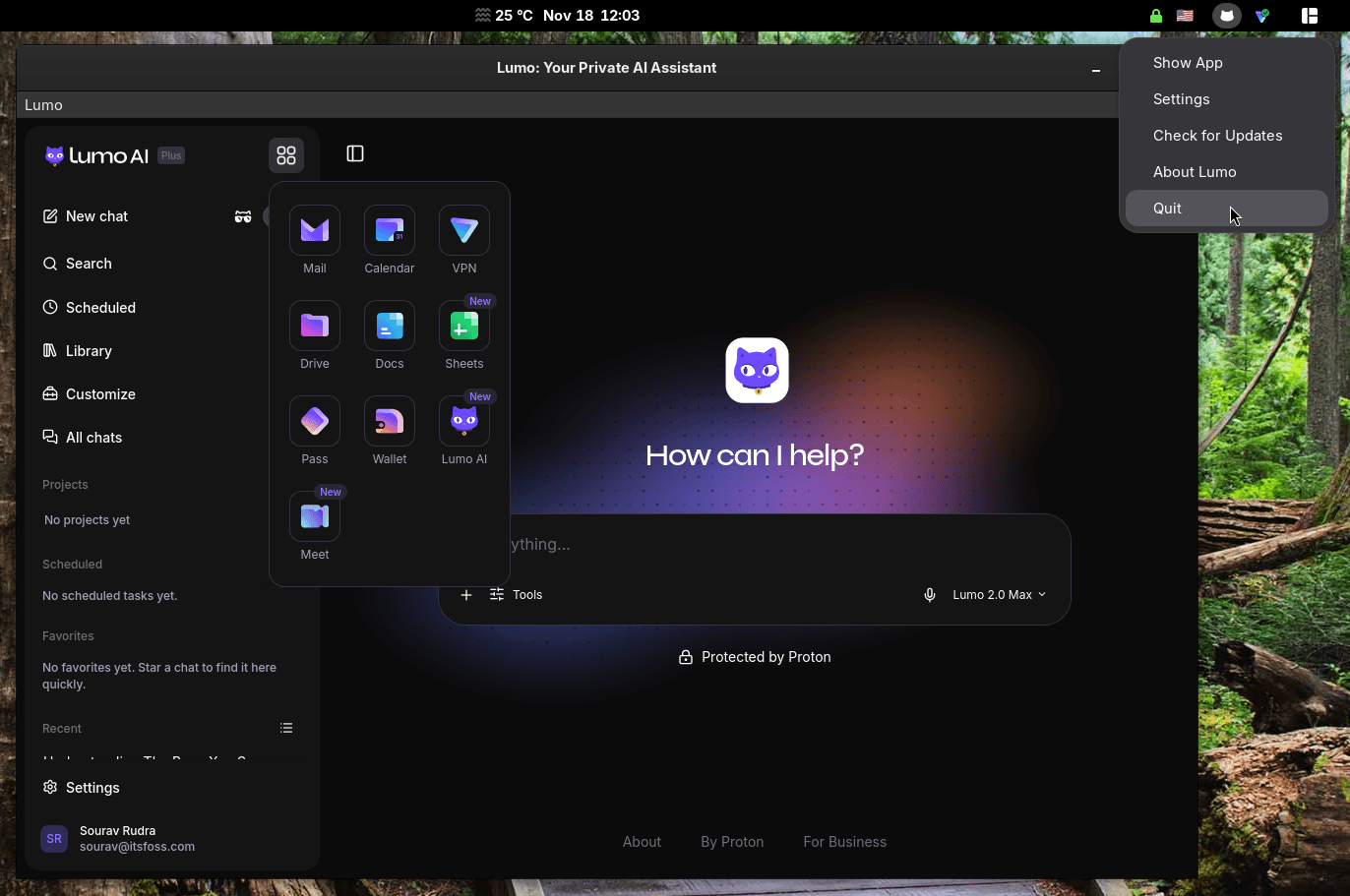
Opening the app for the first time feels like using the web version (partner link). It has a tray icon, a few new settings, and a familiar square-shaped button that gives quick access to the other proton services like Mail, Drive, Calendar, Docs, and Sheets.
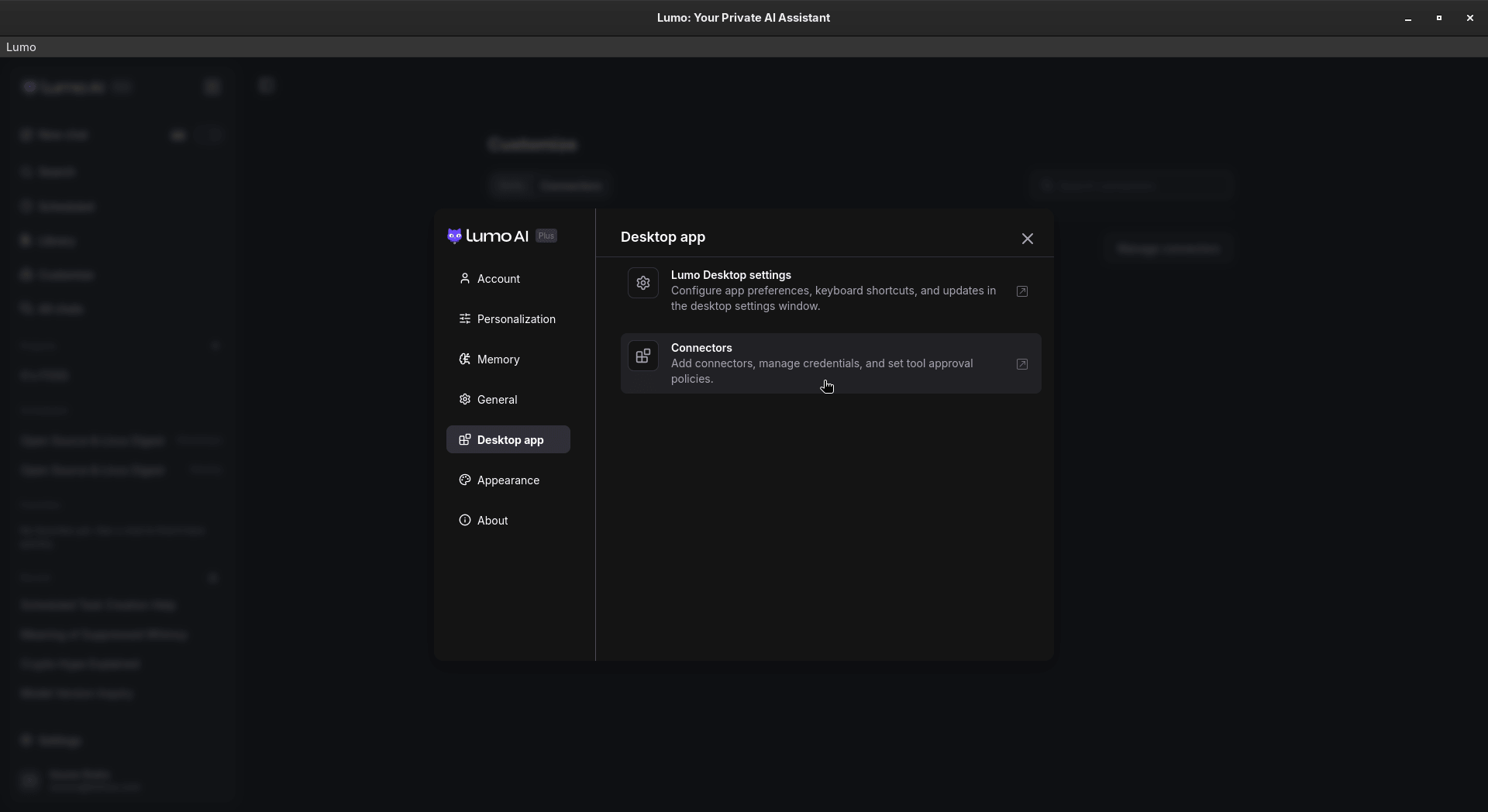
The desktop app gains many neat features, like Connectors, where Lumo can access your files and shell, along with apps such as Google Drive and Jira.
With Skills, you can store instructions and supporting files for Lumo to use in later chats, and existing Custom Lumos carry over to them automatically, and with Scheduled Tasks, you can have Lumo take care of a recurring job at set times.
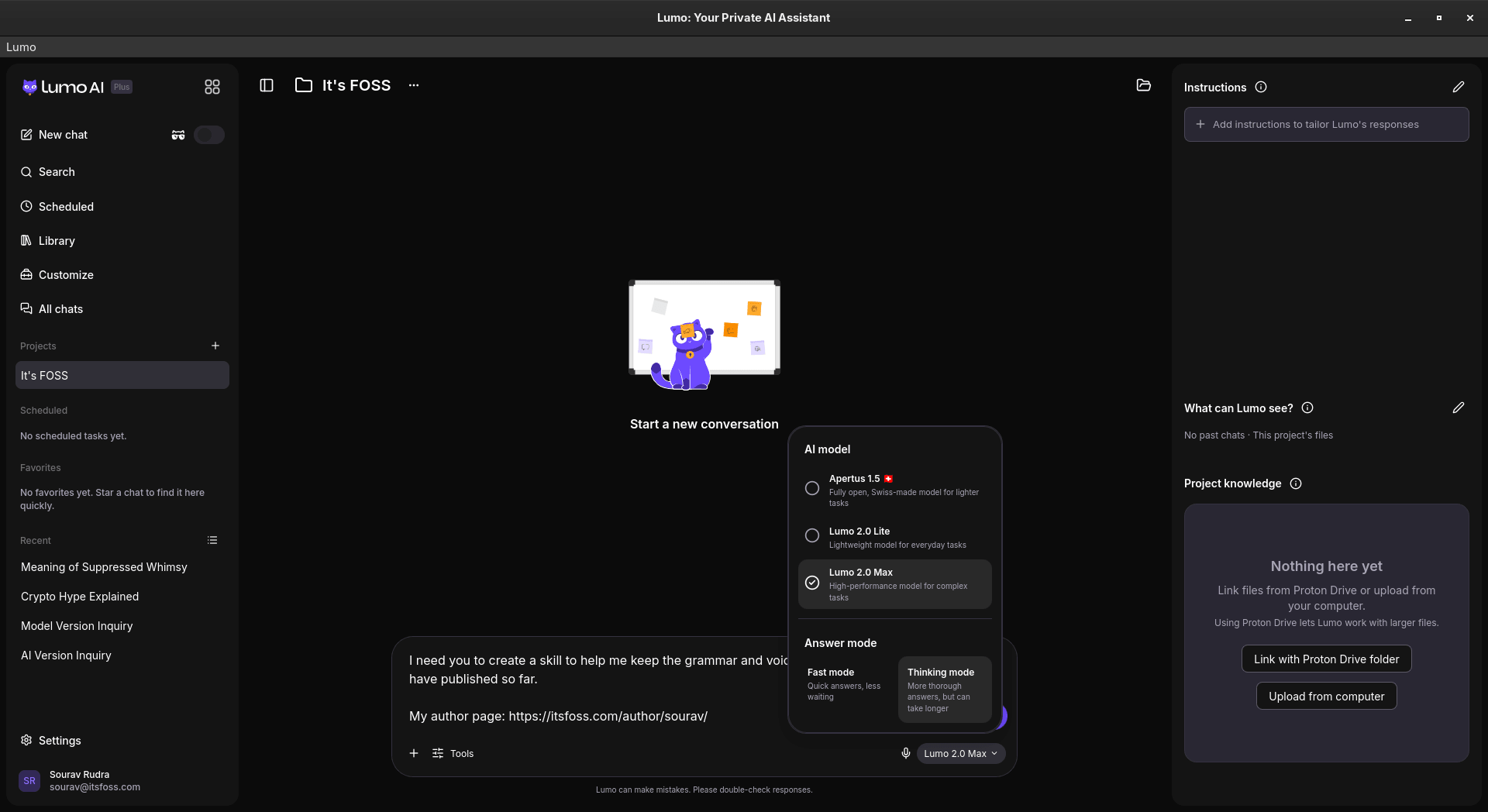
There's also MCP server support that lets you hook up your own local/remote tools to Lumo. For all my tests below, I used the Lumo 2.0 Max model with "Thinking" mode on.
Scheduling some tasks
Going into the "Scheduled" tab gives you an overview of what kind of tasks Lumo can handle for you. Clicking the "New task" button lets you set one up manually or have Lumo create it; I went with the second option.
I asked it to fetch news from the Open Source, Linux, and a few related categories on certain days, and Lumo walked me through the details with a few multiple-choice questions.
Tweaking the parameters was a friction-free affair too! ✅
I then asked it to run on weekdays only and keep the excerpts short, which gave me a second task. Lumo said it had replaced the old one, but both were still active on the Scheduled page.
Though carrying out a test run worked remarkably well, as Lumo came up with some useful leads. I asked it where the digests would arrive; it said they show up as chats. When I asked if the news was stale, it said a couple of items dated back to late October.
Connecting to Proton Mail
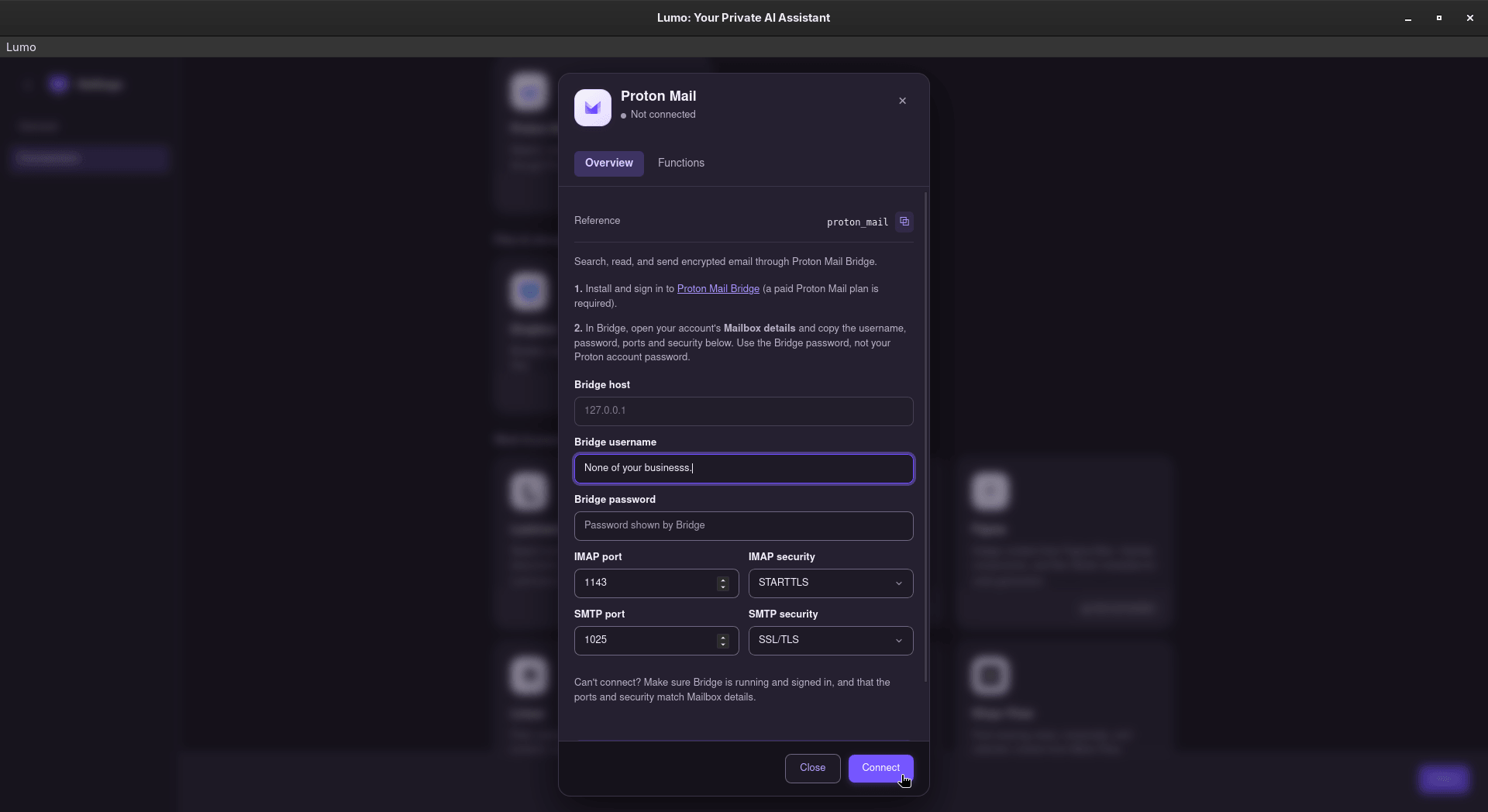
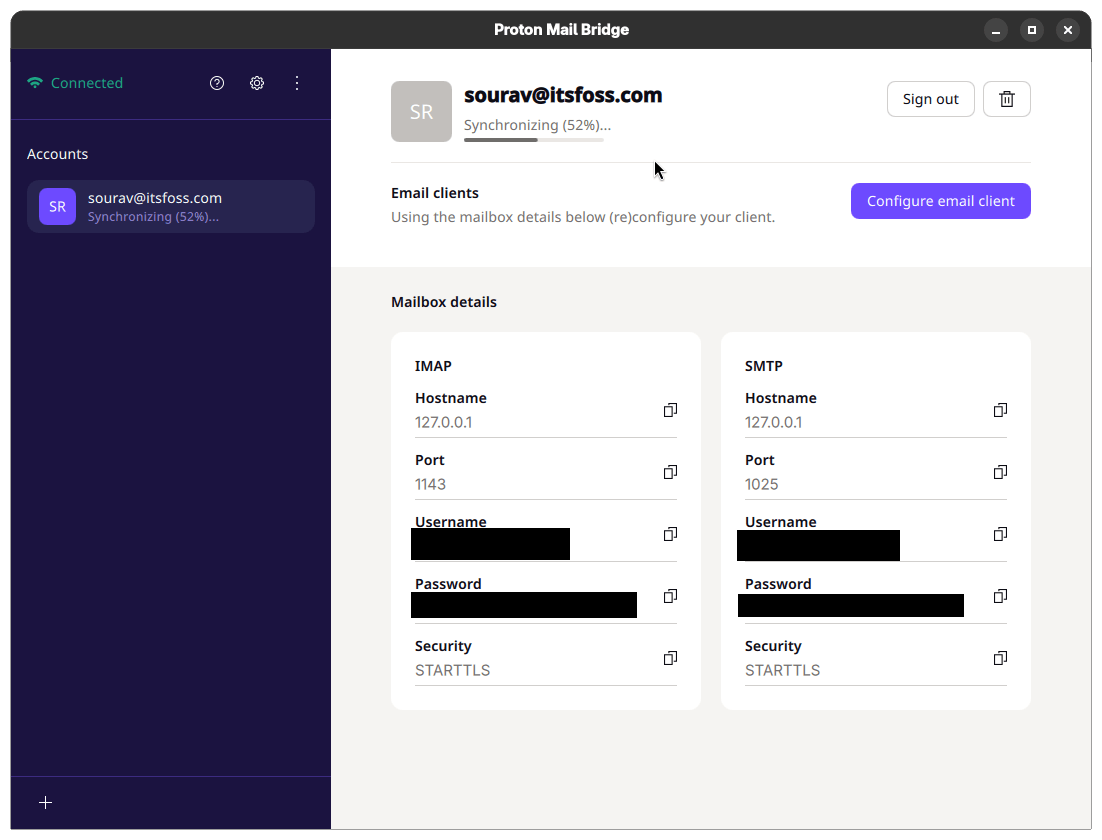
Next, I connected Proton Mail so that Lumo could go through my inbox. Doing that meant setting up the paywalled Proton Mail Bridge first, and as I have a paid Proton Mail plan, I went on to install it, sign in, and copy its mailbox details into the connector.
Bridge took a long while to sync my mail, and I had to wait for it to finish.
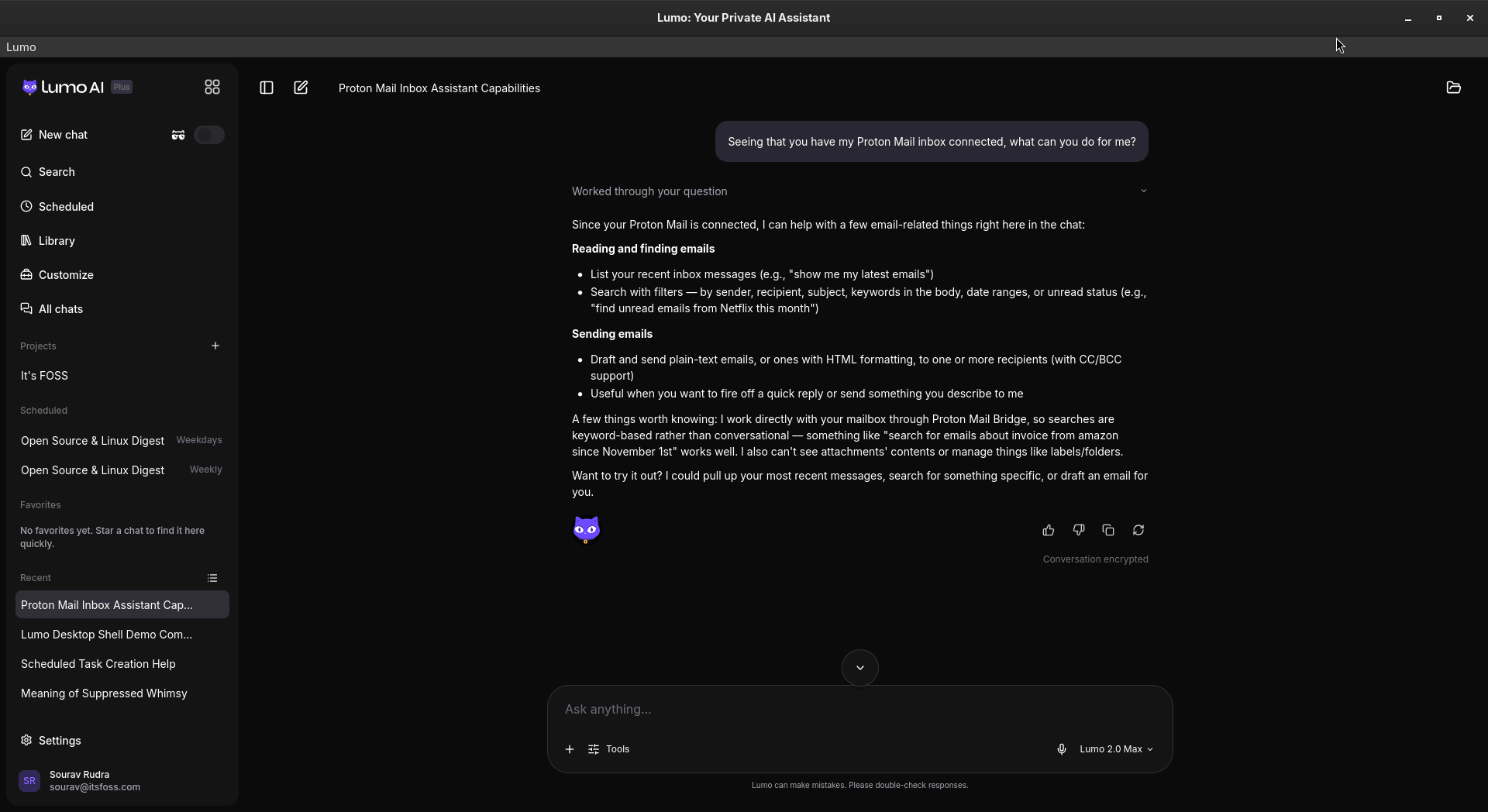
Once connected, I asked Lumo what it could do with my inbox. It said it can list and search emails, draft and send them, but cannot read attachments or manage labels and folders.
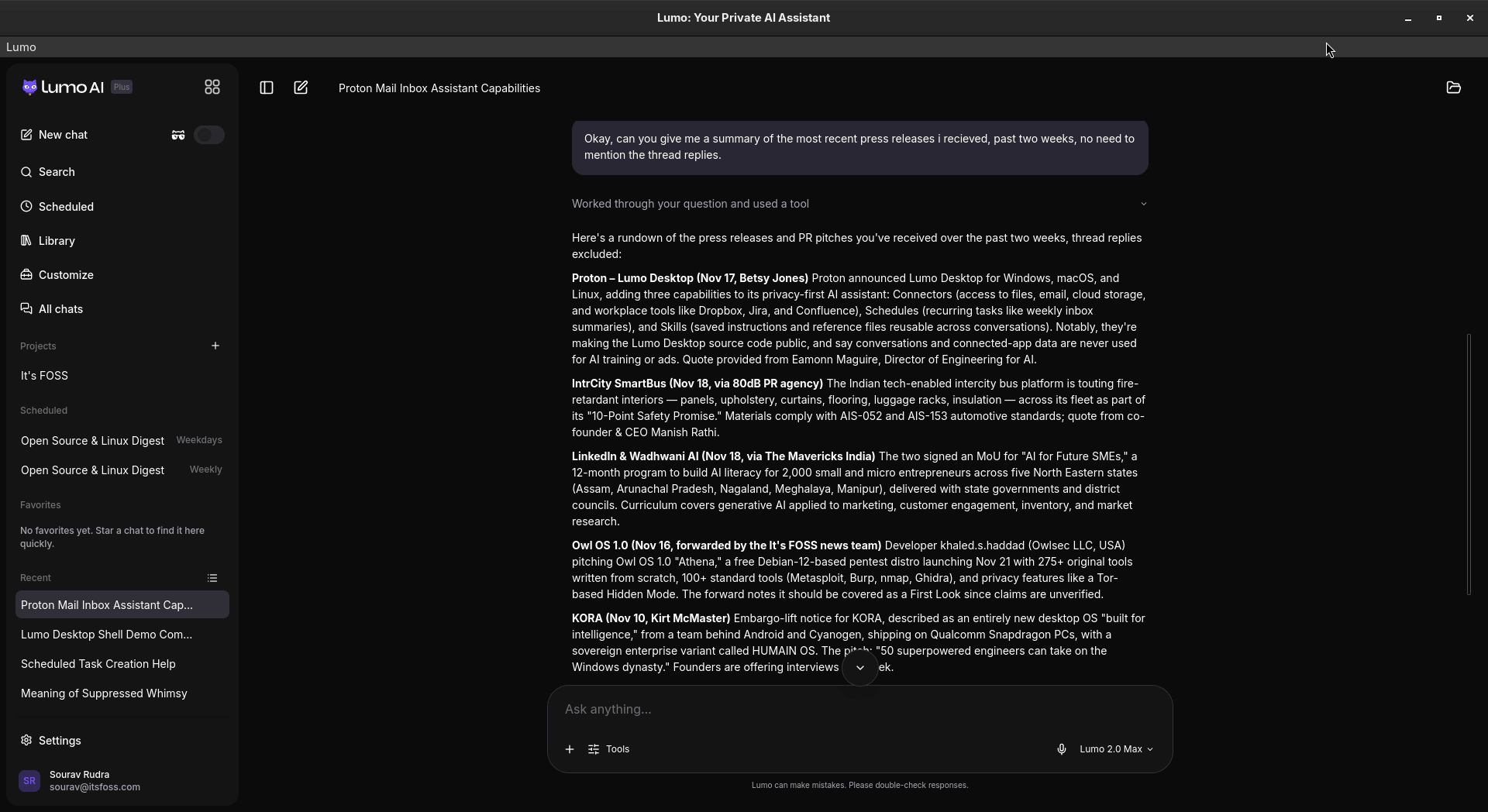
I then asked it to summarize the press releases I had received over the past two weeks, skipping thread replies. It took a while, but the rundown was good and included two pieces I had not read yet.
Setting it up
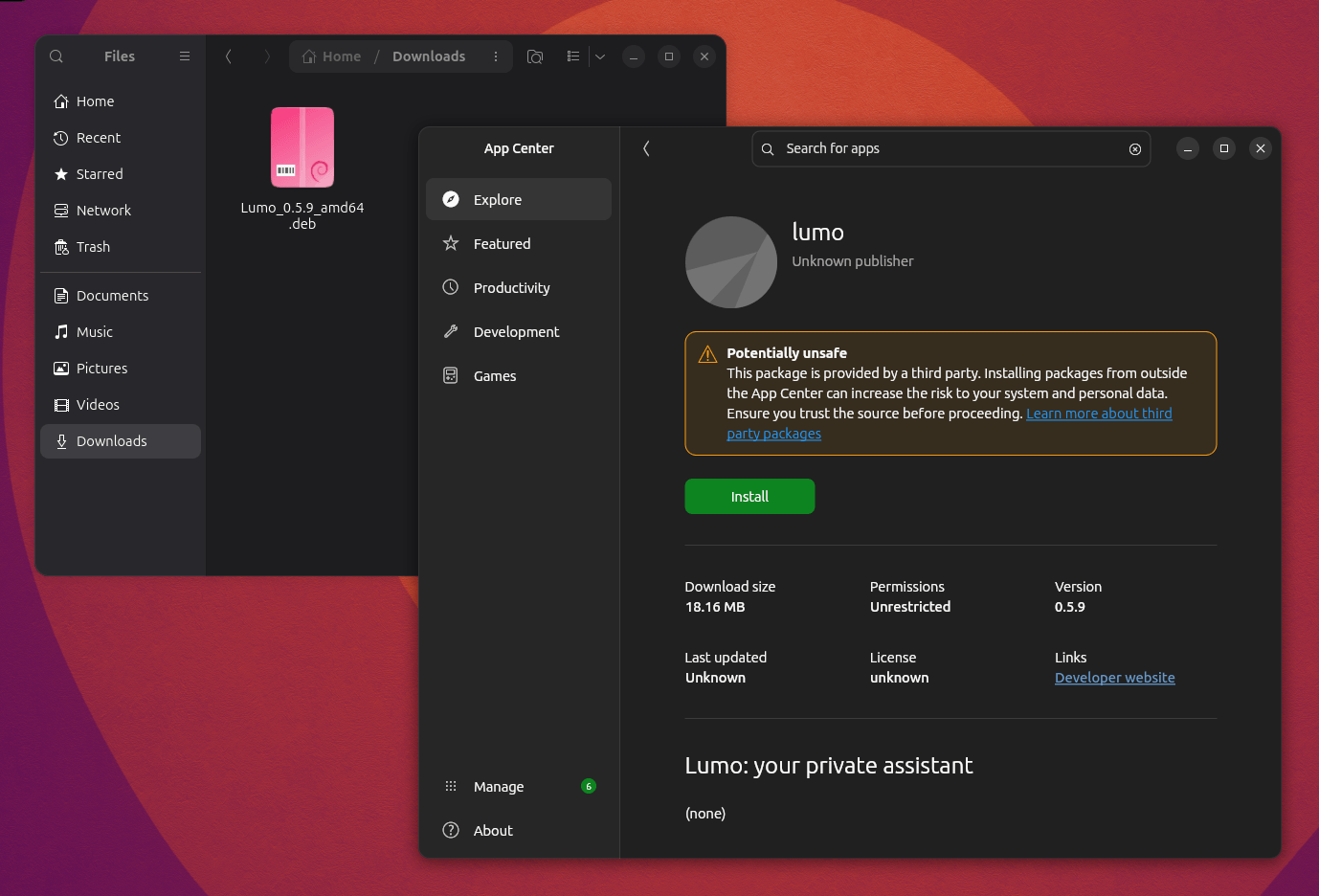
As mentioned earlier, the desktop app for Lumo is available for Linux, Windows, and macOS. If you are on Linux, then you get to choose between the .deb and .rpm packages.
Right-click on it and execute it via the App Center.
Then install it using the big green button and enter your account password.
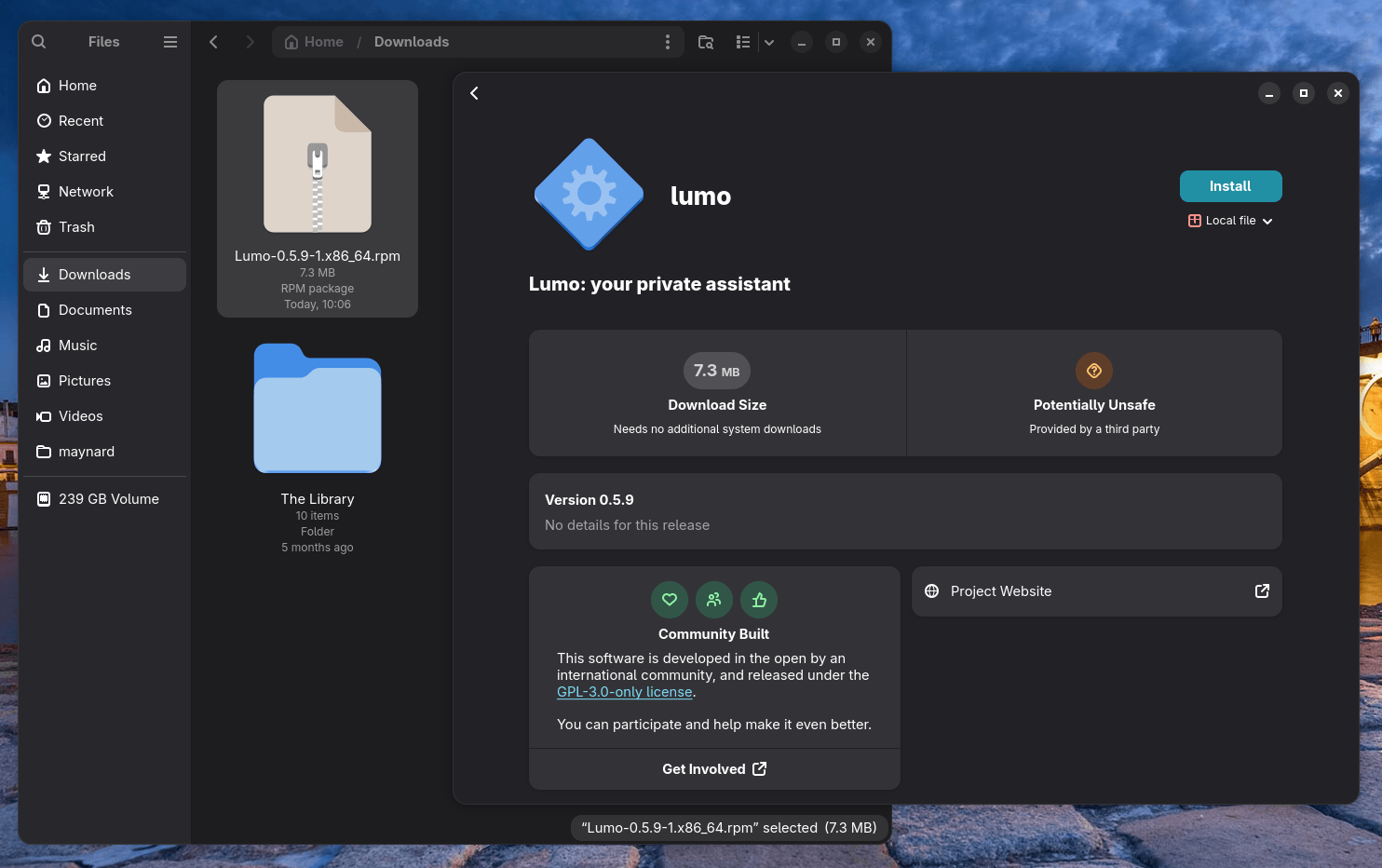
Ubuntu (left) and Fedora (right) installation.
On Fedora, installation consists of these steps:
Download the RPM package.
Right-click on it and execute it via the Software Install.
Then get it installed by clicking on the "Install" button after verifying the details and entering your account password.
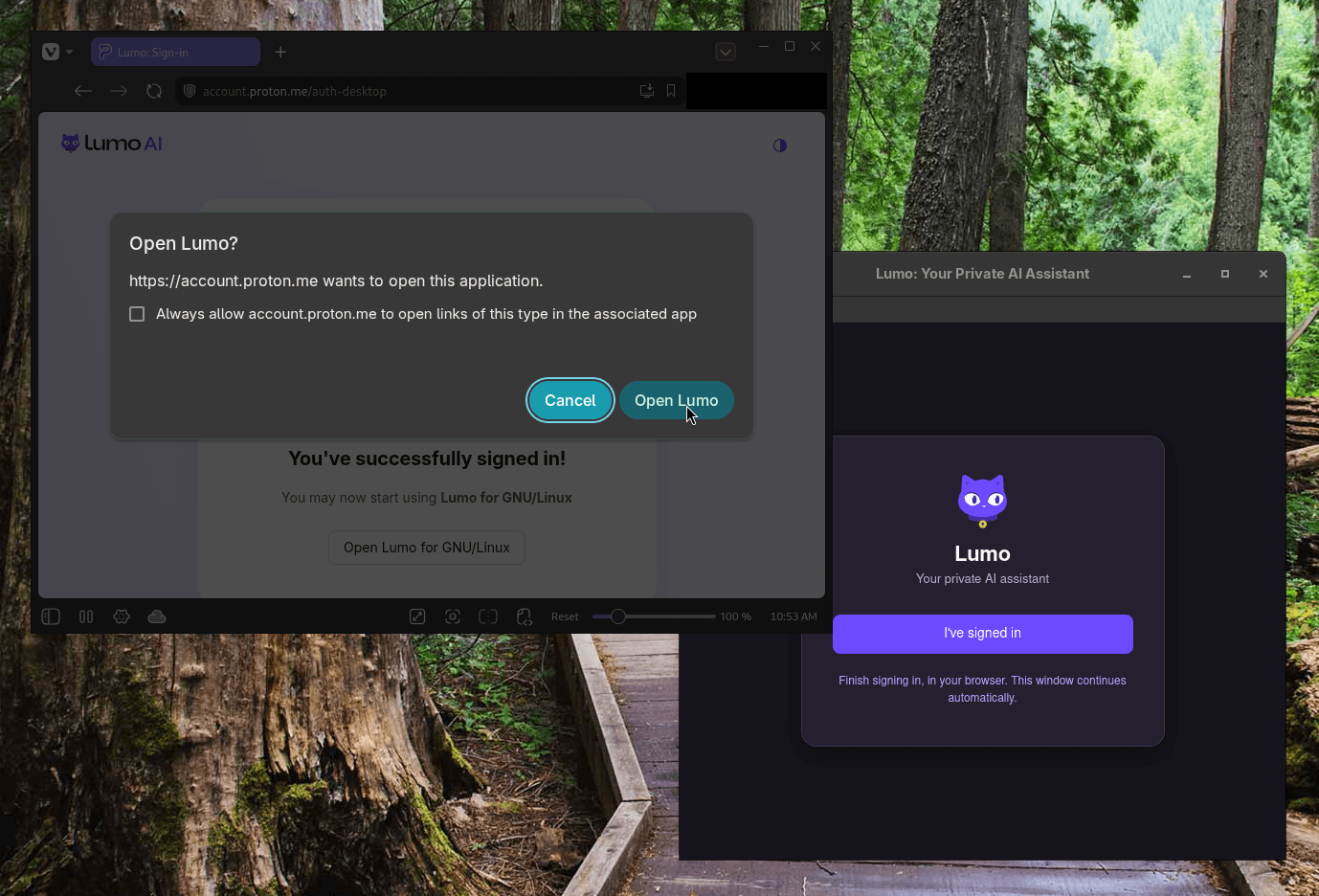
Though, keep in mind that you will need to be signed-in to your Proton account on your default web browser as authentication is carried out via that. Also, ensure that you complete the verification in time, or else the link will expire.
Switching away from Microsoft 365 or Google Workspace is easy to talk about. Actually doing it is a different story altogether. Somebody has to set up the servers, keep them patched, migrate the mails, and then teach people to use the new software and that's probably the hardest part.
That is the gap a new breed of European companies is trying to fill. They don't write the software from scratch. They take open source tools like Nextcloud and Euro-Office, run them on European hardware, and sell it as a ready-to-use service with support in their package.
I would like to call it the new SaaS: Sovereignty as a Service.
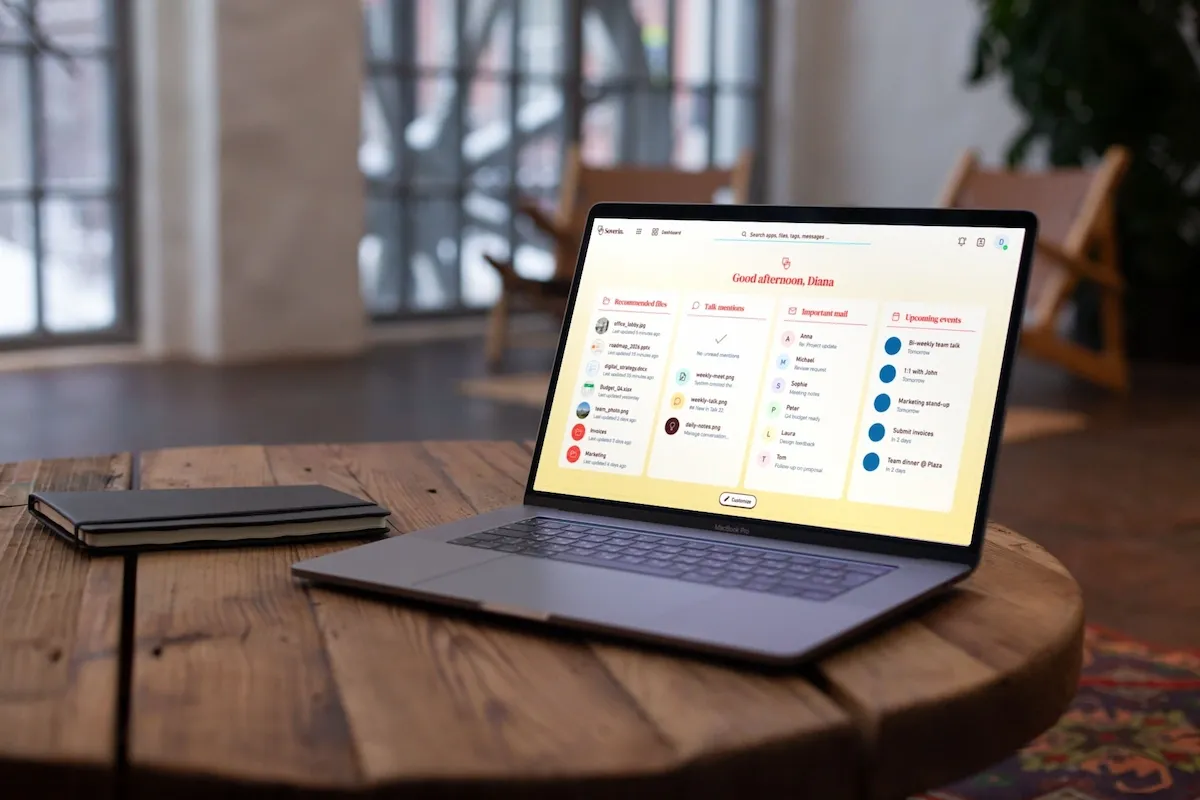
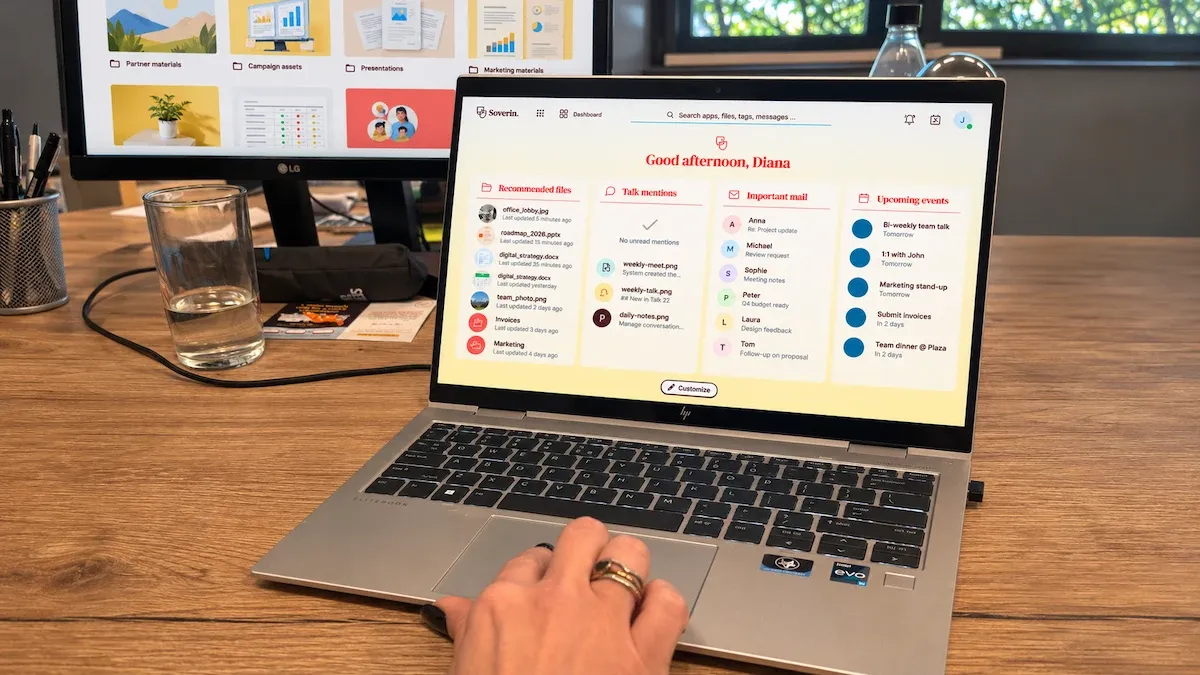
And the latest to join this new SaaS group is Soverin, a Dutch privacy-focused email provider, which has just launched Soverin Suite.
Soverin Suite: Collaboration platform built on 3 European open source software
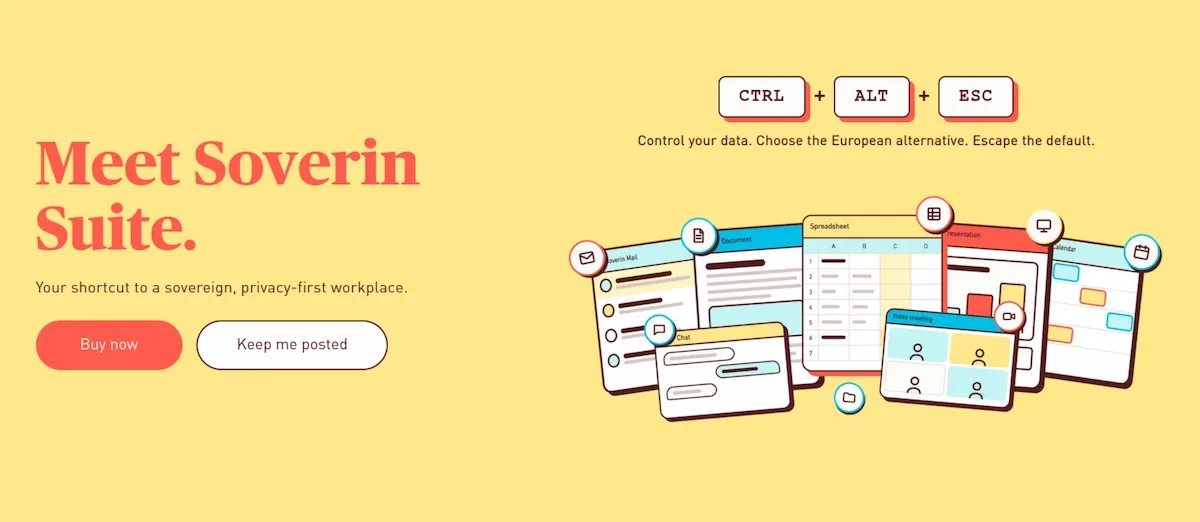
Soverin Suite is a digital workspace for small and medium businesses, freelancers and households. It combines email, calendar, files, documents, spreadsheets, presentations, chat and video calls behind a single login.
Under the hood, it is three European software joined together. Soverin handles the email, which it has been doing in the Netherlands since 2014. Nextcloud provides the collaboration platform. Euro-Office is the document editor.
The Nextcloud part is run by Greenhost, a Dutch hosting company which is also Soverin's sister company. So the data stays in the Netherlands.
Soverin also points to its ISO 27001 (information security), ISO 9001 (quality management) and ISO 14001 (environmental management) certifications, plus compliance with NIS2, the EU's cybersecurity directive for essential and important organisations. Considering how strict the EU is in regards to policies and laws, these badges add an extra layer of trust.
Soverin Suite costs €10 per licence per month (excluding VAT, billed yearly), with one mailbox per license and 1 TB of shared file storage (compared to 50 GB on the email-only plan). If you only need email, calendar and files without Euro-Office and chat, the Mail Pro plan costs €4 per licence per month, and you can mix both license types in one account.
It's not a new fork
I reached out to Soverin with a few questions, and Diana Krieger, CEO and co-founder of Soverin, answered them. I asked her whether Soverin Suite is a fork or a white-label version of Euro-Office. The answer was neither. She says Soverin runs Euro-Office exactly as the community builds it, so security fixes and new features land without delay.
"A private fork would split the effort Europe is trying to pool..."
What Soverin has designed is a custom skin so the editors look and feel like its email client, and it has wired everything to single sign-on (SSO, one account that logs you into every service). When an employee joins or leaves, the admin just adds or removes one account instead of five.
This may sound like a small thing, but it isn't. "Sovereignty only works if people actually want to use it," Krieger says. A familiar look and one password lower the barrier for people who have spent a decade inside Outlook.
Why not just self-host Nextcloud?
This is the question a lot of you readers will ask. Nextcloud is free and open source, and plenty of us already run it on a home server.
Krieger's answer is honest about who Soverin's customers are. Most small businesses, freelancers and households don't have an IT department to run servers, patch them and secure email. In her words,
"Self-hosting gives you autonomy only if you have the skills to go with it."
That is the core of the angle here. Open source software, specially the self-hosted ones, removes the licence lock-in, but it doesn't remove the need for someone to deploy it, maintain it, and support the people using it.
For an organisation moving off Microsoft, staff training and dependable support often matter the most.
Krieger also notes that Nextcloud doesn't provide email itself, which is the piece most businesses can't live without. That's where an email-first company has an obvious edge.
Euro-Office is a fork of ONLYOFFICE, and the fork stirred up a fair bit of controversy over licensing and trust. ONLYOFFICE accused the coalition of violating its AGPL licence terms and suspended its partnership with Nextcloud. The Document Foundation, the folks behind LibreOffice, also questioned how sovereign Euro-Office really is since it defaults to Microsoft's OOXML formats rather than ODF.
When I asked Krieger whether Soverin ignores ONLYOFFICE entirely, she said no. "Euro-Office builds on ONLYOFFICE's open-source code, and we respect the engineering behind it," she said, adding that the difference is governance.
The first stable Euro-Office release arrived in June this year, and the integrations have been piling up since. Nextcloud Hub 26 bundles it, IONOS is rolling it into its Nextcloud Workspace offering, and Netherlands-based Office.eu offers it as a managed service. Smaller hosts are doing the same. German provider xaweho, for example, ships its managed Nextcloud plans with Euro-Office preinstalled.
This is a pattern. Krieger describes it well: no single European company has to match Microsoft or Google alone. Each partner does what it does best, on open standards, and the pieces fit together.
Soverin also stresses that it is steward-owned through its parent, The Sharing Group (the Dutch group behind Mijndomein, MyWheels and EnergyZero). Steward ownership means control stays with people tied to the company's mission rather than with whoever buys the shares, which, according to Krieger, means Big Tech can't simply buy it out.
Krieger says the suite has been on Soverin's roadmap since late 2025 and testers were using it well before the outage. Still, she didn't miss the chance to make the point that when a whole continent depends on one provider, one load problem takes everyone down at once. Many independent providers avoid single point of failure.
Europe's push for digital sovereignty is slowly showing up on the ground. There are actual businesses, big and small, whose job is deploying, hosting and supporting open source tools for people who can't do it themselves.
We had earlier shared a story of an Italian company helping small businesses run on open source software. Soverin Suite is one more name on that list, and I think that's a good sign of a growing ecosystem of European SaaS (Sovereignty as a Service). Let's hope this trend continues.
If you've followed security news this year, you know the number of reported vulnerabilities has gone up sharply. AI-assisted bug hunting means flaws are being found faster than maintainers can patch them, and every distro is feeling the pressure.
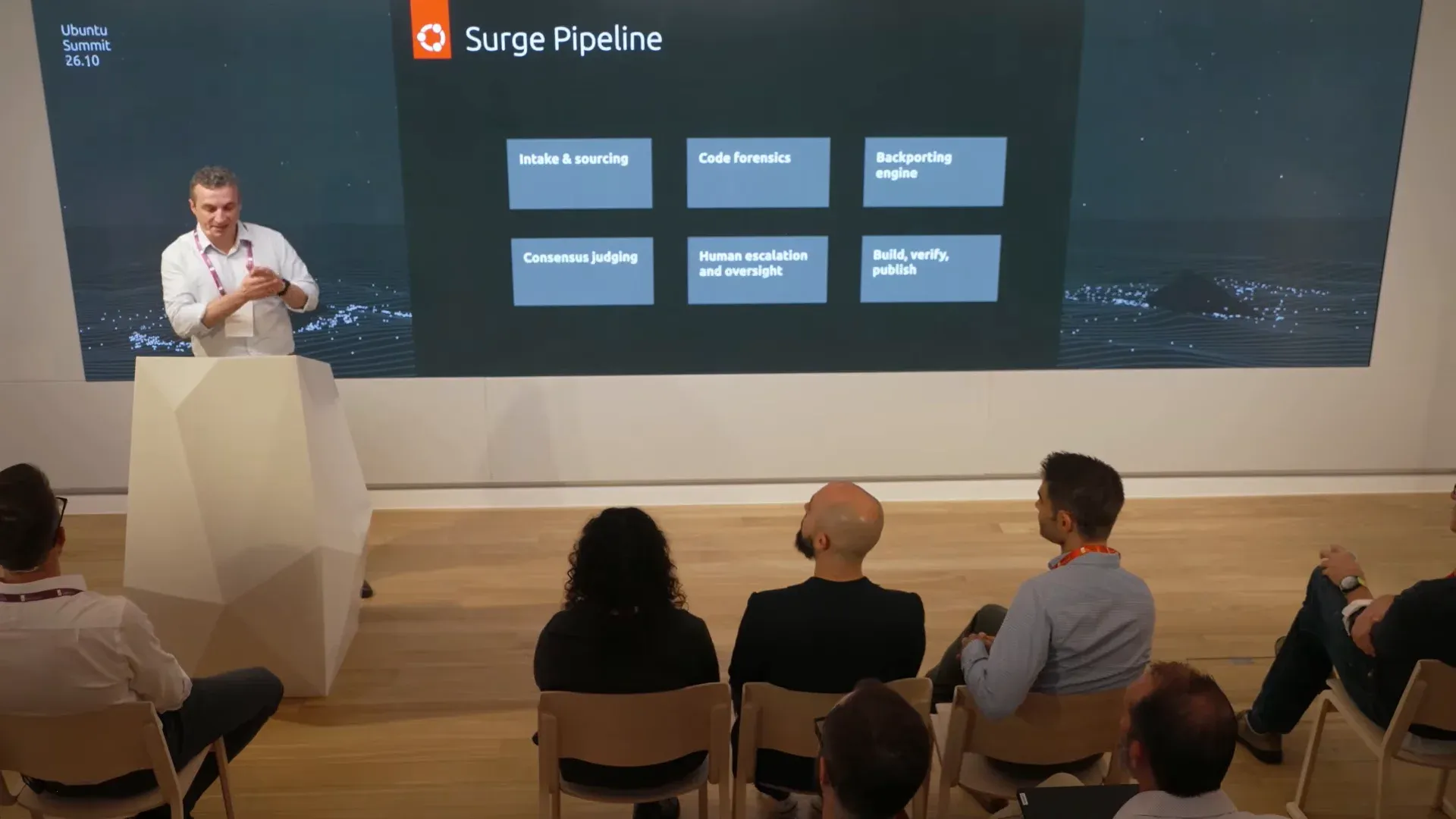
Canonical's answer is to fight fire with fire. They are going to use AI to fix what AI is finding. At the recently concluded Ubuntu Summit 26.10, Canonical introduced Surge, a multi-agent AI system that triages vulnerabilities and writes backported fixes for Ubuntu packages.
Don't worry. None of this goes into your regular Ubuntu security updates automatically. Surge's fixes go to a new opt-in repository called the Edge archive, and only reach the normal updates after human-led testing.
The CVE problem Canonical is trying to solve
The announcement came in the security segment of the Summit's opening remarks, presented by Pierre Guillemin, VP Engineering.
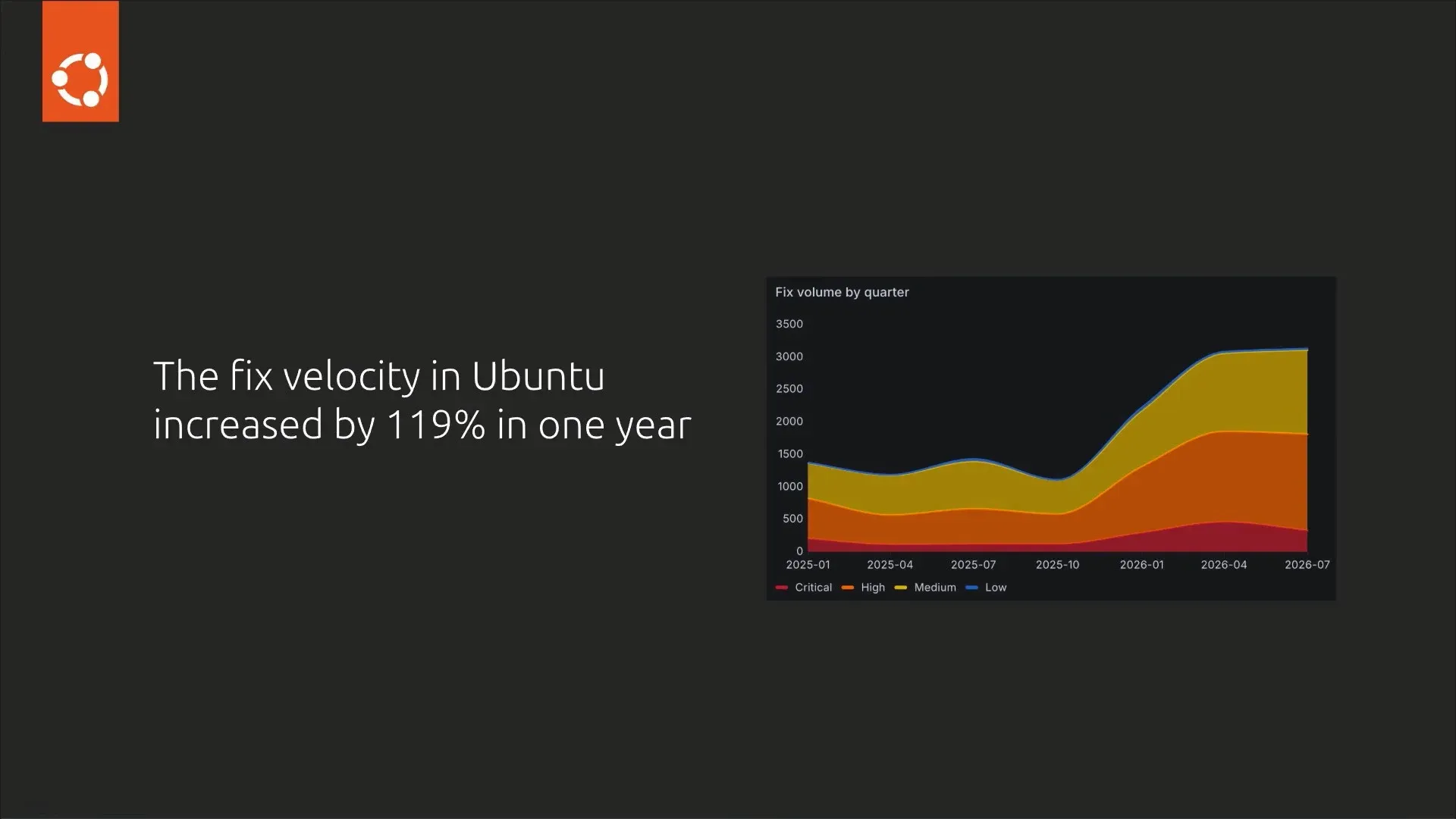
He started with numbers. According to the slides, the "fix velocity" in Ubuntu increased by 119% in one year. The "fix volume by quarter" chart shows roughly 1,400 fixes in early 2025 and about 3,100 a quarter by mid-2026.
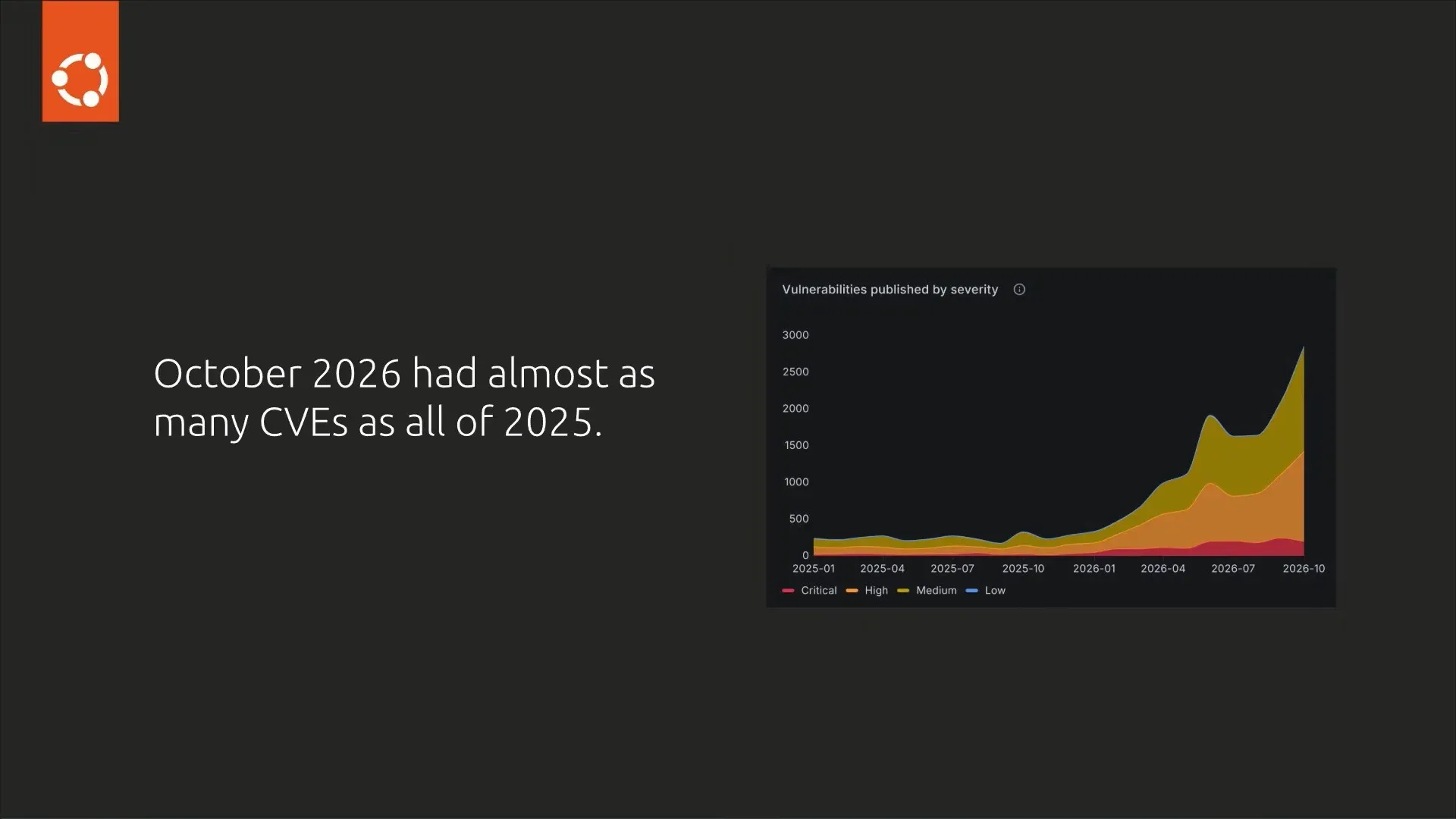
That's not it. Canonical says October 2026 alone had almost as many CVEs as all of 2025.
And Canonical doesn't expect this to slow down. Guillemin said the company expects 2027 to bring "another order of magnitude growth" in CVEs.
How do you keep up with this pace while sticking to the review and testing standards that stable Ubuntu releases are known for? Hiring and working harder cannot practically compete with this pace.
Meet Surge
Surge is "a multi-agent orchestration framework for remediating vulnerabilities in Ubuntu."
In simpler words, it's a pipeline where several specialised AI agents handle different steps of fixing a CVE, from finding out whether Ubuntu is affected to producing a patch.
Guillemin says it builds on Canonical's 20+ years of Ubuntu security work. The stated goal is to absorb a big influx of CVEs without creating backlogs. Or, as he put it, "fight AI with AI."
Surge only covers Ubuntu userspace packages, meaning the applications and libraries in the archive. Kernel CVEs are not part of it, as kernel fixes need a different backporting approach and follow their own release cycle.
How does Surge work?
The pipeline has six stages, and the interesting part is that it doesn't trust a single AI model.
It starts with intake and sourcing, which takes in vulnerability reports, maps them to packages, and checks whether the affected package is in Ubuntu at all. Then code forensics fetches the upstream patch, analyses the source, and tries to reproduce the vulnerability to confirm Ubuntu's version is actually affected.
In the backporting engine, instead of one model writing the patch, several competing models each produce a candidate fix.
These candidates then go to consensus judging, where a separate panel of "judge" models evaluates them and has to agree on the right patch. If confidence is low or the judges deadlock, the case goes to human escalation, where Ubuntu security engineers review it manually.
Finally, the patch goes through the same build, verify and publish process as any other Ubuntu package, including deterministic tests, before it is published.
The Edge archive: AI fixes, but only if you ask for them
Surge-generated fixes are not pushed to your system through the usual security updates. Instead, Canonical is launching the Edge archive, an opt-in preview of fixes that are still in development.
Edge gives you machine-generated patches before they've gone through Canonical's full qualification for general availability (GA). So you get fixes at "machine speed," but with the compromise on the fact they haven't had the full testing yet.
Canonical stresses that this is not a change in its security policy. It "will not automatically upload Surge-generated fixes to our stable releases." Your regular security updates stay human-validated and keep coming through the usual channels.
Will you opt-in?
If you're a regular Ubuntu desktop or server user, nothing changes unless you choose to. Your security updates continue to arrive the way they always have.
If you want to try it, Edge is available through Ubuntu Pro, which remains free for personal use. Canonical has published a guide on how to enable the Edge archive.
I wouldn't put Edge on a production server, yet. But on a regular desktop machine or a homelab, it's a good way to help Canonical find problems early.
To be honest, the idea of AI writing security patches will make some of you uneasy, and that's fair. But we have to "fight AI with AI" because CVEs are not going to stop or reduced. Am I right?
I own a Flipper Zero. It's a fun little device for anyone with a hacker mindset, the kind of gadget you poke at NFC tags, IR remotes and Sub-GHz signals with just to see what happens.
So when Flipper Devices first showed off the Flipper One, I expected it to be just a spec bump. It isn't one.
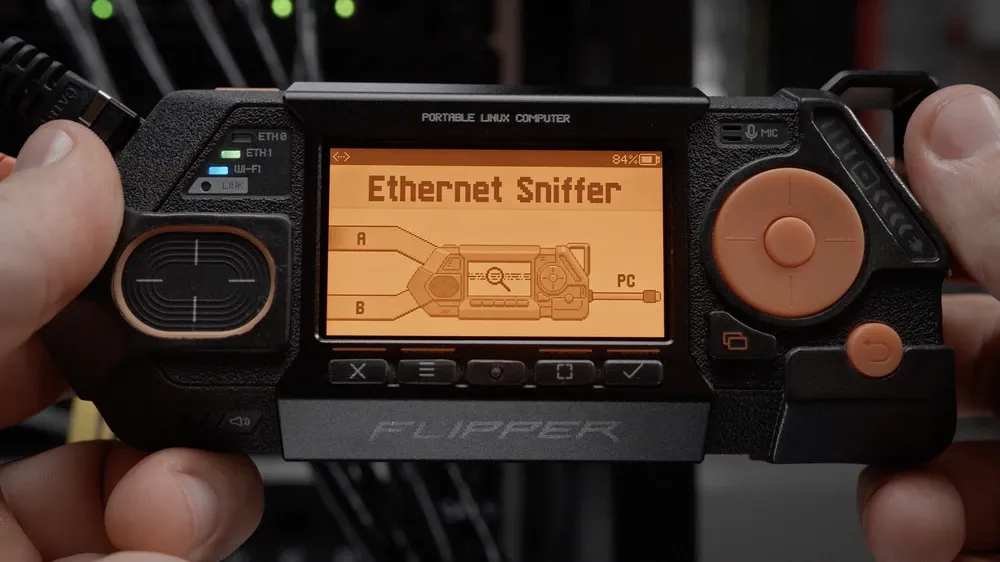
As we noted when the Flipper One was first announced, this is a pocket-sized Linux computer that also happens to be a serious network tool. In short, it's a lot more capable device than its predecessor.
And now it's official. The Flipper One Kickstarter campaign is live now, priced at $399. That's double what a Flipper Zero costs, and you can blame the steep increase on the chip shortage in this age of AI.
Key Specifications
Price: $399 (Kickstarter)
SoC: Rockchip RK3576 (8 cores) + Raspberry Pi RP2350 co-processor
The Flipper One costs $399 on Kickstarter. Folks who bought the $20 pre-order coupon earlier were promised a $379 price.
Flipper Devices is also clear on the fact that this is not a successor to the Flipper Zero. The Zero works offline, interacting directly with physical stuff like NFC, RFID, infrared and Sub-GHz radio. Flipper One moves up the stack into networked computing: high-speed connectivity, data processing and real on-device compute.
Under the hood, it uses a dual-processor setup. The Rockchip RK3576 octa-core chip runs Linux, networking, USB 3 and video output. A low-power Raspberry Pi RP2350 handles the small 256x144 grayscale display, buttons and power. That means the screen and buttons keep working even when the main Linux OS is not used.
The networking side is where things get interesting. It can juggle up to five uplinks, act as a hotspot, run VPNs and firewalls, scan wired and wireless networks, and analyze Wi-Fi traffic. The built-in eSIM comes with a Flipper SIM data plan.
It also doubles as a battery monitor, keeping tabs on its own power and whatever you plug into it.
Plug it into a monitor over USB-C DisplayPort Alt Mode and it becomes a desktop computer. Or hook it up to a TV and use it as a media box. It is a versatile device.
Flipper OS and the mainline kernel
I like the fact that they have put in effort for a custom OS called Flipper OS, a Debian-based system where you switch between preconfigured profiles for different jobs: network router, radio lab, desktop, TV media box.
Each profile has its own settings, kernel and apps. You pick one from a boot menu before Linux even loads. Your changes live in an overlay layer, so you can wipe a profile back to default if you mess it up. Experiment freely, as they say.
Flipper Devices has also partnered with Collabora to get the RK3576 into the mainline Linux kernel. The device already runs on mainline, and the DisplayPort Alt Mode patches are under review. The goal is an ARM computer with no binary blobs. Anyone who has fought with a vendor BSP on an ARM board will appreciate that.
There's still some work left. The team is working on dynamic memory frequency scaling for better power efficiency, and on removing the few closed-source bits remaining in the boot process. All of this is in public knowledge, available on the Flipper Developer Portal.
$399 price tag with no profit margin!
The global RAM shortage has made memory prices volatile (or should I say hostile). Flipper says RAM and UFS storage now account for more than half of the total hardware cost of the Flipper One.
Instead of waiting or raising the price, they are selling the hardware at cost and betting on the community to fund the first production run. Bold move, or a sign of how bad memory pricing has gotten? Probably both.
The track record helps. Flipper Zero raised $4.8 million on Kickstarter, hit its goal in eight minutes, and the company has sold over a million devices since 2020.
Pre-order is open now
The Flipper One Kickstarter campaign runs from November 17 to December 17, 2026. You can back the campaign on Kickstarter.
The device costs $399, and the box includes the Flipper One and a USB-C cable. Estimated shipping is July 2027.
As with any crowdfunding campaign, treat the timeline as an estimate. Back it because you want to support the project, not because you're counting on the ship date.
Three expansion modules are also available through the campaign:
LoRa module: works with Meshtastic, MeshCore and Reticulum mesh networks, and doubles as a walkie-talkie.
5G modem: an M.2 module that replaces the back cover, with four SMA antenna ports and support for both the built-in eSIM and external SIM cards.
SDR module: a software-defined radio module, full specs to be announced later.
The modules cost extra.
As an owner of Flipper Zero, I am excited for Flipper One launch. In normal times, this would have been a sub $200 device but we live in the times where hobbyist gadgets are getting expensive because Big Tech has disrupted the supply chain for their AI obsession.
The big Linux desktop environments have largely made up their minds about Wayland.
GNOME finished removing X11 from its login manager in March, and last month, KDE Plasma retired support for starting X11 sessions. Cinnamon is a step behind, but Linux Mint 27, due around Christmas, is set to ship a Wayland session that is no longer experimental. Though X11 stays the default.
Smaller desktops are at different points on the same journey.
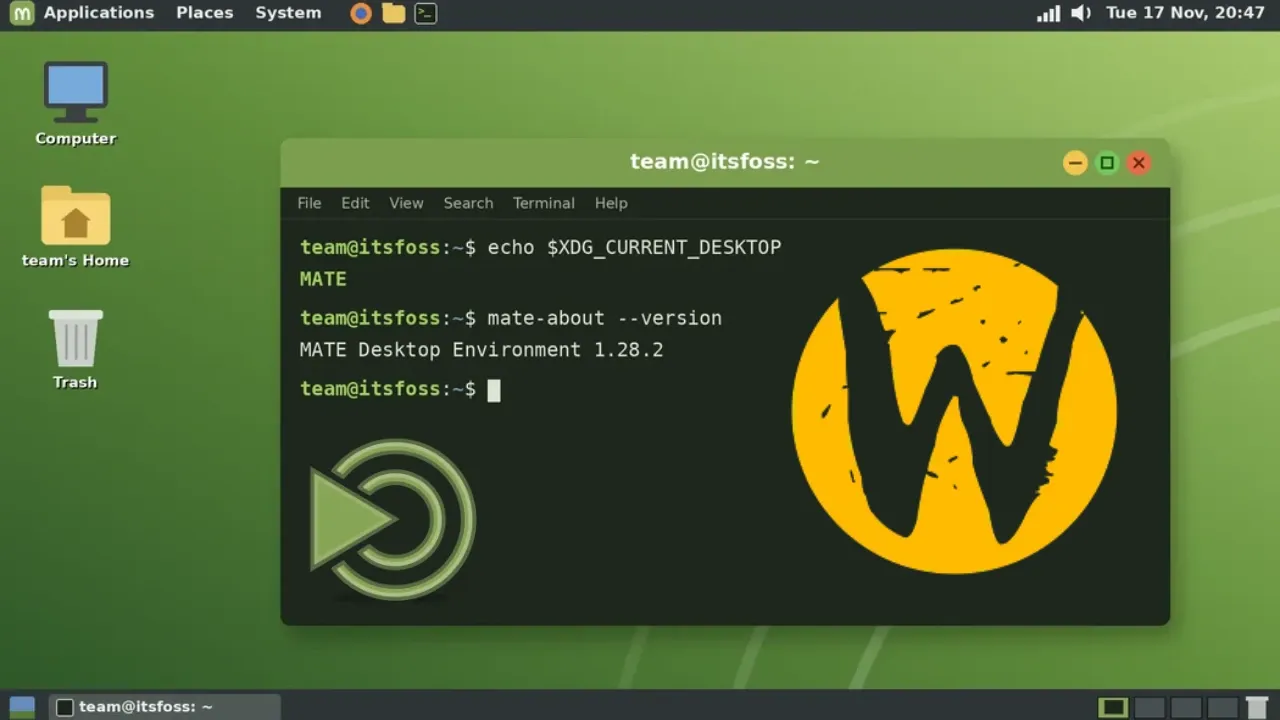
MATE, on the other hand, has moved in bits and pieces. Since MATE 1.26, apps like Atril, System Monitor, Pluma, and Terminal can run on Wayland, while the official mate-wayland-session is a simple, experimental setup that relies on Wayfire.
What's still missing is a Wayland-native window manager for MATE. Its own, Marco, has no Wayland mode, and the following two projects, Polo and MATE Wayland Desktop, now aim to replace it in different ways.
Polo
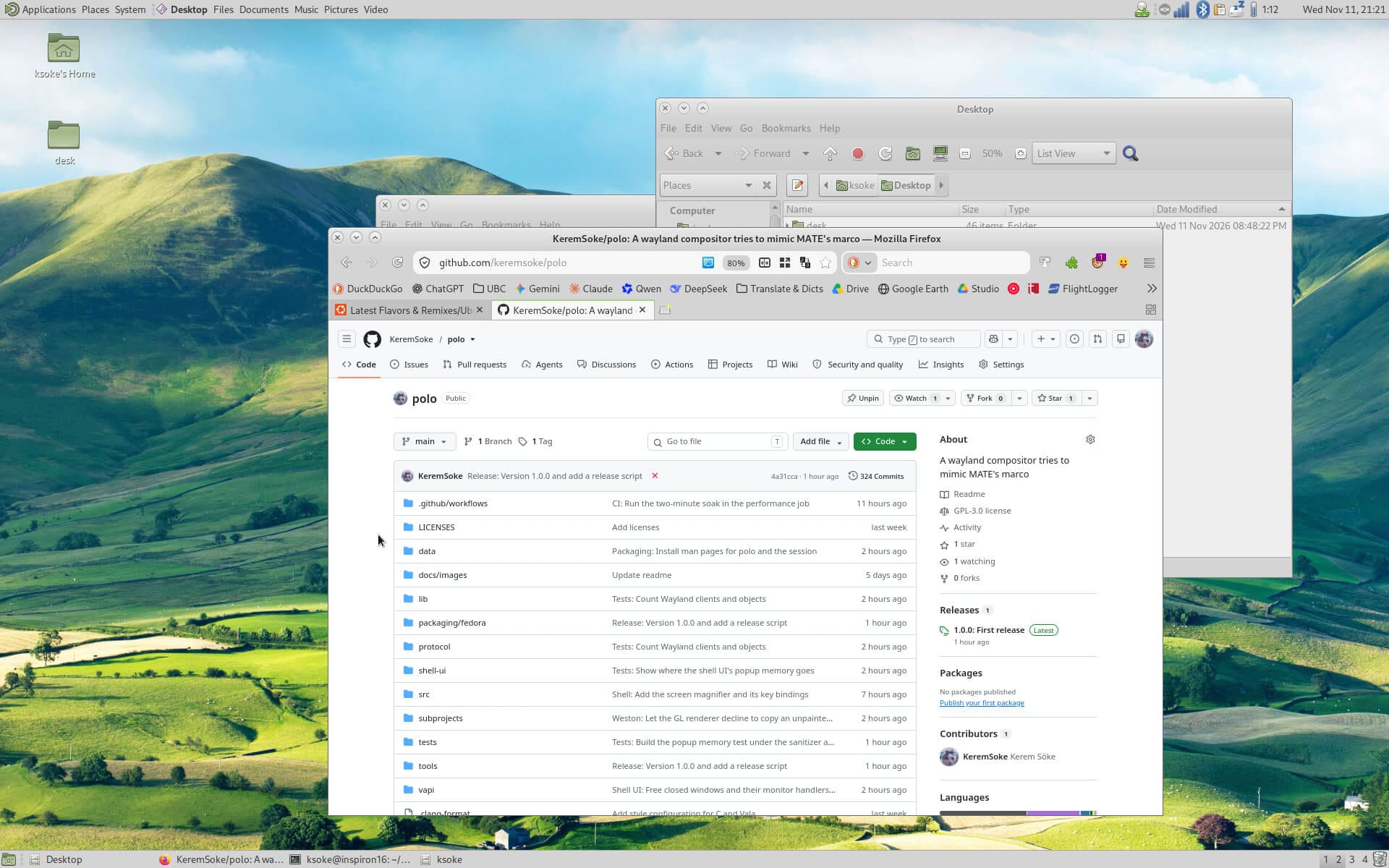
Polo comes from developer Kerem Söke, and it is a compositor, window manager, and session manager for people who want MATE to look and behave on Wayland the way it does today.
It is written in Vala and C on top of libweston 16, follows Marco's window management rules, and retains the settings, themes, and keybindings MATE users already have. Apps that still need X11 get a window manager of their own under XWayland.
Polo handles the session too, using the D-Bus interface of mate-session-manager, and the panel, Caja, and the screensaver can talk to it as they would on X11.
It's first stable release was published on 12 November with support for tiling, workspaces, screen sharing through xdg-desktop-portal, and layer shell compatibility for mate-panel.
A DRM backend is responsible for handling multiple monitors and remembering screen layouts. Effects like wobbly windows and a desktop cube are also included (fans of Compiz, rejoice!).
You can build Polo from source on Fedora 44 or 45, Debian 14, or Ubuntu 26.04 or 26.10. Once installed, a "MATE (Polo)" entry should show up in LightDM.
Kerem has also said that he may host his own .deb repository if the Debian and Ubuntu MATE teams do not ship Wayland-enabled packages.
MATE Wayland Desktop
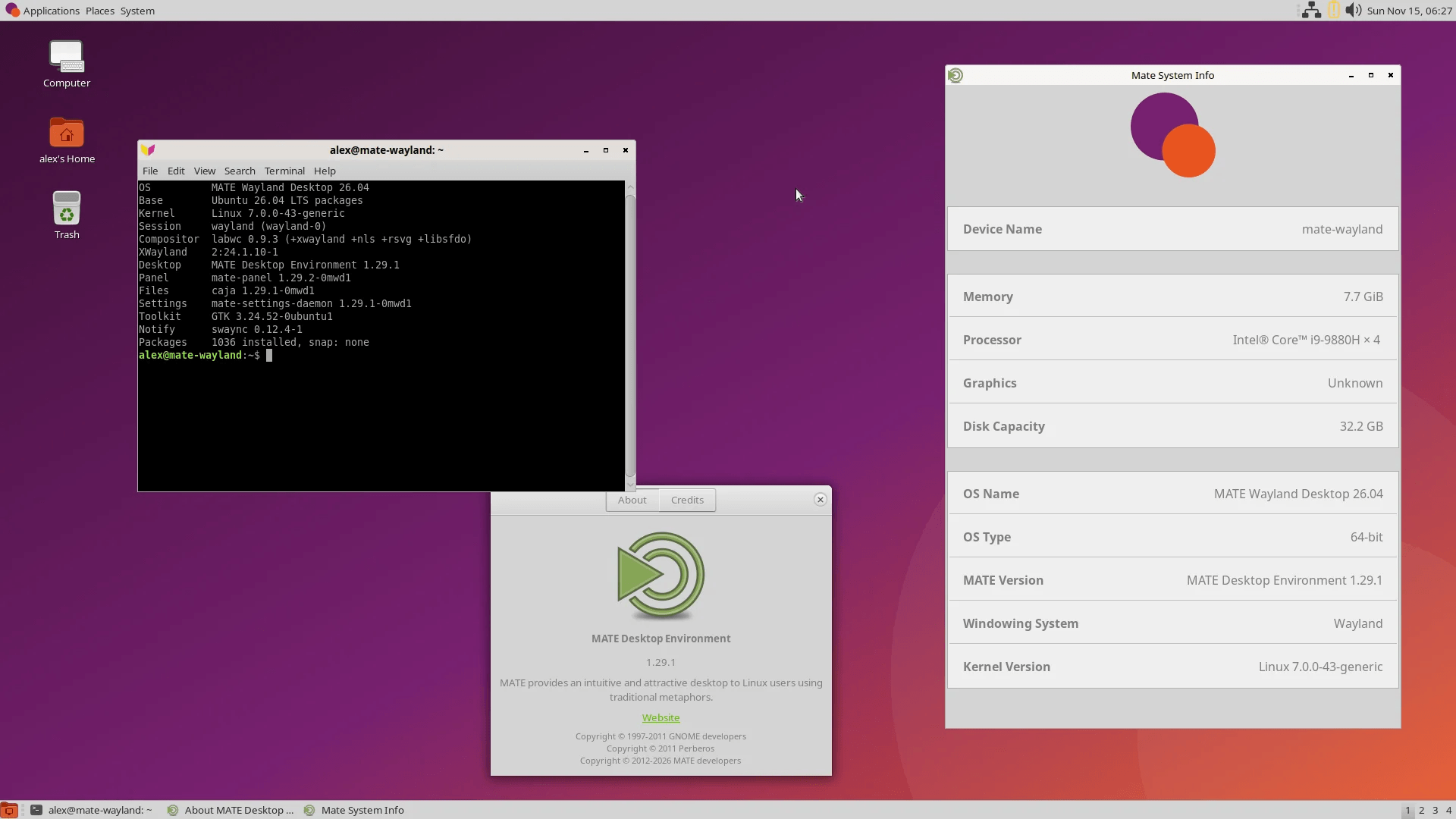
MATE Wayland Desktop uses an existing compositor instead of writing one. It swaps Marco for labwc and ships as an installable ISO built on Ubuntu 26.04 LTS, with Linux 7.0 and MATE 1.29 components as the foundations.
Eight of those MATE packages are rebuilt from newer upstream code, and one of them is mate-panel 1.29.2 with Wayland support turned on. Apps that only speak X11 run through XWayland.
Installation is handled by Calamares, and it offers optional LUKS2 full-disk encryption.
The project is also clear about the rough edges in it.
The keyboard, mouse, and keyboard shortcuts panels in Control Center crash when running natively, so MATE Wayland Desktop opens them through XWayland instead.
MATE's own Displays dialog does not work on Wayland either. The "Displays" entry in the launcher opens wdisplays instead.
During installation and usage, Secure Boot has to be off, and the ISO boots up with the open source Nouveau GPU driver. NVIDIA's own driver can be installed afterward with ubuntu-drivers.
Seeing that this is a new offering, I highly recommend you test it on a spare machine before going for a full installation.
You can get started with its ISO on x86_64 systems by heading over to the official download portal.
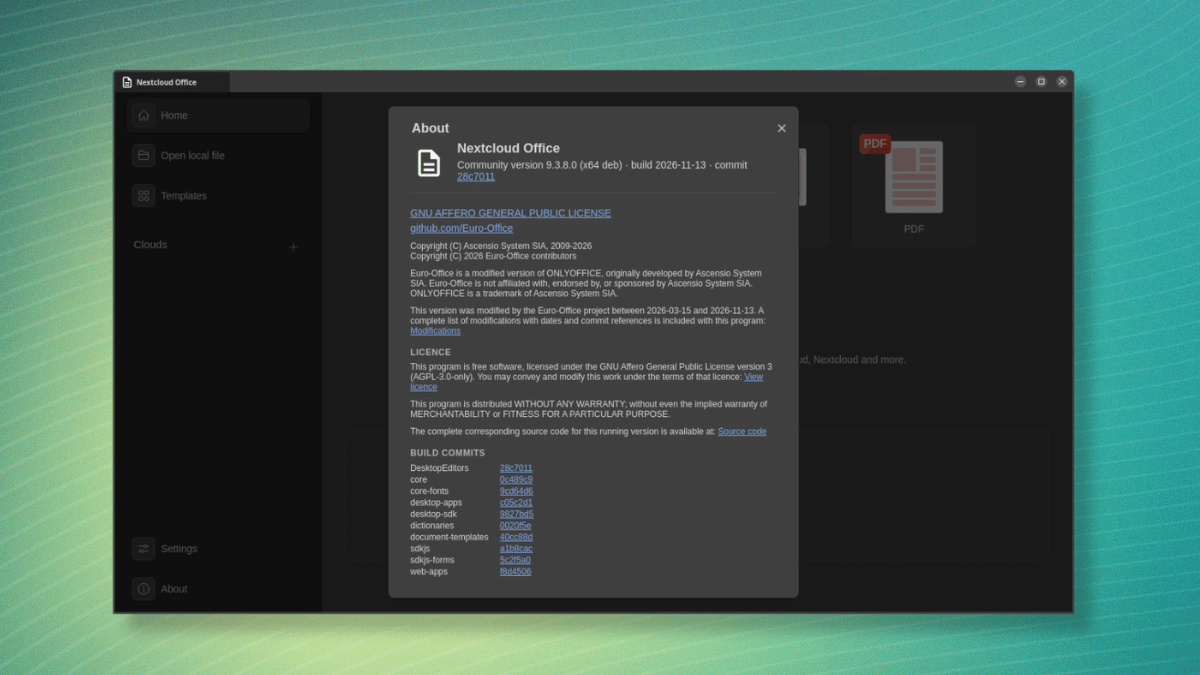
Nextcloud's office editors already work in the browser, and as of a few days ago, there is an open source desktop app that should appeal to a wider userbase that prefers doing their document work locally.
The app is based on the DesktopEditors code of Euro-Office, which, as you might remember, is a coalition of European companies that includes Nextcloud, IONOS, Proton, Open-Xchange, and Tuta.
Its primary aim is to offer open and sovereign document editing, with its first production-ready version coming out back in June. Also, the code is a modified version of ONLYOFFICE, which has its own lore behind it.
Now, let's look at what Nextcloud's app has to offer.
Nextcloud Office: Is it for you?
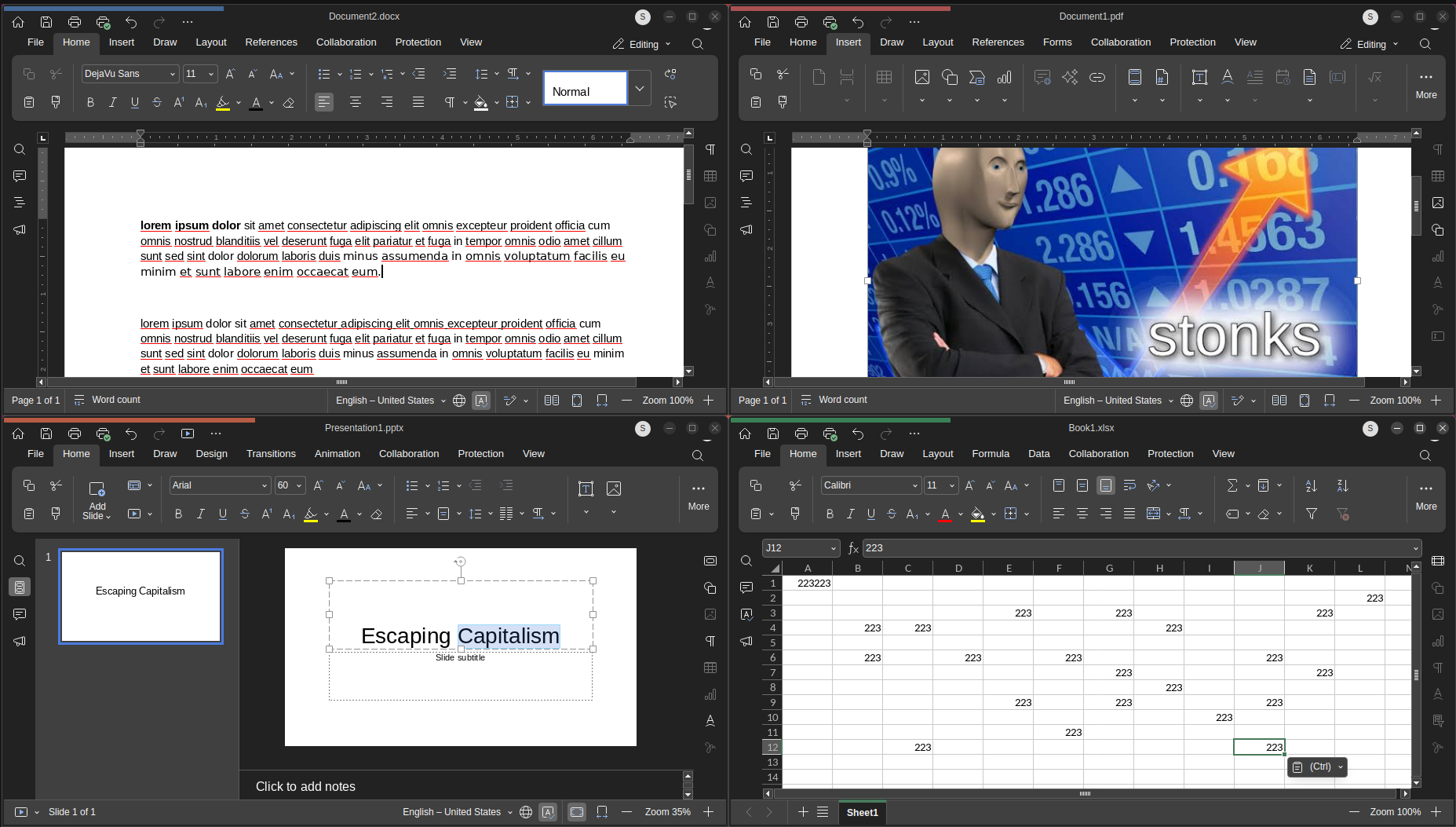
It comes with four separate editors. The Document editor is for text files like reports and letters, the Spreadsheet editor handles tables and calculations, the Presentation editor is for slides, and the PDF editor is there for opening and working with PDFs.
Between them, they support Microsoft Office and OpenDocument files. That covers formats like DOCX and ODT, XLSX and ODS, and PPTX and ODP.
Your files can live in two places. You choose which ones stay on your machine and which go to the cloud, with the local ones staying editable even when you are offline.
Connecting to Nextcloud works from the "Home" page, where the "Clouds" entry in the sidebar lets you add an instance by URL and log into it. An important thing to know here is the fact that you are not limited to one instance; several can be added.
Euro-Office, but different
Nextcloud Office is not an entirely different app from the desktop editors Euro-Office builds. It is Nextcloud's signed distribution of that same DesktopEditors source code, but one that's more geared towards production use.
On Linux, Nextcloud hosts signed APT and DNF repositories. Once you add one, the app gets updated along with the rest of your system.
On Windows and macOS, the packages are signed, which means they are verified for integrity and suitable for managed device rollouts.
The Euro-Office community builds come from the same source but are unsigned, and the project advertises them as meant for testing and contributing. They are only available as GitHub releases, and there are no package repositories for them.
The project advises against using them in regulated environments or for managed device rollouts, and the Nextcloud integration is also only provided on a best effort basis there.
On the flip side, Nextcloud Office gets tested integration and additional testing against Nextcloud releases.
Support breaks down the same way. Nextcloud Office has a dedicated Enterprise subscription for providing both community and dedicated support, while the community builds only get community support.
A brief test
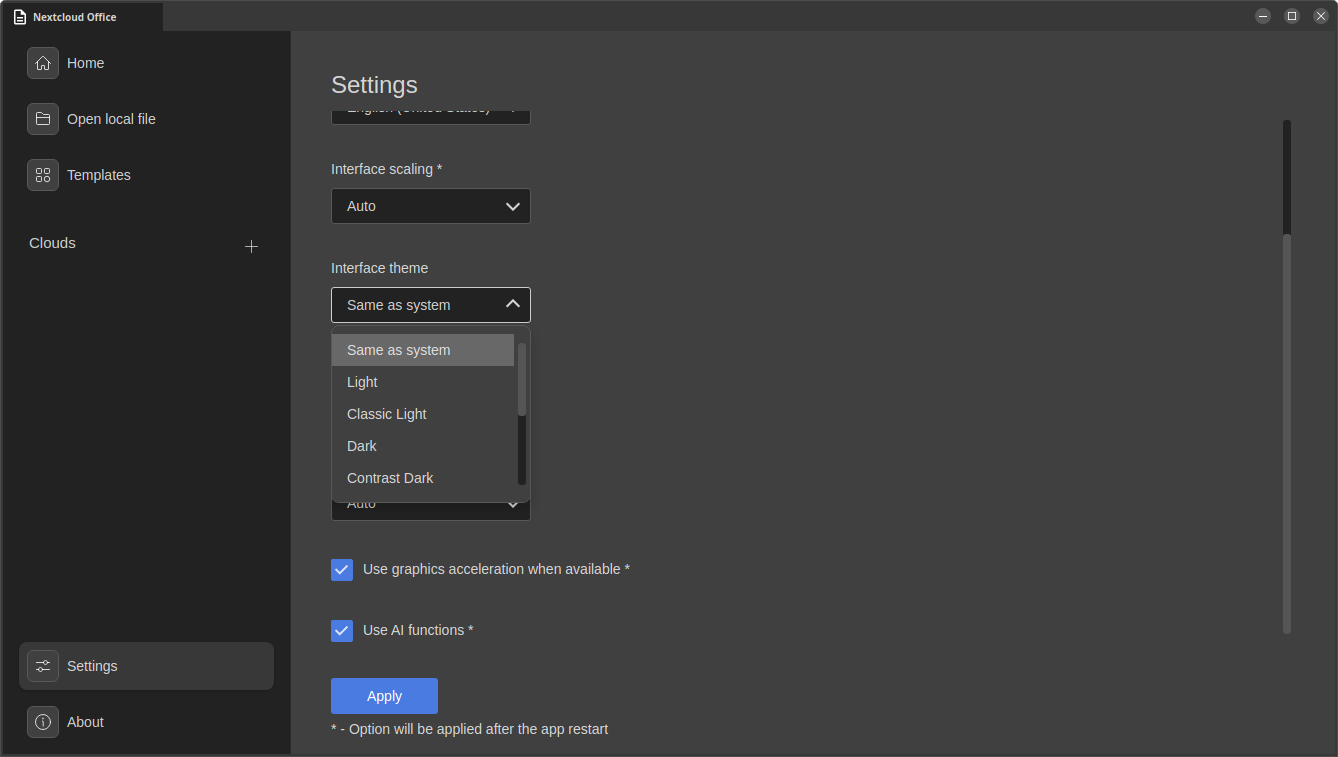
I took the office suite for a short spin, and I found out that it had support for several interface themes, including Dark, Contrast Dark, and Modern Dark, along with support for interface scaling and graphics acceleration.
The app also managed to make use of the installed fonts on my Ubuntu system and had turned AI functions on by default. That last one is something people who don't prefer AI should take note of; it can be found in: Settings > Scroll Down > Use AI functions
Use it now
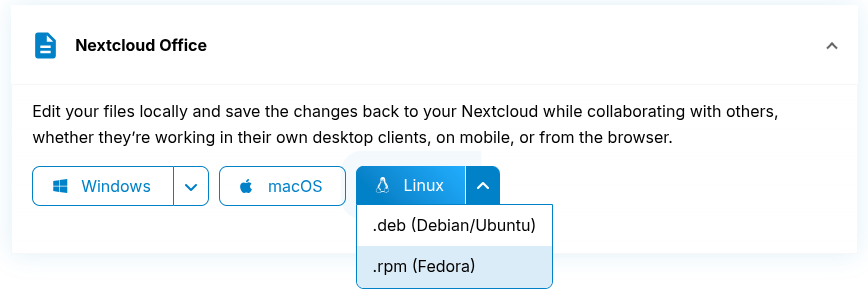
Nextcloud is offering binaries for the desktop app across the three major platforms, Linux, Windows, and macOS.
You are probably already aware of the recent Microsoft outage. For more than a day last week, a large share of the world’s office workers could not reliably send or receive email.
The trouble started on the afternoon of Nov. 12, when Outlook users found they could no longer reach their mailboxes. Within about an hour, Downdetector had logged reports from 74 countries and territories. Teams and Copilot features that rely on Exchange Online broke too.
Microsoft said the outage was not a cyberattack. In a preliminary explanation, it pointed to an issue from an earlier network capacity upgrade that surfaced after a more recent network change. The company declared service fully restored early on Nov. 14, and has promised a full post-incident report.
The disruption is the latest in a run of Exchange Online failures this year. On Aug. 31, a bad authentication configuration knocked out email and spilled over into Teams, SharePoint, OneDrive and Defender for about 12 hours. Some estimated that lost productivity from the November outage could approach $7 billion.
For the companies selling open source alternatives to Microsoft’s products, the episode is a chance to make an argument they have been making for years. It’s FOSS asked several of them what governments and businesses should be thinking about as they recover. Their answer, broadly, was not that their software never fails. It was that no single company should be able to stop an entire economy’s email at once.
“Errors can happen to any provider,” said Peter Ganten, the chief executive of Univention, a German company that makes open source identity management software. “The more important question is concentration.”
“When hundreds of millions of people in thousands of organizations worldwide depend on the same infrastructure, running the same software and managed by the same company, a single fault in the wrong place can bring public life to a standstill,” Ganten said. This failure appears to have been technical, he noted, but “an external attack could have had equally severe consequences.” The same dependency, he added, leaves entire economies exposed to sudden price increases or politically motivated service restrictions.
The scale he describes is real. Microsoft reported more than 450 million paid commercial seats for Microsoft 365 in January this year.
Nextcloud, which makes a self-hostable file sharing and collaboration suite, struck a gentler note while the outage was still unfolding. “Mistakes happen in the IT industry,” Jos Poortvliet, a co-founder of the company, said in a statement on Friday. “This holds true for companies of all sizes, including us. Our heart goes out to all the admins today.”
But he too pointed to concentration. “Especially in critical infrastructure, monopolies are increasing the risk of stalling businesses globally if an incident occurs,” Mr. Poortvliet said. “When everything is hanging on a single vendor, companies can’t switch providers quickly to get back up and running, or have a second setup as backup, or pull the plug when under attack and keep working air-gapped.”
The weak point is the login
The outages this year have shown how one fault can spread. In August, a problem with Microsoft’s authentication configuration did not just break email. It took down other Microsoft 365 services that sit on the same sign-in layer.
Ganten said that was the risk worth worrying about most. “When authentication fails, every service that depends on it fails with it,” he said. Identity, in his view, should be an open and separate layer that different providers can run, so that services stay reachable when one of them goes down. Univention sells an identity platform, Nubus, built on that idea.
‘Outsourced operations’ is not ‘outsourced risk’
Galina Goduhina, the commercial director of ONLYOFFICE, an open source office suite, said organizations had misread what the cloud bought them. “The cloud has made infrastructure someone else’s problem, but it hasn’t made downtime someone else’s consequence,” she said. “Organizations need to stop confusing outsourced operations with outsourced risk.”
The question, she said, is whether an organization has “enough control, portability and independence to keep working when their primary provider cannot.”
She was candid that open source software is not immune. “The difference isn’t that open source fails less,” Ms. Goduhina said. “It’s that failure doesn’t necessarily leave you waiting for a single vendor to act.” Whether organizations can actually use that freedom, she added, depends on their preparation.
That raises an obvious objection: moving from Microsoft’s cloud to another company’s cloud could simply trade one dependency for another. Ganten agreed that it can. “It does, unless the software is open source and built on open standards,” he said. Such software can be run without its original vendor and, in the worst case, maintained by someone else entirely.
Leaving is harder than it looks
None of the companies suggested that switching is quick. Asked what it would take for a 500-person organization to move off Exchange, Goduhina said the mailboxes were the simple part.
“Moving 500 mailboxes is the easy part to estimate,” she said. “Replacing years of accumulated integrations, permissions and habits is not.” She would plan for several months, starting with an audit of dependencies and a pilot group. “The biggest migration risk is discovering too late that Exchange was doing far more than handling email.”
For organizations that are not ready to leave, Ganten suggested a smaller step. Where critical services are involved, he said, organizations should be able to keep at least a minimal operation running without their usual provider.
“This fallback,” he said, “must be rehearsed regularly.”
Thanksgiving is approaching faster than Bus, Trains and Automobiles. And so here is my list of deals for Linux users and open source enthusiasts.
If you've been waiting to buy cloud storage, take a course, or build a home server, you can check out these deals and see where you can spend some money and save at the same time.
Prices and availability can vary by country, and a discount doesn't automatically make something worth buying. So decide as per your needs and wants.
📋
I will be adding more deals to this page as I come across them. If you know other deals that should be of interest to Linux users with interest in privacy, server, homelabbing etc, please let me know and I will add them here.
My advice before you buy
I suggest starting with what you actually need. Check the full upfront payment, not just the monthly equivalent, and compare the renewal price before subscribing. A two-year plan advertised per month is usually a commitment paid in advance.
Read the refund terms before paying. Several discounts below have exclusions, and a free trial isn't a money-back guarantee. For hardware, I'd also check shipping, import duties, return postage, and whether the price includes any storage drives you'll need.
Lifetime plans can reduce recurring bills, but they still depend on the provider and its terms. Keep another copy of important files, and make sure you can export your data if you decide to leave.
I have tried to include information on pricing, moneyback and other important aspects. Still, please verify it yourself before making the purchase.
📋
Some links here are affiliate links. If you buy through them, It's FOSS may earn a commission at no extra cost to you. That doesn't change the price or your refund rights. Please read our affiliate policy.
Cloud storage deals
pCloud
If you'd rather pay once than add another subscription, pCloud is worth a look. You can store your files in its Swiss-based cloud and access them across your devices.
I'd pay attention to what's included: the 3in1 bundle combines storage, a password manager, and client-side encryption, while the ordinary storage plans don't include all those extras.
💸
Offer: Up to 60% off Lifetime plans. Ends: November 28, 2026. Moneyback: 14-day written request window; promotional purchases may be excluded. Policy.
If you want encrypted storage without buying the whole Proton bundle, I'd look at Drive Plus. You get space for files and photos, with encryption designed to keep their contents private.
You can also use Proton's document tools. I'd compare the standalone plan with Unlimited before paying, especially if you already need or use Proton Mail or its VPN.
💸
Offer: 60% off 1 year: $23.88 upfront ($1.99/month), then $47.88/year. Ends: November 30. Moneyback: 30 days on an initial direct purchase, once per user.
The current public landing page shows 83% off. Check the partner checkout against the offer below.
Internxt offers encrypted cloud storage with subscription and lifetime options. If you're comparing it with pCloud, I'd look beyond the large discount percentage and check the actual storage allowance and included tools. You can use it for files and backups, but I'd keep a separate copy of anything important rather than make one provider your only backup.
💸
Offer: 87% off selected plans Ends: December 3, 2026. Moneyback: 30 days on the first purchase by card or PayPal; no crypto or renewal refunds.
If you want more than a VPN without spending much, I'd recommend Surfshark One. From $2.49 a month on its two-year Black Friday plan, it combines the VPN with antivirus, data-breach alerts, and Alternative ID for masking your personal details.
You also get unlimited VPN device connections. One caveat for you as a Linux user: the antivirus is for Windows, macOS, and Android, not Linux.
💸
Offer: Surfshark One from $2.49/month on a 2-year plan, plus 3 extra months. Billed upfront. Ends: 30 Nov. Moneyback: 30 days on the initial purchase, once per service; not renewals.
Official NordVPN press image; not a campaign banner.
NordVPN is an option if you want a VPN subscription that you can use on Linux and your other devices. I'd start by checking whether the Basic plan covers your needs instead of paying for a larger security bundle. A VPN can protect the connection between your device and its server, but it doesn't make you anonymous or replace sensible security habits.
💸
Offer: Basic 2-year plan from €2.99 / £2.19 / $2.99 per month, billed upfront. Check renewal pricing. Ends: December 9, 2026. Moneyback: 30 days on the initial subscription, not renewals. Policy.
If you're already using Proton services, its VPN is worth comparing with the other offers here. VPN Plus supports up to 10 devices, so you can cover more than your Linux computer.
💸
Offer: 75% off 2 years: $59.76 upfront ($2.49/month), then $83.88/year. Ends: November 30 Moneyback: 30 days on an initial direct purchase, once per user. Cancel and request the refund; cash/bank transfers excluded. Policy.
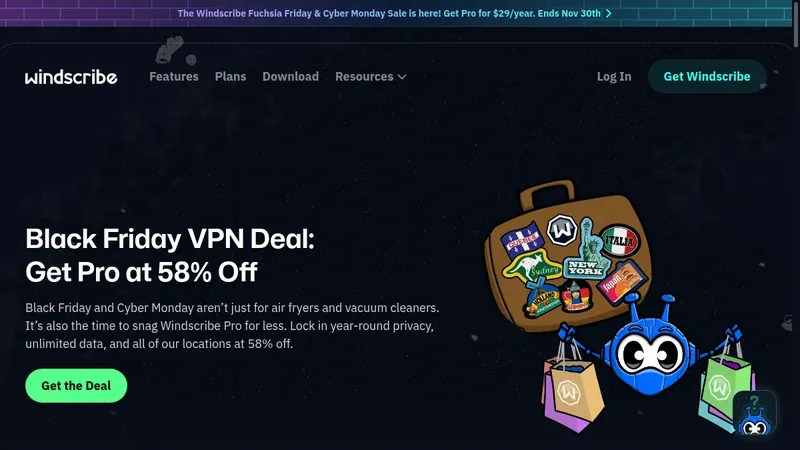
Windscribe stands out here because the advertised annual discount continues evenwhen you renew, rather than disappearing after the introductory term. If you dislike checking for a new VPN deal every year, I'd compare that recurring price with the alternatives. You should still try the service on your own connection and devices before making a long-term choice.
💸
Offer: Pro for $29/year with BEEPBOOP; renews at $29/year until cancelled. Ends: 2nd December. Moneyback: Conditional: request within 7 days, under 10 GB used, for an unresolved technical issue. No renewals or promotional gift-card refunds. Policy.
If you've been thinking about moving away from an ad-funded inbox, Proton Mail is one option I'd recommend. You get an encrypted email service with paid features such as custom-domain support and additional addresses. Before switching, check how you'll move your old messages and connect the apps you use; email migration deserves more thought in my opinion.
We use ProtonMail for all @itsfoss.com email address.
💸
Offer: Mail Plus: 60% off, $23.88 for 1 year ($1.99/month), then $47.88/year. Unlimited: $77.88 first year, then $119.88/year. Ends: November 30. Moneyback: 30 days on an initial direct purchase, once per user. Cancel and request the refund; cash/bank transfers excluded. Policy.
StartMail is another private email service I'd consider if you want to separate your inbox from advertising companies. You can create unlimited aliases to avoid handing out your main address everywhere, and use your own domain. I'd try the service before committing, because its discounted accounts have an important refund restriction that you shouldn't overlook.
💸
Offer: 50% off plus 3 months free, November 23–30. Ends: November 30, 2026. Moneyback: Discounted accounts are non-refundable. The 7-day free trial is separate. Policy.
A password manager is a more useful purchase than another subscription you'll forget about. Proton Pass stores logins and lets you create email aliases, so you don't have to reuse the same address everywhere. I'd compare the individual and family plans, check that importing your existing passwords works, and keep a safe copy of your account recovery information.
Getting ProtonMail, VPN and Password together is a always a better option.
💸
Offer: 60% off 1 year. Plus: $23.88 upfront, then $35.88/year. Family (up to 6): $33.48 upfront, then $59.88/year. Ends: 30 Nov. Moneyback: 30 days on an initial direct purchase, once per user. Cancel and request the refund; cash/bank transfers excluded. Policy.
If you want to learn Python, SQL, or work with data, DataCamp gives you short lessons and interactive exercises rather than just videos to watch. Its catalog also covers AI engineering, Power BI, and Tableau. I'd pick a learning track before subscribing, so you have a plan for using the membership instead of collecting another course subscription.
💸
Offer: 60% off AI and data learning; check the eligible subscription and included certifications. Ends: December 3, 2026, 23:59 EST. Moneyback: No refunds or prorating for unused subscription periods. Policy.
KodeKloud is the one I'd recommend if your learning plans involve Linux, containers, Kubernetes, or cloud administration. Its courses include practical labs, which give you somewhere to work through the commands instead of only watching an instructor.
Before buying, check that your chosen annual plan includes the courses and playgrounds you actually want to use.
💸
Offer: Up to 50% off annual plans in the Early Black Friday sale. Ends: November 19, 2026, at 12 PM PST. Moneyback: 30 days from purchase. Request a refund through support; cancellation alone isn't enough. Policy.
Official LabEx learning artwork; not a campaign banner.
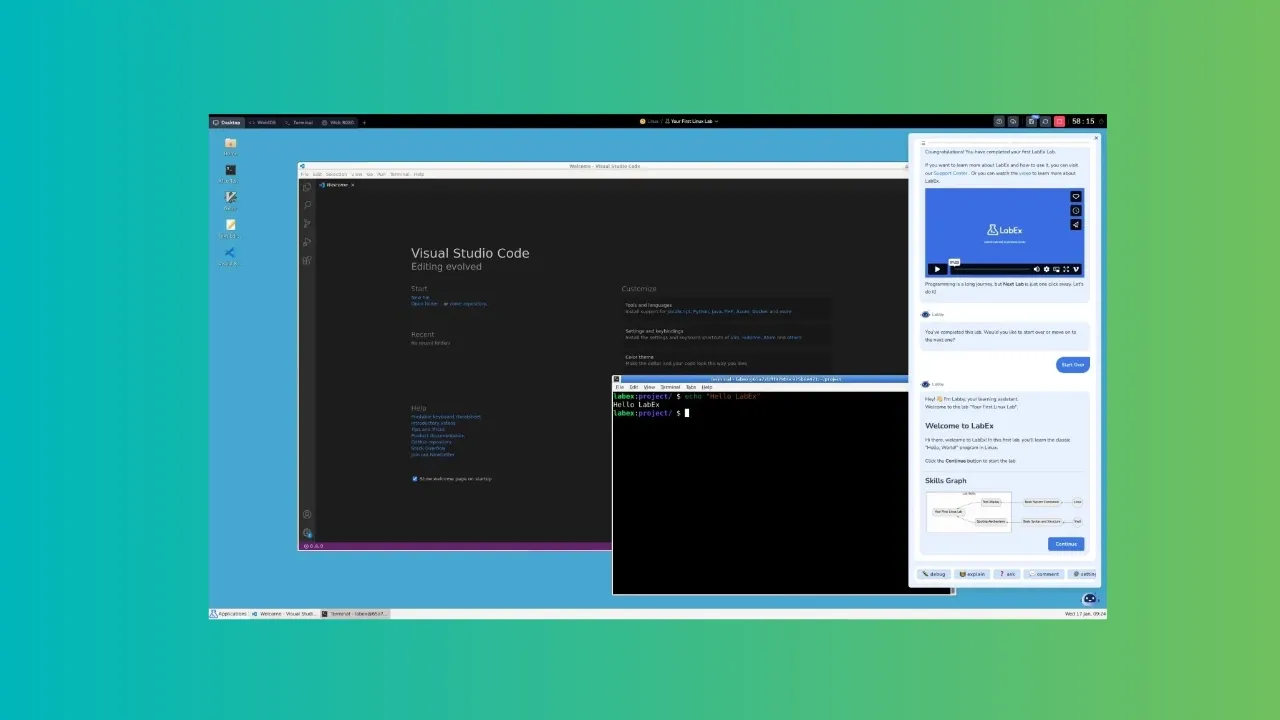
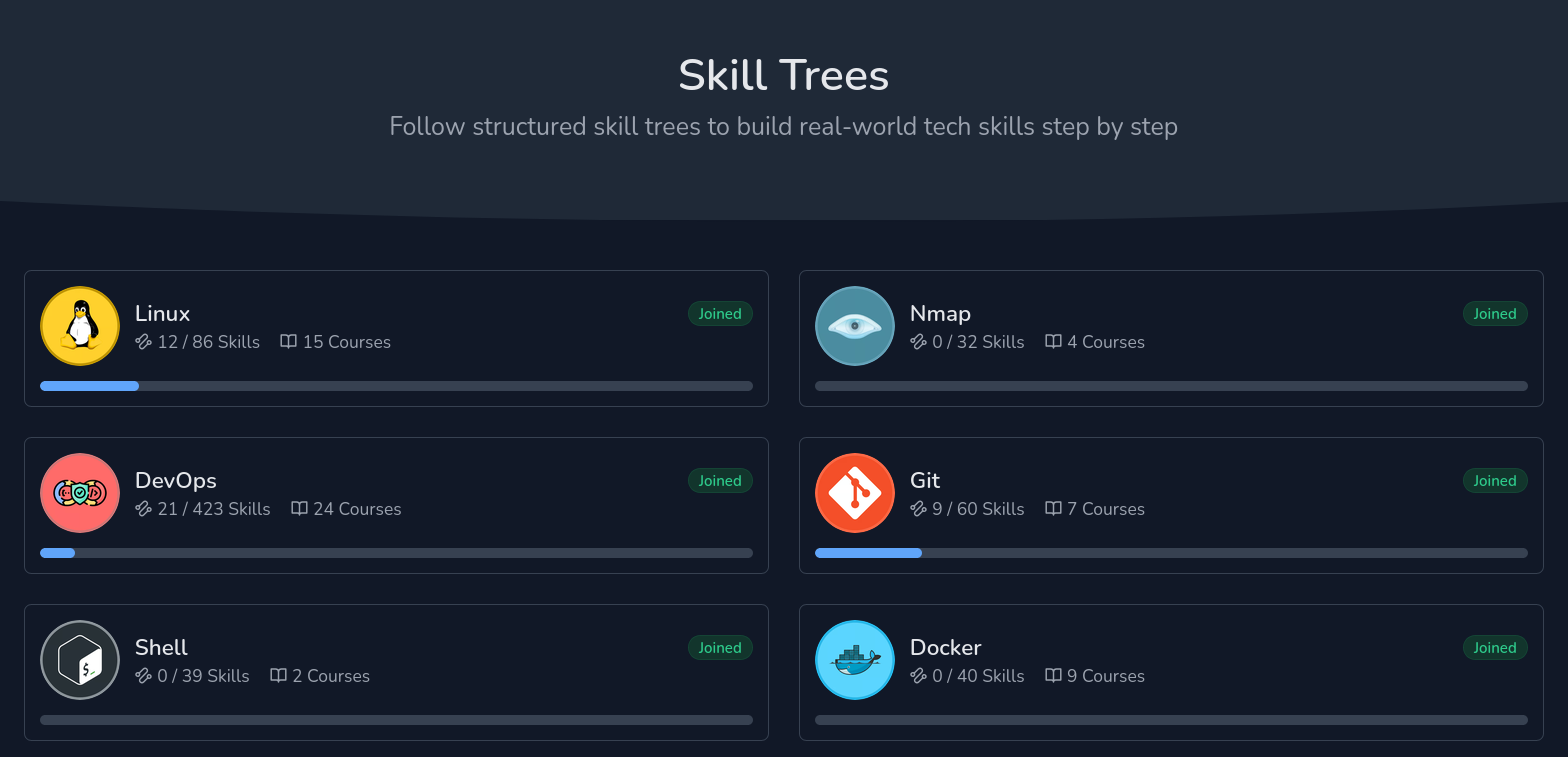
LabEx focuses on hands-on learning in browser-based labs, including Linux, DevOps, cybersecurity, and cloud topics. If you learn more by typing commands than watching videos, I'd put it on your shopping list. You can choose a one-year or two-year membership, but I'd check the exercises you want first because the sale's coupon purchases aren't refundable.
💸
Offer: 1 year: $69.90 (30% off, 2026BF30). 2 years: $99.90 (50% off, 2026BF50). New and existing users. Ends: December 7, 2026. Moneyback: Coupon and voucher purchases are non-refundable. Policy.
If you want a computer sold with Linux support rather than installing it on an unknown laptop, System76 is worth comparing. It builds Linux laptops and desktops and develops Pop!_OS.
Suitable for people living in the United States of America.
💸
Offer: Up to $257 off selected computers and configurations. Ends: November 23, 2026. Moneyback: 30 days from shipment, with return authorization and as-new packaging/condition. Shipping costs aren't covered.
Slimbook is another place I'd look for a Linux-focused computer, particularly if you're shopping in Europe. Its range includes laptops, desktops, and mini PCs, so you can compare a portable machine with something for your desk.
I'd recommend checking your preferred Linux setup, keyboard layout, shipping costs, and warranty arrangements before deciding which discounted model suits you.
💸
Offer: Up to €120 off selected products. Ends: 26 November. Moneyback: Confirm eligibility and return costs before buying.
If you've been planning a first home server or a small NAS, Zima has a few different starting points. I'd compare the compact ZimaBoard options with the larger ZimaCube based on the drives and services you want to run.
I have both ZimaBoard 2, compatch device for easy homelab start, and bigger ZimaCube 2, for local AI use.
Check the included memory and storage carefully, and budget for disks rather than assuming the sale price buys a fully populated NAS.
Offer: 10-20% off and some products offer additional free accessories. Ends: November 30, 2026. Moneyback: 14 days from delivery for unused/like-new goods with authorization and original packaging. Return postage and import costs may apply.
TerraMaster sells NAS systems and direct-attached storage enclosures, so I'd start by deciding whether you need network access or simply more disks connected to one computer.
If you're buying through Amazon, check the exact model, seller, and whether you have spare HDD and SDDs. A discount on an enclosure won't tell you the total cost of the storage setup you have in mind. NAS devices do not come with HDDs and SSDs.
💸
Offer: 20% off selected products on Amazon; verify the exact model, seller, and listing. Ends: 30 Nove. Moneyback: Amazon return terms apply.
ORICO has multi-drive enclosures as well as NAS products, which makes it worth comparing if you're expanding a backup or media setup.DAS and NAS aren't interchangeable, and a lower price won't help if the enclosure doesn't fit your intended setup. So, do a quick research.
💸
Offer: 20% off selected DAS and up to 15% off selected NAS. Ends: December 7, 2026, at 11:59 PM PST, while stock lasts. Moneyback: Advertised 30-day unused-item return window, but policy conflicts on non-defective returns. Verify it please.
Olares One is a personal cloud and local-AI computer, rather than just another storage enclosure. If you want a dedicated box for a serious local AI setup, I'd look at what its software provides and how much of it you actually need. This is a larger purchase than a course or cloud plan, so I'd recommend proper research first.
💸
Offer: $300 off Ends: 30 Nov. Moneyback: 7-day DOA exchange versus ; EU 14-day rights noted. Better to verify with them.
Considering that RAM and SSD prices show no sign of coming down till 2030, I would suggest getting some of those required accessories before prices go even further up.
So check if you can see some discount on SSDs and HDDs and RAMs on Amazon and budget accordingly.
More offers to come
I'll add more offers as their details are confirmed. If you spot a useful Linux, privacy, learning, or homelab deal, let me know in the comments.
And if nothing here matches what you need, keeping your money is a perfectly good Black Friday money saving decision as well 😄
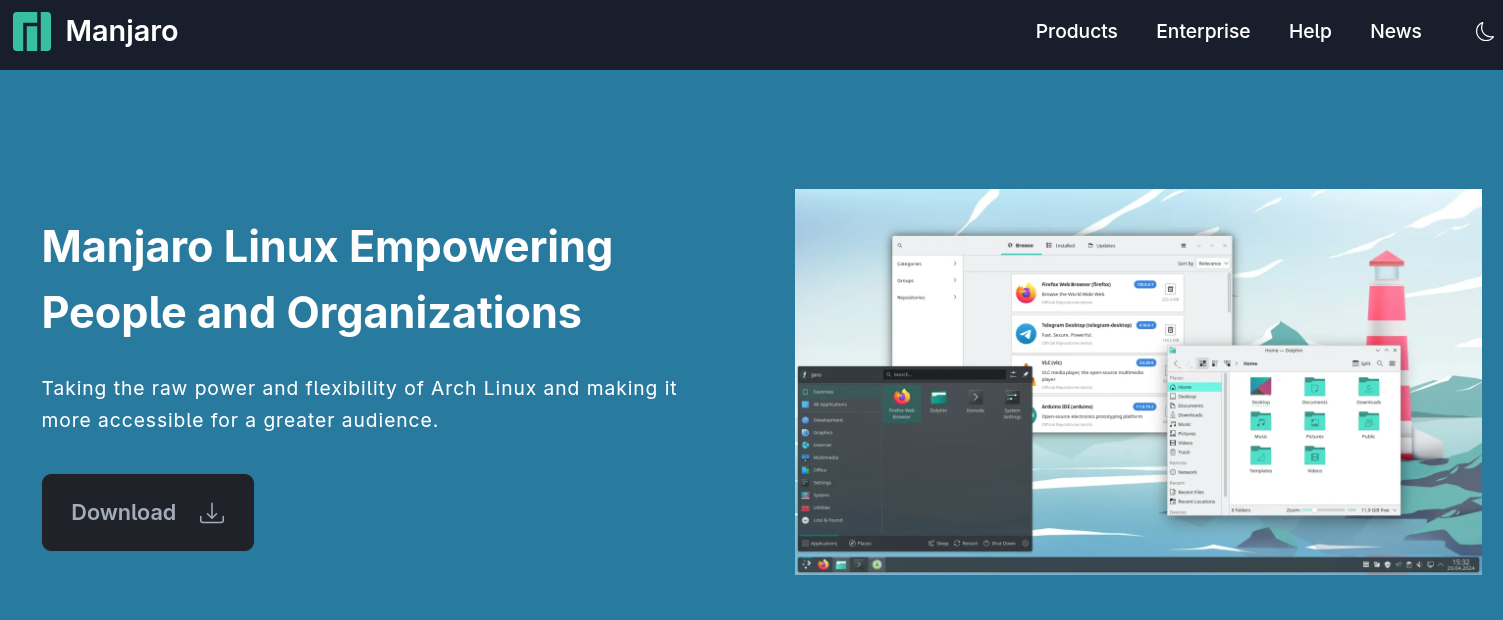
The Manjaro team has registered its own non-profit in Germany. Called Manjaro Project e.V., it has seven founding members and is independent of the commercial-oriented Manjaro GmbH & Co. KG entity.
You might remember earlier this year, in March, a group of team members published a manifesto calling for the project to be split from the company, with a strike following soon after.
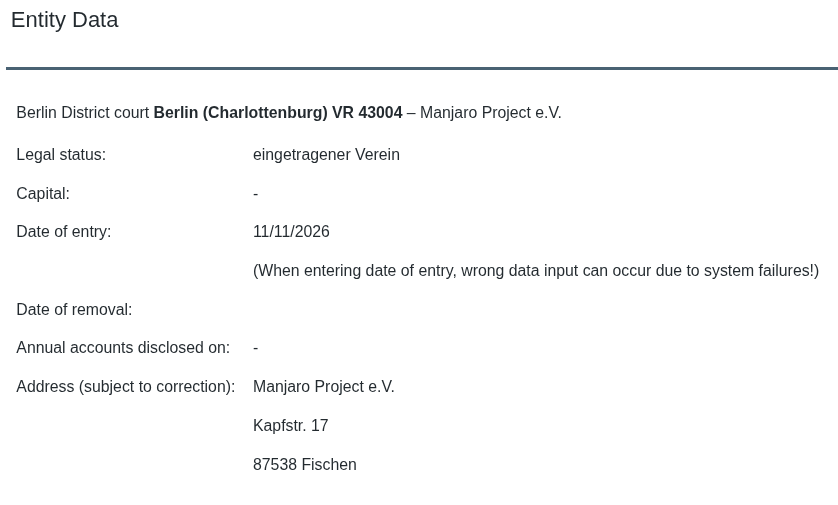
While this was announced on the Manjaro Linux forum and not on the main project webpage, the registration is already visible in the German register portal, under the Berlin court.
An e.V. (eingetragener Verein) is a registered association under German law. It is entered in a register kept by the local court, and its purpose cannot be running a commercial business. Registering gives it its own legal identity, separate from the people in it.
That identity matters to the developers because it lets them hold things as a group.
The manifesto asked for equal ownership among members and open voting on big decisions instead of everything being centered on one person. It now means there's a body that could own the assets if they're handed over.
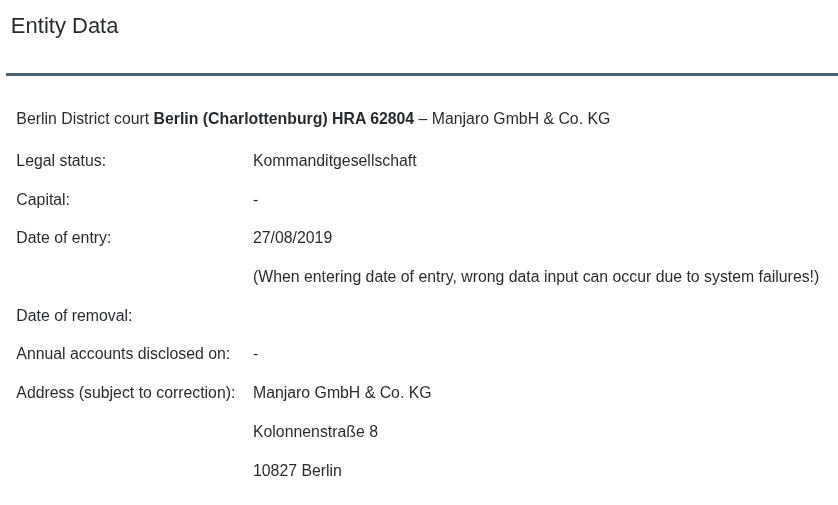
Manjaro GmbH & Co. KG is a different kind of body. A GmbH & Co. KG is a limited partnership where a GmbH takes on the personal liability, with the GmbH's managing directors handling the running of the business.
Stating the obvious, Manjaro now has two separate bodies behind it, and it's interesting to see how the project ended up in such a situation.
How Manjaro got here
Manjaro has been a German company since 2019. Way back in April 2024, that company announced a management change when Bernhard Landauer stepped away from the company to focus on other work and a new CTO joined to replace him.
Then came the Manjaro 2.0 Manifesto in March, where signatories said the leadership's priorities didn't line up with what the developers and community wanted.
Project lead Philip Müller replied, saying he had no personal objection to an association but wouldn't help set it up and that any asset transfer would have to be discussed closely with the company.
The team has since managed to push out the most recent Testing and Stable updates without Müller being involved.
What now?
The manifesto suggested handing over assets like the manjaro.org domain, the forum, and community donations. According to the team, no transfer of company assets has happened yet.
Before that, the e.V. has some groundwork to do, such as tidying up its statutes, bringing in more members, and opening its own bank account. Talks with the company come after.
For end users, I don’t expect them to be affected in any major way. This kind of feels like a takeover, but a gentle one so far. The situation for donors who had set up recurring payments is a bit hazy.
You see, donations still go to accounts under the company's control, possibly Müller's too, and the e.V. hasn't settled on whether to start fresh accounts or take over the current ones.
Basically, there’s no new recipient to switch to yet, and the team hasn’t said when that gets decided. A second announcement confirming that assets have moved is what I'd watch for, since that's when the split becomes more than a register entry.
Then there's the Orange Pi Neo, a handheld Orange Pi built with Manjaro that was put on hold in March because of skyrocketing memory and SSD prices. The announcement doesn't say who handles partner projects like it, so that's an open question.
💬 Are you excited for the new direction Manjaro Linux is taking? Can this bring it back up to the level of CachyOS and Omarchy?
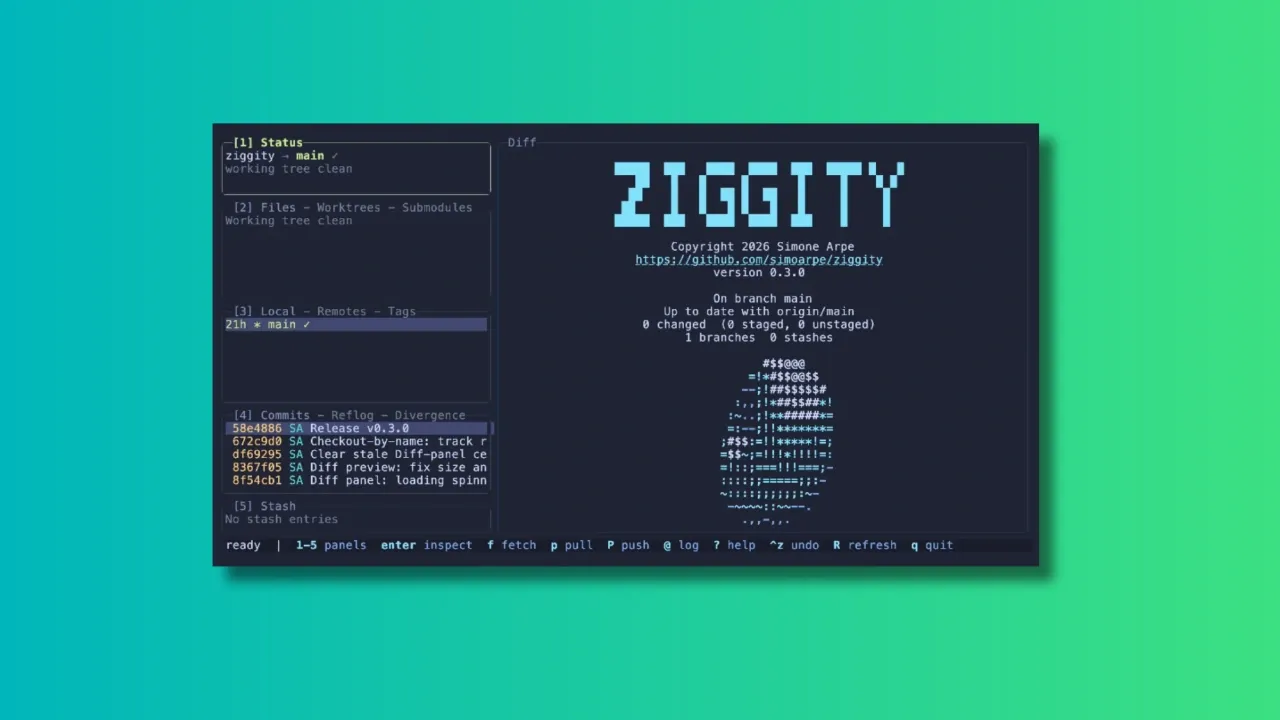
In the age when people are not even looking at the code generated by AI, I am reviewing a terminal-based client that gives full visibility and control over your git repositories. Because not everyone has handed over all the critical thinking to AI, I presume.
Over the years, many Git clients, both GUI and TUI, have emerged to make working with repositories easier. Tools like lazygit have become popular among terminal users, and Ziggity is another addition to the world of terminal-based Git interfaces.
What Makes Ziggity Special?
Let me show you some of the main features of Ziggity.
Ziggity Is Small and Quick to Launch
One of Ziggity's main selling points is its lightweight design. It compiles into a single static binary, and the footprint stays small by design rather than by tuning.
The project also leans entirely on the Git installation already on your system instead of bundling something like libgit2, which keeps the binary itself down to a couple of megabytes. The project's own benchmarks, run on a Mac against lazygit, put Ziggity's process startup at a few milliseconds against tens of milliseconds for lazygit, with a noticeably smaller resident memory footprint once things settle.
Of course, benchmark numbers will vary depending on your hardware, your repository size, and the machine's other workload at the time.
Git Operations Don't Get in Your Way
Speed at launch is one thing, but a responsive interface while you actually work matters just as much.
Ziggity handles potentially slow operations such as fetching, pulling and pushing away from the main interface. This means you can continue browsing your repository, checking diffs, or reviewing commits while the operation runs quietly in the background.
A spinner in the Status panel is the only indication that something is happening, and a short one-line summary appears once the task wraps up. If it fails, that's when you actually get interrupted with a dialog.
The same philosophy carries over to longer, multi-step operations such as merges, rebases, autosquash, bisect sessions, and applying patches. Rather than dropping you back into a raw terminal and asking you to press a key to "return" to the app, something anyone who has used git clients will recognize, Ziggity simply keeps its interface up the whole time.
Even authentication is handled without leaving the app. If a push over HTTPS needs a username and token, Ziggity opens an in-app prompt, masks the token as you type, and retries the operation once you're done. There's no dropping to an external credential helper, and if a saved keychain is configured, it's reused automatically the next time around.
First-Class Mouse Support
Terminal applications are usually associated with keyboard-only workflows, and Ziggity absolutely supports that. But if you are more comfortable with mouse, you can very well use it.
You can click on any panel to focus it, click a row to select it, and use the scroll wheel across lists, diffs, dialogs, and even the commit graph. In the staging view, you can click directly on a line and stage just that line with a keypress.
Ziggity also supports proper text selection. Click and drag over a diff, a commit, or any other panel, and the selected text lands straight on your clipboard, with color codes stripped out and indentation preserved. This even works over SSH, since it relies on the OSC 52 clipboard mechanism rather than anything terminal-local.
A Better Way to Look at Git Diffs
Diffs are where you spend a good chunk of your time reviewing changes, so a clear way to read them matters.
Ziggity supports comparing branches and commits with a single keystroke.
The diff view also does word-level highlighting. Instead of painting an entire changed line red or green, Ziggity picks out the specific words that changed within a line, so a one-character edit in a long line doesn't get buried.
For long lines, think Markdown or documentation files, you can toggle soft wrapping on demand instead of having to scroll horizontally. The word-level highlighting keeps working correctly even once a line wraps across rows.
History Navigation That Understands What You Want
The commit graph is a real rendering of git log --graph, in git's own colors, and it loads without freezing the interface. By default it shows your current branch and its upstream so you immediately see what's incoming, and there's a shortcut to widen it to every branch or jump straight back to HEAD.
There's also a dedicated Divergence view that separates your outgoing commits from incoming ones relative to upstream, and history-editing actions are deliberately disabled there so you can't accidentally try to rewrite commits you haven't even pulled yet. Commit hashes are color-coded by push state, so commits that haven't left your machine, and are therefore safe to rewrite, stand out at a glance.
A More Flexible Way to Stage Changes
Staging changes is a routine part of the Git workflow, and Ziggity gives you a few ways to handle it without overcomplicating things.
You can work directly from the staging view and use the mouse to select individual lines before staging them, which gives you finer control when a file contains several unrelated changes that shouldn't land in the same commit.
It's a small feature, but a genuinely useful one if you care about keeping commits focused rather than staging an entire file at once.
Checkout by Name, Without the Detached HEAD Surprise
Press the checkout shortcut, start typing any ref, and pick from live suggestions.
If you type the name of a remote branch, Ziggity checks it out with tracking set up automatically, landing you on a proper local branch rather than a detached HEAD. Existing local branches switch normally, and tags or commits detach, because that's the only thing that makes sense for them.
This is a small but real usability improvement over some other terminal Git clients, where typing a remote branch name in the checkout prompt can leave you in a detached state with no local branch created.
Writing Commit Messages Gets Some Extra Help
Ziggity puts real thought into the commit message experience. Its built-in editor nudges you toward the 50/72 commit message convention with live, configurable limits, and it supports prepare-commit-msg hooks including hooks that derive a ticket number from your branch name.
There's also optional AI-assisted commit message generation from your staged changes. Rather than locking you into one provider, Ziggity calls out to a configurable external command, so you can point it at whatever model or subscription you already use.
Installing Ziggity
Ziggity is easily installable via Homebrew. If you have Homebrew set up on your system, use the command below to install it:
brew install simoarpe/ziggity/ziggity
Other than that, Ziggity offers prebuilt binaries for several architectures. You can download the appropriate binary from the official GitHub releases page.
Extract and copy the binary to a folder that is in your PATH. You can then run Ziggity from the terminal using the command:
ziggity
Wrapping Up
Terminal-based Git clients are not new, and there are already some excellent options available for those who prefer managing repositories without leaving the command line.
Ziggity enters this space with a focus on staying lightweight, staying out of your way during slow operations, and getting small usability details like checkout behavior and force pushes right.
The project is still a relatively new addition to the TUI Git client space, but it already offers a solid set of features. Whether it can replace an established tool like lazygit will ultimately depend on your workflow and the features you rely on.
Have you tried Ziggity yet? Or do you already have a favorite Git client for the terminal? Let us know your thoughts in the comments.
A request to ban AI-written code from ImageMagick stayed open for about eight months, until a maintainer closed and locked it this week because it had largely run its course and moved into a broader ideological debate.
Around the same time, a developer on X was telling followers to join the pushback.
Days earlier, Asahi Linux began moving its code from MIT to GPLv2 after finding that people were lifting its unreleased work and, in some extreme cases, having an LLM rewrite it to hide where it came from.
AI in open source has turned into something people pick a side on. Many have grown to dislike it, and the reasons are easy enough to see.
Others back it to varying degrees, and the more grounded among them make a case that holds up too.
With this piece, I want to go through the first group's complaints, then the louder end of the other camp, and then the careful argument for supporting AI.
Why so many are fed up
The most common complaint is review burden. Rust's LLM policy announcement said a clean, tested PR used to be good evidence that its author had put in real effort and understood the change. LLMs, it says, have broken that link.
It also calls pasting reviewer comments into a chatbot and the reply back onto GitHub, a waste of time for both sides.
cURL hit the same wall, but from a security perspective. The project ended its bug bounty at the end of January after the share of reports that were real vulnerabilities dropped, and AI-generated slop became the majority.
The project's lead, Daniel Stenberg, said that the constant slop wore the team down.
Codeberg, whose members voted 358 to 144 in July to stop hosting projects that are mostly AI-written, cited crawlers straining its servers, spiraling storage requisition costs, and one-person projects eating resources similar to large community ones as its motivating factors.
Then there is the legal worry. Asahi's LLM policy says an LLM can break the rules that keep reverse engineering work clean. The risk grows when an AI agent does the digging and the human cannot see how the knowledge was obtained.
Codeberg's Terms of Use call the copyright status of AI-written projects unclear. GCC says no to legally significant contributions that involve LLM output, with test cases as an exception. Legally insignificant ones can go in if clearly marked.
Trust and principle come into it too. Asahi's policy lists wider harms, including to the environment, privacy, user consent, and software developers themselves.
Rust's announcement says pasted LLM text leaves a reviewer wondering whether anyone is on the other end at all. Codeberg adds that people who put real effort into analyzing issues or sharing suggestions are being accused of using an LLM when they did not.
Even Linus Torvalds sees where the anger comes from. He told The Register that AI-found bugs piling work on maintainers and patches from people who do not understand the code are both real problems.
He understands why people come to dislike or even hate AI because of them, but he does not think AI itself is the issue.
The last entry on the no list is r/opensource. That is a subreddit, not a project. A moderator wrote that projects that use AI, are built with it, or are aimed at it are not welcome there, and said AI as it exists today does not fit the community.
Not everyone is staying calm
The anti-AI cult is harassing and pressuring open-source projects such as `curl` and `ImageMagick` to outright ban LLM usage.
Not every supporter of AI is making a grounded case. Developer Vittorio Romeo accused an "anti-AI cult" of harassing and pressuring projects such as cURL and ImageMagick into banning LLMs and asked followers to join the pushback.
The threads that post links to are filled with some drama. The curl discussion opened in March with a long, sourced list of worries about plagiarism, code quality, and legal risk. Daniel Stenberg replied the same day that curl could not accept a ban on everything LLM.
The ImageMagick request (linked earlier) started from one merged commit that used Claude Opus.
The ImageMagick thread did get heated. Some anti-AI commenters were dismissive and insulting, and Vittorio's own reply there accused them of ad-hominem attacks.
Peter Steinberger of OpenClaw fame also chimed in, saying that reading some of the comments made his brain hurt and that open source is hard enough without politics.
The grounded yes
Daniel says ignoring AI is not a sound approach since brushing off a real vulnerability because an AI found it puts users at risk. He says the onslaught of slop has mostly dried up since spring, and recent AI-assisted reports have been high quality, if wordy.
Debian's approved resolution stays neutral on the tools and asks contributors to read, test, and understand AI output before submitting it. The kernel's guidance is similar, with the human submitter accountable for the code.
Rust’s policy accepts LLMs for answering questions and reviewing work, bans LLM-created comments, docs, and diagnostics, and allows LLM-written code only under a disclosed experiment.
It also says harassing someone for using an LLM is not okay.
What Debian and the kernel share is a named human who answers for the change. That answers the review burden well, but not Asahi’s clean room problem, and the values complaints sit mostly outside what a policy can reach.
Closing thoughts
None of these approaches are final. GCC says it will review its policy by the start of 2027, Rust expects to change its policy as it learns how LLMs are used, and Debian’s statement can evolve without another vote.
That leaves contributors needing to consult a wide range of rulebooks for every project they send a patch to. Annoying, but this is what an unsettled debate looks like. 🤷
Over the years, we have watched countless Linux distributions come and go, and it usually ends with maintainers running short, a project leader retiring, or a lack of traction.
Now, in this AI-fueled era, we are seeing many new distros pop up, and while some of them seem to be trying something different, others are just trying to be macOS clones.
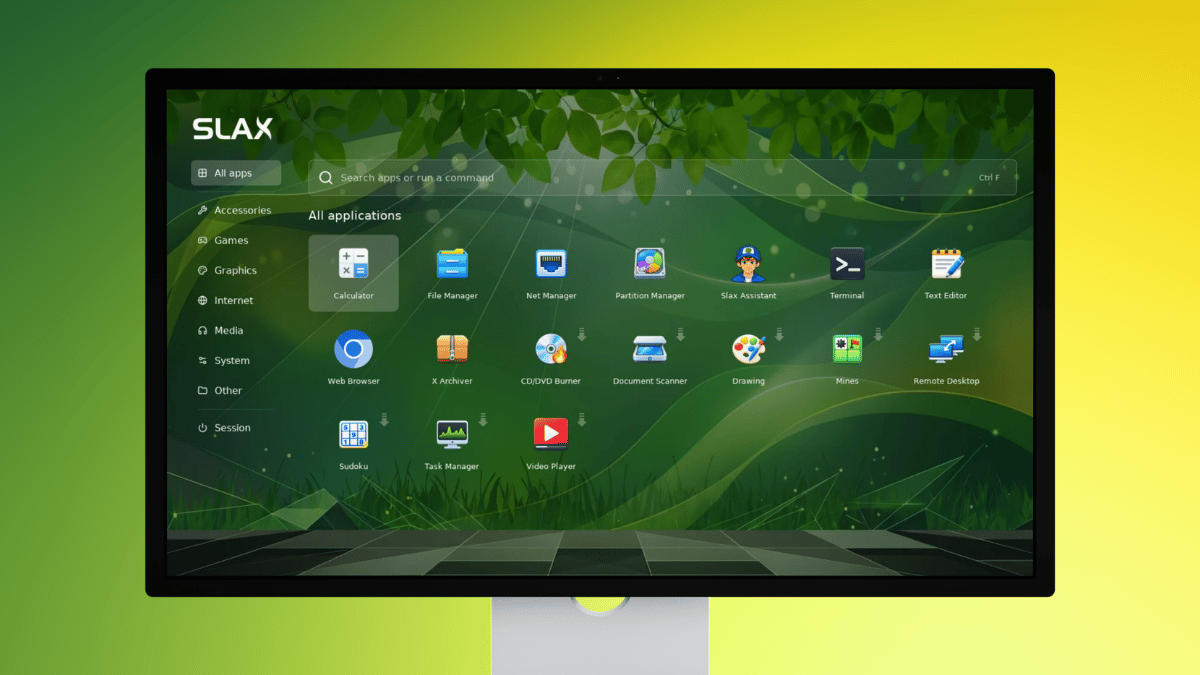
That is why I am excited to see Slax return after years without a release and take on what is expected of a modern Linux distro in 2026. It is a portable distro you run from a USB stick, btw.
A comeback we didn't see coming
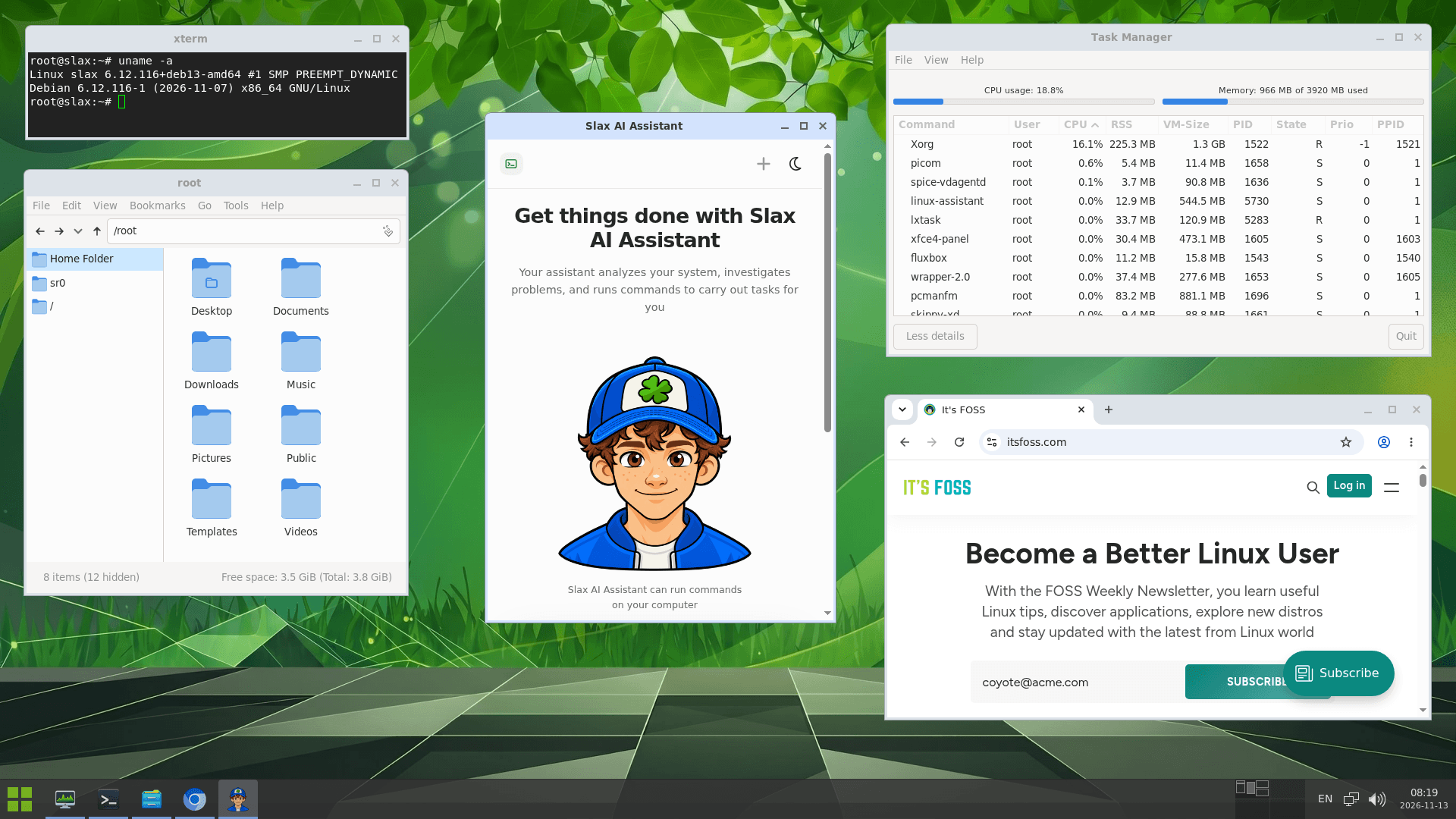
The Slax 2026.11 release is based on Debian "Trixie," and is powered by Linux 6.12, an older kernel release that is one of the current long-term support offerings maintained until December 2028.
The previous release came way back in October 2023, where it shipped with two bases, Debian 12.1 and Slackware 15.0.2-current. That's about three years and a month ago, and the recent release post gives no reason for the large gap.
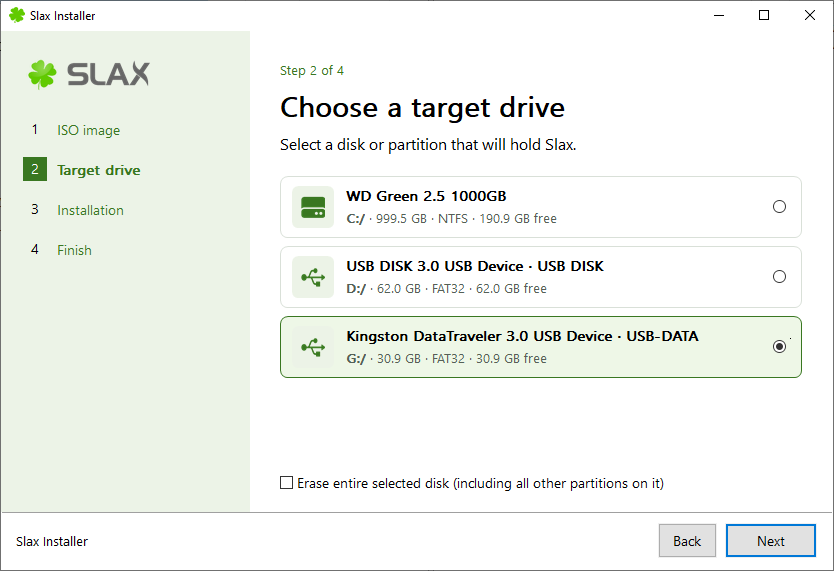
Slax now has a graphical installer for Windows and Linux, where you open the downloaded ISO as a folder, start the installer from there, and pick a drive. It will then create a bootable USB stick or set Slax up alongside an existing system.
Similarly, a single USB stick can hold several named sessions, such as one for work and another for experiments, where you pick one at startup according to the use case.
The Fluxbox desktop now shows window previews when pressing Alt+Tab and on taskbar icons, and Alt+F3 opens all four workspaces at once. For the launcher, Slax can now promptly download any missing apps if you click on the app icons that have a downward-pointing arrow on them.
A signed bootloader and kernel also let Slax start with UEFI Secure Boot enabled on compatible PCs.
The last addition is Slax Assistant, an AI helper that opens from the launcher. You tell it what you want in plain language, and it can then inspect the system, investigate an issue like disk space running out, and execute commands to fix it.
Though you need to be online and signed in to use it, with email, Google, and GitHub as the sign-in options. The whole thing runs on an online Slax service, details for which are slim.
The sign-in screen offers 100 free credits to try it out, and Slax does not name the AI provider behind it or lay out how they handle data either.
No backsies?
This is not the first time Slax has pulled a disappearing act. In 2022, it came back with a release candidate based on Debian 11 after nothing significant had happened since 2018, apart from a Debian 10.2 test version in 2019.
A Slackware edition followed that summer, and the October 2023 release came after that. The posts published that month never really said anything about what was next.
Here's hoping there are no backsies this time. 🥂
The ISO for Slax 2026.11 is only 536.9 MB, and it runs rather well on a virtual machine if you prefer testing it before committing to a full installation. The Slax user guide is a handy resource to keep by your side if you do get it for your system.
A tinkerer, Kathy Korevec, has made ZigZag available under the Apache 2.0 license. She says that the entire app was built with AI, using ChatGPT, and her goal was to get software made to her specs, similar to the Adobe suite, but with MCP support built in.
That MCP support is a built-in server that lets AI agents draw and edit in the same window.
Her post about this on Hacker News has already managed to reach top 10 status (over a 48-hour period), and she has been answering questions there about how this was built and which machines it supports.
ZigZag: Why develop this?
0:00
/0:12
This was built around a Brother Skitch PP1 embroidery machine that she says cost her around $300.
You see, the Skitch needs Brother's Artspira app to operate. While the app is free and works with the machine, a paid plan called Artspira+ adds useful extras such as digitizing images into embroidery patterns and creating cross-stitch patterns.
Kathy says the free version is limited in colors and tools, and she believes some of the clip art is reserved for subscribers. She also guesses Brother sold the machine at a loss at first because of the subscription.
💭
That last bit checks out, seeing what many hardware manufacturers are doing.
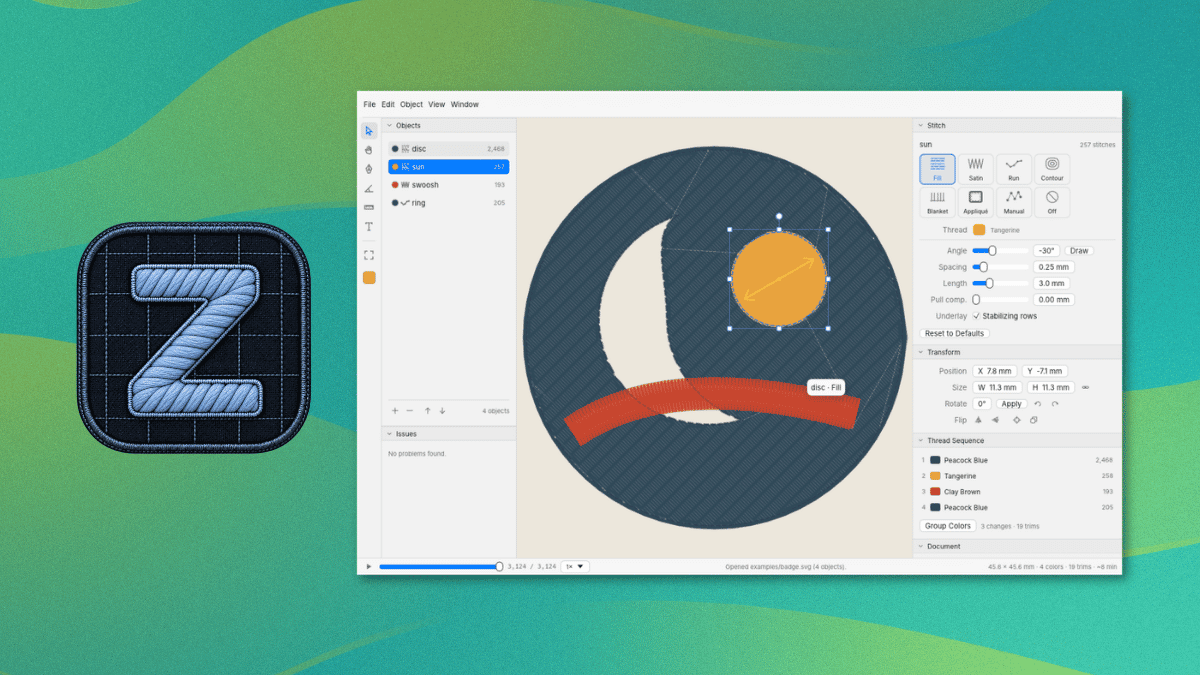
ZigZag imports SVG art and can trace PNG and JPEG images into shapes. It covers 11 stitch types, including fill, satin, and appliqué, with a preview of the stitches being shown in the editor.
As for the MCP server, it lets an AI agent inspect the open design, add and edit objects and text, trace images, preview the stitches, and export files. It can also control a Skitch device, and each action counts as one undo step.
This is not something new.
Open source embroidery tools existed before ZigZag. People have brought up projects like Ink/Stitch, an Inkscape extension, and Respira already lets people send designs to the Skitch without Artspira.
The project also credits Respira for the Bluetooth protocol and sewing flow. Kathy says she reverse-engineered the protocol herself and that her agent used Respira to verify it.
The README covers installation, Bluetooth pairing, and the MCP server, and it advises against firmware updates on the Skitch. Linux users can follow its steps for building ZigZag from source with Rust.
The Brother Skitch PP1 is the only machine ZigZag sends designs to over Bluetooth, and Artspira needs to be closed first since the Skitch can only talk to one app at a time.
For other machines, ZigZag can export PES, DST, EXP, JEF, or VP3 files.
Traditional operating systems are designed primarily to manage computing resources, including CPU scheduling, memory allocation, storage, networking, and application execution.
Agentic AI introduces another layer of complexity: infrastructure must also support the lifecycle of intelligent agents.
This includes agent deployment, task scheduling, execution isolation, context management, memory retrieval, tool invocation, observability, and recovery.
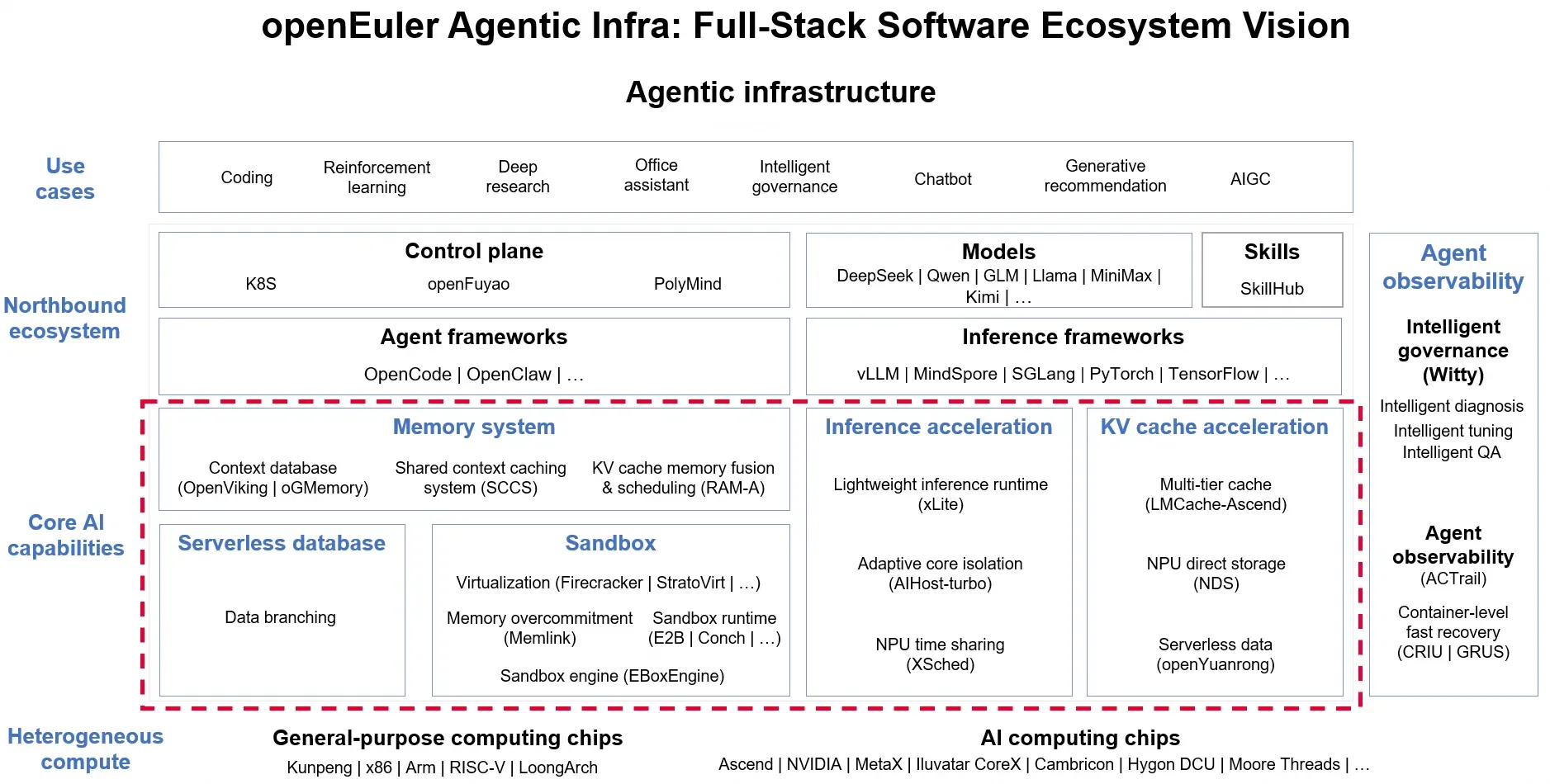
openEuler is embracing the shift toward agentic infrastructure and evolving its OS capabilities to support the development, deployment, execution, coordination, and optimization of agents across heterogeneous computing environments.
AI agents are moving beyond conversation to execute code, call tools, interact with applications, and coordinate multi-step workflows. As these workloads scale, infrastructure faces a new set of challenges: secure execution, fast environment provisioning, efficient context reuse, persistent memory, and elastic resource management.
Traditional infrastructure was not designed around these requirements. The next evolution of the operating system must go beyond managing processes and hardware resources to support the full lifecycle of agent execution.
This is the direction behind openEuler's agentic OS: building an open, secure, and efficient software stack that connects operating system capabilities with agent runtimes, AI frameworks, data services, and heterogeneous computing resources.
The infrastructure is designed to operate across diverse computing architectures, including general-purpose processors such as x86, Arm, RISC-V, and LoongArch, as well as AI accelerators from multiple vendors. This heterogeneous approach is important because enterprise AI deployments rarely operate on a single hardware architecture or accelerator platform.
The architecture is centered on two layers: Agent Kernel, which provides foundational system-level capabilities, and Agent Service, which exposes reusable services such as secure sandboxing, memory, session management, and Tool Gateway. Around this foundation, complementary infrastructure technologies—including distributed caching and serverless data services—help support the performance, scalability, and data requirements of agent workloads.
Rather than placing every capability inside the OS kernel, the approach combines system-level optimization with reusable infrastructure services and an open ecosystem. Five technical pillars are central to this architecture.
Five Pillars of Agentic Infrastructure
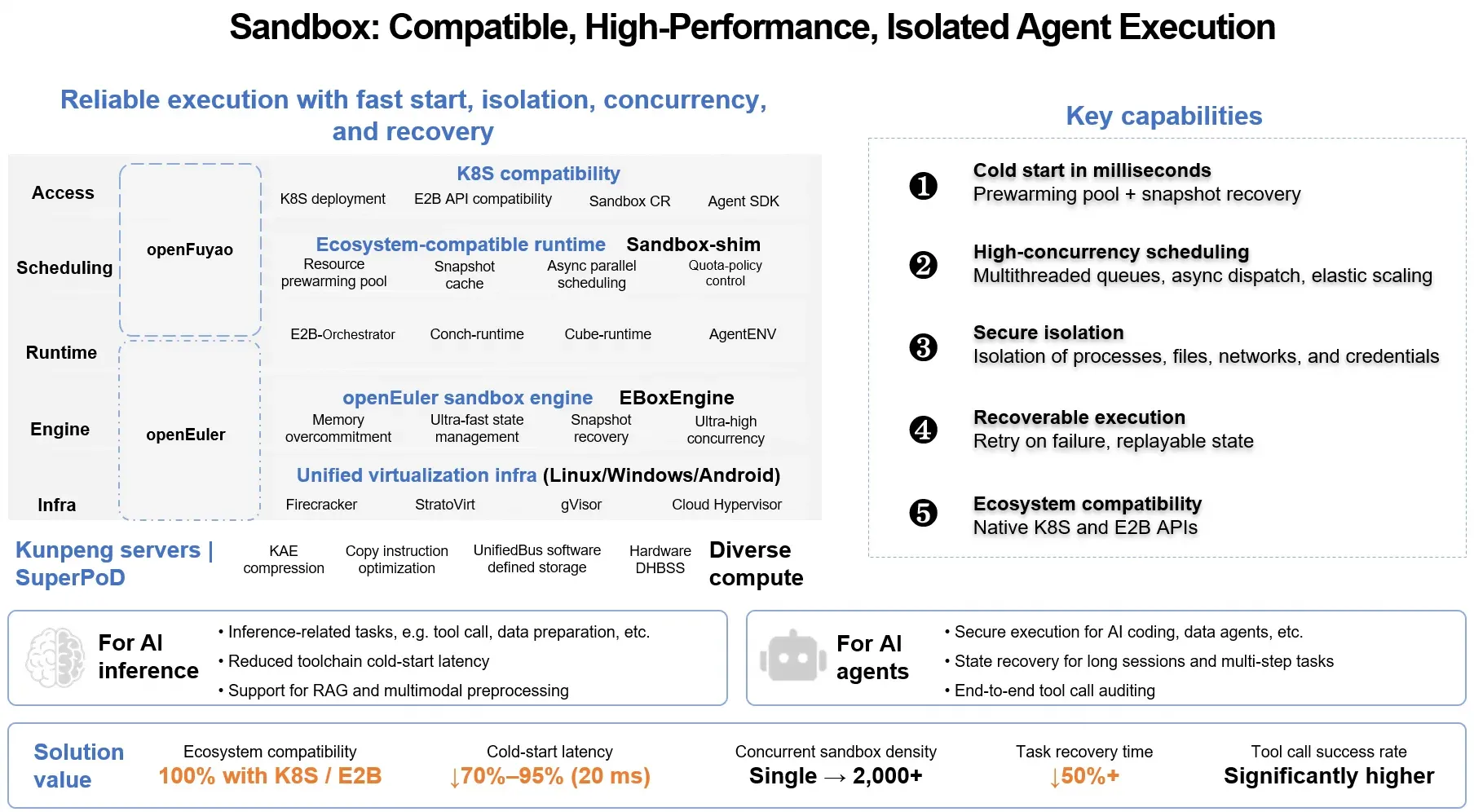
1. Sandbox: Secure, Scalable Agent Execution
Agents need isolated environments to execute generated code, invoke tools, and interact with external systems. These environments must start quickly, scale to high concurrency, and recover reliably when tasks are interrupted.
openEuler brings together lightweight virtualization, snapshot-based recovery, resource prewarming, and high-density scheduling to address these requirements. Technologies such as StratoVirt and the Conch runtime help create and manage sandbox environments, while orchestration capabilities support large-scale deployment.
According to openEuler's performance tests, sandbox startup latency can be as low as 20 ms, with a density of more than 2,000 sandboxes. In a separate large-scale concurrency test, the platform launched 100,000 sandboxes within 10 seconds. These results demonstrate the potential for fast provisioning and high-density agent execution at scale.
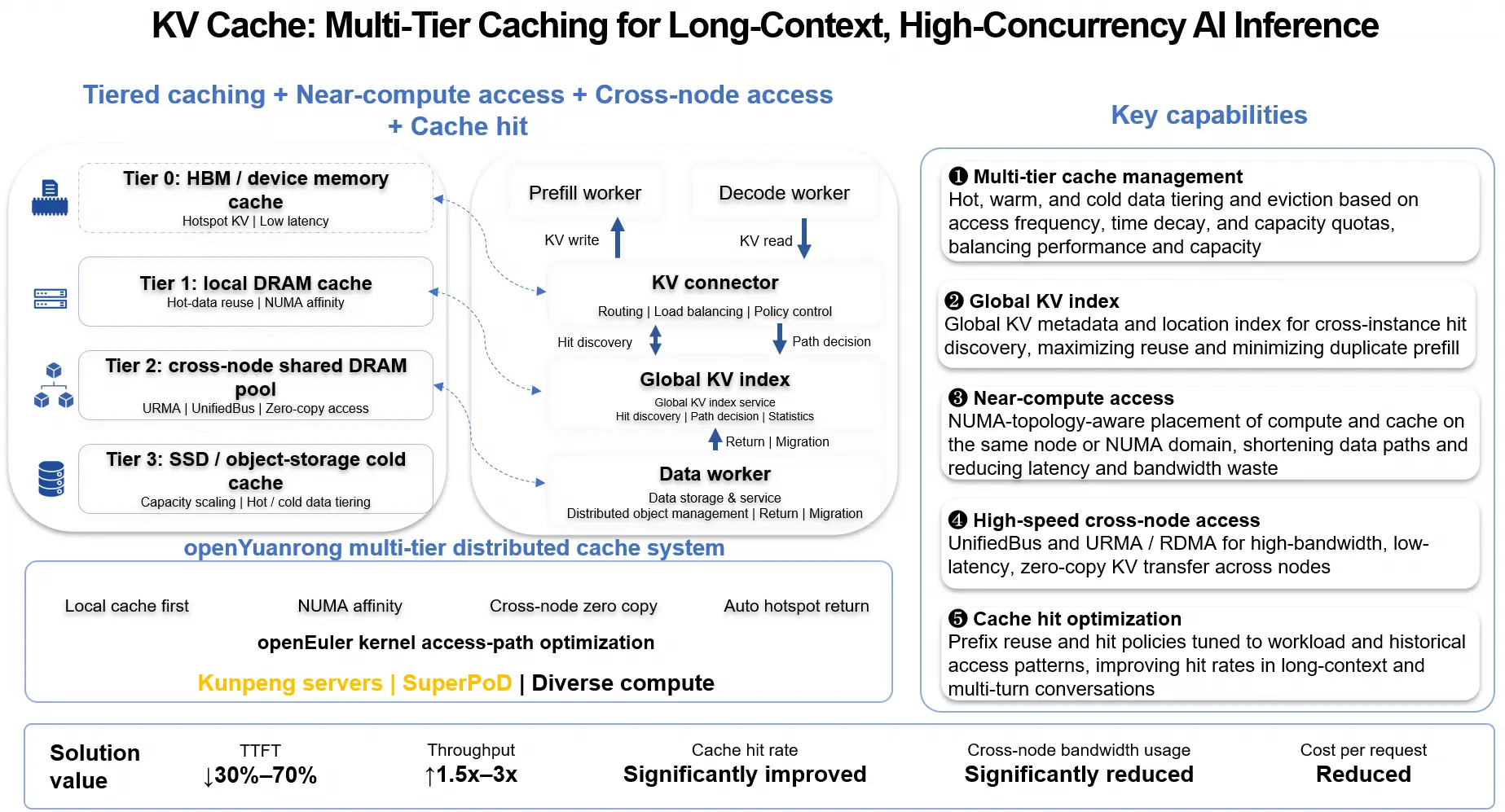
2. KV Cache: Making Inference Context Reusable
In multi-turn agent workflows, repeated inference often involves substantial overlap in context. Recomputing or repeatedly transferring the same attention states wastes accelerator memory and increases time to first token (TTFT).
openEuler's KV cache approach combines multi-tier caching, global indexing, NUMA-aware placement, and high-speed cross-node data transfer. With technologies including LMCache and openYuanrong, KV cache can be reused across instances and accessed closer to compute resources.
Agent-aware scheduling takes this further: by mapping agent context to KV cache chunks, the system can predict reuse and proactively coordinate prefetching and eviction.
The performance gains are significant: inference throughput increases by 1.5x–3x, while time to first token (TTFT) drops by 30%–70% in targeted scenarios.
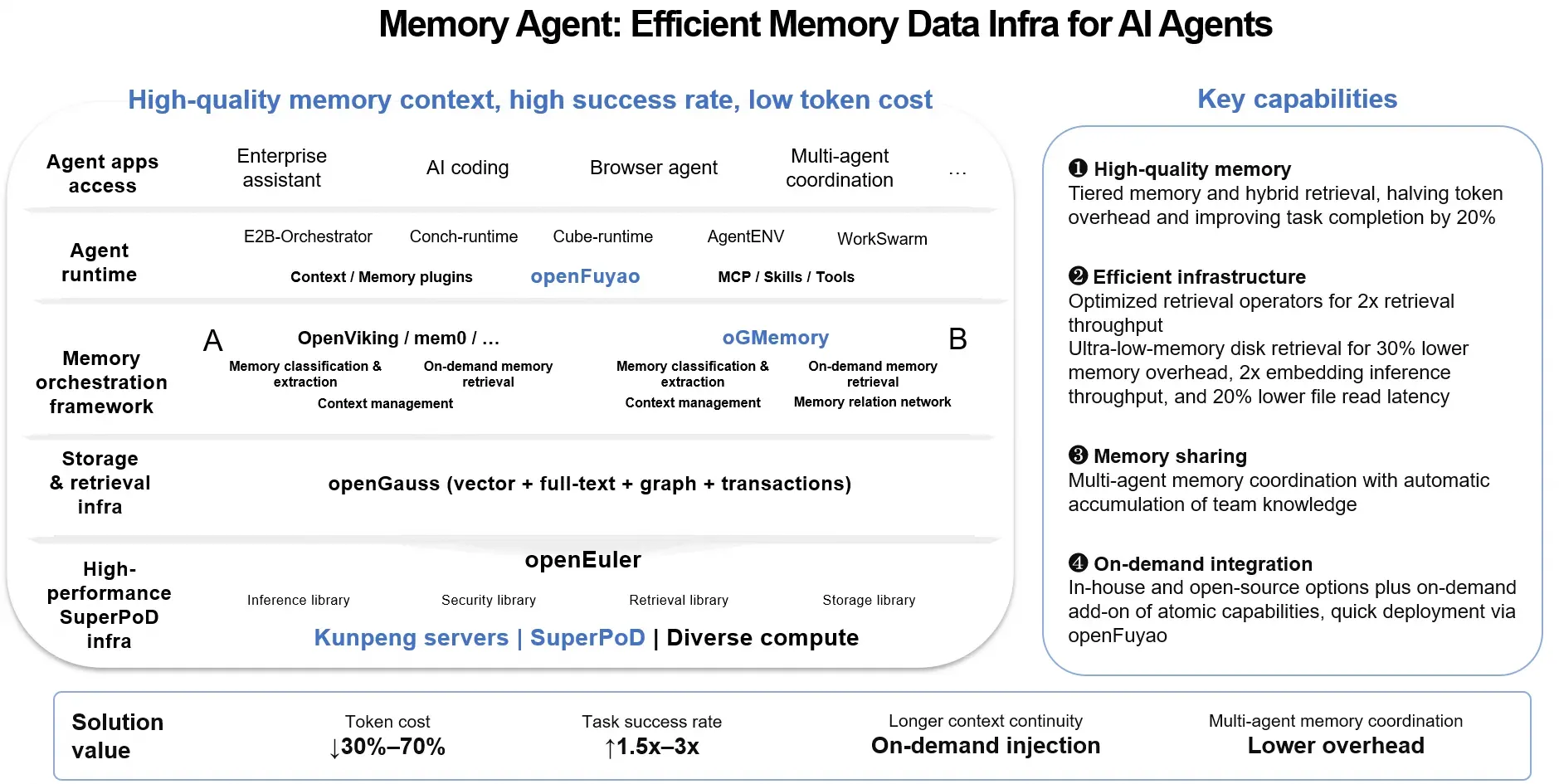
3. Memory Agent: Giving Agents Persistent Context
KV cache accelerates inference by reusing computed states. Agent memory addresses a different challenge: helping agents retain and retrieve useful knowledge across turns, tasks, and sessions.
openEuler's memory infrastructure combines memory extraction and orchestration frameworks with hybrid retrieval and storage capabilities. Solutions involving OpenViking, oGMemory, and openGauss support structured context management, vector and full-text retrieval, and knowledge sharing across agents.
This enables agents to retrieve relevant information when needed instead of repeatedly processing lengthy histories. It also supports shared knowledge accumulation in multi-agent workflows.
By retrieving only the context an agent needs, the system can cut token costs by 30%–70% and improve task success rates by 1.5×–3× in targeted scenarios.
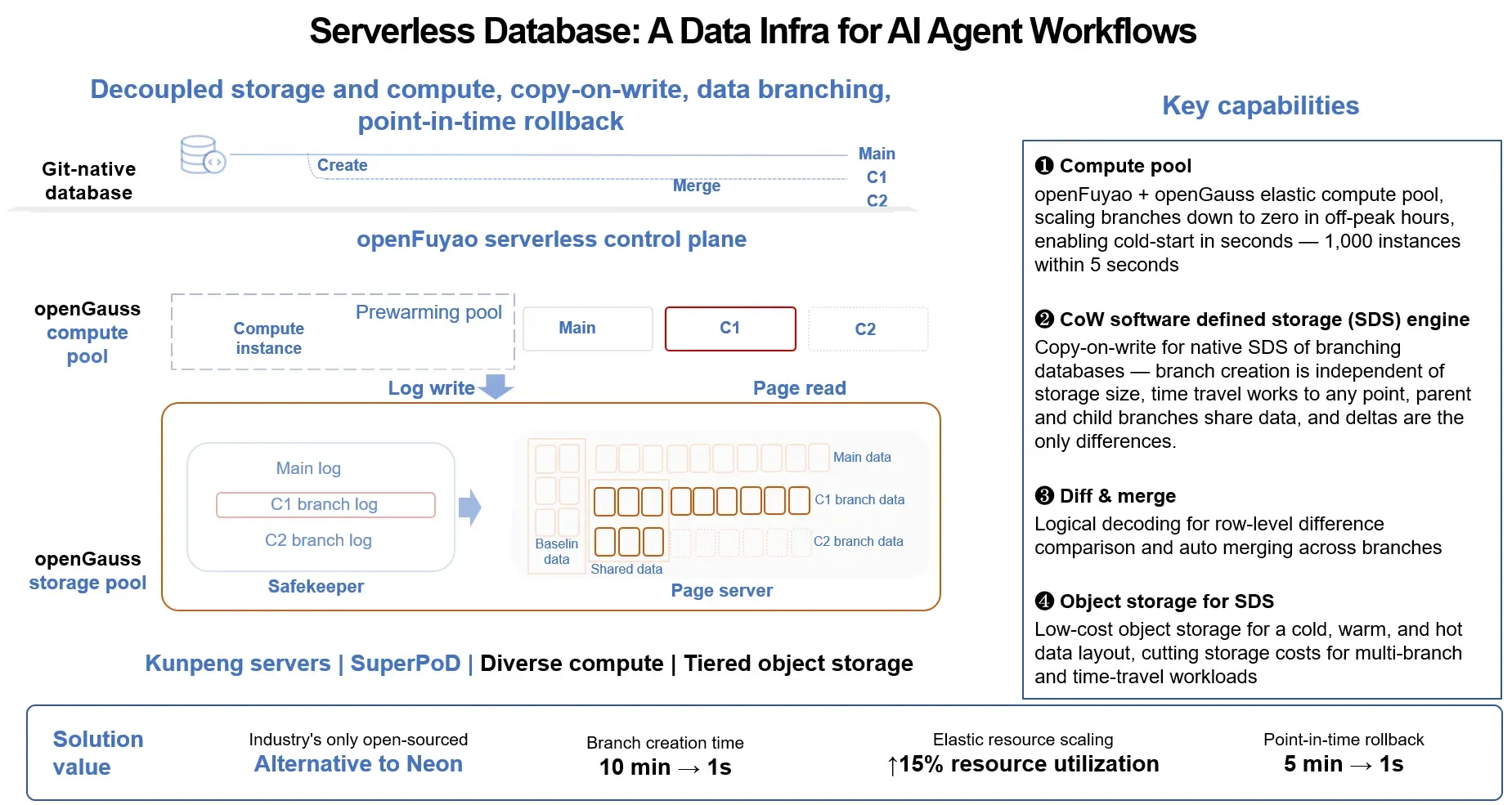
4. Serverless Database: Enabling Elastic Data Services for AI Agents
Beyond the core Agent Kernel and Agent Service layers, data infrastructure plays an important supporting role in agentic workloads. Serverless database capabilities provide the elastic, branchable data environments needed by agents that create, modify, compare, and roll back data across dynamic workflows.
Built on openGauss, this approach combines elastic compute provisioning with copy-on-write storage and database branching. Multiple branches can share baseline data while maintaining independent changes. Point-in-time recovery, branch comparison, and merging further support flexible data workflows. The result is a more dynamic data foundation for AI agents, where database environments can be provisioned, modified, and recovered as workflows evolve.
The solution is designed for rapid, elastic data provisioning, with millisecond-level instance startup and second-level database branch creation and rollback. These capabilities, enabled by compute elasticity and copy-on-write storage, allow agents to create and manage isolated data environments with minimal overhead.
5. An Open, Heterogeneous Ecosystem
Agentic infrastructure cannot depend on a single model, framework, or hardware platform. It must connect diverse components while making their resources manageable and accessible.
openEuler's ecosystem brings together agent frameworks, inference engines, orchestration platforms, memory systems, and heterogeneous processors and accelerators. Through collaboration with projects and technologies such as Kubernetes, openFuyao, vLLM, MindSpore, and openGauss, it aims to support different agent workloads across diverse computing environments.
The objective is not simply compatibility. It is to provide a consistent infrastructure foundation on which developers and ecosystem partners can build, deploy, and scale agent applications.
From an Operating System to an Agentic Infrastructure Foundation
The transition to Agentic AI is not simply another change in application development. It is reshaping the infrastructure requirements of enterprise computing.
As agents become more autonomous, infrastructure must support more than model inference. It must provide secure execution, efficient data movement, persistent memory, elastic data services, and reliable coordination across increasingly complex workloads.
openEuler's agentic infrastructure initiative addresses these requirements through five interconnected technology areas: an open infrastructure vision, high-performance sandbox execution, distributed KV cache acceleration, persistent agent memory, and serverless databases.
Each addresses a distinct bottleneck in agent deployment and execution. Together, they represent an approach to making agent capabilities more scalable, reusable, and manageable across heterogeneous computing environments.
Sandbox: Secure and recoverable agent execution.
KV Cache: Efficient reuse of inference context.
Memory Agent: Persistent context and knowledge retrieval.
Serverless Data Services: Elastic and branchable data infrastructure.
Open Ecosystem: Integration across AI frameworks, orchestration platforms, and heterogeneous hardware.
Together, they point to a broader evolution in the role of the operating system. As AI agents become more autonomous and workloads increasingly dynamic, infrastructure must do more than allocate compute resources: it must help agents execute safely, operate efficiently, retain context, and scale reliably.
First a quick appeal. If you use Google, please add It's FOSS as a preferred source. This way, you won't miss the reliable and trusting tutorials and news from It's FOSS in the noise of AI-generated content.
Speaking of AI, Asahi Linux, the project behind Linux on Apple Silicon Macs, is moving every repository from MIT to GPL v2 or later. The team says people were lifting unreleased code and rewriting it with AI to hide its origin. That hints at Omarchy but DHH told us in an interview that he really doesn't care about this license move.
Firefox 160 can send a full tab, or just a box you draw around part of a page, into a Mini Window. We tested it and shared this new feature.
Closing a kitty session no longer means losing your layout. The 0.50 release can save every window, tab, and scrollback at logout and restore them at the next launch, once you enable the setting.
Hate Chromium? Domicile is a Rust-based Wayland compositor that draws your entire desktop as a web page using a patched Chromium build ☠️. It only runs on x86_64 machines for now.
Nautilus, or Files, GNOME's file manager, may soon get a neater way to browse long folders. Developers are testing optional section headers that sort files into groups, though this is an early build, so things could change.
Synaptics has sent a cease-and-desist to developer Mike Lothian over Vino, his open source DisplayLink driver. The letters claim patent infringement, and Mike has had to pull the repository from public view.
The company behind GameOS, Playtron, is now KORA Systems. Its new desktop OS, also called KORA, puts AI models and agents right into a Linux base, with a launch planned for later in 2027.
This edition of FOSS Weekly is supported by LabEx.
LabEx offers interactive, hands-on learning experience on Linux, devops and cybersecurity. There are labs and challenges to practice your learnings straight into the 'playground' offered by LabEx.
Not sure which backup tool to pick? Déjà Dup suits GNOME desktops with almost no setup, while Kopia and Restic handle cloud storage for those who want more control. UrBackup covers fleets of machines.
📆 Trivia Bit: Firefox 1.0 arrived on November 9, 2004, as Mozilla’s open source alternative to Internet Explorer. It came with tabbed browsing, a built-in pop-up blocker, and phishing protection, and was released for Windows, Mac OS X, and Linux.
Till a few years ago, learning Linux was mainly through ebooks and videos. Those methods are still valid, but things have evolved.
Interactive learning makes it easier. Hands-on labs without setting them on your own give you the option to jump straight into the learning. Less intimidating for beginners as well because setting up servers and lab scenarios by hand could be too much when you are just learning the concepts.
Of course, doing things by hand teaches a lot but that could come up later when you have learned the concept, practiced some labs. You are better equipped then.
This is where a platform like LabEx comes in. It is an AI-assisted educational platform that focuses on learning-by-doing by providing you hands-on labs, flashcards, quizzes, and playgrounds to practice in simulated environment.
📋
The article contains affiliate links. Please read our affiliate policy.
What can you learn at LabEx?
A lot actually. The platform offers lab-based learnings on a wide variety of tools and topics. Some of the main ones if I can categorize them are:
Platforms: Linux, Kali Linux, RHEL, etc.
Frameworks: Shell, Git, Docker, Kuberneter, MySQL, PostgreSQL, SQLite, MongoDB, etc.
Certifications: CompTIA certificates, RHCSA, CKA, etc.
Tools: Nmap, Hydra, Wireshark, etc.
Cybersecurity courses
Languages: Python, Rust, Java, C, C++, etc.
There are hundreds more, all of which are listed right on the home page.
Ways of learning
Of course, too much could be overwheling. That's why LabEx has the concept of Skill Trees.
Skill Trees
Skill Tree are like roadmaps. Multiple courses are grouped under one umbrella and in a given order, too. Within each tree, there are a definite number of "skills" and courses, which helps keep track of progress.
Skills are basically an essential concept of a course topic. Let's say you learned pipe redirection under Linux course. That pipe redirection is a 'skill'.
Courses are made of skills (think of them as chapters on a mini concept) and skill trees are groups of courses.
If you look at the DevOps skill tree, it has 24 courses. It covers everything from basic Linux to Kubernetes. You get comprehensive learning.
Practice Labs
And then there are practice labs, which take a more project-oriented approach to learning.
For example, "Searching for Specific Files" project makes you look for certain filenames within a directory, following the instructions given on the project page.
Playgrounds
LabEx also has several "Playgrounds" where the concerned system starts up and guides you through the various aspects of the same. It is basically a virtual machine running on LabEx servers.
You would assume that a "playground" means it will let you roam around and explore whatever you might want to freely, but that isn't quite the case.
While you can enter whatever commands you want to, it only lets you through to the next stage if you've completed the tasks on the page, making it pretty much the same as a regular tutorial but with hands-on practices.
Labby to guide you
There is an AI teacher to help you with guided learning. You will find it in the sidebar of the labs and playgrounds. It shows the supported text form of the concept you are learning.
When you run the provided commands for hands on, it also validates your response. You can also ask it questions to clear your doubts.
Challenges
There are thousands of challenges on LabEx that test various skills that you have. These span over all the courses that are present, and add to your overall skill count if you finish them correctly. You can find all challenges here.
Keeps you motivated to continue learning
As any good educational service, LabEx paves your learning progress with tiny achievements. This game-ification of progress helps keep a steady track of progress.
Firstly, on the front page itself, there's a display of how many days in the week the lessons have been accessed. This is accompanied by milestones, which are measured by "skills earned" and "streaks completed". There's also a leaderboard right next to these, which shows a global ranking based on skills earned.
LabEx also gives you flashcards to revise whatever you've learned, which is a very well-proven method that helps retention. It also gives you badges, like "First Lab Conqueror" and "Rising Talent Badge", which help with the feeling of progress, much like a game.
My learning experience with LabEx
The tutorials are all based in a virtual machine which run Ubuntu with Xfce with a minimum number of options present (unless you are working on the Kali Linux labs).
Most of the work will be done on the terminal, of course. Do note that you need good and stable internet connection so that there is no latency between typing in the command and it appearing on the screen of the VM. The execution of the commands is pretty jiffy.
There are 4 tabs on the top, the first one being the desktop itself, as described. The second one gives you a web-based IDE for your programming needs. This is followed by a terminal, which you can imagine as an only-CLI desktop, and finally there's Web 8080, which shows the localhost for any web-services you might host.
About the lessons, the entire structure is supported by the Labby AI, which checks your work at every step, and encourages you (a bit too much sometimes, as AI tends to do). This is aimed at beginners to guide them at every point.
As someone used to a little hardship in learning technical stuff with books, this was quite unusual for me. The tutorials are split into very easily digestible chunks, where Labby AI makes you use the learned commands after they're taught, making sure you retain what you've learnt.
After completing the course, I tried the related playground. Playground gives you hands-on exercises but still in guided fashion. The main test of your learning is with the Challenges where you are given a scenario and you have to troubleshoot or provide a solution in the given playground/VM.
Getting LabEx
LabEx offers free and paid tiers.
The free tier offers 3 virtual machines per day, and access to all hands-on labs. That's a limitation because it means you can't really exceed 3 tutorials in a day. This is good enough to explore the platform and see if it's worth getting the paid subscription or not.
The paid subscription plan gives you everything LabEx has to offer. It gives you access to unlimited VMs, project labs, challenges and certificates of completion.
Annual subscription costs $99.9 and there is also an option to buy 2 year subscription for $149.
Is it worth trying LabEx?
LabEx offers a very wide variety of courses, covering pretty much every major software skill you might need. More than software, I am glad to see that their focus is on Linux, devops, and cyber security.
The interface is pretty smooth, and so are the tutorials.
The guided learning is helpful for beginners as it gives them the foundation of the topic. Combine it with labs, playgrounds and challenges, LabEx has pretty much everything a modern online tech education platform offers. So if you are a beginner, LabEx would suit you.
Experts or people who are accustomed to learning with books or even videos, might feel different because guided learning may feel like spoon feeding to some. But even an expert can benefit by practicing skills with LabEx Challenges here.
You would need a high speed, stable internet connection here to avoid lags with the VMs.
If you are looking for learning Linux and getting certifications, the hands-on learning by LabEx should help you for sure. Besides, $99.9 a year is one of the most inexpensive learning subscriptions you will get in this field.
Give it a try with the free tier and see if LabEx is worth it or not.
LabEx is running Black Friday discount. So for a limited time, you can get 30% off on the annual and two-yearly plans. You need to be logged in to use the special links.
Of course, you'll only know if it is for you if you try it out yourself. Let us know what you think of LabEx in the comments. Cheers!
Agent Name Service (ANS) now has a home at the Linux Foundation. The launch happened at KubeCon North America in Salt Lake City, and you might remember that the foundation first announced its plans for the project way back in June.
GoDaddy, Cloudflare, Salesforce, and DigiCert are among the organizations now involved with ANS, bringing the total number up to eleven.
One of the early deployments of ANS has been in AGNTCY, another project under the foundation, where its directory of AI agents can now check an agent’s ANS identity.
Announcing the move, Jim Zemlin, CEO of the Linux Foundation, had this to share:
Autonomous AI agents are transacting and operating across global systems, but they can't succeed without verifiable identity.
Under the neutral governance of the Linux Foundation, ANS provides a common foundation for trust that the entire industry can adopt, implement and improve together.
An explainer
Platforms identify AI agents in their own ways, and a service that receives a request from one has no standardized way to confirm who the agent represents.
ANS tackles this by linking each agent to a domain name its operator owns, the same way a website is tied to its domain. Each version of an agent gets its own name, such as ans://v1.4.2.travel.example.com.
To register an agent, the operator first has to prove it controls that domain. Certificates are then issued for the agent, and every registration goes into a public log that anyone can read.
ANS also publishes details about each agent in DNS, the internet's address book, and other systems can then look them up with tools they already use.
The main DNS records use a format from a separate project called DNS-AID. ANS adds one record of its own that points to the agent's entry in the public log.
When an agent sends a request, the receiving system can check that its registration exists, that it has not been revoked, and that the agent really holds the key tied to it.
ANS only covers who the agent is. Deciding what it can do is left to the receiving system, and platforms have to add the check themselves.
The setup behind ANS
A technical steering committee now oversees the project. It starts with five seats, held by three people from GoDaddy, Ken Huang of DistributedApps.ai, and Michael Kantor of Hashgraph Online (HOL).
That lineup is only a starting point. The first election has to be held within 12 months, and after it, the charter prevents any one company from holding half or more of the seats (to ensure vendor neutrality, I assume).
The charter also mentions that meetings are meant to be open to the public and that discussions and decisions should be visible to everyone.
As for all the code in the project, the Go, Rust, and Java libraries currently use the MIT license, but new code contributed from now on has to use the Apache 2.0 license.
Some lore info
ANS began in 2025 as a draft sent to the IETF, the internet standards body, and a follow-up came in October. Drafts like these have no formal standing at the IETF and are not endorsed by it.
At present, the Linux Foundation calls the specification formalized. The reference code and a local demo are on the project's GitHub page, and the specifications are on ansinfo.ai.
Before we dive into the matter, you first have to understand what DisplayLink is. It is a proprietary graphics transport technology that lets computers connect to one or more external displays over USB, using docks or adapters built around DisplayLink chips.
It works by compressing display data on the host computer and sending it to a chip in the connected device. The chip then decodes it for output to monitors through interfaces such as HDMI or DisplayPort.
On Linux, this support can rub some people the wrong way due to its closed-source nature. That is where Mike Lothian's (FireBurn) Vino comes in as an open alternative.
Unfortunately, Synaptics owns DisplayLink and has sent Mike cease-and-desist letters alleging that he infringed its DisplayLink patents with his project.
What's Vino?
Vino is a driver that lets the Linux kernel talk to DisplayLink docks directly. It is meant to replace DisplayLink's closed-source software and the open source EVDI kernel module that sits beside it.
Mike wrote it with help from Claude Code, and the first version reached the kernel mailing list in June, unfinished. He had faced a communication issue between the dock and the driver and asked other developers for help.
In early July (courtesy of LWN.net), he emailed a Synaptics employee for guidance and mentioned his Rust rewrite of EVDI. About two weeks later, a different employee replied.
That reply said his Rust rewrite of EVDI was not a thing of concern. Rather, the concern was the DisplayLink protocol and codec, which Synaptics believes are covered by its patents.
Lawyers get involved
A cease-and-desist letter followed on August 17. It told Mike to stop development and withdraw anything he had submitted to maintainers and hosting sites, with a signed confirmation due by August 28.
An appendix listed over 125 patents without saying which applied. Mike posted a working version 3 of Vino on August 26 and asked Synaptics the next day which claims they had in mind.
The answer came in October as claim charts. They map one claim from each of two patents, GB2484736 and GB2485613, to his source code.
The October 5 letter said Synaptics would seek $25,000 for the cost of preparing those charts if Mike missed an October 11 deadline, with the figure rising by at least $25,000 each week.
Mike replied on October 6 (message 8) with an offer to pause public work on the encoding code the charts point to if Synaptics paused the deadline and the weekly charge. He also asked about licensing that code for non-commercial use.
On October 7, Synaptics said it would grant no patent license or promise not to sue and set October 18 as a final deadline.
💭
What I can see so far is a very aggressive patent infringement witch hunt against a lone open source developer who was quite open to communication.
Synaptics took about three weeks to answer his request for specifics, then followed with a potentially life-ruining $25,000 demand that compounds weekly.
Clean room design quirks
Mike describes Vino as a clean-room driver and says he reverse engineered it from captured USB traffic and vendor programs.
If you didn't know, in a clean-room recreation, one party studies the original implementation, then writes a description, and a separate party builds the new code from that description alone.
It is meant to act as a defense against copyright claims because it shows nothing was copied. Synaptics’ July reply argues that clean-room or independently written code can still infringe a patent. 🤷
The timing
Vino also lands in a busy stretch for AI-assisted reverse engineering, from smart TV cleanups to office suite clones. Legal pressure has reached other AI-built projects too.
Mike has already taken down the Vino repository in response to the demands, and Synaptics has not made a public statement so far.
Only time will tell what happens to the work, and I hope someone forked it before it went offline, as that would give others a good starting point to build on.
Claude Code users are hitting "safety checks" in the middle of decompiling things. Some Codex users got warnings and account restrictions for poking at their own smart TVs. 404 Media calls it a crackdown on the coolest thing people were doing with AI and I agree with them.
This is precisely the reason why local AI and open source/weight models are going to be the next big thing for people who want control over their data and computer.
So this edition is about who gets to say 'no' on your machine.
🐧 AI at the core of new Linux distro
Remember Playtron, the Linux gaming OS from Cyanogen co-founder Kirt McMaster? It rebranded as Kora in July 2025 and has now unveiled Kora OS, a Linux desktop pitched at people who primarily use AI.
Here's the catch. Kora OS will be free when it ships in 2027, but the money comes from subscriptions that bundle AI models and agent services. Cortex and the desktop interface are proprietary. So it's Linux-based, not open, and only "local when possible".
Kora won't be the only one. Omarchy is already there and so do openKylin and openEuler. There will be more distros offering AI-first opearting systems.
🔐 Agent security
You know that "Yes, and don't ask again" option in Claude Code? It saves an allow rule in .claude/settings.local.json inside your project. Sometimes that rule is the exact command you approved, password or token included, in plain text.
The bug report about this goes back to August 2025. A bot closed it as "not planned" after 60 days of no activity. So the same tool that won't help you decompile your own TV firmware will happily remember your production database password.
🔍 Discover AI tools
Memory Poisoning Lab is an MIT-licensed teaching lab for memory poisoning attacks on AI agents. You replay six scenarios, try defenses and see what repair actually restores. It uses a scripted agent and synthetic data, so it runs offline with no API keys. There's a browser demo too.
TurboDiffusion is a video generation acceleration framework that can speed up end-to-end diffusion generation upto 100 times on a single RTX 5090.
Ram-Altman relates to last week's edition. Since Sam Altman was unhappy with consumers not fully utilizing their RAMS, someone created a bash script you run from cron. Any day your Linux box has more than 10% of its RAM available, it mails Sam Altman a note. It's silly but awesome 😄
🗂 AI jargon: Abliteration
In AI, Abliteration is a way to remove the refusal behaviour from an open-weight model without retraining it. Researchers have found that refusals are typically tied to a single "direction" inside the model's activations. Find that direction, subtract it from the weights, and the model mostly stops saying no.
That's why you see "abliterated" versions of popular models on Hugging Face. You see, with open weights LLMS, the guardrails are yours to keep or remove. With a cloud model, they're someone else's call.
😂 Meme
In case you didn't know already, NVIDIA CEO Jensen Huang is accused of dating a Chinese spy.

 Login