❌

Reading view

There are new articles available, click to refresh the page.

10 Best WordPress Plugins to Try Out in 2025

A feature-rich WordPress theme that offers “unlimited flexibility” may still not be able to handle certain demands you place upon it. You may have to accept the fact your need or needs will go unfulfilled, try to resolve the problem yourself through coding (or place it in the hands of a developer), or look for some other solution to your problem. That other solution, a WordPress plugin, could be readily available – assuming you know what to look for and where to look for it.

Plugins offer a wealth of valuable features, providing the flexibility and functionality needed to enhance a theme’s performance and, in turn, elevate a website’s overall quality. Certain plugins can be true game-changers, transforming the website-building process and significantly enhancing the final product’s attributes.

Amelia, Essential Grid, and the other leading WordPress plugins featured in this article have undoubtedly revolutionized what’s achievable in website design and functionality.

1. Brizy Website Builder: Noted for its Ease of Use and Easy Setup

The essential: Brizy users can focus on the task at hand without getting bogged down by technical or procedural hurdles.

This video shows one of Brizy’s most popular usages. Click on it to explore it.

As clients become more familiar with the Brizy builder for WordPress, three standout qualities quickly come to the fore:

  • Brizy’s intuitive drag-and-drop editor shines in its user-friendliness, making it especially ideal for non-developers.
  • Because Brizy Builder’s UI displays only the options that are currently in play, editing directly on the page becomes incredibly easy and efficient.
  • Customizing content for tablets and mobile devices is virtually effortless.

Key Brizy WordPress Features:

  • 500+ Pre-Made Blocks: Brizy’s Search Engine Optimization Agency one-page website campaign pre-made block illustrates how a pre-made block can be used to jump start a website building project.
  • 4000+ easily searchable Icons are available in both outline and glyph styles.
  • Switching to Mobile View makes customizing layouts for smaller screens easy and effective.
  • Thanks to the Smart Text Editing feature, users can edit text directly on the page and change fonts, colors, and alignments as necessary.
  • Users can effortlessly arrange columns, rows, and content by drag and drop.

Client average score: 4.6 out of 5 on Capterra

Immediate help via: Support manual, 101 videos YouTube videos, Academy

Explore Brizy Builder

2. Amelia: Game Changing Appointment and Event Booking Plugin

The essential: Amelia automates the entire booking process from top to bottom.

This video shows one of Amelia’s most popular usages. Click on it to explore it.

As powerful as the Amelia WordPress plugin is, it’s UI is remarkably easy to navigate. Users quickly learn how to establish their schedules and manage their appointments with a minimum of effort.

Amelia’s customizable pre-built templates can be put into play to make things even easier. Take Booking Appointments at a Dog Walking Service for example. It doesn’t get much more straightforward than this.

The ability to fully automate appointment or event booking operations has been a true game changer, and Amelia’s standout feature, “Packages,” takes it to the next level. Packages bundles related services into complete, well-organized packages. By doing so Amelia-

  • maximizes revenue opportunities for businesses while at the same time simplifying the booking process for clients.
  • makes it possible for spas, salons, healthcare providers, fitness centers, and similar services-oriented businesses to tailor packages to meet their client’s specific needs and preferences.

Client average score: 4.9 out of 5 on Capterra

Key customer insight: Pros: “Best plugin I found for planning my (recurring) workshops. And great support if there are any issues.”

Cons: “It needs some getting used to, when you start using this plugin.”

Immediate help via: Support manual, YouTube videos

Explore Amelia

3. wpDataTables: Powerful Data Management and Visualization WordPress Plugin

The essential: wpDataTables is a powerful and easy to work with WordPress plugin for creating tables and charts from one or more sources.

This video shows one of wpDataTables’ most popular usages. Click on it to explore it.

wpDataTables was designed to ensure that data management and visualization tasks could be accomplished quickly, easily, and effectively. This WordPress plugin’s users have in fact found that they can process large datasets to create informative, responsive, and editable charts and tables quickly and effectively in three simple steps:

  • Access and retrieve data from multiple sources – Excel to MySQL
  • Customize and configure the table/chart as needed. It could be helpful to do so with the aid of a template like the WordPress Pricing Table
  • Use Visual Composer or any standard WordPress editor to publish the table or chart.

wpDataTable has been considered to be a gamechanger for a long time because of the straightforwardness and effectiveness its users experience when working on what might otherwise be very difficult data management tasks. wpDataTables’ Multiple Database Connections capability sets it apart from any competition. This feature enables users to connect to multiple databases and process the data.

Client average score: 4.5 out of 5 on WordPress.org

Key customer insight: “The support team helped resolve the compatibility issues with my theme. Really helpful and willing to go the extra way to ensure that the plugin works well in any environment. 🙂”

Immediate help via: Support manual, YouTube videos

Explore wpDataTables

4. Slider Revolution: WordPress Plugin for Professional-Level Animations

The essential: Slider Revolution can be used by anyone to create professional-level visuals.

This video shows one of Slider Revolution’s most popular usages. Click on it to explore it.

It can be difficult for a website builder to know how to go about a creating beautiful and future-ready website. Slider Revolution’s developers have met the challenge head on by giving its users access to its constantly growing collection ultra-modern templates.

An eye-catching example of the possibilities these templates bring to the table is provided in this Serenity Hero with Focus Effect template which can serve both as an inspiration and a means of jump-starting an effort to create a stunning website.

New templates are released monthly, and when you start working with one of them, it quickly becomes clear that –

  • much of the design effort has already been done.
  • design or coding skills are not needed to customize a template.
  • the templates have already been optimized for speed and responsiveness.

Unless you are satisfied with having your website designs blend in with everyone else’s you should consider taking a more innovative design approach. Revolution Slider can be your perfect guide.

Immediate help via: Support manual, YouTube videos

Explore Slider Revolution

5. Fancy Product Designer: Best WooCommerce Online Product Designer

The essential: Fancy Product Designer gives you absolute freedom in determining how to customize a product or product part.

This video shows one of Fancy Product Designer’s most popular usages. Click on it to explore it.

A great thing about Fancy Product Designer is that it is not limited to a mere handful of products. It can in fact be applied to almost any type of product, and there are limitless possibilities when customizing a product, whether you’re tailoring the entire product or just a specific part of it.

Some plugins make performing certain tasks easier, faster, or both, but they often come with limitations on how they can be utilized. That’s not true with Fancy Product Designer,

If a product is capable of being customized to any extent at all, Fancy Product Designer can do it. Users can –

  • upload text or images from social media as well as from any device.
  • upload images in various formats: PNG,SVG, JPEG and PDF.
  • integrate essential features into one solution.
  • utilize AI techniques for image background removal.
  • elevate text with a range of strokes, styles, and shadows to add depth and flair to your design.
  • present multiple views of a product.

New templates are released on a monthly basis.

Immediate help via: YouTube videos, Support manual

Explore Fancy Product Designer

6. LayerSlider: Design Everything from Sleek Sliders to Animated Web Content

The essential: LayerSlider is an all-in-one solution designed to make a lasting impression on website visitors.

This video highlights one of the most popular applications of LayerSlider. Click to explore.

LayerSlider’s popularity stems from its ability to work seamlessly on any website, no matter the content. LayerSlider is much more than just a slider-building plugin. It is a creative tool with features that web designers, developers, and businesses can use to create websites that will compel their visitors to sit up and take notice.

Among LayerSlider’s many unique features you will find –

  • scroll effects, stunning animations, and other eye-catching features.
  • versatile templates like this Fashion Trends example that allows seamless text and image customization to serve as a standout centerpiece on any website.
  • a Project Editor that places every tool and function front and center, precisely where you would expect to find them.
  • seamless integration with third-party content, including Google Fonts and Pexels.
  • Add-ons, including Countdown, Counter, 404, and Maintenance & Coming Soon, expand LayerSlider’s versatility to meet diverse project needs.

Key customer insight: “The scroll effects make my page come alive – it’s like magic seeing the animations unfold as you scroll.”

Explore LayerSlider

7. SSL Insecure Content Fixer: Addresses and Cleans Up Mixed Content Warnings

The essential: SSL Insecure Content Fixer solves the majority of insecure content warnings with minimal effort.

This video shows one of SSL Insecure Content Fixer’s most popular usages. Click on it to explore it.

The SSL Insecure Content Fixer plugin serves to clean up a WordPress website’s HTTPS insecure content and mixed content warnings. When installed, SSL Insecure Content Fixer’s default settings are activated, and basic website fixes are automatically performed using the Simple fix level.

If this suffices there is no more to be done. Otherwise, the SSL Insecure Content Fixer plugin can be operated at 4 additional content fixing levels:

  • Content Fix Level that does everything the Simple fix level does. In addition it cleans up images and iframes, and it embeds (videos, tunes) in your page content and in Text widgets.
  • Widgets fix level does everything the Content fix level does with the exception that it does not restrict its widget fixes to Text widgets.
  • Capture fix level that captures an entire page, fixes scripts, images, stylesheets, and iframes, and embeds (videos/ tunes) in the page.
  • Capture All fix level that does everything the Capture fix level does and in addition captures AJAX requests.

A note of caution:  Care should be taken when operating at either the Capture fix or the Capture All fix level as these levels have been known to have an impact on website performance.

Client average score: 4.85 out of 5 on WordPress.org

Explore SSL Insecure Content Fixer

8. Essential Grid: Inspirational WordPress Gallery Plugin

The essential: If you can envision a gallery design, Essential Grid will help you create it.

This video shows one of Essential Grid’s most popular usages. Click on it to explore it.

Essential Grid is a game-changer that can save you a ton of time while at the same time ensuring that you will be able to attractively organize your content streams. You can put Essential Grid to good use on any website project that has a need for a filterable, sortable, or searchable grid listing of items.

Essential Grid’s standout feature is its collection of 50+ fully customizable grid skins, providing easy access to jumpstart your project with minimal effort. If you don’t find exactly what you think you need, you can easily build your with the Visual Editor and add it to the collection..

The Clark Gillies Blog Grid skin for example is minimal and functional in design. The optional lightbox also makes it a solid pick for a portfolio showcase.

With Essential Grid –

  • You get a choice of even, masonry, and cobble layouts.
  • You can source and upload content from Social Media sites.

Your Essential Grid galleries will display on all devices perfectly.

Client average score: 4.8 out of 5 on Trustpilot

Explore Essential Grid

9. Map SVG: Interactive WordPress Maps Plugin

The essential: Map SVG is the perfect map plugin for any project.

This video shows one of Map SVG’s most popular usages. Click on it to explore it.

Of all the mapping plugins out there, the MapSVG plugin is by far the most customizable. Map SVG offers customizable templates that integrate seamlessly with an embedded, highly flexible database, supporting vector, Google, and image maps.

These customizable templates enable you to easily create information windows of any complexity you choose. Your maps can in effect be treated as websites within a website.

Map SVG uses are many and varied. The more common uses include:

  • Data visualization, which is accomplished with multicolored maps where each different color is associated with a specific meaning or value.
  • Locations of sales or field representatives on a map as well as in a directory where additional information pertaining to each individual can be displayed.
  • Showcasing land plots with associated information for real estate companies.
  • Showcasing store locations for multi-store businesses.

A popular feature that sets Map SVG apart is the support it offers via an AI-assisted live chat. This feature, integrated into the plugin,  has read all the Map SVG documents and can answer all the basic questions.

Key customer insight: Pretty flexible with most of the options.

Immediate help via: YouTube videos, Support manual, AI assistant, live chat

Explore Map SVG

10. IvyForms: Easy to Operate WordPress Form Building Plugin

The essential: IvyForms enables its users to easily create WordPress forms without any need for code.

This video shows one of IvyForms’ most popular usages. Click on it to explore it.

The IvyForms WordPress form builder features a modern UI, no-nonsense customizing, and effective reporting. With IvyForms it becomes a simple matter to –

  • create a Contact Form in mere seconds without having to worry about coding.
  • take the Contact Form and with just a click integrate it into a contact page, a mailing  list, a marketing service, or whatever.
  • use smart conditional logic to capture valuable contact information from your visitors.
  • Initiate an email campaign.

Fields you use, from file uploads, multi-page forms, or forms you create will always display correctly on devices.

You can also take advantage of IvyForms’ pre-built templates to kick-start a project, use interactive conversational forms to bring a WordPress form to life, and make use or reCAPTCHA or honeypot to protect against spam.

Explore IvyForms

*******

It’s almost a given that one or more of the WordPress plugins in the above listing will be more than capable of solving whatever issue you may be facing if that issue involves:

  • Difficulty of Use: These plugins simplify complex tasks.
  • Substandard Performance: These plugins improve performance characteristics of a theme or website.
  • Reliable Support and Updates: These plugins feature regular updates and attentive developer support.
  • Future-Ready Features: These plugins can help to make a website future-ready.
  • Versatility: These plugins address needs for added flexibility or special functionality.

If additional searching should be required on your part, you should find it easier to arrive at a solution to your problem because of the knowledge you have gained here.

Top WordPress Themes to Elevate Your Website in 2025

What you can incorporate in a website design can have a definite impact on its performance and by extension on your business. What you are actually able to incorporate into that same website design depends heavily on the WordPress theme you choose.

When you are in the process of selecting a WordPress theme you quite naturally become familiar with all the design aids, tools, and other features a given theme has to offer. The more features a theme has, the more it should be able to do for you. But will that be enough?

At some point, you need to address two key questions. First, does the theme allow you to create a website that makes a strong first impression? Second, will it ensure your website is future-ready? For the latter, it’s essential to choose a theme that is continuously improved and updated.

Our experts have selected these 9 incredible WordPress themes for 2025 for your consideration. Each one is fully capable of helping you build a website that not only attracts visitors but is also future-ready.

1. UiCore Pro: The Only WordPress Theme You’ll Ever Need

Short Description: A true powerhouse for WordPress.

Click the video to explore UiCore Pro’s most downloaded template.

UiCore Pro invites you to discover its expanding collection of ready-made websites, perfect for launching your next design project. Any ready-made website can be accessed in one-click, plus you can mix-and-match sections, and adapt the results to your branding in no time.

Slate is an outstanding example of a UiCore Pro ready-made website. Slate provides the ideal foundation for setting up a starter company’s one-page informative website. Slate ranks among UiCore Pro’s top 10 most downloaded demos in 2024.

Other UiCore Pro features you’ll fall in love with include:

  • Over 250 traffic-generating widgets designed to remove the need for extra plugins.
  • The Admin Customizer enables users to customize the admin panel to their liking.
  • The Theme Builder provides complete control over your site’s static elements, while the Next-Gen Theme Options ensure full customization of the website’s look and feel.
  • 250+ traffic-generating widgets designed to minimize or even eliminate the need for additional plugins.
  • A White Label capability for those who want to customize UiCore PRO to fit their brand.

Key UiCore Pro clients include Startups, Online Shop owners, SaaS providers, Agencies, and Architects.

Updates & New Content Releases: New demos and pre-built websites are added every month to the 60+ pre-built website library.

Product Rating: 4.6/5

Readily Accessible support materials: YouTube videos, Support manual. Our response time for user assistance requests is only a few hours.

Explore UiCore Pro

2. Betheme: The Biggest WordPress & WooCommerce Theme with 700+ Pre-built Websites

Short Description: With its hundreds of WordPress pre-built sites and handful of builders Betheme gives you everything you need to design lightning-fast, feature-rich websites, and shops with ease.

Click the video to explore Betheme’s most downloaded template.

A Betheme prebuilt website allows you to have a fully loaded website up and running in less than a minute. With just a few hours of customization, your website will be ready to launch. That’s even true for more complex websites, as long as you have your content readily available.

A long-standing favorite among users is Betheme’s library of 700+ pre-built websites, all accessible with just a single click. Betheme’s Be Business pre-built website ranked among the top 10 downloaded demos of 2024 for a good reason. It offers an excellent design approach for advertising a new business, particularly a service-oriented one.

Additional features include a wealth of super-fast builders like:

  • Be Builder: which has been completely rewritten to be faster than ever and WooBuilder together with more than 40 WooCommerce demos makes it easy to create a web store at your fingertips.
  • a Header Builder, a footer Builder, a WooCommerce Builder for sellers, a Popup Builder, and a Query Loop Builder for Developers.

Include multiple customizable layouts for your portfolio, blog, and shop pages and you are still at the tip of the iceberg.

New pre-built websites and demos are released monthly.

Readily Accessible support materials: Support documentation along with an extensive library of Video Tutorials.

Explore Betheme

3. Blocksy: fast and lightweight WordPress theme for Gutenberg and page builders

Short Description: Blocksy is responsive, WooCommerce ready, SEO optimized and has many customization options.

Click the video to explore Blocksy’s most downloaded template.

Blocksy’s remarkable feature is a Header Builder together with accompanying header elements you can use to design a header designed precisely to your specifications.

Additional standout features include:

  • WooCommerce features designed for shop owners.
  • A popup content block designed for marketers.
  • A library of design templates.
  • A White Label option for developers, along with features designed to easily extend existing functionality.

Have you ever experienced “designer’s block” trying to start a new project? The e-Bike Starter Shop template might be just what you need to get started, whether your business involves e-bikes or something totally different. There are many other popular sites worth exploring, and new pre-built websites are added every month.

Readily Accessible support materials: The average support ticket resolution time is under 24 hours.

Product Rating: 4.97/5 on WordPress.org

User Review: I’m using Blocksy with the premium extension since December 2020 and so far the experience has been really positive. Found some bugs, but they were successfully squashed by the extremely helpful support team. How they keep adding helpful features and extensions is great and definitely not standard in the WordPress world.

Explore Blocksy

4. Litho: Creative & Responsive Multipurpose Elementor WordPress Theme

Short Description: Litho WordPress theme is an all-around versatile and robust choice for those who want to create a professional website.

Click the video to explore Litho’s most downloaded template.

Litho is a creative multi-purpose Elementor WordPress theme you can use to create any type of business niche website, blog, plus portfolio, and eCommerce sites.
Litho features 300+ single-click importable templates you can customize to fit your specific needs. For example, Litho’s Journey to The Self through Meditation template features a straightforward approach with some clever special effects. In short, as a basis for website design it opens up all sorts of possibilities.

Additional features of Litho include:

  • Ready access to the WordPress Customizer and and a variety of custom Elementor widgets for seamless customization.
  • A selection of 37+ ready-to-use home pages and over 200 creative elements.
  • Compatibility with most free and premium plugins, including WooCommerce. The premium Slider Revolution plugin is included.

Readily Accessible support materials: The average response time for support tickets is less than 24 hours. Immediate assistance is available through online documentation, a quick start guide, and comprehensive installation and update guidelines.

User Review: Very good response time and help in resolving situations. We are very satisfied. Good customer support.

Explore Litho

5. Uncode: a Pixel-perfect Creative WordPress Theme

Short Description: Uncode is designed with pixel-perfect attention to all details.

Click the video to explore Uncode’s most downloaded template.

Uncode is one of the top-selling creative themes of all time. People keep returning to use Uncode for more projects because of the results they can achieve.

A host of other design aids are at the ready, but it’s the demos that serve as the foundation and inspiration, ensuring projects get off to a successful start. Uncode’s Shop Bold demo, featuring clever hover effects, ranks among the 10 most downloaded demos for 2024.

Check out several of these demos to get an even better picture of the ideas and inspirations that await you. New demos and pre-built websites are released every 3 to 6 months.

Uncode’s other standout features include –

  • An upgraded Frontend Page Builder with an accompanying selection of 85 design modules.
  • Advanced professional features like the Dynamic Contents and Content Block.
  • A Wireframes plugin with access to more than 750 wireframes.
  • A host of design elements and options.

Free and reliable updates are consistently released to meet customer needs and preferences.

Product Rating:  4.89/5

Readily Accessible support materials: Narrated video tutorials are available, along with a dedicated support group on Facebook. Uncode also offers customer support with ticket resolutions typically under 24 hours.

User Review: I don’t know what is better. The theme or the support. The theme is very nice and the support is rapid fast! Well done!

Explore Uncode

6. Avada: the #1-Selling Theme for WordPress

Short Description: Avada is a versatile and powerful website builder for WordPress and WooCommerce that works for beginners, marketers, and professionals.

Click the video to explore Avada’s most downloaded template.

Avada is fully responsive, SEO and speed-optimized, WooCommerce-ready, and an excellent choice for both first-time web designers and seasoned developers managing multiple clients. It has been called the Swiss Army Knife of WordPress themes.

Whether you’re creating a simple one-page business website or a bustling online marketplace, Avada provides a wealth of powerful tools and plugins for building websites that include –

  • Fusion Builder, Fusion Slider, a Shortcode Generator, a Mega Menu, and more
  • Fusion Page and Theme Options include over 50 design elements, allowing you to customize virtually anything and everything.
  • 400+ pre-built web pages, more than 120 design and layout elements, and 40+ one-click importable customizable demos.

With over 750,000 satisfied clients, Avada has earned its place as an all-time best-seller among WordPress themes.

Updates & New Content Releases: Free lifetime updates.

Product Rating: 4.77 /5

Readily Accessible support materials: Comprehensive documentation, an extensive video library, and exceptional assistance from Avada’s Customer Support team.

User Review: Has many options to adjust post information! I like it a lot!

Explore Avada

7. Total Theme: a Complete Theme with All the Features Needed to Create an Outstanding Website

Short Description: Total is a WordPress theme optimized for WPBakery, offering exclusive features, unique elements, and enhancements you won’t find anywhere else.

Click the video to explore Total’s most downloaded template.

With its unmatched flexibility and efficient, time-saving features, Total can handle any website design project you throw at it.

For example:

  • The WPBakery page builder. The page builder that Total’s developers consider to be superior to any other used on WordPress.
  • 90+ WPBakery patterns, 100+ builder elements, and 50+ premade demos.
  • Built-in compatibility with both Elementor and Gutenberg.
  • Tons of builder elements, boxed and full-width layouts, custom backgrounds, mobile menu styles, dynamic layout templates, animations, etc.

Total’s demos provide an excellent starting point for your projects, offering a quick launch option while also serving as valuable sources of inspiration. Total’s Bryce demo provides a strong foundation for a one-page introductory site to a startup business.

Product Rating: 4.86/5

User Review: The Total Theme is really great. Very flexible to use, and the author, AJ, has gone to great pains to integrate his other plugins to work seamlessly with Total and also to open additional features when used together. It is a really great ecosystem that is being built. The support for this theme is, in a word, unbelievably-incredibly-awesome.

Explore Total

8. Woodmart: an Ultrafast, Easy to Use WooCommerce Theme

Short Description: Begin with one of WoodMart’s pre-built websites and customize it to your needs using the powerful Elementor and WPBakery plugins.

Click the video to explore Woodmart’s most downloaded template.

Whether you’re building a small store, a high-volume shop, or a multivendor marketplace, size doesn’t matter – WoodMart provides everything you need for success.

Woodmart demos can be used to design websites for any type or niche, but Woodmart offers much more than just shops, product sales, and furniture. Woodmart’s Pottery demo for a pottery workshop or class can be customized to fit a variety of uses. But that is what you can expect from Woodmart, even though you need to provide your own content!

  • Since Woodmart is a WooCommerce theme, it allows you to build your store without requiring additional plugins.
  • Woodmart’s key feature is its custom shop layout builder, offering client-focused options like “Dynamic Discounts” and “Frequently Bought Together”.
  • Custom features for clients include a White Label option designed for developers and seamless social integrations tailored for Marketers.

Updates & New Content Releases: New pre-built websites and demos are released monthly.

Explore Woodmart

9. Pro Theme + Cornerstone Builder: Redefining Advanced Website Building

Short Description: Pro Theme with its powerful Cornerstone feature gives you website building at its very best.

Click the video to explore Pro Theme’s most downloaded template.

Pro Theme’s key feature is its continuous stream of updates and new features, offering more than you’ll find with any other WordPress theme. In 2024 alone, Pro Theme released 27 updates, including –

  • Comprehensive Suite of Builders – includes Page, Header and Footer builders, along with Layout Builder, Blog Builder, Shop Builder, and much more.
  • Design Cloud – a collection of premium design assets.
  • Max – A curated collection of premium plugins, templates, and custom-designed websites created by a top personal brand agency known for crafting websites for leading brands and celebrities.

When it comes to custom-designed websites, are you planning to open or advertise a Spa? Perhaps not, but this short but sweet Pro Theme demo gives you a taste of how easy it might be to customize it to perfectly fit your own planned business niche.

Updates & New Content Releases: New updates are released every two weeks.

Readily Accessible support materials: a forum, a support manual, and collection of YouTube tutorial videos.

Explore Pro Theme

********

It’s almost guaranteed that any of these 9 incredible WordPress themes has all the tools you need to create a stunning, future-proof website. However, we recommend taking the time to explore each option to find the one that feels most intuitive to use or helps you achieve your goals with greater ease.

Rather than listing every possible feature you might need, we’ve concentrated on highlighting the key points in the theme summaries. When you explore specific themes, you’ll find it simple to gain a clear understanding of how they can meet your needs.

WordPress ThemeQuick Overview
UiCore PROIntuitive interface with premium design packs
BethemeIntegrated tools for SEO optimization
BlocksyBest for visually stunning WooCommerce sites
UncodeDynamic theme with creative features
AvadaComprehensive tools for website customization
LithoTailored for photographers and designers
WoodmartOffers multi-language support out of the box
Pro Theme + Cornerstone BuilderEnhanced for marketing-focused designs
Total ThemeFlexible layouts with drag-and-drop editor


5+ Best WordPress Plugins to Try Out [2024 edition]

The WordPress directory has 50k+ free plugins that were developed so you can extend a WordPress website with functions and features far beyond your imagination.

Additional thousands of WordPress plugins are available from various marketplaces.

No matter how much you might have a need for a specialized plugin or two, would you really want to spend a full workday on reseraching? Probably not.

So, what, if anything, can you do? We have an answer to that.

We tested tens of WordPress plugins and selected the 8 best WordPress free and premium plugins for a range of both popular and lesser used functions.

These plugins focus on important functionalities that you won’t typically find in a WordPress theme. They address web designer/developer needs for:

  • problem-free building of landing pages that catch the eye.
  • management and displaying of financial, commercial, scientific, statistical, and other data, as well as of substantial amounts of data.
  • visual storytelling that enhance UX.
  • automating and streamlining appointments bookings.

These 8 best WordPress plugins for 2024 are available in trial, free, or premium.

What key qualities do these top WordPress plugins have?

Support – We reviewed product development teams’ responses to problems and questions and recommended only those products whose teams have a history of answering support issues within 24 hours.

Reviews by users. We extensively read product reviews and testimonials that specified both ‘Have’ and ‘Have nots’ of these plugins.

Features – We scrutinized each plugin to ensure its advertised features would meet the goal the plugin was designed and built to satisfy.

Free version – All 8 have free versions with a large number of features.

Compatibility – We made certain each plugin was fully compatible with the latest WordPress and PHP versions, and has been updated within the past two months.

8 Best WordPress Plugins for 2024

These 8 WordPress plugins are excellent in their areas. And we have made your job easier by doing time-consuming work for you.

Below, you will read about each plugin’s key features, how their customer evaluated them, and we will give you links to test them out or find out more info for yourself.

1. Amelia™ WordPress Plugin — Appointment Booking WP Plugin

Amelia is the best WordPress plugin for a service-oriented business looking for an automated booking system.

More than 70% of Amelia’s users agree that Amelia’s standout feature is its powerful multilingual Notifications system that enables users to seamlessly manage their appointment and event bookings via SMS, email, and/or WhatsApp messages.

Product qualities users realize once they begin using Amelia:

  • effortless navigation and ultramodern backend and frontend interface attributes.
  • the ability to tailor Amelia to meet their specific needs.
  • a user-friendly design that is free from unwelcome surprises together with the value inherent in transparent functionality and pricing.

A service-oriented business like the one shown in the barbershop template can take advantage of Amelia’s new and improved booking form, organize an appointment flow that best suits their business model, and receive appointment requests online  24/7.

Product rating: 4.8/5 on Captera.

Customer Insight: 
Pros: “
Amelia is one of my favorite plugins because: 1. Easy to install and use. 2. Reliable and professional quality. 3. Full of great features – better than any others I have used. 4. Great layout, versatile and works seamlessly with clients 5. It is always updated and improved. 6. Support help and communication is fast, friendly, and excellent. 7. Not just a flash in the pan. It has been around for a long time.”

Cons: “Nothing I can think of or have had to be concerned with.”

Instant Support: Documentation, Videos on YouTube and a Discord Group.

Find out more here

2. wpDataTables: The Best WordPress Table & Chart Plugin

wpDataTables is the best WordPress plugin for organizations or individuals tasked with creating tables and charts from complex and/or massive amounts of data.

wpDataTables’ key feature is its Multiple Database Connections capability. This groundbreaking feature is a data management breakthrough that allows a table to set up independent connections to MySQL, MS SQL, or PostgreSQL databases and become a versatile data hub in the process.

Product qualities users quickly become aware of:

  • a user interface that does not require technical ability to effortlessly create tables or charts.
  • wpDataTable’s blend of powerful features that handle complex data structures with finesse.
  • effortlessly show informative tables by seamlessly incorporating data and information sourced from diverse origins.

wpDataTables is excellent for statistics data tables that are responsive. Other uses include:

  • fixed headers and columns that ensure that key columns and headers remain visible while scrolling and make data analysis more straightforward.
  • Shortcode for single cells: helpful for useful adding multimedia, links, or other dynamic elements to a table.
  • The ability to populate tables with data from various APIs.

Product rating: 4.83/5

Customer Insight: “Really great for tables using csv or Excel. Solved a very difficult content issue for me. Thanks so much!”

Instant support options: Excellent documentation and on point YouTube videos.

Use WpDataTables for free.

3. Brizy: Best Website Builder

Brizy is the ideal WordPress website builder for those looking for a White Label solution to market their own brand.

Brizy’s standout feature is its White Label option. You can brand the Brizy builder as your own and encourage clients to create websites using “your” builder.

Product qualities users discover as they use Brizy Builder:

  • You will never have a problem editing in place whether you are clicking on a text, an image, or any other kind of content.
  • Content is never created in a disjointed sidebar, as is the case in some competing builders.

Tailored features for agencies and resellers in addition to the White Label option, include Billing, Reseller Client Management, Multi-language capabilities, and Marketing integrations.

Brizy Builder is ideal for building creative websites and landing pages in the Brizy Cloud or when used with the Brizy WordPress theme. “Petits” Brizy’s pet website template is ideal for a pet shop in addition to having a wide range of  other uses.

Product rating: 4.6/5 on Trust Pilot

Customer Insight: “In many way a very satisfying pagebuilder, with a generous and fantastic free version. Especially the way of working with pictures is really nice. However, sometimes experience that Brizy is a little unstable, some things that in between do not flow as they should. But can warmly recommend it, not least for beginners.”

Support capabilities include the Brizy support manual and YouTube videos.

Click here to check out  the Brizy Builder plugin.

4. Slider Revolution

Slider Revolution is the best WordPress plugin for those looking to incorporate a WOW factor into their sliders without any need for coding.

Some say it’s the knockout effects for WordPress that turn them on. With others, Slider Revolution’s top feature is the one that enables them to create sliders visually. Both are right.

Revolution Slider has a host of design options for every category of user:

  • Web shop builders will tell you that the WooCommerce sliders are especially useful.
  • Businesses and small agencies find the one-page portfolio templates particularly helpful.
  • The images and cool scrolling effects in Slider Revolution’s mesmerizing Brewery Website slider template will tempt you to take time out for a cool one. It’s great for a wide variety of uses.

Users quickly take note of the features that allow them to easily upgrade a WordPress website visual in mere minutes.

Product rating: 4.6/5

Customer Insight: “This is a stunning tool. There are great templates that are easily modified to suit you. There’s a learning curve which should come as no surprise once you recognize its potential (and therefore yours.) I don’t know one line of code.”

Support: Slider Revolution’s support manual and YouTube videos provide instant support.

Click for a preview of the Slider Revolution plugin.

5. LayerSlider: #1 WordPress Slider Plugin

LayerSlider is the best WordPress plugin for web designers looking for an uncompromising approach to making amazing web content with gorgeous visual effects.
LayerSlider is not only for building responsive sliders and popups but is also excellent for creating more complex websites. LayerSlider’s top feature is, in fact, a scroll effect in which a hero image magically animates as visitors scroll through the page, as is the case in the Fairy Magical Company example with its scroll scene, scroll transition, and pinned layers.

With respect to templates, the Wood Sculptor website template shows a great example of LayerSlider’s capabilities.

Qualities that only its users will notice include:

  • A Project Editor that matches professional desktop applications in terms of performance and usability.
  • A complete suite of visual content creation online services without leaving the UI.
  • Built-in transitions and effects that can be applied instantly.

Although LayerSlider’s popup and banner-creating capabilities and popular animation features are excellent for marketing purposes, LayerSlider is “tailored” for use on any website niche.

Customer Insight: “Powerful features and a flexible slider for many effects. Makes a very professional looking slider.”

Support: A support manual comes with the package, plus built-in help for almost everything inside the LayerSlider Project Editor.

Click for a preview of the LayerSlider plugin.

6. Essential Grid

Essential Grid is the #1 WordPress gallery plugin for creating galleries guaranteed to capture visitors’ attention.

The grid skin options and 50+ unique grid skins are clearly Essential Grid’s top feature.

Users can easily plug and play these customizable templates to complete projects in no time at all, plus Essential Grid’s visual skin editor enables users to create as many skin variations as they want.

  • Essential grid created galleries load with a rocket-fast speed and are responsive to display the content on all devices in the most perfect way.
  • It’s also possible to do search engine optimization of an Essential Grid gallery using deep linking and pagination to achieve a higher ranking on Google.

Team, blog, portfolio, and You/Tube Vimeo channel stream grids are popular among target client categories. The Portfolio Grid example features a image-based portfolio grid layout with pinned text layer and hover effects.

The developers of the wildly popular Slider Revolution plugin, which also appears on this list of best plugins, created Essential Grid as well.

Product rating: 4.7/5 on Trust Pilot

Customer Insight: “It’s rare in today’s world to find support that is competent and responsive, but Theme Punch’s Essential Grid support is AMAZING!!! My issue was resolved on the first contact, and within an hour of submitting a ticket.”

Support: Look to the support manual and YouTube videos for instant support.

Preview Essential Grid.

7. Web Stories – WordPress plugin

Web Stories helps users create powerful narratives and fast-loading full-screen experiences.

The top feature of this WordPress storytelling editor is how smoothly it blends a selection of story creation capabilities into a WYSIWYG creation tool. WebStories also provides an impressive selection of templates. Bike Shop is simple, straightforward, and also one of the most popular eCommerce themed templates.

Other popular features include even more beautiful page templates to help get story creation activities underway together with:

  • a visually rich and intuitive dashboard that makes it easy to navigate through the entire story creation process.
  • drag-and-drop capabilities designed to make composing beautiful stories as easy as possible.
  • access to the WordPress media library through the plugin’s dashboard.

Product qualities that Web Stories’ users discover when they begin using the plugin include:


  • fast loading times that keep visitors engaged and entertained.
  • sharing and linking stories on the open web.
  • tracking and measuring stories for monetization.

Product rating: 4.1/5

Customer Insight: “On our website, we personally love the web story platform! It’s SO beautiful and customizable, we can create different posts that fit our media outlet, and our public likes it a lot. It isn’t that easy to make in the beginning, but once you get it, you can produce a lot!

Instant support option: Solid documentation.

View the Web Stories plugin.

8. Tablesome

Tablesome is the best WordPress form automation plugin for those who need to efficiently transfer information from submitted forms into tables.

Tablesome’s top feature is easily its WordPress Automation feature which enables users to automate certain data management processes when people have submitted forms such as:

  • storing the form entries in a table.
  • saving the form entries to Google Sheet.
  • sending the form entries in an email.

Tablesome’s users appreciate what Workflow Automation does to make their work easier. As they become familiar with Tablesome they gain a better understanding of the tasks it can do, and also become aware of the significant reduction in the number plugins needed to carry out those tasks.

Tablesome can also be used to support building of or improving data-centric websites thanks to its integrations with MailChimp, Google Sheets, Slack, HubSpot CRM, OpenAI/ChatGPT, and WordPress.

Product rating: 4.7/5

Customer Insight: “I was searching for a simple responsive table plugin that allowed Excel file imports in the free version, and after testing all the so-called popular table plugins, I realized that none of them offered excel imports in the free version or if they did, they were not responsive. Then I found Tablesome, and it worked perfectly! Within minutes I had the table setup from the existing excel sheet. Thank you to the authors of Tablesome, and I highly recommend it to everyone!”

Support: YouTube videos and Tablesome’s user manual are best for instant support.

Preview Tablesome.

***** 

Which plugins or plugins you might use in 2024?

It’s understandable you would not need every one of them, but having one or two could add significant value to your projects. With so many free and premium WordPress plugins to select from in the 4 areas that we covere, we saved you a great amount of time.

Each of these best WordPress plugins is:

  • super-fast, solid, and has excellent UX.
  • free of restrictions or limitations within its area.
  • a huge time saver thanks to its prebuilt demos that make creating web projects efficient and enjoyable.
  • designed for looking excellent on both desktop and mobile.

And customer support for each of these plugins is on point, responsive and pro.

Check out these free and premium wordpress plugins, take them for a spin and go premium if you need the extra features.

10 Excellent WordPress Themes for 2024

There is certainly no shortage of excellent WordPress themes you can select from to help you create an engaging and high performing website. Finding the best one for the job would most certainly be a challenge as there are literally thousands of great WordPress themes available plus you’ll have to define just what the makeup of the “best” would be like. Simply finding one you can rely on to help you create a website that will attract and engage new visitors to your site can be a problem in itself.

Since the one you pick will go a long way toward determining the look and feel of your site and would play an essential role in creating a source of information potential customers can feel they can rely on, one of our 10 top picks for the best WordPress themes should suit you quite nicely in that each brings a wealth of powerful website-building features to the table. 

  1. Be – The Fastest WordPress Theme Ever Built

One of the most consistent features of BeTheme is that it keeps getting better with each new release, with each new feature or set of features adding to its already well-established popularity. BeTheme has in effect become a total website management system thanks to a multiplicity of powerful core features that can be used for quickly building high performance websites of any type.

  • BeTheme’s 700+pre-built websites, a longtime user favorite, feature total customizability, responsiveness, and built-in UX functionality plus they enable users to get their projects off to a rapid start.
  • BeBuilder heads up an imposing collection of builders that include a Header Builder, a Footer Builder, a WooCommerce Builder, a Loop Builder, a Popup Builder, and a Sidebar Menu Builder. Thanks to BeBuilder, BeTheme can lay claim to being the fastest, most flexible, and most intuitive WordPress theme ever built.
  • BeBuilder’s Blocks mode features 80+ building blocks to work with together with selections of premade payouts and global theme options.
  • BeBuilder’s Developer mode improves workflow and takes users to the next level.
  • Other new BeTheme features include a Dynamic Data feature, a Conditional Logic tool that can determine if a content element or section can be rendered, a Single Post option, a Single Portfolio option, a Layer Navigator, and a Nested Wraps capability for managing more advanced layouts.

Click on the banner to check out each of BeTheme’s core website-building features. You’ll be impressed and glad you did.

  1. Pro Theme + Cornerstone Builder

Take Cornerstone, the most advanced builder in WordPress, pair it with Pro Theme, and what you get is the most powerful combo in WordPress. Cornerstone, with its app-like design and development capability is website building in the browser at its best and makes building websites fun, as it should be.

The Cornerstone Builder brings to the table the ability to build custom layouts and templates, stunning headers, content blocks, optimized workflows, glorious grids, and much more.

Cornerstone’s imposing family of builders include a Header Builder, a Footer Builder, a Layout Builder, and a Blog Builder.

  • Cornerstone’s Design Cloud asset is only a click away and features hundreds of ready-made templates, an ecosystem of premium plugins, and a collection of valuable courses that include Cornerstone Charts, Web Design Magic, Super Loopers, Gridorama, Modern Sliders, and others.
  • Headline technical features include Blank & Starter Stack, Theme Parameters, Components, and Elements, Conditional Logic, Native Web Effects, Native Sliders, Native Mega Menus, Font Awesome 6, Presets, Responsive Modals, Element API, and much more.
  • Cornerstone recently launched an External API feature that enables users to connect any 3rd party API to WordPress.

Click on the banner, visit the Pro + Cornerstone website and be prepared to be impressed with what you see. Reviews by satisfied users are included. 

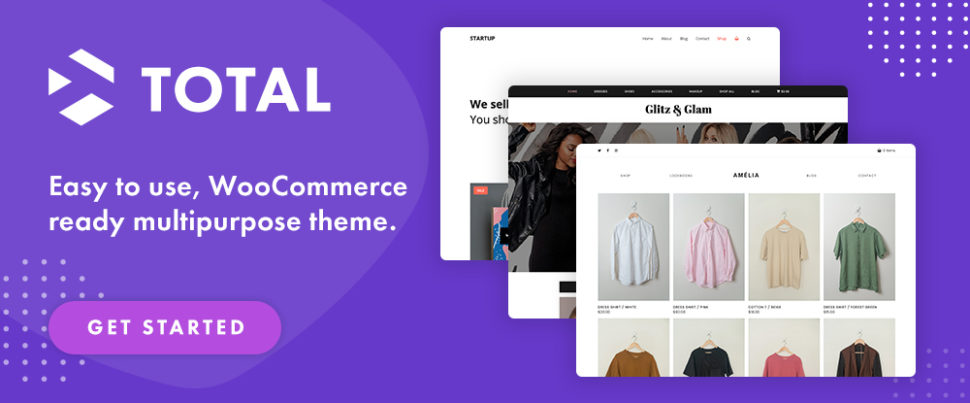
  1. Total WordPress Theme

Whether you have a new website building project in mind or have decided it would be a good idea to spice up an existing one, having Total at your fingertips will help you do either to perfection. The Total WordPress theme is an ideal choice for developers, small business owners, and web designers of all skill levels.

Having the ability to create a website that does justice to your business is good. Having tools on hand that enable you to build it your way is even better. The Total WordPress theme guarantees both with its:

  • 50+ ready to use demos, 100+ site builder elements, 90+section templates, and hundreds of live customer settings plus the Slider Revolution plugin and an extended version of the WPBakery drag and drop page builder with its ready to use patterns, sample demos, and pre-styled cards.
  • seamless integration with WooCommerce for your shop-building projects.
  • boxed and full-width layout options, dynamic layouts, one-page sites, and advanced page settings.
  • RTL and translation ready code, retina images, a unique WPBakery Slim Mode to speed up your site, and five-star support.

Total is developer friendly with a full complement of action hooks, filters, custom snippets and more. Click on the banner to learn more about what Total could do for you.

  1. Uncode – Creative & WooCommerce WordPress Theme

Suggestion. Visit Uncode’s website and view its inspirational user-built website gallery that shows what its users have accomplished, as well as what Uncode could do for you.

This best-selling (110,000+ sales) creative and WooCommerce theme features include:

  • a remarkable selection of 95 demos or concepts, each of which is built around a specific purpose for creating agency, business, event, or portfolio websites and blog projects.
  • an impressive library of useful page layouts.
  • Uncode’s WooCommerce Builder for designing shop pages and pixel-perfect product listings.
  • the Uncode Wireframes plugin with its 550+ section templates you can work with to create landing your pages or build a complete website.
  1. Outgrid – Multi-Purpose Elementor WordPress Theme

The Outgrid Elementor Theme with its impressive range of 2,000+ blocks, 250+widgets, pages, and stunning interactions gives you everything you need to create an exceptional website that will stand out from the competition.

  • Outgrid’s Theme Options tool gives you total control over every aspect of your website’s static elements.
  • Outgrid’s UiCore Framework, Elementor’s free page builder, and Element Pack Pro plugins provide the theme’s core functionalities and amazing horsepower.
  • Outgrid’s Performance Manager helps you manage your website features, all in one panel, with no extra plugins.
  • Go global with Outgrid’s multilingual, translation, and RTL capabilities,

Outgrid also offers a White Label version. Simply add your logo, brand name, brand color, and disable theme features.

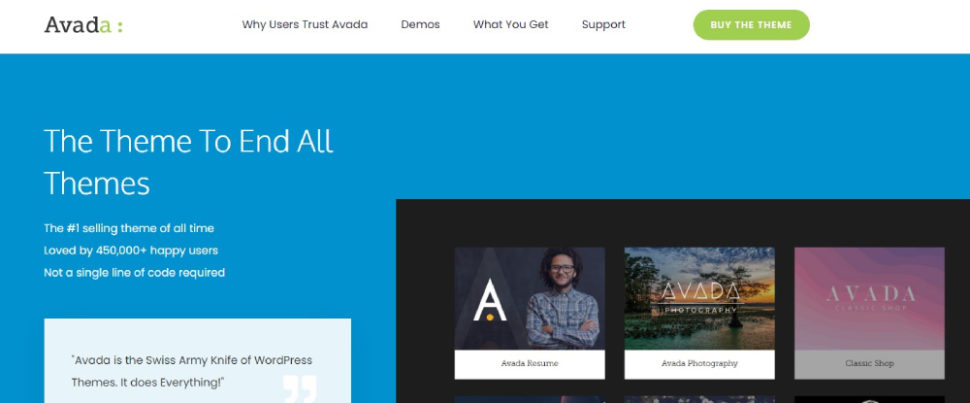
  1. Avada WordPress Theme – #1 Top Selling Theme of All Time

750,000+ first-time WordPress users and professional web designers (more than 24,000 of whom have submitted 5-star reviews) have discovered how Avada, the ultimate website builder and the #1 best-selling WordPress website building theme ever, makes it so fast and easy to create an amazing website.

  • Avada lets you customize anything and everything while its live visual drag and drop builder and huge selection of templates lets you build your website quickly.
  • The demo importer is a time saver. One click, and you’re ready to start customizing.
  • You can build everything from one-page business websites to thriving online marketplaces without ever having to write a single line of code.

Avada is responsive, optimized for speed, e-commerce enabled, and you’ll receive top-notch customer support.

  1. Woodmart – WordPress WooCommerce Theme for Any Kind of Store

Woodmart, the owner of a 4.95/5.0 average rating, offers an all-in-one solution for creating an attention-grabbing online store.

Visit the Woodmart WooCommerce theme website and go down its selection of 80+demos with their shop, business, corporate, fashion, electronics, and furniture themes. Chances are you’ll catch yourself trying to order something before remembering it’s only a demo.

Woodmart is simply demonstrating what an engaging website should look like.

  • The 80+ attractively laid out pre-made websites are inspirational and realistic.
  • Woodmart’s Shop and Product Page Elementor builders and design elements help you build an online store the way you want to.
  • The full AJAX filter and search features and Elementor custom checkout reduce order completion time and increase conversion rates.
  1. Blocksy – Premium WordPress Theme

The 100% eCommerce ready Blocksy WordPress theme is chock full of intuitive website building tools and aids that include –

  • Powerful advanced header and footer builders.
  • Gutenberg capabilities and the latest web technologies together with advanced WooCommerce integration with features calculated to maximize your conversion rates.
  • Blocksy’s Content Blocks module for inserting content anywhere you choose.
  • The mega menu extension for creating gorgeous dropdowns and layouts.
  • Support for custom post types and dynamic data.
  • local Google fonts that endure GDPR compliance.

Blocksy is compatible with Elementor, Brizy, and Beaver Builder page builders. Blocksy also features a White Label module that allows users to emphasize their company brands for maximal trust and user engagement.

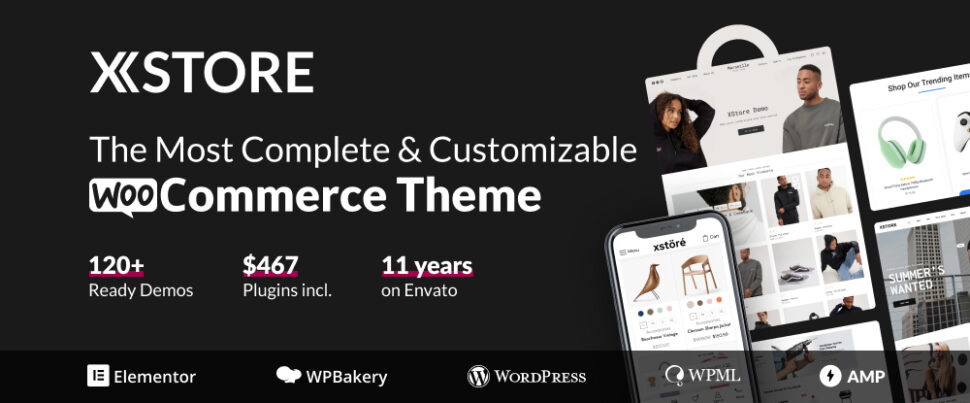
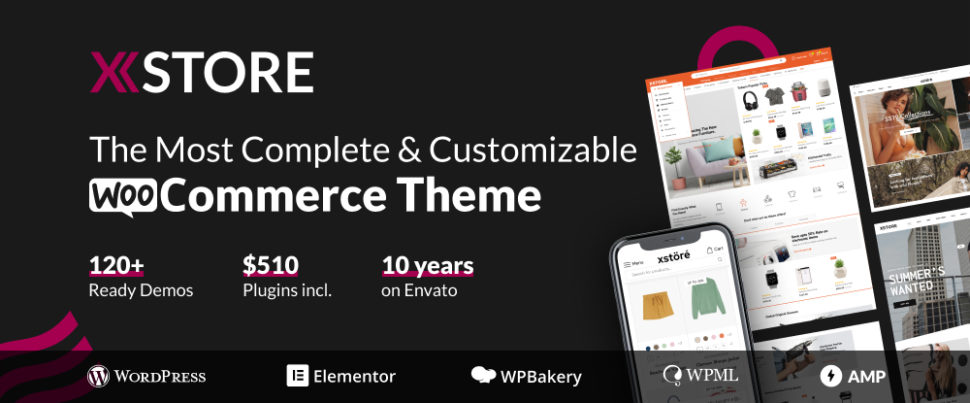
  1. XStore WordPress & WooCommerce Theme

Building an online store should be done with careful attention to detail but it does not have to become a tedious grind. You’ll need to have your own content (products, descriptions, etc.) at the ready, but the rest will be the easy part if you let the XStore WooCommerce theme do the work for you.

Design tools include 130+ ready to customize and launch shops, Single Product, Product Archive, Checkout Layout, and Cart Layout builders, and 15 Sales Booster features that include:

  • Fake live viewing as a sales boosting aide.
  • product variation swatches selection dropdown.
  • popup that shows site activity in real-time.
  • frequently bought together ads as customer aids
  • 360 Product Viewer
  • Express Checkout, and
  • sticky add to cart bar that allows customers to add products without leaving pages.
  1. Litho Elementor WordPress Theme

If a creative, multi-purpose Elementor WordPress theme is your cup of tea, Litho is right for you.

Litho is built with Elementor and can be used for any type of business niche like corporate, design agency, restaurant, travel, yoga, architect, fitness, interior, cafe, application and more, plus portfolio, blog, and eCommerce. Just add the WooCommerce plugin and you’re ready to go.

  • The popular Slider Revolution plugin is included along with 37+ ready home pages, 200+ creative elements, and 300+ page-building templates.
  • Litho is WooCommerce ready, multilingual WPML compatible, and features top loading speeds and healthy SEO results.
  • Litho provides its users with detailed online documentation and top-notch customer support.

Litho is ideal for novice and advanced users alike.

*******

Site appearance is key with respect to how people will perceive your brand. It is therefore imperative that your online presence features a professional, visually appealing, and responsive design that helps you gain credibility, engage site visitors, and increase your conversion rates.

A WordPress theme can make this happen by giving you a fast, reliable, and efficient approach to website design by providing you with solutions that allow you to jumpstart your design efforts in minutes as opposed to the time it can take to create a layout from scratch.

Selecting the right WordPress theme is key if you want to present your content in an engaging, easy-to-digest, and functional manner. Now that you’ve checked out these 10 excellent WordPress themes, this might be the time to select one that suits you best and get on with building your site.

Transform Your Website with These 10 Multipurpose WordPress Themes for 2023

If you are looking for the best multipurpose WordPress theme you might feel the need to clearly understand what “best” means. On the other hand, you shouldn’t worry about that too much since you don’t have to drill down to selecting a single multipurpose WordPress theme at the exclusion of all others; and the reason is this.

Multipurpose themes are flexible WordPress templates. You can use them to create almost any kind of website imaginable.

There are hundreds of WordPress themes available in the online market, many of which are multi-purpose. A fair number are best-sellers you can use to create a corporate website, eCommerce site, personal blogging site, or a portfolio.

In this post, we’ve narrowed a list of potential candidates down to what experts will agree are 10 of the best Multipurpose WordPress themes of 2023.

While you should have little difficulty in selecting one you believe will best suit your needs, you can’t make a bad choice.

  1. Be – Multipurpose WordPress Theme with 650+ prebuilt websites

When a multipurpose WordPress theme can claim 250,000 satisfied customers, there must be a good reason. In BeTheme’s case, there are several. BeTheme gives you all the tools, options, and flexibility needed to create most types of websites, any of which is capable of matching or beating the competition.

A few highlights:

  • Be’s library of more than 650 pre-built websites are responsive, customizable, extremely user friendly, and cover all the major website types and niches and many of the smaller ones.
  • Be Builder is the fastest, lightest, and most intuitive website builder for WordPress. In addition to copying content from pre-built websites you have a host of pages, pre-defined sections, and elements to work with.
  • Creating a shop? The WooCommerce Builder will take care of that for you with its single product page builder and multiple customer-centric options.
  • Be’s Setup Wizard helps you install pre-built websites as well as define logos, colors, fonts, etc. during installation.

Click on the banner to find out more about each of BeTheme’s 40+ core features.

  1. Pro – Top WordPress Theme

When the Pro team said ‘Out with the old and in with the new” they meant it. Pro will lift you out of your website design comfort zone and set you down in an even nicer one.

Here are a few things you can look forward to with Pro, the big sister product to ThemeForest’s fastest selling theme of all time:

  • Cornerstone, the most advanced website builder in WordPress makes website building fun again.
  • The native Grid Editor lets you create “impossible” looking layouts powered by CSS Grid in a point and click interface.
  • You have ready access to a family of header, footer, page, blog, shop, and layout builders that all work together along with Components and Parameters that allow for advanced site building.
  • Native support for dynamic content allows you to build cutting-edge web applications powered by WordPress.

Click on the banner and see for yourself everything that Pro brings to the table. 

  1. Total WordPress Theme

This aptly named multipurpose WordPress theme features a wealth of design options and customizer settings coupled with layout choices, navigation options, and dynamic template functionality.

In short, Total has everything needed for blogs, businesses, online stores, forums, portfolios, and then some.

The following key features will help you build your dream site(s) with Total.

  • Quick start demos, section templates and post cards.
  • Easy drag & drop WPBakery page builder with built-in customization settings.
  • Layout options include boxed and full-width layouts, dynamic layouts, one-page sites, page and post designs, and advanced page settings.
  • Navigation features include 8 preset header styles, local scroll menus, mobile menu styles, and a simple mega menu.
  • Advanced developer snippets, hooks, actions, and filters.

Total is responsive, speed optimized, and SEO-friendly. Click on the banner to get a better idea of what this popular multipurpose theme could do for you.

  1. TheGem – Multipurpose WordPress WooCommerce Theme

TheGem, a versatile multipurpose WordPress WooCommerce theme, offers unlimited customizations, plenty of design & marketing features, an extended library of 400+ pre-built designs, and fastest loading times.

  • TheGem’s versatile Templates Builder enables you to build every part of your website with Elementor or WPBakery.
  • TheGem Blocks is a game-changer. Its 600+ page sections & page templates will significantly speed up your workflow.
  • TheGem’s WooCommerce toolbox features the WooCommerce Builder, advanced AJAX filters, versatile product grids, live search and more to help you to create a conversion oriented online shop.

You’ll love the 5-star user support, as have 70,000 others. 

  1. Avada – Best Selling Multipurpose WordPress Theme

Sales figures can be a legitimate factor in choosing a WordPress theme.  Avada, with 750K+ sales that make it the #1 best seller of all time obviously has a lot going for it. Everyone from first-time WordPress users to professional web designers have fallen in love with Avada.

One reason? This top-selling multipurpose theme makes it so easy to create an amazing website — and fast too, thanks to the following features:

  • The 1-click demo importer doesn’t waste your time. Click to install and you’re ready to customize.
  • Avada’s visual drag and drop builder lets you build an impressive website in a few hours.
  • You can customize layouts, content, headers, footers, forms, store pages, and just about anything else.
  • Updating global styles across your website with Avada’s theme options has never been easier.

Avada is responsive, optimized for speed and eCommerce enabled. 

  1. Uncode – Creative & WooCommerce WordPress Theme

Uncode is a pixel-perfect creative WordPress theme designed with attention to flexibility and performance. It is also one of the top selling themes of all time on the Envato market with more than 100,000 sales to date.

With Uncode at your fingertips you can easily –

  • Build incredible WooCommerce websites with the advanced drag & drop Product Builder, impressive shop layouts, and the performant configurable Ajax product filters with variations swatches.
  • Mix and match 70+ Carefully crafted importable pre-made designs and 500+ Wireframes sections (that you can also use for rapid prototyping).
  1. Blocksy – Free Premium WordPress Theme

Blocksy is innovative, fast, Gutenberg and e-Commerce ready, and more importantly, a WordPress theme for any project. Blocksy is the ideal companion when you need to build a high class website in a short time.

For example:

  • Blocksy’s modern and elegant starter sites get you off to a fast start.
  • Powerful header & footer builders, Content Blocks module, and dynamic data support help you create a dynamic website.
  • Blocksy is built using the latest web technologies for a lean experience.
  • Blocksy is fully compatible with Elementor, Brizy, Beaver Builder, and with WooCommerce.

A White-label option is available for agencies.

  1. Kalium – Creative Multipurpose WP Theme

Build your unique site using the most beautiful creative multipurpose theme of the decade. 44,000+ customers have already done so and more than 2,000 have submitted 5-star reviews.

Creating an award-winning site with Kalium involves 3 easy steps, 1) choose a pre-built starter site, 2) install it with 1 click, and 3) live edit it. Naturally, there is an abundance of tools to help you along the way, that include:

  • The live drag-and-drop page builder that allows you to easily create custom layouts for your website pages.
  • The live WooCommerce builder that can preview changes in real time.
  1. Litho – Multipurpose Elementor WordPress Theme

One thing you have to be careful about when selecting a theme is to ensure you will have complete control over the content of your website. Litho is a multipurpose Elementor theme that does exactly that, as do the other themes on this page.

  • Litho is creative, modern, responsive, and highly customizable. It is also fully compatible and build with the world’s #1 free page builder – Elementor.
  • Litho can be used for any type of business niche plus, blog, portfolio, and eCommerce sites.
  • 37+ home pages, 200+ creative elements and an awesome library of 300+ templates are at your fingertips. 
  1. Woodmart – WooCommerce Multipurpose Theme for Any Kind of Store

WoodMart offers and all-in-one WooCommerce solution. This WooCommerce WordPress theme does not require plugins to create a state-of-the-art eCommerce store. A quick check of the website will convince you of that.

Woodmart comes with –

  • 80+ pre-built demo websites than can be imported with one click together with a library of 400 pre-made templates.
  • Shop and product page Elementor builders and a custom checkout with Elementor feature; no coding is required.
  • Header builder featuring unlimited layout possibilities.
  • A full AJAX shop, an AJAX Quick shop, AJAX filters and search including search by SKU.

********

When your website is the digital storefront for your business you want it to perfectly represent your brand. It should not only look great, but offer a seamless user experience as well.

That is what each of the 10 multipurpose WordPress themes in this article is capable of doing. You really can’t make bad choice. But with a little extra thought you should be able to select the multipurpose WordPress theme you will be most comfortable with.

10+ Best WooCommerce Themes for 2023

Are you looking for the best WooCommerce theme to help you build your online store, but are afraid of making a wrong choice?

For starters, you want to select a WordPress WooCommerce theme since not all WordPress themes offer complete WooCommerce support. If a theme doesn’t support WooCommerce, it won’t support all the available addons and extensions. And it will make it all the more difficult, if indeed even possible, to build the online store you have in mind.

WooCommerce is a free, open-source e-commerce plugin built for WordPress websites. The plugin allows you to easily sell almost any type of product while giving your visitors an intuitive and seamless on-brand buying experience.

The best WordPress theme for you will therefore be a WordPress WooCommerce theme, whether you’re about to create a new eCommerce site or redesign your current site.

The following list of the 11 Best WooCommerce Themes features one or more themes that will best meets your needs.

  1. Be – the Biggest WordPress & WooCommerce Theme

BeTheme, the biggest WooCommerce theme of them all, is more than capable of meeting your needs. BeBuilder, BeBuilder Woo, the Loop Builder, and 360+ professionally crafted pre-made websites are just a few of the 40+ powerful core features this popular (250,000 customers) website building machine places at your fingertips.

  • BeBuilder, the fastest WordPress website builder, lets you view each element as you customize it.
  • BeBuilder Woo helps you design versatile Shop and Single Product layouts that sell. 6 pre-defined layouts for Single Product are also at your disposal, you can create templates for Shop Archive or for Single Products, and BeBuilder Woo is loaded with customer-centric login, account management, and checkout features.
  • With the Loop Builder you can jazz up your website by designing any type of slider, blog, portfolio, or shop listing you can think of.
  • Add Be’s library of 650+ customizable pre-built websites and BeTheme’s flexibility becomes apparent.
  • Be’s updated Setup Wizard will help you get your project underway.

Click on the banner to learn more about what BeTheme can do for you.

  1. Jupiter X – Probably the Best WooCommerce Theme

Jupiter X, the go-to theme for many businesses, brands and marketers, is probably the best theme for WooCommerce with its huge WooCommerce base of exclusive shop features and capabilities.

Jupiter X is also the only Elementor theme that fully eliminates the need for an Elementor Pro subscription with its massive native widget library and native replacements to multiple Elementor features.

Key Jupiter X WooCommerce features include –

  • True shop builder: Build and customize product pages, membership pages, all checkout pages, and build single-step and multi-step checkouts
  • Checkout optimization features: Increase engagement and maximize profits with advanced sales funnels, order bumps, smart checkout notices, and more.
  • Fast Checkout features: Create Shopify-like checkouts with express checkout, sticky cart, checkout expiry and more.

Click on the banner to learn about Jupiter X’s many other WooCommerce features. 

  1. Blocksy – Best Free Ecommerce WordPress Theme

What makes Blocksy the best free eCommerce WordPress theme? Is it the selection of elegant pre-built starter sites? Or the powerful header builder and footer builder, both of which feature multiple content and design options? Or the fact that Blocksy is Gutenberg ready and features the latest web technologies?

Answer: Yes, yes, yes.  And there’s more.

  • Blocksy is fast and features thoughtfully written clean code.
  • A content blocks feature allows you to insert any piece of content anywhere in your site, plus any changes you make to a page, section, or item is synced in real time in the preview window so as not to slow your workflow.
  • Blocksy is also compatible with the popular Elementor, Brizy, and Beaver Builder page builders, is compatible with WooCommerce, is responsive, and features a White Label module.

Click on the banner to learn even more reasons why Blocksy is best.

  1. Uncode – Creative & WooCommerce WordPress Theme

The Uncode WordPress theme for WooCommerce gives its users the ultimate in shop building experience with its advanced drag and drop Product Builder, impressive Shop layouts, custom Cart and Checkout, Ajax Filters, and more.

Other reasons for making Uncode your choice:

  • 100,000+ sales that make it one of Envato’s top-selling themes of all times.
  • You can mix and match more than 70 carefully crafted and importable pre-made designs with over 100 builder modules to create custom pages.
  • The Wireframes plugin with its 500+ wireframes sections gives you a ton of design flexibility.
  1. Total WordPress Theme

Total is an aptly named super-intuitive WooCommerce-ready multipurpose theme that has everything needed to give your online store a unique and custom look and to get it up and running quickly.

  • Use a pre-made custom demo, Total’s extended WPBakery page builder, or both to create your custom website.
  • In addition, you have at your fingertips 100+ builder modules and shortcodes, and 90+ section templates, with no limits on customizing options.
  • With the native WordPress customizer and advanced Total settings you can change site colors, widths, and typography, and view your changes live before making them permanent. 
  1. Avada WordPress & WooCommerce Theme

With the Avada WooCommerce builder you can create a completely customized experience for your WooCommerce users.

  • You can design and build your own conditional layouts for individual WooCommerce Products
  • You can create custom Shop, Cart, Checkout and Archive pages using the design flexibility and power of Avada Builder, Woo Design, and other Avada Builder Elements.
  • Avada is lightweight, responsive, and built for speed and its impeccable code quality translates into exceptional performance.

Avada is popular. It’s the #1 best-selling theme ever, with its more than 750,000 happy users. 

  1. Rey – Exceptionally Intuitive WordPress WooCommerce Theme

The Rey WooCommerce theme is so fully equipped and flexible that you very likely will not need to rely on external plugins, plus its website demos are feature-rich yet designed with minimizing workflow in mind. With a few edits you can get a store up and running in a few hours.

There are plenty of supporting features as well, including –

  • 70+ internal optional modules and pre-made store templates.
  • flexible visual editing and fast search, filtering, and products navigation.

Rey is SEO friendly as well and puts you in good hands with its 5-star customer support.

  1. Woodmart – WordPress WooCommerce Theme for Any Kind of Store

WoodMart is ThemeForest’s most popular WooCommerce WordPress theme for a simple reason. It is loaded with features you will not find in most other eCommerce-oriented themes, such as –

  • shop and product page Elementor builders with an Elementor custom checkout feature, the WPBakery page builder, a header builder, and AJAX filters, product swatches, and search capabilities.
  • 80+ prebuilt websites to get projects underway or combine to create your pages.
  • 400+ templates you can use to prototype your website pages.

Woodmart, its plugins, and its dummy content can be installed in a few clicks. 

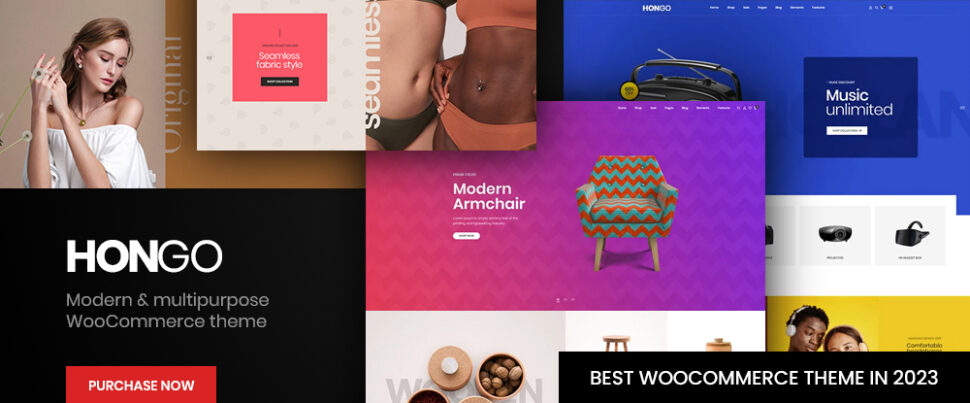
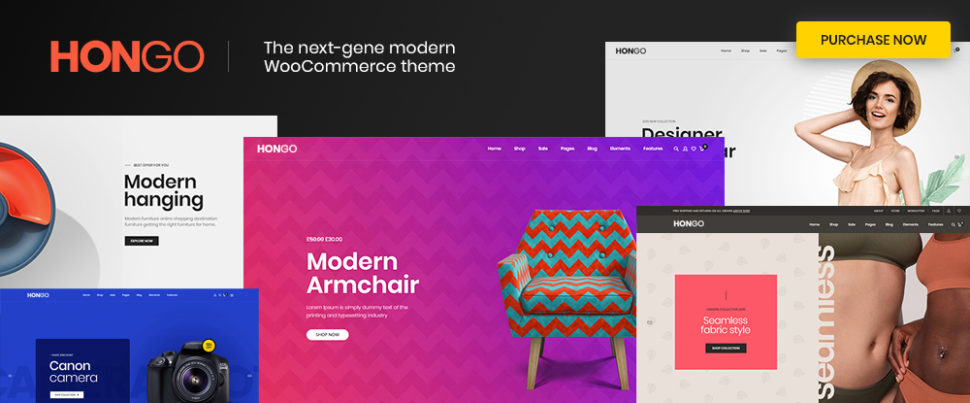
  1. Hongo – Most Powerful WooCommerce WordPress Theme

Hongo is a modern and multi-purpose WooCommerce WordPress theme which is specially curated for creating WooCommerce stores and company websites.

Hongo users have plenty to work with, including –

  • 12 Stunning and impressive store demos, 200 plus creative elements and a library of around 250 templates
  • Out of the box premium features like quick view, compare products, wishlist, catalog mode, advanced filters, color swatches, product tabs, and product videos.
  • WordPress Customizer and WPBakery custom shortcodes to support flexibility and customizability.

Users will also appreciate Hongo’s online detailed documentation and highly rated customer support.

  1. XStore – The Most Complete & Customizable WordPress WooCommerce Theme

The first thing people notice about XStore is its library of 120+ stunning and ready-to-go pre-built shops, which have become somewhat of a trademark for this theme.

Upon closer inspection, they find there’s plenty more to like about this WooCommerce WordPress theme including –

  • Its full support for Elementor and WPBakery, header builder, single product page builder, and 500+ prebuilt blocks.
  • $510 worth of premium plugins and a built-in WooCommerce email builder.

XStore gives every one of its users incredible value for a relatively small investment.

  1. Electro – Best WooCommerce theme for Affiliates, Dropship, and Marketplace Websites

Electro is a clean, modern, user friendly, responsive and highly customizable WooCommerce Theme with a 1.25 sec load time that makes it an ideal choice for your WooCommerce electronics store.

  • Electro’s compatibility with both Elementor and WPBakery page builders will enable you to take your design to the next level.
  • Electro’s design platform offers pixel perfect design, while producing 100% clean code.

You can choose from 7 awesome home pages and 3 different layouts to showcase your product, while using the power of Electro to add features like quick checkout and display product reviews.

*******

WordPress WooCommerce themes provide an excellent pathway to create an eCommerce shop and sell your products thanks to the easy to use WooCommerce extensions.

The right theme will ensure that your store will be both fast and reliable while providing an exceptional shopping experience that converts visitors to customers and boosts your store’s sales.

Choose one of these 11 Best WooCommerce WordPress Themes to launch your successful online store. There are no wrong choices here.

Use these Great 9 WordPress Plugins in 2023

If you’re using the WordPress platform for your website building projects, you’re definitely on the right track. Still, building a better website than the competition’s is usually easier said than done. As doing so may require design or coding skills beyond what you currently possess.

The good news is that there are WordPress tools that can be precisely what you need to improve a website’s features or add desired functionality.

These tools are called plugins, and they are software addons you can install on your websites to add features. You can extend functionality, optimize SEO, boost speed and performance, and more.

Check out these 9 great  WordPress plugins for your website projects in 2023. One of more of them could give you exactly what you are looking for.

  1. Brizy: The Best Website Builder for Non-techies

If is unlikely that the Brizy design team really intended to pander to you, but once you start using it, no other website theme builder will ever feel as nice and easy to work with. The Brizy cloud website builder is ideal for beginners and non-techies (and for techies as well), and you can download it for free.

The Brizy WordPress theme builder has many uses. You can, for example –

  • build a new website.
  • improve upon an existing one.
  • create dynamic templates and use them for creating blog and archive pages, headers and footers, and custom pages exactly as you want them.
  • choose among more than 150 high conversion pre-made templates
  • access elements and templates to customize an eCommerce shop site

Key Brizy features include a Theme Builder, Global Blocks, Global Styling features, and WooCommerce integration. You can take advantage of the 100% White Label option if you want to brand the Brizy Builder as your own.

Click on the banner to give Brizy a closer look. A Pro option is available.

  1. WpDataTables – WordPress tables plugin

You probably enjoy facing a challenge now and then, or you wouldn’t be a web designer. Still, working with massive amounts of complex data can be frustrating at times. Especially when it takes hours of effort to create a table or chart and the final result is disappointing.

wpDataTables is a power-packed WordPress tables plugin that can process huge amounts of complex data to create attractive, interactive, responsive, and easily editable and maintainable tables and charts in minutes.

wpDataTables key features include –

  • 4 chart-building engines — Google Charts, Highcharts, Chart.js, and Apex Charts.
  • the ability to work from multiple database sources, MYSQL, MS SQL, PostgreSQL and with all standard data formats
  • using Conditional Formatting to highlight and color code key data
  • integration with Elementor, Divi, Avada and WP Bakery.

Other useful features include sorting and filtering, formula columns, nested JSON, and more. Click on the banner to learn more.

  1. Amelia – WordPress booking plugin

Adding the Amelia WordPress booking plugin to a business’s WordPress website can completely streamline and fully automate its appointment booking operations with its ability to –

  • manage an unlimited number of client appointment bookings at multiple locations from a single platform and dashboard.
  • enable clients to book appointments online 24/7.
  • manage group appointments, packages, and events.
  • send notifications and reminders to clients via Email or SMS
  • accept payments online using PayPal, Stripe, Mollie, or

Booking forms can even be customized to match the business’s brand. Amelia provides an ideal booking solution for beauty, healthcare, fitness, consulting, educational, and other client-dependent business enterprises.

Click on the banner to learn more about how you could use the Amelia WordPress plugin streamline and automate your business’s booking operations.

  1. LayerSlider – Best WordPress Slider Builder Plugin

Choosing LayerSlider to add sliders to a website is a wise choice as it’s the best WordPress slider plugin on the market, and it can also be used to create image galleries, popups, landing pages, animated page blocks, and parallax and scroll scenes.

  • LayerSlider will fully support whatever WordPress theme and page builder you happen to be using.
  • LayerSlider’s 210+ highly customizable website, slider, and popup templates provide a great starting point for your new projects.
  1. TheDock – Ship Solid Websites

TheDock WordPress theme builder helps teams create websites faster; websites that are guaranteed to look sharp, perform great, and be easy to support because of this plugin’s –

  • well organized selections of Custom Post Types and Custom Fields.
  • extremely fast page loads
  • auto-adjusting, highly flexible layout system and its global UI components
  • White-label builder for sharing access to TheDock’s theme builder only when you want to
  • high security and easy maintenance.
  1. Slider Revolution – more than a WordPress slider plugin

If you would benefit from injecting a few healthy doses of spice and flair into your websites, you should have the Slider Revolution WordPress plugin in your web design toolbox.

Slider Revolution’s-

  • 250+ website and slider templates and innovative website animation effects will impress the most jaded of visitors
  • web design tools take you to the limits of web design possibilities.

Slider Revolution is used and trusted by over 9 million worldwide users.

  1. Ads Pro – WordPress ad manager

The Ads Pro WordPress advertising plugin presents its users with an exceptional range of advertising sales, management, and display options.

Ads Pro’s easy to work with key features include –

  • an Admin Panel and front-end order form that supports efficient ad management.
  • 25+ customizable ad templates and 20+ ad display options including 3 Facebook display options
  • 3 billing methods and 4 payment gateways together with click fraud and ad block protection.
  1. Download Monitor – Best WordPress Download Manager

Download Monitor is a WordPress downloads manager that can help streamline your business operations without having to set-up a complex tracking solution, such as Google Analytics.

Download Monitor enables you to –

  • track multiple file download types (ZIP, PPT, XSLX, PDF, etc.)
  • aggregate file download statistics for total downloads, downloads by IP, by user role, etc.
  • establish access rules based on user roles and download quotas.
  1. Essential Grid – Best WordPress grid plugin

You can use this, the best WordPress grid plugin on the market, to incorporate breathtaking, professional-looking galleries into your websites.

It isn’t all that difficult to do so. Essential Grid places at your fingertips –

  • fully customizable and stunning boxed and full-width to full-screen grid layout options and masonry and cobble grid designs
  • responsive designs that enable you to control how your grids will appear on various devices
  • access to social media content.

*******

WordPress is a highly flexible content management syste for building websites. A driving force behind this flexibility is the wide variety of great WordPress plugins you can use to add features to your site.

Choosing the right WordPress plugin is important for a website’s performance. It can be critical with respect to what it will be capable of accomplishing.

Check out these 9 best WordPress plugins for your website projects in 2023. One of more of them could be a game changer.

Top 12 WordPress Themes for 2023

You may have an excellent business plan together with a good product or service to sell. But, the look and feel of your digital storefront doesn’t perfectly represent your brand. Then it simply isn’t going to contribute all that much to your business’s success.

That’s what makes WordPress such a vital element when building your website. WordPress’s website building tools and themes can give you what you’re looking for in your quest to achieve a seamless user experience.

There’s certainly no shortage of good WordPress themes out there. Themes that offer layouts for blogs, portfolios, an online store or a digital presence for a business.

Finding a top-quality WordPress theme can be a challenge. The following selection of 12 top WordPress themes for 2023 should make it easy for you to find one that best fits your needs. 

  1. Be – Multipurpose WordPress Theme

BeTheme is a supremely popular (250,000+ customers) multipurpose WordPress theme that features 40+ core features that gives users quick and easy access to an impressive array of powerful site-building tools, design aids, and options.

This, the biggest multipurpose WordPress theme of them all, features the responsiveness, flexibility, and performance you need to create websites that will showcase your business while leaving the competition in the dust.

  • Be’s library of 650+ customizable, responsive, and UI friendly pre-built websites make website building quick and easy
  • Be’s fast and user-friendly Be Builder enables you to view each element while customizing it
  • With Be’s WooCommerce Builder you can create shop and single product page layouts that feature impressive customer-centric options including product previews and sticky menus
  • The BeBuilder, Header Builder, Shortcode Generator, and a ton of design options give users all the flexibility they may need

BeTheme is Elementor ready, it is updated frequently, and its owners receive free lifetime updates. Click on the banner to find out more about this amazing theme’s powerful core features.

  1. Total WordPress Theme

Being able to easily create a website that does justice to your business is naturally a good thing. Being able to build your site your way makes everything even better, and that is what the Total WordPress theme does for you.

  • This aptly named theme features 50+ ready to use demos, 90+section templates, hundreds of live customer settings, and 100+ site builder elements together with an extended version of the WPBakery page builder.
  • Slider Revolution is included. Total integrates seamlessly with WooCommerce and features a multiplicity of WooCommerce styling options.
  • Layout options include boxed and full-width layouts, dynamic layouts, one-page sites, page and post designs, and advanced page settings
  • Total is compatible with most popular plugins, including bbPress, Uber Menu, Easy Digital Downloads, WPML, Yoast, and Ultimate Addons.

Click on the banner to learn more.

  1. Electro – WooCommerce Theme for Affiliates, Dropship and Marketplace Websites

The Electro WooCommerce theme gives you a complete design platform from which you can take your design vision and transform it into a pixel-perfect website. To help you along, Electro provides selections of home pages, dedicated mobile layouts, and multi-vendor marketplace pages.

  • Visual Composer is the page builder/editor of choice
  • The intuitive Admin Panel provides a choice of innovative WooCommerce layouts to showcase your product, show reviews, and add accessories that simplify user checkout
  • Choose from 9 awesome pre-defined colors, easily change, and arrange them, or make your own.
  • Electro features fast (1.25 sec) page loading times.
  • Electro was created for affiliate, dropship, and marketplace sites and is compatible with WPBakery and Elementor page builders.

Click on the banner to find out more. Be prepared to be impressed.

  1. TheGem – Creative and WooCommerce WordPress Theme

TheGem is a versatile creative WordPress theme with unlimited customizations, plenty of design & marketing focused features, collection of 400+ pre-built websites and fastest loading times.

  • TheGem’s versatile Theme Builder enables you to build every part of your website with Elementor or WPBakery
  • TheGem Blocks feature will speed up your site-building with huge library of 600+ page sections
  • Extensive toolbox with WooCommerce Builder, AJAX filters, advanced product grids will help you to create any kind of online shop

You’ll love the 5-star user support, as have 60,000 others. 

  1. Vault – Multi-Purpose Elementor WordPress Theme

Vault has no problem living up to its claim of being a next-generation website builder, starting with upscale selections of 50+ full websites, 1200+ templates, and 230+ premium widgets

  • Add the next-generation Theme Options Panel plus beautiful interactions and animations.
  • This theme’s interactive design tools and customization options will also impress.

The Vault framework enables you to easily create an outstanding online presence that features customer-engaging pages. 

  1. Uncode – Creative & WooCommerce WordPress Theme

This creative WordPress theme has everything you’ll need to build incredible websites and WooCommerce online stores. Uncode’s features include –

  • 70+ professionally crafted and easily importable pre-made designs you can mix and match to your heart’s desire
  • 500+ wireframes sections, an advanced Drag and Drop builder, shop layouts, and configurable Ajax product filters

Uncode’s 100,000+ sales have made it an Envato top seller. 

  1. Blocksy Free Ecommerce WordPress Theme

Blocksy is a free eCommerce WordPress theme that also gives you lightning fast performance, is completely eCommerce ready, and is absolutely loaded with intuitive website building features.

  • Blocksy’s Content Blocks features allow you to insert a piece of content anywhere throughout your site.
  • Blocksy’s Header Builder, Footer Builder, custom post types, dynamic data support, and content blocks provide all the flexibility you’re apt to need.

White Label is also offered. 

  1. Avada WordPress Theme

Avada is the #1 best selling WordPress theme of all time, which might suggest there is really nothing more to say about why it would make a good choice.

Still, checking out Avada’s website is the best way to see for yourself what this Swiss Army Knife of WordPress themes has to offer like its –

  • 400+ pre-built web pages
  • 120+ design and layout elements

And not to forget, its 750,000 happy users. 

  1. Rey WordPress WooCommerce Theme

The innovative Rey WooCommerce theme is loaded with user-friendly features and is performance oriented, developer friendly, and easy to use.

  • Rey features the popular and powerful Elementor page builder together with a useful selection of Elementor widgets that will cover almost any situation
  • Quickview, Ajax search, and smart search help site visitors find exactly what they want
  • Headers are eCommerce customized, and site visitors will love Rey’s advantageous shopping cart, wish list, and checkout features.
  1. Impeka – Creative WordPress theme

Impeka gives you complete freedom to build an engaging website that is user friendly, fast, fully responsive, and professionally optimized for SEO.

  • Impeka-built websites get noticed by the right people and give them what they want.
  • Choose Elementor, Gutenberg, or the enhanced WPBakery as your page builder.
  • Build an online shop with WooCommerce.

You can select among Impeka’s 37+ detailed demos to get a project underway.

  1. KnowAll – WordPress Knowledge Base Theme

KnowAll, the #1 knowledge base theme for WordPress, gives you a powerful tool for building an intuitive to work with knowledge base.

  • KnowAll’s advanced analytics lets you gain valuable insights into what your visitors are looking for and how they go about it.
  • KnowAll gives you a better perspective as to what content visitors find useful from the feedback they provide.
  • KnowAll can be personalized to match your company’s brand.
  1. XStore – WooCommerce WordPress Theme

XStore has provided users with an easy approach to building online stores from the get-go. An Envato favorite for the past 10 years, XStore gets projects off to a rapid start with its –

  • collection of 120+ awesome shops and multi-vendor marketplace building tools and features
  • high converting eCommerce features
  • header and single product page builders together with 60+ Elementor widgets

*******

The top WordPress themes that have been included in the above listing share a number of things in common.

Each features high quality designs, plenty of customization settings and options. Also, other useful features that have been incorporated with success in mind.

These top WordPress themes are popular for a reason. They make it easy to get the job done and get it done well. They are truly the best of the best.

No matter your choice, you will not be disappointed.

Read More at Top 12 WordPress Themes for 2023

The Best WooCommerce Themes for Your Website

Not just any old plan or approach will do when opening a new business, nor will it suffice when building and launching an online store – even if the underlying business is already a successful one.

It takes the right tools and design philosophy to build a successful online store – things not every WooCommerce WordPress theme is apt to have.

When you do come across a set of great WooCommerce WordPress themes that offers the optimal designs and settings to get the job done, you still may have to spend a little time narrowing the list down until you find one that suits your needs perfectly.

That’s the situation you are facing here. You have the 10 best WooCommerce themes on the market. At least one of them will have your name on it.

  1. BeTheme | The Biggest WordPress & WooCommerce Theme

With its more than 40 powerful core features, BeTheme has every tool, setting, and option you need to build any website type you want. BeTheme has addressed the special needs required to build an online store as well.

  • First, there’s BeBuilder Woo. This absolute gem of a WooCommerce-oriented tool features collections of single product layouts, WooCommerce theme options, and shopper-centric design elements.
  • BeBuilder is another powerful tool you’ll be happy to have at your fingertips. BeBuilder is the fastest and most flexible page builder for WordPress, and when combined with BeBlocks gives you a ton of design options and flexibility to work with.
  • Be’s Header Builder makes creating responsive headers a piece of cake rather than an unpleasant chore thanks to Header Builder 2.0. This drag and drop builder helps you create whatever you want in no time at all.
  • Be’s 650+ pre-built websites also deserve special notice. Their embedded UI functionality can save you tons of time.

Click on the banner. There is much, much more to see.

  1. WoodMart

When it gets down to having the right design philosophy in mind, WoodMart is hard to beat. A mere glimpse of their website says a lot about what you could accomplish when using this easy-to-set-up WooCommerce theme.

WoodMart gives you the following to work with:

  • Pre-built demo websites designed to help you get your online store building project off to a fast start,
  • Elementor and WPBakery page-building support – the most popular WordPress page builders on the market.
  • 400 pre-made templates you can use to create your pages or prototype them if you’re not quite sure of how you want them to appear.
  • A full Ajax shop and an Ajax Quick Shop. Smooth-running product search and checkout designs save customers time and correspondingly increases conversion rates.

Click on the banner to catch a glimpse of this all-in-one solution’s capabilities. You’ll want to dig deeper.

  1. Rey Theme

eCommerce rests on 4 pillars – filtering, searching, navigation, and presentation. Rey brilliantly addresses each of these in its design, innovation, and performance and easily passes them on into your online shop.

Rey does this with –

  • The Elementor page builder that Rey has spiced up with extra eCommerce oriented features and extensions
  • Ajax navigation options including smart search to help customers find what they want quickly, leading to higher conversion rates
  • Predesigned plug and play pages, a cart page with a progress bar and discounts – again to boost conversion rates
  • Headers designed specifically for eCommerce applications with a focus on mega menus, caller headers, and wish lists

Rey is SEO optimized to rank better on organic search so you can get more customers without spending more on advertising

Click on the banner to learn more.

  1. Uncode – Creative & WooCommerce Theme

Uncode is a pixel-perfect multiuse WordPress theme that creatives, businesses, and agencies have found to be a perfect fit for their eCommerce needs.

  • Enjoy the same performance that 100.000+ buyers have experienced.
  • Experience the joy of working with Uncode’s souped up Page Builder, professional WooCommerce shop design features, and its Wireframes plugin and 550+ section templates.

The best way to fully grasp Uncode’s capabilities is to view its gallery of user-created websites.

  1. TheGem – Creative Multi-Purpose WooCommerce Theme

This best-selling WooCommerce theme gives you the ultimate WooCommerce toolbox to build a modern online shop. TheGem’s unlimited customizations serve to improve CTR through its use of unique layouts and designs.

In TheGem’s WooCommerce toolbox you’ll find –

  • 400+ pre-built designs plus the Product Builder, Cart & Checkout Builder, Ajax filters, and more
  • TheGem Blocks with its 500+ pre-built WooCommerce-oriented page sections
  • Elementor and WPBakery page builder compatibility
  • one-click optimization for fast loading and optimal conversions.
  1. Total WordPress Theme

This aptly named multipurpose theme has the tools and flexibility you need and is designed with easy website building in mind.

Total’s key features include –

  • Total integration with WooCommerce
  • Professionally-crafted selections of ready-made section templates, site-builder elements, and quick-start demos
  • WooCommerce styling options for colors, fonts, cart icons, social sharing, product pages, and more.
  • An extended version of the WPBakery page builder.
  1. Jupiter X

The Jupiter X2 update introduces advanced segmentation and personalization to increase engagement and conversion in WooCommerce stores.

These advanced features include a full-site editing layout builder and automated discounts, personalized coupons and checkout notices that enable –

  • Showing personalized content to different audiences
  • Showing personalized product loops based on customer shopping behaviour
  • Creating personalized coupons, applying automated discounts, and showing smart checkout alerts
  • Introducing smart promotional campaigns based on customer journey state and loyalty.
  1. Avada Theme

What does Avada have that other WooCommerce WordPress themes may not?

  • Recognition as the #1 selling theme for the past 6+ years.
  • The ability to create a shopping experience that is both intuitive and gorgeous.
  • All the options you could want in a theme with custom settings for each and every page.
  • Fusion Builder and the Fusion Core toolbox of powerful tools and premium plugins,
  • 50+ design elements with hundreds of options.
  1. Hongo – Modern & Multipurpose WooCommerce WordPress Theme

The Hongo modern multipurpose WordPress theme is rich in features created with building WooCommerce stores in mind.

Features like –

  • 12 stunning, impressive, and unique store demos, 10 modern styles, and 8 elegant product page styles to get your creative juices flowing and beautifully showcase your products
  • quick view, compare products, wish list, catalog mode, advanced filters, color swatches, product tabs, product videos and more
  • 200 + creative elements and a library of ~250 templates.
  1. XStore – Best WordPress WooCommerce Theme for eCommerce

The XStore WooCommerce theme has already won the praise of 65,000+ delighted customers.

XStore –

  • is built for speed; quick site loading gives visitors more enjoyable experiences
  • works with Elementor and WPBakery, the best page builders on the market
  • features an outstanding collection of 120+ ready-to-customize shops together with 500+ pre-built blocks
  • a live Ajax theme option and $510 worth of “must have” plugins.

In other words, everything you need.

*******

It takes using a theme with the right tools and design philosophy to build a successful online store, plus working with a WooCommerce WordPress theme that has some great ideas to offer is a great deal quicker than trying to build a store from scratch.

When you do come across a set of WordPress themes with WooCommerce that offers the optimal designs and settings to get the job done, like those listed here, you’ll still need to spend a little time finding one that best suits your needs.

Hopefully, you already have a good idea as to which one that might be.

Read More at The Best WooCommerce Themes for Your Website

Looking for outstanding Multipurpose WordPress Themes? Read this

When it comes to building websites there is probably some truth to the saying that you are only as good as the tools you have. Design experience and an ability to write code can make up for some shortcomings. But what you really want is a WordPress theme that can not only enable you to do excellent work but enable you to build websites quickly and easily as well.

There are good multipurpose themes and not-so-good multipurpose themes. You certainly want to avoid selecting any of the latter.

How can you distinguish between the good and the not-so-good if you don’t have time to do extensive research? And what approach can you take if you have your mind set on investing in a theme that gives you all the flexibility you are ever likely to need. Theme that enables you to power yourself through the building process. The one that gives you an end result that is precisely what you expect, or your client demands – or better?

You can always check out a theme’s sales, ratings, and reviews. But a better approach is to leave things up to those who have the experience and expertise to identify a few top candidates to choose from.

That is where we come in. At least one of the following 8 top multipurpose WordPress themes for 2022 could be the gamechanger you’re looking for.

  1. BeTheme | Responsive Multipurpose WordPress & WooCommerce Theme

This popular multipurpose WordPress theme is the biggest one of them all. BeTheme’s customer-base is large enough (250,000+), but it’s the 40+ core features that give a true picture of how big BeTheme really is.

Be’s most popular features:

1. A Library of 650+ trendy pre-built websites that

  • are customizable and responsive
  • cover all industry sectors and website types and style
  • feature key UX functionalities

2. With BeBuilder, the fastest and most flexible page builder for WordPress you can:

  • import 3,000 pages from Be’s 650+ pre-built websites and customize them to fit your needs
  • drag, drop, and customize everything including 100+ pre-built blocks and 80+ elements
  • set page layout dimensions, positions, and margins and customize backgrounds as you wish

3. With the WooCommerce Builder – an absolute gem

  • you can create shop or single product layouts exactly as you want
  • a host of customer-friendly shopping features and product previews are at your disposal

BeTheme is Elementor ready and is frequently updated. Click on the banner and check out each of Be’s powerful core features.

  1. Total WordPress Theme

Building a website doesn’t have to be hard, and because of Total’s completeness it won’t be. This aptly named multipurpose theme has the tools and design flexibility necessary to make your website building adventures fast, easy, and successful.

48,000+ Total users will agree. They have enjoyed easy access to –

  • 50+ ready to use demos, 8 header styles, 95+ section templates and 75+ post entry cards when they want to get their website building effort off to a rapid start.
  • the WPBakery front-end drag and drop page builder and Total’s 100+ builder elements, 500+ live customizer settings, and built-in font manager when they want to start a page from scratch.
  • Premium plugins like Slider Revolution and Templatera

Total is optimized for speed and is fully compatible with WooCommerce, Gutenberg, and Elementor. Click on the banner; there’s much more to see.

  1. WoodMart

Because it is loaded with features that are not present in most of the other eCommerce oriented theme, WoodMart’s increasing popularity has made it ThemeForest’s most highly-regarded theme.

A quick look at the WoodMart website (click on the banner) should give you all the proof you need.

These features include –

  • highly customizable product page layouts
  • more than 75 premade single-click importable demo websites together with 15 special pages
  • a built-in megamenu that features an intuitive interface and a user-friendly canvas sidebar with shop page filters and widgets
  • an abundance of WooCommerce elements
  • 400+ templates than can also be used for prototyping
  • a full AJAX shop with filters and an AJAX quick shop pagination feature

WoodMart has logged more than 40,000 sales to date and enjoys a 4.95/5-star rating. 

  1. Avada Theme

Avada’s huge following (450,000+) of happy users has made it the #1 best selling theme of all time. Avada’s unique assemblage of powerful website building tools include –

  • 40+ single-click importable demos and 50+ design elements
  • Fusion Page and Theme options that provide virtually unlimited flexibility
  • The Fusion page builder, Fusion slider, and Shortcode Generator

Avada is WooCommerce-ready theme, 100% responsive, and speed optimized.

  1. Uncode – Creative & WooCommerce WordPress Theme

Uncode is a pixel-perfect theme that empowers its users to create pixel-perfect websites. This Envato best seller has logged more than 90.000 sales to date.

Powerful website-building features include –

  • a revved-up Frontend Page Builder that’s a joy to work with
  • a Single Product builder, a wealth of customer-centric design elements and options and other advanced WooCommerce capabilities
  • A Wireframes Plugin with 550+ section templates

Uncode is ideal for creating blog, magazine, and portfolio sites.

6. TheGem – Creative Multi-Purpose & WooCommerce WordPress Theme

TheGem is the best-selling theme on ThemeForest with 60,000 users, which says a lot.

A few examples of what you’ll find in the package:

  • 400+ beautiful pre-built websites and templates for any purpose and niche.
  • Elementor and WPBakery frontend page builders for easy editing & customizing
  • A rich collection of WooCommerce templates and features for creating exceptional online shops.

TheGem Blocks with its 300+ premium pre-designed section templates to speed up your workflow.

  1. Impeka – Creative Multipurpose WordPress Theme

Beginners and advanced users alike find this multipurpose theme an impeccable tool to work with.

With Impeka –

  • You have complete freedom to make your dream of an ideal website happen.
  • Your website will be fast, fully responsive, and professionally optimized for SEO.
  • Your website will be noticed by the right people, and they will get what they are looking for.

You have a choice of Elementor, Gutenberg, or enhanced WPBakery page builder. 

  1. Litho – Multipurpose Elementor WordPress Theme

The fact that Litho is an Elementor WordPress theme says a lot about what you can expect when working with it. With Litho at your fingertips, you can build any website you envision thanks to its Slider Revolution plugin and its host of home pages, creative elements, and templates

  • Litho-created websites are fast, responsive, and SEO friendly

You’ll find the online documentation is highly detailed and extremely helpful, as is Litho’s first-class customer support.

*********

You have your mind set on selecting a theme that gives you all the flexibility you need. Theme that enables you to sail through the website-building process. The one that gives you a product that is precisely what you or your client expects.

The best approach to satisfying that objective is right in front of your nose. Your search should end with the 8 top multipurpose WordPress themes presented here. Choose one that looks like a best bet, and it won’t let you down. It may even turn out to be a gamechanger.

Read More at Looking for outstanding Multipurpose WordPress Themes? Read this

❌