Reading view

There are new articles available, click to refresh the page.

Can You Really Replicate Your Favorite SaaS With AI?

There’s something about AI that tends to make us humans bolder – especially when it comes to code. The tool does all the heavy lifting for us, leading to more ambitious projects. Even solo developers are using it to build things that required a dedicated team a few years ago. It feels like having a secret weapon that’s ready to help at a moment’s notice.

That has led some seasoned (and not-so-seasoned) developers to go for the ultimate prize: replicating their favorite SaaS product. I admit to falling under the spell of such temptation.

It’s easy to see the potential benefits. SaaS subscriptions can be expensive, and the products may be more than what we need. Plus, there are always niche features that seem to be missing. Oh, and many are proprietary, raising data ownership concerns. Why not use AI to vibe code your own spinoff?

Can it really be that simple? Type a few prompts, and get a high-level tool to replace an enterprise app? As usual, it’s complicated.

Let’s take a hard look at the good, the bad, and the ugly of using AI to build a SaaS replica.

Taking Software Into Your Own Hands

My journey building a SaaS replica with AI began as I stood at a crossroads of sorts. I’m a longtime user of QuickBooks Desktop, which has served my accounting needs well over the years. However, the product I use was discontinued and moved online. Moving meant going from buying a license every few years to a monthly fee. I’m not keen on yet another subscription.

The desktop app is also starting to show its age. Some features are broken, and the interface is behind the times. Not to mention it’s a memory hog on my PC. This all coincides with some upcoming changes to my business that require a different approach.

So, I decided to take the plunge and build my own billing/customer relationship management (CRM) app as a WordPress plugin. I wanted something portable that would allow me (or others) to add features as needed. WordPress was the perfect fit.

The decision seemed like a no-brainer. I could use my existing skills to guide AI in the right direction. And I could leave out the things that weren’t necessary. I hoped to build a lean, functional plugin that streamlined my billing process.

This would also free me from the proprietary trap so many SaaS providers lock us into. I wouldn’t have to worry about higher rates, product limitations, or waiting for support tickets to be answered. Yes, this was exactly what I needed!

The only question was: Can I really build a suitable replacement?

AI opens up plenty of development possibilities, including replicating a SaaS

The Challenge Is in the Details

The project started with a bang, as I used Claude to build a working prototype within an hour. Sure, there were some rough edges to be smoothed over. But the basic concept was coming together. Then, a bit of reality set in.

One of my goals was to create a tool that was close enough to what I’m accustomed to. The idea wasn’t to rebuild QuickBooks line by line, feature by feature. But I wanted something that provided a seamless transition.

My prototype allowed me to add customers, services, and invoices. I even built some import tools to bring my real-world data into the system. But I didn’t realize how many little details were missing until I used the plugin.

For example, I needed a way to share invoices with my clients. I also needed to distinguish between hourly-based and project-based services. Other needs seemed to pop up every few minutes:

  • Custom reports for my business and individual customers.
  • A way to email invoices to multiple contacts at the same company.
  • A log to remind me whom I sent invoices to and when.
  • Navigation to and from different areas of the plugin.
  • User permissions for scenarios where you want to provide CRM access to a non-administrator.
  • A front-end version of each relevant screen.

This was a different experience for someone who hadn’t taken a product from start to finish before. It felt more like being a product designer than a developer. That requires a different type of thinking.

AI proved capable of writing the code. However, I found myself having to provide extra context along the way. There was a lot of trial and error, and each new feature opened another set of decisions and potential.

There’s also danger in adding too many features. I didn’t want a bloated plugin that was difficult to use. As such, I had to practice restraint when considering my options.

It was a positive learning experience, for sure. But it also made me realize how much is involved in building a plugin that does more than merely function. Good things do indeed take time.

Great software is all about the details

Questions To Ask Before You Build

The temptation to dive right in and generate code for the next HubSpot or Asana is understandable. AI makes relatively short work of complex coding tasks. These models can also advise you on how to replicate specific features.

It’s worth taking a step back and asking yourself a few key questions first, though. The answers will help you navigate the project or save you from making a massive mistake.

Are You Serious or Curious?

First, determine why you want to build this amazing new thing that’s based on an existing thing. Experimental side projects can be fun and a great way to learn. However, it’s different than a serious bid to create software that your entire company will use.

The former encourages you to be patient and test your ideas. The latter is often a mandate to increase efficiency while saving money. There’s an entirely different level of pressure in that scenario. You’ll also need to dedicate more resources toward the project.

It’s not necessarily a deal breaker either way, but a consideration nonetheless.

Do You Need Third-Party Integrations?

Integrating with other tools and services is a SaaS superpower. For example, adding Stripe to your CRM enables online payments, while Mailchimp adds email capabilities. AI tools can help you connect the various APIs out there.

The downside is the responsibility that comes with these integrations. APIs frequently change, and you need to stay ahead of them. Failing to keep up could lead to software that doesn’t work. Plus, there are security and privacy risks.

Remember: Once you build it, you’re responsible for it.

Do You Need Your App To Scale?

SaaS applications often require a robust infrastructure. That’s why AI companies are building data centers everywhere. This could be a concern if you’re expecting a stampede of users and use cases.

Smaller, more focused apps like my CRM plugin aren’t as big of a problem. A few users on a WordPress site won’t require a ton of memory or CPU cycles. But the calculus changes as your needs grow.

This is where a fun little project can turn into something more complex. That app you just vibe coded could turn you into a systems engineer. There’s also a cost to server space and other necessities. Are you prepared to go that far?

Ask yourself some important questions before building your app or plugin

You Can Replicate a SaaS With AI, but Should You?

Using AI to generate code opens up a world of possibilities – and it’s only getting more powerful. New models continue to evolve to help us get things done faster. That leads to bigger and bolder ideas on our part.

Even so, it’s a good idea to think about the long-term consequences of what you build. It may be fun to try and replicate Gmail, but do you really want the responsibilities that go with it?

That may be an extreme example, but the theory also applies to smaller projects. The reality is that the best SaaS products are popular for a reason. They scale, have dedicated security teams, and professional product designers working to improve every aspect. Even the best AI models can’t match that quite yet.

So, have fun and experiment! Just know what you’re getting into before you begin.

The post Can You Really Replicate Your Favorite SaaS With AI? appeared first on Speckyboy Design Magazine.
How To Make Your WordPress Website AI-Friendly

There’s no doubt that artificial intelligence (AI) is changing how people discover websites. Google is all-in on the technology, showing generated search results above the tried-and-true list of links. We know that things are changing. The confusion lies in how to adjust to this brave new world.

SEO has always had a dash of mysticism to it. People have tried various tricks and techniques to improve rankings. Now, we’re faced with the challenge of pleasing AEO (Answer Engine Optimization). The goal is to get your content cited by AI models. That could be a search engine like Google. But it also includes ChatGPT, Claude, and other AI tools. When a user asks an AI model a question, you want to be a source of relevant information.

Much like SEO, AEO inspires debate about what providers are looking for in a website. Do we need to do anything drastic? Or are the fundamentals of adding metadata and structured content enough?

These are among the questions we’re trying to answer here today. We can’t promise perfect results, nor that best practices won’t change (that’s a given). But we can show you some tools and resources to help you on your journey.

The good news is that WordPress is a great platform for getting your site noticed by search engines. It already includes some basics, such as logical content structure and sitemaps. And its plugin ecosystem is full of high-quality tools. This includes options for improving your site’s AEO.

Let’s get started!

Why You Should Care About AEO

Traditional search engines are still an important piece of the puzzle for discovering content. However, people are also turning to AI tools for information within the context of a conversation. That differs quite a bit from how we’ve researched topics for the past 30 years or so.

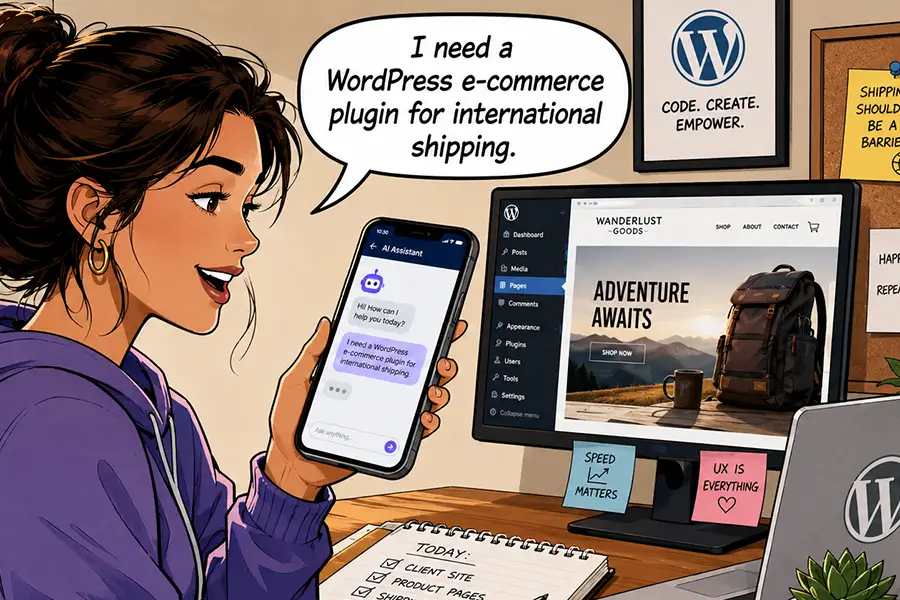
For example, you might use Bing to find a list of WordPress e-commerce plugins. That’s great, but you still have to click through each relevant link to find what you’re looking for. You could, in theory, waste a lot of time researching plugins that aren’t a good fit for your project.

Compare that experience with using an AI tool like Gemini. You could ask for WordPress e-commerce plugins with specific features, such as subscriptions or shipping integrations. The AI model will provide a summary of plugins that match your request, complete with background information.

AI provides a succinct report that makes it easier for users to find links of interest. That’s important to every website owner, whether you’re a plumber or a tech publication. Making your site AEO-friendly is part of getting your content seen by the right people.

It’s also a different deal than the training bots that hog site resources. You can still block harmful bots while welcoming the legitimate ones.

People are starting to use AI apps to find what they need online.

Scan Your Site for AI Agent Readiness

What does your WordPress website need to be indexed by AI models? You may already be on the right track.

The basics of SEO, such as a robots.txt file and an XML sitemap, are must-haves. These items help direct bots to your content and tell them what to index, similar to how search engines use them. But there’s more to the story.

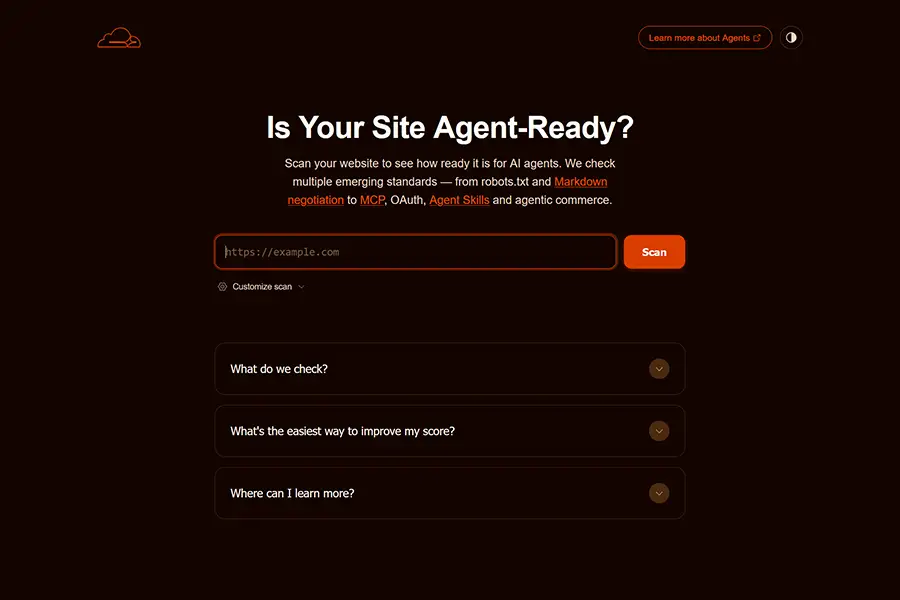
Cloudflare has a helpful scanning tool, Is Your Site Agent-Ready?, that analyzes your website’s structure. It looks for the following:

  • The discoverability of your site, via robots.txt, sitemaps, link response headers, and DNS records.
  • If your site makes content available in an AI-accessible format, such as Markdown.
  • How your site manages bot access via robots.txt.
  • Any agent skills your site may have, such as MCP.
  • E-commerce protocols.

You’ll receive a report that details where you’re succeeding and where there’s room for improvement. We should note that some of the above may not apply to your website. For example, agent skills won’t be relevant unless you have AI agents on your website. You can also adjust the scan settings to focus only on the areas you care about.

As with all scanning tools (AI and otherwise), take the results with a grain of salt. However, they will provide some actionable advice. It’s up to you to determine what makes sense for your website.

Is Your Site Agent-Ready will help you learn how to make your site compatible with AI.

Turn Your HTML Content Into Markdown

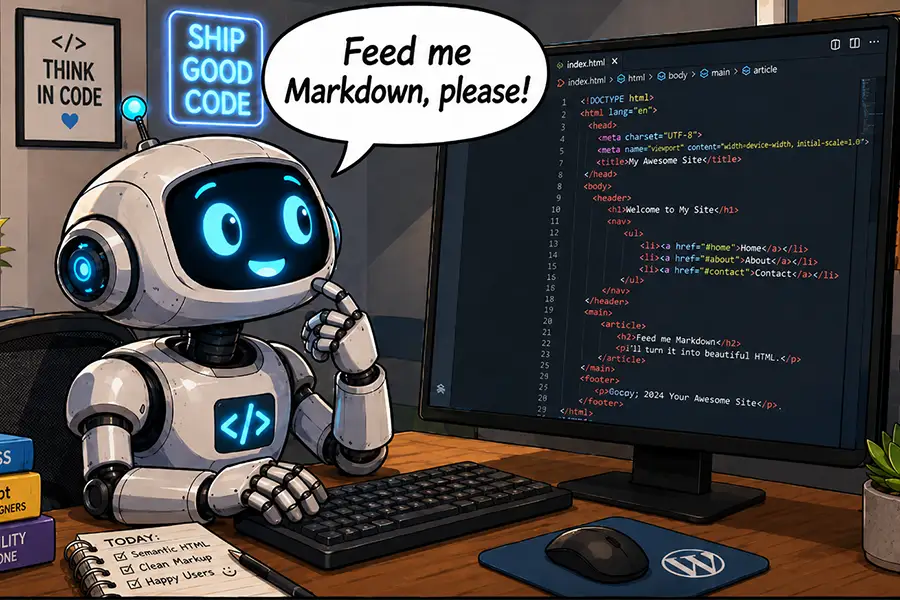
It may be a surprise, but HTML isn’t the best format for AI models to read. Instead, they prefer Markdown. This plain-text markup language is easier for bots (and humans) to understand. Elements like headings and lists can be identified without knowing code.

Markdown is also more efficient than HTML. Models don’t have to sift through lines of unnecessary code to access your content. That means fewer tokens, which is better for everyone.

WordPress doesn’t natively support Markdown output. However, WordPress.org recently added this capability via the experimental html-to-md plugin – and you can, too. It’s a simple way to make your site friendlier to AI models.

Install the plugin, activate it, and a <link> element will be added to each page’s header, pointing to the Markdown version. Your site’s visitors won’t know the difference, but AI models will.

LLM Markdown is a similar plugin, but with a twist. A settings page lets you enable or disable Markdown output for specific post types. Look for more plugins to hit the market as Markdown output becomes more commonplace.

Cloudflare users with paid plans also have access to a Markdown for Agents feature. It doesn’t require a plugin – simply turn it on in your account dashboard.

AI tools often prefer to read markdown instead of HTML.

Helpful AEO Resources

Optimizing your WordPress website (or any website, for that matter) for AI agents isn’t as hard as you may think. The tools and tips above will help you determine and address your needs.

But AEO is a nascent subject. As such, expect things to change quickly. The following are some resources you can use to learn more and stay ahead of the game:

We hope you found this overview useful. Now that you have a better idea of what AEO is, it’s time for action!

The post How To Make Your WordPress Website AI-Friendly appeared first on Speckyboy Design Magazine.
Cherish Your Tokens, Grumpy Designer

In case you didn’t notice, it’s getting more expensive to ride the AI bandwagon. Web professionals are using the technology to do more than write code. We’re also employing it for just about every other task you can think of – even the most mundane ones. Tools like OpenClaw are taking our usage to new heights, literally. I mean, did you look at your latest bill?

Seriously, some of us are spending something close to a BMW’s (or perhaps a Ferrari’s) monthly payment on AI. What started as a small monthly fee to use ChatGPT, Claude, or Copilot has turned into something completely different. We have become the proverbial kids in the candy store.

It’s a bad case of consumerism fueled by our desire to experiment with new toys. It doesn’t help that AI companies are making it easy to spend significant money without a second thought. Integrating with your favorite SaaS or even WordPress is easy. Yet, the virtual cash register silently rings with each prompt and automation we create.

Perhaps all of this is happening too fast (maybe that’s the intention). We may be falling into an AI-powered trap that will be difficult to escape.

The Grumpy Designer likes to keep things rational. So, let’s hit the brakes, take a step back, and analyze what we’re doing. We’re the only ones who can stop the insanity, after all.

Your Monthly AI Plan Isn’t All-Encompassing

The early days of AI (a whole 2-3 years ago) were exciting. I had fun playing around with ChatGPT and seeing what silly or productive things I could accomplish.

Its coding abilities may pale compared to what we have today. But it was still incredibly handy for troubleshooting and building basic WordPress plugins. I decided that their $20-per-month Plus plan was a relative bargain. It offered access to the latest models and improved performance.

And it’s still a good deal, if you use it in your browser or their app. An individual performing occasional coding, image generation, or file analysis will get a lot for their money. It’s once you step outside of those boundaries that things become costly and confusing.

Such monthly plans typically don’t provide you with API access. For that, you’ll need to purchase tokens. It’s a common practice across the big AI companies.

I won’t argue with the premise of token-based usage. AI requires a lot of computing power to do its job. It must provide quick and accurate answers to user queries. Then there is the cost associated with training and improving each model.

The real problem lies in educating consumers on the differences. It’s not until you need an API key that you realize your monthly plan won’t cover you.

Monthly AI subscriptions typically don't include API access.

How Much Will That Task Cost?

Generating an API key and connecting your favorite AI model to a third-party service is simple. Figuring out how many tokens you’ll need isn’t so clear. That’s the downside of not having a good/better/best pricing model.

Reputable AI companies let you set spending caps and disable auto-purchasing once you hit your limit. This will save you from a massive bill. It’s also a good security measure, should your API key fall into the wrong hands.

However, experimentation is the only way to understand the costs of using AI tokens. Figure out what you want to do, ask AI to do it, and check your account dashboard to see how much you spent. The trick is to extrapolate that cost based on how many times you’ll perform a given task.

The other challenge is that some tasks will use more tokens than others. For example, generating a headline for your blog post will likely cost less than generating a featured image. Thus, you’ll want to watch your token usage carefully.

Setting a small spending limit may be fine for light-duty tasks. That strategy won’t work for organizations with multiple users who are highly dependent on AI, though. You’ll quickly run out of tokens and will have to go without the service or set a higher limit.

It appears that companies are beginning to realize that willy-nilly usage of AI is costly. Some will narrow the scope of what these tools do for them. It’s also an argument for developing local AI models. Maybe we still need humans after all?

You'll need to experiment with tasks to see how many AI tokens they use.

Put AI in Its Place

Sure, AI can do just about everything. But the decision on when and how to use it is ours to make. The increasing and uncertain token costs are reason enough to scrutinize every task. Some of what we’re doing may not be worth the price.

There are other benefits to being less reliant on AI. Fewer tokens spent means less electricity (and less pollution). The environmental impact is real and only getting worse as more of us employ these models.

It’s also an opportunity to stay connected to our humanity. Imagine all the knowledge we might lose if we cede every task to machines. There is also the potential to lose personal and professional relationships. Do you want to trade that for efficiency?

All of this makes me want to treat tokens as something to spend wisely. From now on, I’ll ask myself: Is this task tokenworthy?

The post Cherish Your Tokens, Grumpy Designer appeared first on Speckyboy Design Magazine.

AI in the WordPress Dashboard: Which Tasks Are Worth It?

AI-based features have been available in WordPress for quite some time. Several third-party plugins facilitate connections to various AI models. However, WordPress 7.0’s Connectors API is the first official solution baked into the core software.

Much of the excitement around this development surrounds AI’s potential to transform WordPress. It opens the door to easier site management and (hopefully) a better onboarding experience for new users. We’re only beginning to see what this technology can do when combined with the content management system (CMS).

Now that AI integration is available to the masses, the question is: What tasks is AI best-suited for?

You can theoretically use it for everything from changing a post title to generating new plugins on the fly. That’s great, but there are a few considerations.

The first is practicality. We likely don’t need AI to check a box on a settings page for us. Seriously, you could do it yourself in the time it takes to write a prompt. But there are also complex tasks that would be too dangerous or inefficient to perform on a production website.

Then there is the cost of using AI tokens. Connecting your website to for-profit models like Anthropic or OpenAI means paying for every prompt or automation. Thus, using AI for everything isn’t for the budget-conscious among us.

Developers and website owners must decide how to get the most value from AI. Here are a few questions to ask yourself or your client before taking the plunge.

Can AI Do It Better or More Efficiently?

The overlap of what humans and AI can do inside WordPress depends on your experience. A professional who has used the software for years will have more capabilities than a beginner. The longer you use WordPress, the more likely you’ll understand its features and quirks.

So, the trick is to identify what AI can do better or more efficiently than you. Relatively small tasks like inserting an image or formatting text are probably best left to humans. There isn’t much time to be saved unless you’re struggling with the basics.

Advanced jobs, such as creating page layouts in the Block Editor, are where things get murky. Here’s where experience really matters. A web designer may have no problem building layouts, while a novice may become stuck. Therefore, the decision comes down to your comfort level.

On the other hand, AI’s potential to perform tasks at scale is where it shines. For example, maybe you want to find every image on your site without an ALT attribute and implement descriptive text. That could take hours for a human. Meanwhile, you can use AI to search for and identify such images. From there, you can manually write the text or ask for help.

It’s also worth noting that using AI isn’t a replacement for learning. In fact, you can use it to guide you through various tools and processes. You may find that you no longer need AI to do something after it shows you how. That’s a powerful and perhaps underrated use case.

AI can save you signficant time on certain tasks.

How Often Will I Need the Task?

The frequency of a given task is also a consideration. A one-off task, such as a deep code analysis, could be a wise use of AI. Spending a few tokens may be well worth the time saved when compared to other methods.

Automation is another great example, as it’s available any time you need it. You can run a task in the middle of the night or first thing in the morning – it doesn’t care or complain. AI models can schedule and perform such jobs. There is also the potential for it to recognize changing needs and adjust accordingly.

Perhaps the best measure of value is how much time a task takes a human. Consider creating custom data reports, for example. It can be extremely complicated, depending on the data you need. You can use plain language to describe what you need, and AI will do the rest.

This approach also works at scale. Agencies and freelancers managing dozens or even hundreds of websites can use AI as an extra set of eyes. Even something like troubleshooting a buggy plugin could be performed in the background while you tend to other things.

You can use AI to automate common tasks.

Is There a Suitable Non-AI Solution?

Here’s the elephant in the room: we don’t need AI to do most things inside of WordPress. As such, the technology may be overkill for some tasks.

There are plugins for virtually every need. They can manage automations, data exports, and everything else under the sun. This is how we got by for the 20-odd years before AI came along.

A non-AI plugin is still a viable option. You’re likely to get the functionality you need, along with cost certainty. There is also a human ready to support you if you run into problems.

However, plugins can’t cover every niche, and they aren’t always easy to use. Some require coding skills to get the most out of them. Using AI makes perfect sense in these scenarios.

The benefits of AI include speed and a seamless experience. But in many cases, a plugin will suffice. It’s a matter of looking at your needs and determining the best fit.

Existing plugins can often be the best option for a task.

AI in WordPress Is Helpful, but Not Always Necessary

The most interesting part of WordPress AI integration may be in how people decide to use it. The CMS powers all types of websites, from small bespoke blogs to corporate multisite installations. There is a nearly endless supply of use cases.

And using AI in the dashboard could benefit users of all skill levels. The challenge is in finding the tasks that make the most sense for you. It’s a more personal decision than you might think.

Our advice? Experiment with this new tool and think of ways it can help you get more done. Keep track of token usage and determine what’s most valuable to your workflow.

You might find that you’re more productive than ever, or that you can safely hold off on using AI for all the things. It’s your choice!

The post AI in the WordPress Dashboard: Which Tasks Are Worth It? appeared first on Speckyboy Design Magazine.

A New Choice: Use an Existing Plugin or Vibe Code Your Own?

The process for adding functionality to your WordPress website has been the same for years. You find a plugin that fits your needs (or gets you close) and install it. It’s no wonder we have sites with dozens of plugins – many of which go unused.

Sure, building a custom plugin has always been an option. That’s fine for scenarios that require a code snippet. However, complex tasks were reserved for highly-skilled developers. This meant that most of us had to settle for whatever was available on the market.

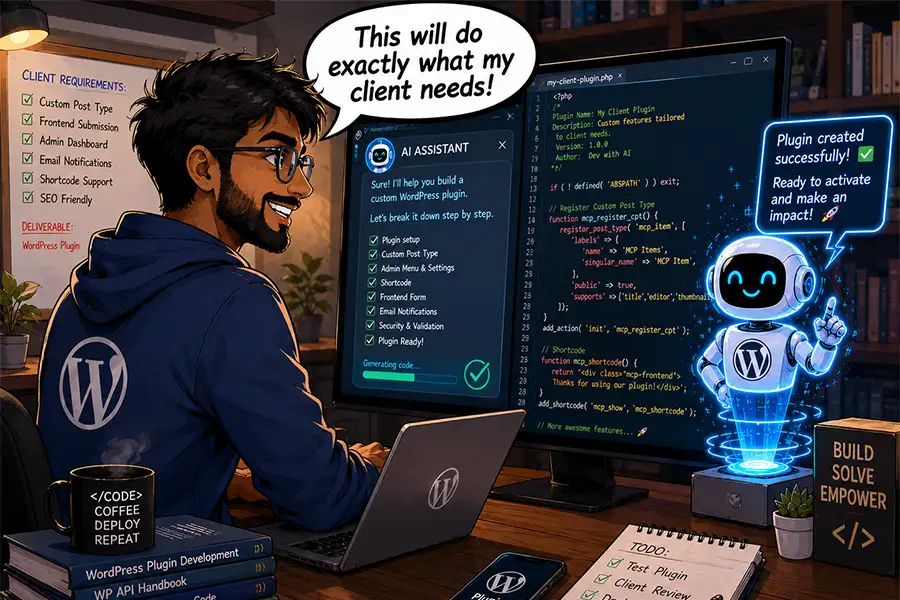
AI has swooped in to change that calculus. Advanced models like Claude Code enable even novice developers to build powerful, multi-layered projects. These days, it’s more about knowing what to ask for than understanding every line of code. We now have a tool that does the heavy lifting for us.

This technological shift gives new life to an old question: Should you use an existing plugin or build one yourself? AI certainly expands the potential scope of what’s possible, thus calling into question the need for third-party tools.

But don’t go on a vibe-coding rampage just yet! There are some important considerations when making this decision. Let’s talk about them.

Which Approach Best Fits Your Needs?

There are tens of thousands of WordPress plugins on the market. Some utility-based options are very niche, but most plugins are built to serve a broad range of use cases. Product makers must account for the many ways people use WordPress.

The downside of that approach is that a plugin might be more than what you need, or fall short in some areas. The old “too much or not enough” conundrum has long been a part of the plugin experience.

Building a plugin with AI, on the other hand, lets you narrow the focus. You can include only the features and functionality your project needs.

For example, let’s say you need a feature that only applies to one WooCommerce product. There is probably a third-party extension to fit this purpose. But a single-purpose plugin could do the same thing without the overhead or the cost of a yearly renewal. AI makes the process quick and easy.

On the other hand, needs evolve during a project’s lifecycle. Perhaps your client will need similar functionality on more products down the line. A vibe-coded solution may not be quite as flexible in that case. You may need to refactor the plugin to meet new requirements.

As such, it’s important to consider your current and future needs. If scope creep is a concern, a third-party plugin may be a better choice.

In some cases, a custom WordPress plugin will be the better option for your project

Do You Want the Maintenance Responsibilities?

An existing WordPress plugin may not solve your every need. However, it takes you off the hook regarding future maintenance. It’s the plugin author’s responsibility to fix bugs and build new features.

Naturally, that’s a double-edged sword. Some product makers are more responsive to issues than others. In addition, more than a few plugins have been abandoned over the years. And sometimes a product goes in a direction you don’t support. You don’t want to be left to pick up the pieces or placate clients when there’s a problem.

It’s all about control and responsibility. If your project (or personality) requires absolute control, then building it yourself makes sense. That way, you know what’s going on every step of the way. You don’t have to wait for someone else to take action.

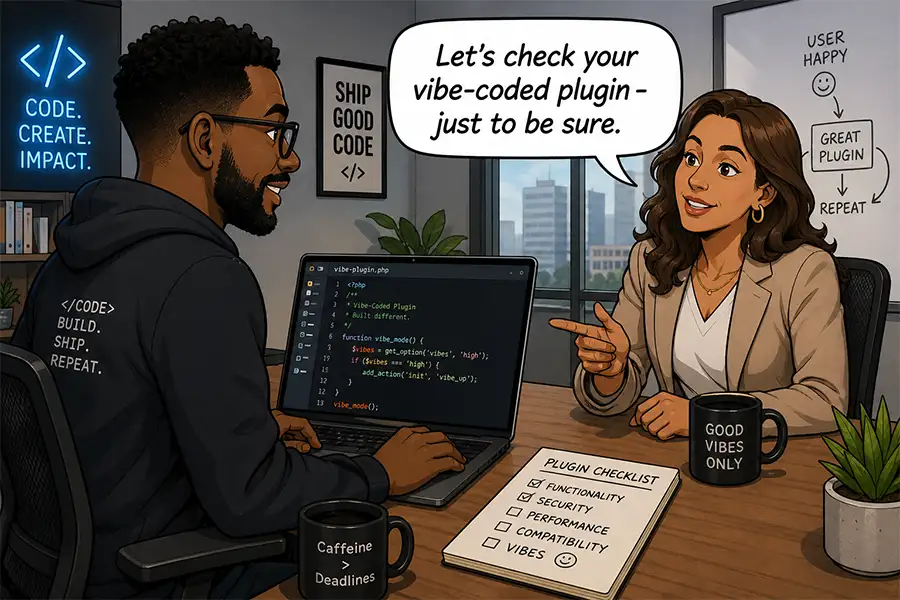
Still, we should note that vibe coding plugins result in a higher level of responsibility. It means checking for security holes, compatibility testing, and acting as your own technical support staff. The practice puts everything back into your capable hands.

Kudos to you if this fits with your philosophy! To be safe, we also suggest thinking about how these responsibilities scale. Maintaining a single plugin for a client is one thing. The upkeep of dozens of plugins spread over dozens of websites is another. Make sure you have processes in place to keep things running smoothly.

Building custom plugins requires future maintenance

Can You Build It Better?

The final consideration on our list is simple. The idea is that just because you can build something with AI, it doesn’t mean you should do so. Sometimes, there are established products that do the job well enough. Why reinvent the wheel?

The scope and depth of a plugin play a role here. Consider a popular plugin like Jetpack. It does a lot of things and has been around for a long time. Sure, you could vibe code your own suite of similar functions. However, ask yourself if you want to take on a project of that magnitude, or if it’s even worth the effort. The same could be said for Yoast SEO, Gravity Forms, and other flagship products.

That being said, you could reasonably use AI to recreate specific aspects of a plugin. For example, building a social sharing plugin that includes a few of the missing features you want. Smaller and more focused projects are better in most cases. And there’s also an opportunity to build your own extensions of an existing plugin.

There are also scenarios when your needs are very specific, and there aren’t any great options available. It’s here where vibe coding really begins to shine. You can take your idea to your favorite AI model and build it from scratch. It’s empowering for those working with clients!

The bottom line is to use AI when it’s beneficial. You might be able to build the next WooCommerce, but what’s the payoff? Instead, look for opportunities that help you level up.

Building a niche plugin can be more performant than installing third-party options

There Are Endless Plugin Options and Opportunities

The WordPress plugin ecosystem has an answer for many project requirements. It’s one reason why the content management system (CMS) has remained so popular. Adding more capabilities has always been a few clicks away.

The introduction of AI into the development process has expanded those possibilities even further. If an existing plugin doesn’t do everything you need, it’s easier than ever to build your own solution. In many cases, AI works quickly and is cost-effective. It helps us provide clients with more personalized functionality.

All of this makes deciding to go custom more compelling. AI lowers the bar for building complex features. Sometimes that means fewer advantages for existing products.

Still, vibe coding isn’t always the best option. It comes with a higher level of responsibility and adds to your long-term maintenance list. Plus, there are questions about code safety and stability. AI doesn’t necessarily reduce those risks.

The good news is that you have a world of choices. We hope the considerations above help you make the right one!

The post A New Choice: Use an Existing Plugin or Vibe Code Your Own? appeared first on Speckyboy Design Magazine.
How AI Can Help You Expand Your Agency’s Service Offerings

As AI continues to evolve, freelancers and agencies are finding new uses for the technology. It makes sense that many of us start by improving our workflow. Resolving those existing pain points helps us accomplish more with less effort.

However, AI also presents opportunities to broaden our horizons. We can use it to do things we haven’t tried before. Even better, we can experiment with ideas that seemed too ambitious a few years earlier. For example, consider projects that had a big learning curve or were time-consuming. Perhaps they don’t seem as daunting in the age of artificial intelligence.

The right tool could be the key to offering new and improved services to your clients. It’s a vehicle for increasing revenue and strengthening customer relationships. What’s not to love?

Let’s look at how AI can help you expand your agency’s service offerings. We’ll cover potential service ideas and considerations before presenting them to clients. You might even find the perfect growth opportunity for your business.

Find Tasks AI Can Do Faster and Better

Time is often the biggest barrier to creating new services. We’re busy enough without having to learn something new or focus on tedious work. More than anything, these are the tasks AI can help us tackle.

If you often find yourself knee-deep in code, you can use AI to lift the burden and increase productivity. Here are a few ideas to get you started.

Performance and Security Audits

Is your client’s website running at peak performance? Is it chock full of vulnerable code? Some plugins can help you find general answers. However, a full audit is often the best way to diagnose and fix issues.

The problem is that it takes significant effort to go through each line of code. You also need to know what to look for during the inspection process. Not everyone has the depth of knowledge in PHP, JavaScript, and other languages found in a WordPress website.

AI tools can save you a ton of time. Even a relatively lengthy code audit can be performed in the background (freeing you to enjoy a cup of coffee or two). Plus, some models are adept at finding security issues and performance bottlenecks.

The big caveat here is that AI can point out issues, but you may not be able to fix every one of them. For example, avoid making changes to WordPress core or third-party plugins. Those changes would be overwritten during a software update. You could, however, alert a plugin author of what you found.

On the other hand, the results can lead you to find better options or use AI to build a custom solution. Regardless, it’s a service you can charge for.

AI tools can scan your site's code for security and performance issues

Custom Plugin Development

There are two truths in agency life: No two projects are the same, and no WordPress plugin can cover every niche. That’s what makes custom development an appealing service.

Here again, we face limits on our time and coding abilities. But even an expert developer may not have enough room in their schedule for a complex plugin. Then there’s the future commitment to maintenance. It’s a lot to put on your virtual plate.

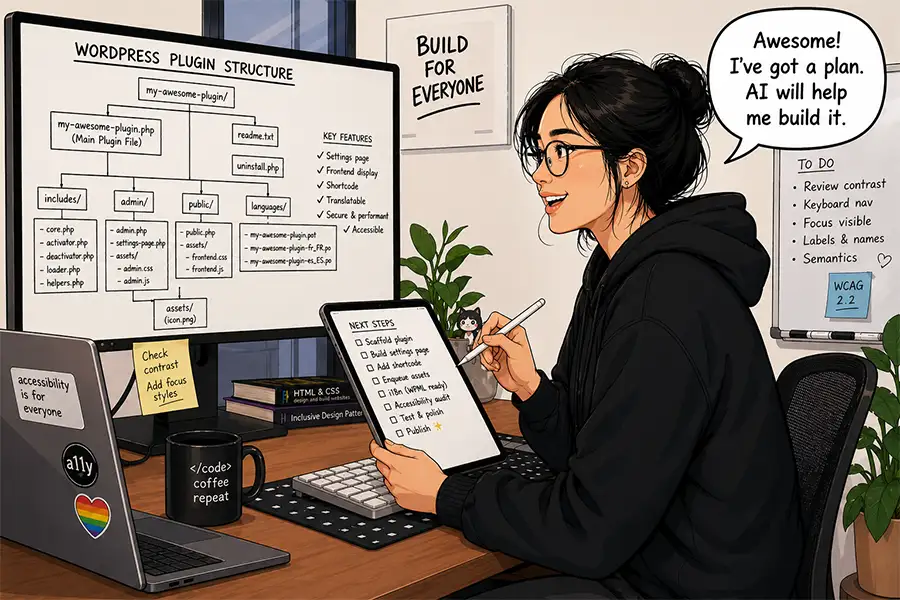
AI models make perfect development companions. They can use WordPress documentation to follow best practices and generate plugins with relative ease. Some more advanced apps can also create a logical file structure for you.

This opens multiple possibilities for your agency. You can create one-off plugins to cover client needs. You might also level up by creating more general-purpose plugins for use across multiple sites. A plugin with enough appeal could be sold in the marketplace.

In every case, there’s an opportunity to boost your revenue. Add custom plugin development to your project and maintenance fees.

You can use AI to expand your custom development capabilities

Content Starters and Analysis

It seems like content is always a sticking point when working with clients. We’re either waiting for clients to deliver it or we’re tasked with cleaning it up. Then there is also the ever-evolving challenge of SEO.

We still don’t recommend using AI to generate production-ready content. It’s simply too generic and won’t reflect branding without human intervention. However, it can help in several areas.

For one, you can use it to create “starter” content. This is text clients can review and edit to match their needs. The final results might be completely different – but that’s not the point. Seeing content on their screen might be the impetus they need to keep the project moving forward. That saves you time and a few headaches.

AI can also analyze content for accessibility and SEO best practices. Use cases include simplifying language, determining keyword density, improving titles, and generating meta summaries. It’s also handy for researching competitors.

Now, these common tasks can be completed in a fraction of the time. Adding them to your service list provides more value to clients. In addition, the SEO analysis could be a source of recurring revenue.

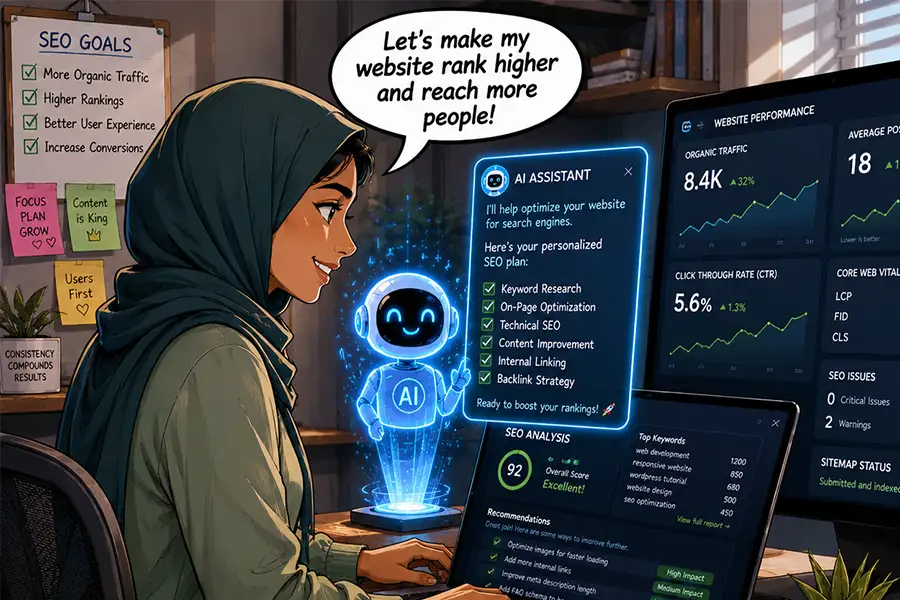
AI can help you optimize client websites for search engines

AI Could Be Your Agency’s Growth Engine

Perhaps AI’s value to your business is all about perspective. Sure, you could use it to make less-good versions of what you’re already doing. Generating slop and calling it a day isn’t great for your long-term viability. We won’t argue that some people have chosen this path.

However, AI is also capable of helping you be the best version of yourself. It just requires a more thoughtful approach. Use these tools to tackle the busy work while keeping a close eye on the results. Most importantly, be the decision maker in what you build. In other words, don’t accept AI’s initial output as the final answer.

Treating this technology as a partner is a path to growing your agency. The extra time and mental bandwidth you gain will allow you to identify new revenue opportunities. The ideas above are just the tip of the iceberg.

Ask yourself: What can AI do better and faster? How can it strengthen what I do best? How can I use it to improve client services?

The answers might lead you to something great!

The post How AI Can Help You Expand Your Agency’s Service Offerings appeared first on Speckyboy Design Magazine.
Keeping Your WordPress Client Expectations Realistic in the AI Era

Artificial intelligence (AI) apps are transforming how we build and work with WordPress. It seems like we’re inundated with new tools and use cases nearly every day. That’s either fun, scary, or both – depending on where you stand.

Our clients are also starting to grasp the implications of using AI. Or, they’re at least interested in what the technology can do for them and their website.

Once again, that’s a double-edged sword. It’s great that AI improves our efficiency and coding capabilities. Agencies and freelancers now have access to a valuable resource that can help take our businesses to new heights.

However, it may also lead to a shift in client expectations. They’re going to want more from us in less time. Oh, and they’ll also want it cheaper than before. It’s understandable, if not completely realistic.

So, how do we keep clients from asking for the moon at the speed of light (and for the price of a cup of coffee)? It’s all about process and communication.


You’re Still the Expert

One might assume that AI is smarter than humans. Sure, it may be fast and answer questions with unwavering confidence. For some, this leads to a false belief that these apps can and should do everything for us without our input.

But AI isn’t a perfect fit for every task. And even in those areas where it excels, humans should still verify the results.

Using ChatGPT, Claude, or Gemini on its own won’t solve every problem. Much depends on the person using these tools. A skilled developer will know what to ask for, as will a content writer or marketer.

When it comes to generating WordPress plugins, future maintenance is also a concern. As such, the ideas behind the software must have a solid foundation. The details matter.

Without human intervention, there is no way to guarantee accuracy, security, or even the appropriateness of the results. AI can perform the task, but shouldn’t be left to make all the important decisions.

This is why your expertise is still a necessary ingredient for success. These apps are most useful when we’re there to guide them.

All AI-generated code should be reviewed by a human

There’s More Time To Get Things Right

In the right hands, AI speeds up the development process. What used to take days can now be done in an afternoon. There’s no question that the technology saves us time.

The question is: What should we do with this extra time? Do we want to rush to launch our project or step back and consider what else we can improve?

Building custom layouts and functionality has traditionally been an obstacle – particularly for small agencies and solopreneurs. We only have so much time to dedicate to a project, and those items typically have the highest priority. They also require a lot of trial and error. Bugs must be squashed, and adjustments are made as we go deeper into the process. It’s easy to go down a rabbit hole.

That often led to little extras being left behind. Worse yet, things like accessibility or performance were half-baked, rather than being fully thought out. Projects didn’t always reach their full potential.

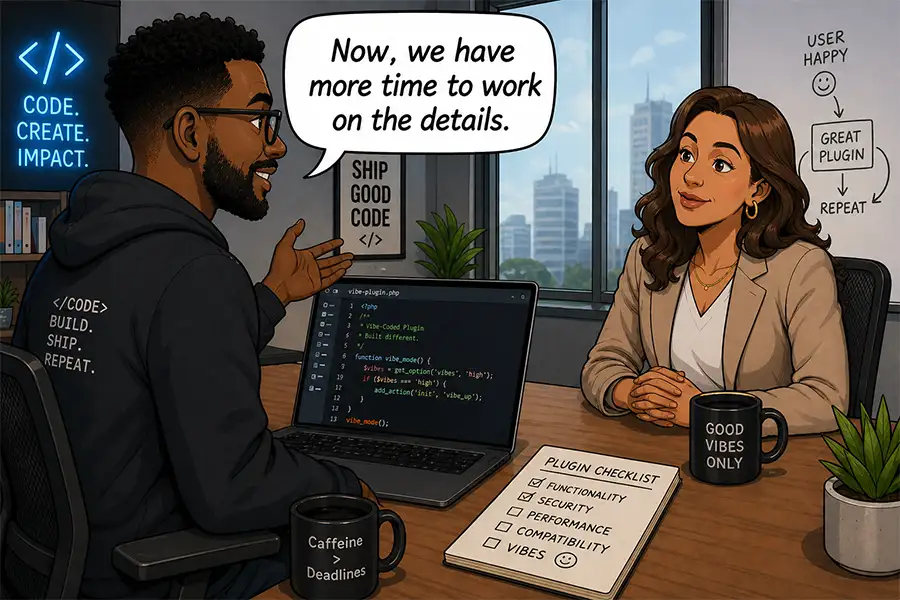
AI affords us more time to consider those other important aspects. Instead of development headaches leading to a mad scramble, we can now take a more holistic approach to site building. We can test thoroughly and make improvements.

Theoretically, AI facilitates a faster turnaround time. It’s also an opportunity to ensure quality.

AI saves you time, which you can use to address other project needs

Project Outcomes Are Your Value Proposition

Some clients will undoubtedly expect you to lower your prices. They may even ask you about your use of AI and how it impacts cost. It sounds reasonable, but there’s a flaw in this logic.

Successful outcomes are your biggest value to clients. How you get there isn’t the point. It’s a debate we’ve had before in the WordPress ecosystem.

The advent of page builders led to similar questions. Since we’re no longer building layouts by hand, does that mean our design skills are worth less money?

That’s like asking a carpenter if they charge less because they use power tools instead of a screwdriver. Likewise, automation in other industries doesn’t necessarily lead to lower prices. New vehicle prices go up every year, despite the presence of robots on the assembly line. And better software doesn’t lead to discounts from your accountant.

One reason we invest in new technologies like AI is to produce better results. If anything, we should look to increase our profit margins, not lower them. This shouldn’t be a race to the bottom.

It’s a discussion worth having with clients who challenge your pricing model. Yes, anyone can use AI. But anyone can use a page builder or even an SEO plugin. That doesn’t guarantee results.

We can produce outcomes that are tailored to client needs. AI is but one tool we can use to get there. It’s no substitute for our skills and experience.

Smart use of AI can lead to better project outcomes

AI Means More Is Possible, Within Reason

AI opens a world of possibilities for WordPress agencies and our clients. It can also lead to imaginations running wild. That’s why setting realistic expectations is important.

It’s up to us to set the tone. We must consider how we talk about AI and any claims we make about its capabilities. Our messaging should reflect how this technology helps us better serve clients, while avoiding hyperbole about miracle cures for every challenge.

That’s hard to do in an ecosystem where others are pumping out big promises. Then again, it’s no different than other can’t-miss solutions from years past. As always, agencies and freelancers should be the voices of reason.

Doing so builds trust with clients. That’s still the cornerstone of a successful business, regardless of the technology we use.

The post Keeping Your WordPress Client Expectations Realistic in the AI Era appeared first on Speckyboy Design Magazine.
Why Humans Should Still Be a Part of WordPress Development

WordPress developers use AI for a wide range of tasks. We’re building custom plugins, troubleshooting code, and automating processes. It’s all good stuff!

Adopting this technology has significantly changed our role. It’s no longer about poring over each line of code. Now, we’re closer to a symphony conductor, orchestrating projects as a large language model (LLM) does the dirty work.

We can certainly appreciate the increase in productivity. Fewer moments spent knee-deep in documentation or support forums means more time to get things done.

This also makes it tempting to remove humans from the picture. Some agencies and development shops have cut staffing in favor of AI. It makes sense on a few levels. An AI tool is cheaper than an employee or freelancer. And the gains in efficiency mean one person can do the work of many.

But there’s a fine line between increasing output and relying too heavily on AI. Here’s why humans should still be a part of the process.


Knowledgeable Humans Are Essential for Quality Assurance

There’s something to be said for a well-trained eye. A seasoned developer can envision how an app should work. Their experience helps them effectively structure projects and avoid common pitfalls. They understand the importance of performance and security.

On the other hand, AI models are great at generating code, but they don’t think like a human. They may use techniques that aren’t as efficient for a particular purpose. They can also misinterpret what we’re asking them to do. Like their human counterparts, AI tools aren’t perfect.

Even the most advanced coding tools can make mistakes. It could be as simple as a syntax error. However, they may also produce work that doesn’t account for edge cases or future maintenance.

That’s why a human should carefully review all AI output. Generated code should be tested with a mix of manual observation and automated tools. It’s no different than a senior-level developer keeping a watchful eye on what their team is producing.

Remember, automation isn’t an excuse to lower your standards. If anything, it provides an opportunity to squash bugs and refine functionality. Building with AI works best when done in tandem with a knowledgeable person.

Don't rely on AI tools to get everything right

Developers Can Shift Their Focus to the Bigger Picture

Solo developers and teams alike have traditionally struggled with the little things. Tight deadlines and shoestring budgets make it hard to get the details right. So often, it’s a race to the finish line, rather than a quest to create the best possible result.

The details are often what make a WordPress plugin or theme great. This happens when we go beyond software that merely works and focus on things like the user experience. AI gives us a chance to take a larger view of our projects.

We no longer have to write code by hand. That may bring a tear to your eye (or make you leap for joy). The bright side is that you now have time to create a comprehensive plan for each project. You can define how it looks, how it works, and how it will adapt to future needs. Even if you were doing these things before, you’ll have a chance to think bigger and better.

All of a sudden, deadlines are a little less important. You’re free to explore options and test them. Most of all, you can afford to make a mistake or two along the way. Rewriting a code snippet isn’t a disaster that puts you behind. Rather, it was just a failed experiment you encountered along the way.

The additional room for creativity could be a difference-maker. We can go from “we’ll get to it later” to “let’s get it right from the start” – that’s powerful for developers of all stripes.

The time AI saves you can be spent planning your strategy

People and AI Are Better Together

Every WordPress developer should be exploring AI and how it can benefit their workflow. We’re well beyond the point where it’s just a curiosity. The future of our industry depends on how we use and adapt to this technology.

The sad truth is that AI will continue to cause some businesses to reduce their staff. It seems like an unavoidable consequence.

We must be careful, though. To borrow from WordPress terminology, this doesn’t mean we should cut people out of the loop. Humans are still integral to building great software. As such, we shouldn’t cede everything to the machines quite yet.

Things like quality control and holistic thinking are too important – and it’s what we do best. We should use AI as a vehicle to put those traits into action. Doing so will put us on a path to greater efficiency and better outcomes.

The post Why Humans Should Still Be a Part of WordPress Development appeared first on Speckyboy Design Magazine.
Using my.WordPress.net to Experiment With AI

Experimenting with AI can be a great way to learn about its capabilities. And yes, it’s also a lot of fun. A few prompts can take you in any direction you want to go – or to places you never expected.

WordPress is the ideal testing ground for AI tools. You can work with code, generate content, or discover new ways to manage your website. It could do wonders for your workflow.

However, you probably don’t want to experiment in a production environment. There’s always a chance that something will go wrong and affect users. It’s not a risk worth taking!

Thankfully, there’s a new option worth getting excited about. The recently released my.WordPress.net installs a copy of the content management system (CMS) directly in your browser. It’s completely private, but can connect with various AI providers. It’s the perfect place to get a feel for what you can do with AI inside WordPress.

Let’s take a quick tour of my.WordPress.net. We’ll install it (super easy), connect it to AI, and start experimenting.


Sample Project: Integrate AI Into a Local WordPress Install

Today’s project is dead simple. First, we’ll install WordPress in our browser. Then, we’ll add our ChatGPT API key to integrate with the AI model. Finally, we’ll run a few test prompts to explore AI-based site management. Oh, and we’re sure to have a few adventures along the way.

Here we go!

Step 1: Install WordPress in Your Browser

We don’t want to spoil any surprises, but you might be amazed at how easy it is to install WordPress in your web browser.

  1. Visit my.WordPress.net.
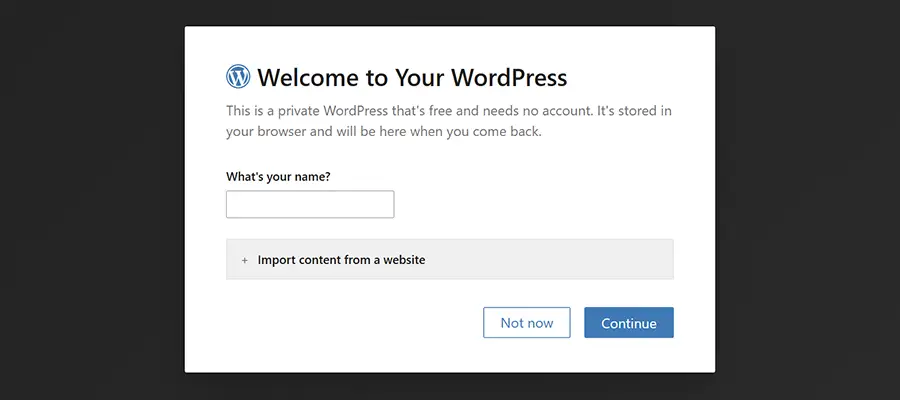
  2. Enter a name for your website when prompted.

my.Wordpress.net installs in your web browser

That’s all there is to it! You could optionally import content from another WordPress site. But we’re starting from scratch.

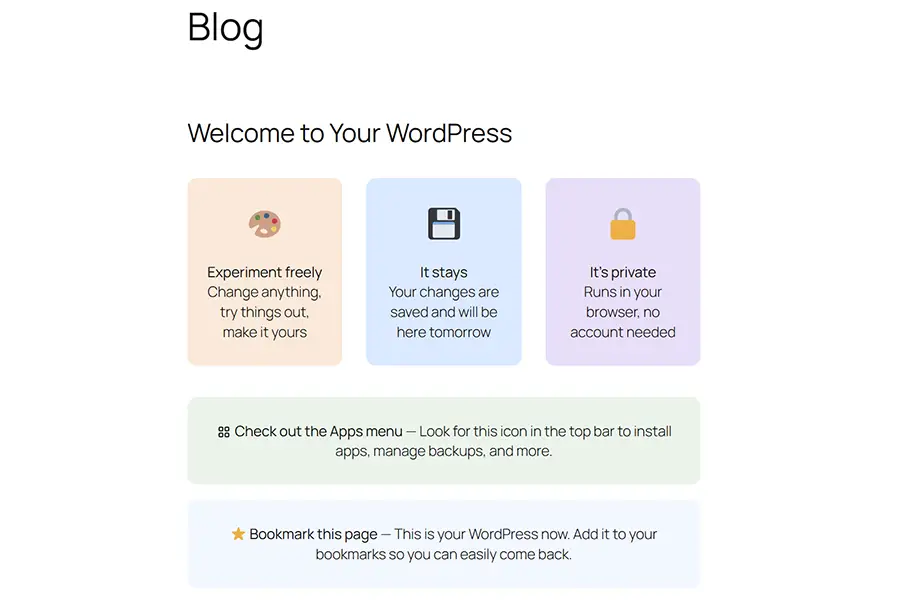
Once installed, you’ll see a welcome screen.

The My WordPress welcome screen

Step 2: Install the AI Assistant App

Those familiar with WordPress might be confused by the use of the term “apps”. After all, the CMS is famous for its plugin ecosystem. Not to worry. This offshoot decided that “apps” was a more user-friendly word for beginners. Consider plugins and apps as interchangeable.

Regardless, our next task is to install the AI Assistant app. Once again, it will be quick and easy.

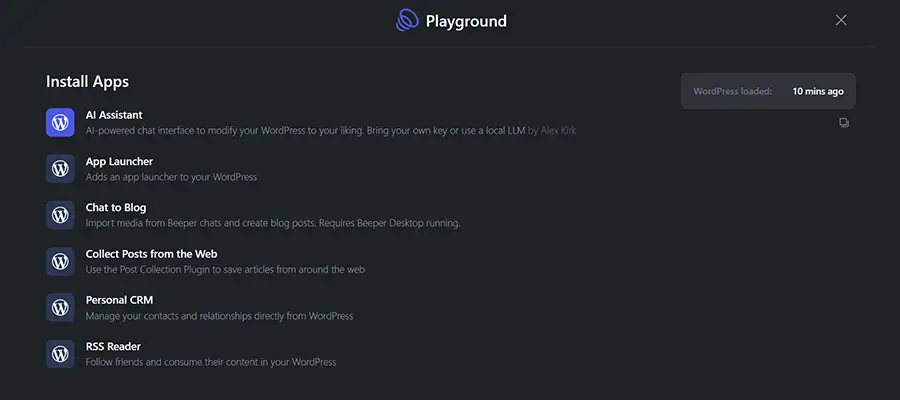
  1. Click on the Apps menu (an icon with four squares) on the upper right of the screen.
  2. Find “AI Assistant” on the list and click on it.

The AI Assistant will automatically be installed on your local site. You’ll be returned to the welcome screen after it’s finished.

The My WordPress Install Apps screen

Step 3: Connect With an AI Model

We have everything we need to connect WordPress with an AI model. Now, it’s time to choose a provider.

At the time of this writing, AI Assistant works with Anthropic (Claude), OpenAI (ChatGPT), or a local AI model via Ollama. More providers may be added in the future.

  1. Click on the command menu at the top of the screen (the long bar with a “/” inside) and select Dashboard.
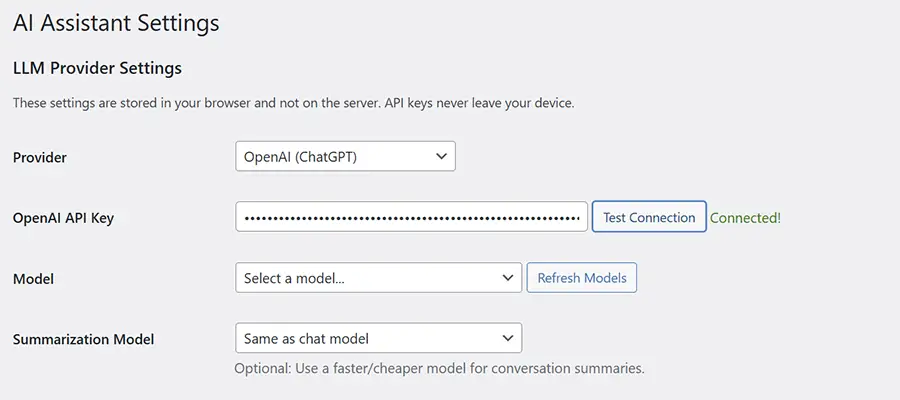
  2. Navigate to Settings > AI Assistant inside the dashboard.
  3. Choose an AI provider and enter your API key.
  4. Choose a model from your AI provider (we used gpt-4o-2024-08-06).
  5. Save the revised settings.

Navigating to the My WordPress dashboard

The AI Assistant Settings screen

In our case, we grabbed a ChatGPT API key and entered it into the settings. For reference, this method requires purchasing API credits from OpenAI. This is separate from your regular ChatGPT account.

The AI Assistant app also provides some information on what various WordPress user roles can access. You can also choose to add an AI Assistant button on the front-end of your site, which is displayed to logged-in users.

Step 4: Experiment!

The only thing left to do is have some fun with AI inside WordPress. You’ll find the AI Assistant throughout the dashboard and, optionally, the front-end of your website.

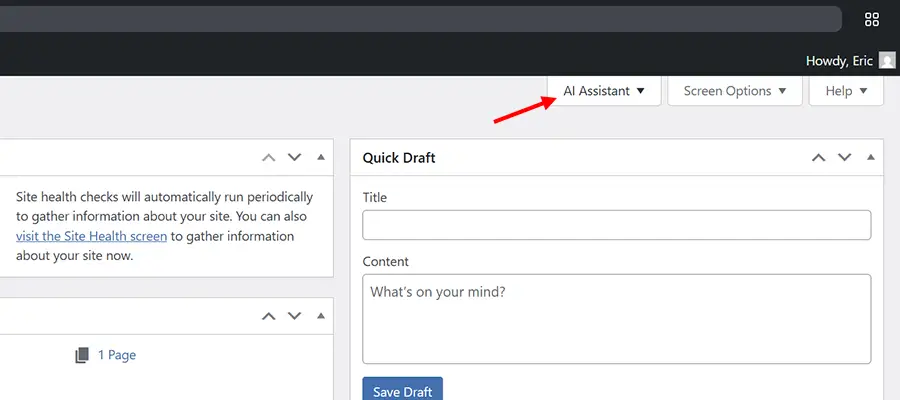
  1. Click the AI Assistant button at the top right of the dashboard.
  2. Enter a prompt in the chat window and start working with AI.

The AI Assistant tab is located on the upper right of the dasbhoard

Here are a few sample prompts to get you started:

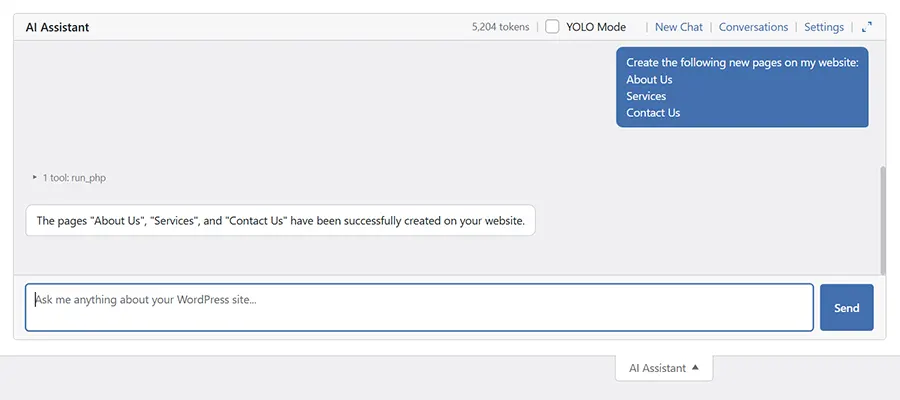
Create the following new pages on my website: About Us, Services, Contact Us
What time zone is my website using?
Activate the Hello Dolly plugin.

We asked the AI Assitant to create new pages for us

ChatGPT handled each of these requests without hassle. However, it did install a second copy of the Hello Dolly plugin. We’ll chalk it up to an early bug.

Note that you may be asked to approve certain actions, like creating pages or installing plugins. It’s a safety measure and is worth reviewing before allowing AI to make changes.

An Easy Way To Try AI Inside WordPress

Perhaps our experiments weren’t earth-shattering, but that’s not the point. The idea is that AI can tell you a lot about your website and perform routine tasks. And my.WordPress.net provides a safe space to learn and play.

Even better, the process for installing WordPress and integrating an AI model couldn’t be easier. You can be up and running within a few minutes. Just note the potential cost of using Anthropic or OpenAI for this purpose. Be sure to check your spending limits so you don’t lose a small fortune.

All told, it’s a great way to discover how AI can help your workflow inside of WordPress. So, take some time and find what works for you!

The post Using my.WordPress.net to Experiment With AI appeared first on Speckyboy Design Magazine.
The Potential of Local Open-Source AI Models

I’ll admit it: I feel uncomfortable about mixing open-source software with proprietary platforms. There’s no technical reason for my hesitancy. We do it all the time with tools like Google Analytics or by connecting a form to our mailing list provider. But the idea seems cringey for an advocate of the open web.

So while connecting, say, WordPress to an AI model like ChatGPT, Gemini, or Claude will work, there are also concerns. What can these models access? How will they use my website’s data? Could a security leak put my site at risk? And what will it cost?

There’s also a thought that these models may be overkill for what I need. If I only want AI to help me change settings or analyze SEO, do I really want the entirety of what ChatGPT offers? It seems a bit wasteful.

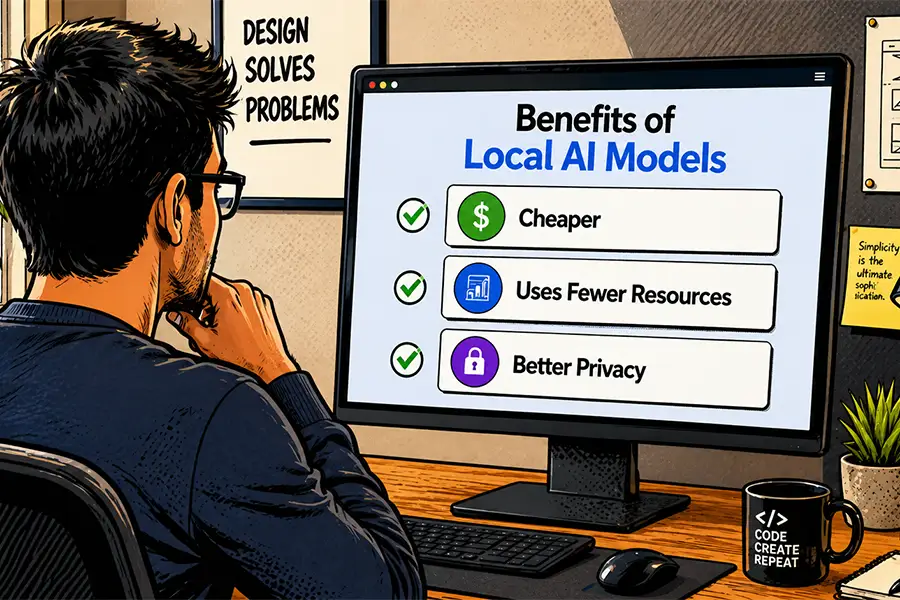
That’s why I’m excited about the potential of open-source AI models – particularly ones that you can install locally. Such apps could be a solution to privacy and security concerns. They may also be more efficient than the electricity-hogging corporate models.

Let’s take a moment to dream about the possible benefits for agencies, freelancers, and website owners. I’m not a software engineer, so I can’t claim to know all the technical requirements. So, consider this a wish list. Even so, it’s still worth exploring.

A Cheaper Way To Integrate With AI

It’s no secret that serious AI integrations cost money. We pay the big players to access their APIs via credits or tokens. The more you use AI, the more you pay. It may be well worth the cost in some situations.

But like any use-based pricing system, things can get out of hand. For instance, what happens if you forget to set a spending limit? A spammer could flood your chatbot with requests, leading to an unseemly bill at the end of the month. A traffic spike could also lead to running out of tokens in short order.

A free-to-use open-source model could bring more cost certainty. Granted, much depends on the app’s size and resource usage. But the right one could make it easier to predict your AI spending. It might be a matter of upgrading your web hosting.

Open-source could do for AI what WordPress did for content management systems (CMS). Imagine spinning up an AI instance whenever you want. Hosts might even enable one-click installs.

Best of all, this scenario would help us avoid regular price increases. That’s key for those working on a tight budget.

A local AI model could be a more cost-effective option

An AI Model Trained on What You Need

The big AI apps are trained on massive amounts of data. It’s akin to swallowing the entire internet. You might feel a bit bloated in the aftermath.

These large language models (LLMs) are great for a multitude of uses. It can help your child with math homework, help you write a proposal, or generate out-of-this-world images. Very cool! And if you want your website to do all of these things, more power to you.

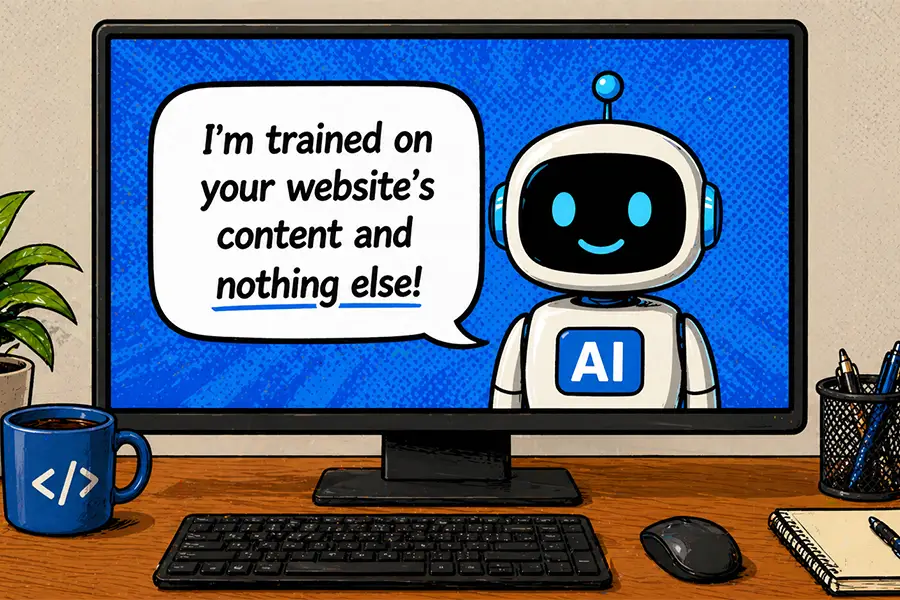
However, I suspect that’s beyond what most people will need. Maybe you want a model trained only on your product’s documentation so users can ask questions. Or you want to translate your content into another language. Smaller, open-source models might be a better fit for your niche.

This would also solve the problem of users tricking AI into doing undesirable things. A model that doesn’t have such capabilities could be a safer choice.

Again, this also plays into better performance and lower resource usage. The hope is for an AI app that doesn’t do all the things; rather, it focuses on the things you need.

An AI model trained only on what you need could be safer and more efficient

Resources

Smart people are already working on various open-source AI models. It’s fair to say none have overtaken Claude or ChatGPT yet. But perhaps they don’t need to. After all, my hope is for leaner and more focused models.

We’re still in the early stages, but some interesting options have appeared. With that in mind, here are a few resources to help you find and experiment with current models:

New models and variants are being released all the time. The links above will help you keep track of what’s new and interesting.

Is Open Source the Way to a Better AI?

It’s no secret that there are privacy and safety concerns with AI, not to mention the fear that this technology will replace humans at scale. While still a drop in the overall bucket, open-source models could be a ray of hope.

The idea of data ownership is appealing, as is AI that focuses on specific tasks. Done right, an open-source model could make AI more personal and less scary. These are goals worth exploring.

Time will tell whether one or more models will succeed. In the meantime, I think we owe it to ourselves to test and provide feedback. Together, we can push for AI that benefits everyone. That’s the open-source spirit!

The post The Potential of Local Open-Source AI Models appeared first on Speckyboy Design Magazine.

How AI Could Change Collaboration for Web Designers & Developers

Connecting and working with other web professionals is one of my favorite parts of this industry. Web designers are always willing to share what they know, and that benefits everyone. I can’t begin to measure how much I’ve learned thanks to this generous spirit.

There are also opportunities to build professional relationships. We hire each other for coding tasks, marketing, support, or even business consulting. It’s a way to expand our capabilities and boost revenue, not to mention the new products and services that were launched as a result of these relationships.

Like everything else in our industry, artificial intelligence (AI) is poised to impact these professional bonds. We’re experimenting with this technology, looking for ways to make us leaner and more productive. Perhaps we’re in the early stages. But it’s reasonable to assume that there will be a human cost to adopting AI.

Let’s look at the potential benefits and drawbacks of going all-in on AI and its impact on our relationships.

Greater Productivity and Expanded Capabilities

If there’s one thing we’ve discovered about AI, it’s the relative ease with which it writes code. It can spin up a new WordPress plugin (or a framework for one) within a few minutes. It can also troubleshoot a code snippet in the blink of an eye.

These tasks used to take hours, days, or weeks to complete. AI has saved me from countless searches of support forums and blog posts. In some cases, I might have broadcast my pain points on social media, hoping for a kind soul to offer advice.

These days, AI generally points me in the right direction. There are several positive aspects to this arrangement.

For one, I feel more self-sufficient when working with code. Perhaps that’s ironic, as the machine is writing the code for me. Still, there’s something to be said about not placing my burden on anyone else.

AI also improves my productivity and expands my capabilities. Those client requests that used to drive me crazy aren’t as stressful these days. It’s not always easy, but I’m still producing solutions faster than ever.

What’s the downside? An individual working this way might not have a big impact. The problem arises when we use AI for all the things at scale.

Artificial intelligence may make support forums a thing of the past

Web Developers Working in Silos

The cumulative effect of “doing it ourselves” with AI is less collaboration. For example, why would I send a task to a fellow freelancer if I can perform it with AI? I’m saving time and money.

Agencies that rely on contractors will do the same thing. They’ll have less incentive to outsource all or some of a project because AI is cheaper and easier. Never mind that it potentially adds more to an employee’s plate.

This will result in fewer gigs for some of us. There will be an economic impact, as we’ll lose some of the recurring revenue we depend on. It will also require a shift to building our own things, rather than building for others.

The other potential side effect is becoming more insulated from the community around us. We might find ourselves interacting more with bots than people (it’s already the case for me). We could be less likely to share what we’re doing or explore what others have done.

If we’re not careful, it might also lead to less in-person interaction. AI won’t make conferences and WordCamps irrelevant. However, some may feel less desire to learn from other humans. Again, why travel and sit through a session when AI will do whatever I want?

Sharing knowledge is such a big part of what web professionals do. Once we’re past the experimentation phase of AI, we might have fewer tips to share – not to mention fewer people willing to listen.

Using AI may lead to less collaboration among web professionals

Let’s Keep the Human Element in Web Design

For all the amazing things AI can do, it shouldn’t replace what makes the web design industry so unique. We are a community of thinkers and doers. We’re at our best when working together.

Just think, the open-source movement wouldn’t be where it is today without collaboration. People built the foundation of this work. Technologies like AI can contribute, but only humans can be the thinking and breathing stewards of such projects.

I hope we don’t lose sight of what we’ve accomplished. In the rush to use AI for this and that, we shouldn’t leave our traditions behind. If anything, we should use technology to create more time for human interaction.

Less time working, more time getting together. That sounds like a better future to me!

The post How AI Could Change Collaboration for Web Designers & Developers appeared first on Speckyboy Design Magazine.
What AI Can Teach Web Developers About WordPress

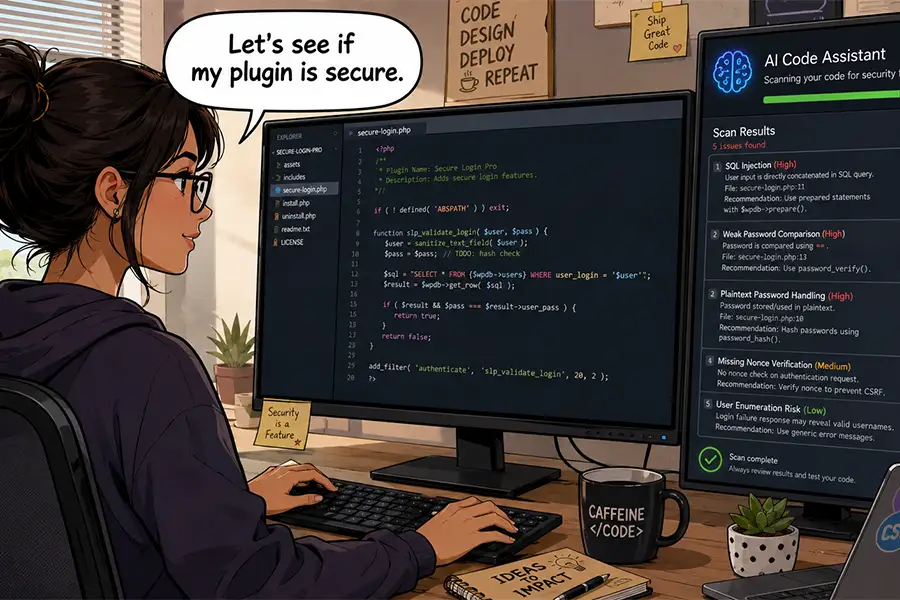
Artificial intelligence (AI) is a tool for getting things done. The WordPress community is already using it to write and troubleshoot code. Meanwhile, the WordPress project is in the midst of making AI integrations easier for all.

That’s all great and exciting stuff. However, we may be missing the boat regarding other use cases. AI has the potential to do more than perform menial tasks. We can also pick its virtual brain to learn more about WordPress and related technologies.

Human knowledge still matters, and AI is only as effective as the person interacting with it. So, why not learn as much as we can? This new technology could be a goldmine of information, with the results improving our project outcomes and helping us develop better processes.

So, what can AI teach us about WordPress? Let’s find out!

Explain What a Function or Code Snippet Does

Code snippets aren’t always easy to understand, particularly when you’re unfamiliar with them. For example, you may inherit a website that includes a custom plugin or theme template. Likewise, you might not recall the purpose of something you wrote years ago.

In addition, WordPress includes hundreds of hooks, filters, and functions. Some have better documentation than others (and even that can be difficult to comprehend).

AI can help you identify what a code snippet does in short order. Paste it into your favorite Large Language Model (LLM), and you’ll receive a detailed overview of what’s happening. You can even ask follow-up questions to narrow down a specific line.


Here’s a simple example, using a snippet commonly found in theme templates and plugins. We’ll ask ChatGPT to provide some details.

"What does the following code snippet do?"
if ( ! defined( 'ABSPATH' ) ) {
  exit;
}

ChatGPT responded with a breakdown of the code’s functionality and operation.

This snippet is a standard security guard used in WordPress PHP files, especially in plugins and themes.

What it does
It prevents the PHP file from being accessed directly via the browser.

How it works
1. ABSPATH

  • ABSPATH is a constant defined by WordPress in wp-config.php during the normal WordPress bootstrap process.
  • It contains the absolute filesystem path to the WordPress installation.

2. defined( ‘ABSPATH’ ) check

  • The code checks whether WordPress has already been loaded.
  • If WordPress is running normally, ABSPATH will exist.

3. Direct access scenario
If someone tries to access the file directly in a browser, e.g.:
https://example.com/wp-content/plugins/my-plugin/my-file.php

WordPress has not been loaded, so:
defined(‘ABSPATH’) === false

4. exit;
Because the constant isn’t defined, the script immediately stops executing.

Why this matters
Without this check:
-Someone could directly run the PHP file.
-Internal functions might run outside the WordPress environment.
-It could expose sensitive data, database queries, or admin functionality.

ChatGPT’s response was even more robust than what’s included above. It also gave specifics on where our snippet is typically found and advice on security best practices.

This is all valuable information. We now know the purpose of our snippet and have a step-by-step guide to explain what it does.

Discover Different Approaches for Building a Feature

Our first attempt to build a feature isn’t always the best one. After all, the goal is to find the best answer, not the quickest.

That’s why code typically undergoes several rounds of revisions. It seems like there is always something we didn’t account for in the initial try. For instance, there could be a missing detail or a feature that includes unnecessary bloat. Both humans and AI models make these mistakes.

As such, it’s worth weighing your options. There may be an approach that’s easier to maintain or extend later. This also comes in handy when a client inevitably changes their mind.

We can use this line of thinking when instructing AI to generate code. Let’s consider building a related posts plugin.

You might start with a prompt like this:

"Build me a related posts plugin for WordPress."

The above may get the job done. However, AI may not offer you multiple approaches by default. Let’s add some nuance to the prompt:

"I want to build a related posts plugin for WordPress. Give me at least two approaches for achieving this, along with the pros and cons for each one."

AI’s answer may even lead you to think of other potential features or issues. It’s another example of how AI should work for you, not the other way around.

Research Improvements and Optimizations

Our code may work, but is it the best it can be? Is it secure and performant? Will it be compatible with the next version of WordPress? All are important considerations.

There’s something to be said for having a second set of eyes (or the virtual equivalent) review your work. That applies to proofing a new project or refactoring legacy code. You won’t have to look far to find room for improvement.

Why not ask AI for a few suggestions? Paste a code snippet or upload a file, then instruct the app to improve performance, efficiency, and security.

You may also want to share relevant documentation, such as the WordPress theme and plugin handbooks. That will ensure AI compares your code against best practices.


Let’s put that theory to the test by asking AI to review an old-school WordPress post query.

"Review this code snippet and tell me how to improve it. Could it be more secure or efficient?"

  <?php
  global $post;
  $args = array( 'numberposts' => 1, 'offset'=> 0,  'category' => 4 );
  $myposts = get_posts( $args );
  foreach( $myposts as $post ) :    setup_postdata($post); ?>
  <p><a target="_blank" href="<?php the_permalink();  ?>"><?php the_title(); ?></a></p>
  <?php endforeach; ?>

  <?php wp_reset_query(); ?>

Once again, ChatGPT gave us a detailed overview of what our code does and steps to improve it.

Yes — you can make this cleaner, safer, and a bit more correct (especially around globals and reset functions).

What your snippet currently does

  • Fetches 1 post from category ID 4
  • Loops it, outputs a link with title
  • Calls setup_postdata() so template tags like the_title() / the_permalink() work
  • Resets something at the end

Issues / improvements

1. Don’t rely on global $post in the loop variable

Right now you’re doing:
global $post;
foreach ( $myposts as $post ) :

That overwrites the global $post reference inside the loop (and can confuse readers). Use a different variable name (e.g. $featured_post) and then pass it to setup_postdata().

2. Use wp_reset_postdata() (not wp_reset_query())

  • get_posts() does not modify the main query ($wp_query)
  • wp_reset_query() resets the main query and is meant for query_posts() usage (which you should avoid)
  • After setup_postdata(), the right cleanup is wp_reset_postdata()

3. Escape output (security/hardening)

  • the_title() and the_permalink() generally output safe data, but in custom code it’s best practice to use the “get_” versions and escape yourself:
  • esc_url( get_permalink( … ) )
  • esc_html( get_the_title( … ) )

This is the main “more secure” improvement.

4. Prefer newer/clearer query args

numberposts works, but posts_per_page is the more standard arg.

Also consider:

  • ‘no_found_rows’ => true (micro-optimization; avoids pagination counts)
  • ‘ignore_sticky_posts’ => true (avoid sticky surprises)
  • ‘post_status’ => ‘publish’ (explicit)

5. If you only need one post, you don’t need a foreach

You can grab the first result and output it, reducing code and risk.

In addition, AI provided two revised snippets that include the above suggestions. It’s an easy way to modernize an old code snippet.

Using AI as a Learning Opportunity

AI apps are easy to use when working with code – almost too easy. It’s tempting to copy the results and ignore the app’s explanation of what it just did. However, there’s value in slowing down and reading those details.

In some ways, using AI can be akin to having a seasoned developer by your side. You can learn a lot by paying attention.

That’s particularly true for well-documented software like WordPress. The content management system (CMS) is full of niche functions and settings. Not to mention a whole ecosystem of themes and plugins.

You can use AI as a guide for understanding how everything works. It’s a way to dig deeper and experiment with building from scratch and reworking your existing code.

The bottom line is that, if you want to learn more about WordPress, AI offers a simple way to do it. Even better, it (probably) won’t get mad if you keep asking questions!

The post What AI Can Teach Web Developers About WordPress appeared first on Speckyboy Design Magazine.
❌